
Integration monitoring: catch a failed sync before finance does

Isometric illustration of an ERP, CRM, bank and online store linked by data pipes, with one broken connection flagged by an alert beacon. - integration monitoring
Summarize in:
Get an instant AI summary of this article

Introduction

Integration monitoring means checking business outcomes, not just whether a connector is up. Compare order, bank-statement and customer counts across your systems every day, and alert when a count drifts or the last good sync gets old.

It’s the fourth "sync failed" ticket of the week, and finance spotted it before IT did. IT service desk automation can route those tickets, but the better fix is catching the failure before anyone asks. This post covers what to watch between your ERP, CRM, bank and store, how to alert, and where an agent can write the incident note before a person looks.

In This Article, You'll Learn
  • Which failures hit ERP, CRM, bank and store syncs most often
  • How to monitor ERP integrations with counts, not just uptime
  • How to alert so people act instead of mute the channel
  • What an agent-written incident summary contains, and why a person approves the fix
  • Who owns each type of failure

How many sync failures does finance find first?

Walk through your ERP, CRM, bank and store connections with our team and see where monitoring and agent-written incident notes would fit.

Book a 30-min call →

Quick Answer Integration monitoring is a daily check that the data in one system matches the other. For ERP integration monitoring, track last successful sync time, error rate, queue backlog and record counts per integration. Alert a named owner when a count drifts, attach the failed record, and have a person approve any fix that posts money.

What Usually Fails Between ERP, CRM, Bank and Store Syncs?

Most sync failures are quiet. The connector shows green, the job reports success, and a handful of records never arrive. Finance finds out at reconciliation, days later.

The fix is a repeatable order of work. We use one model for every integration we run:

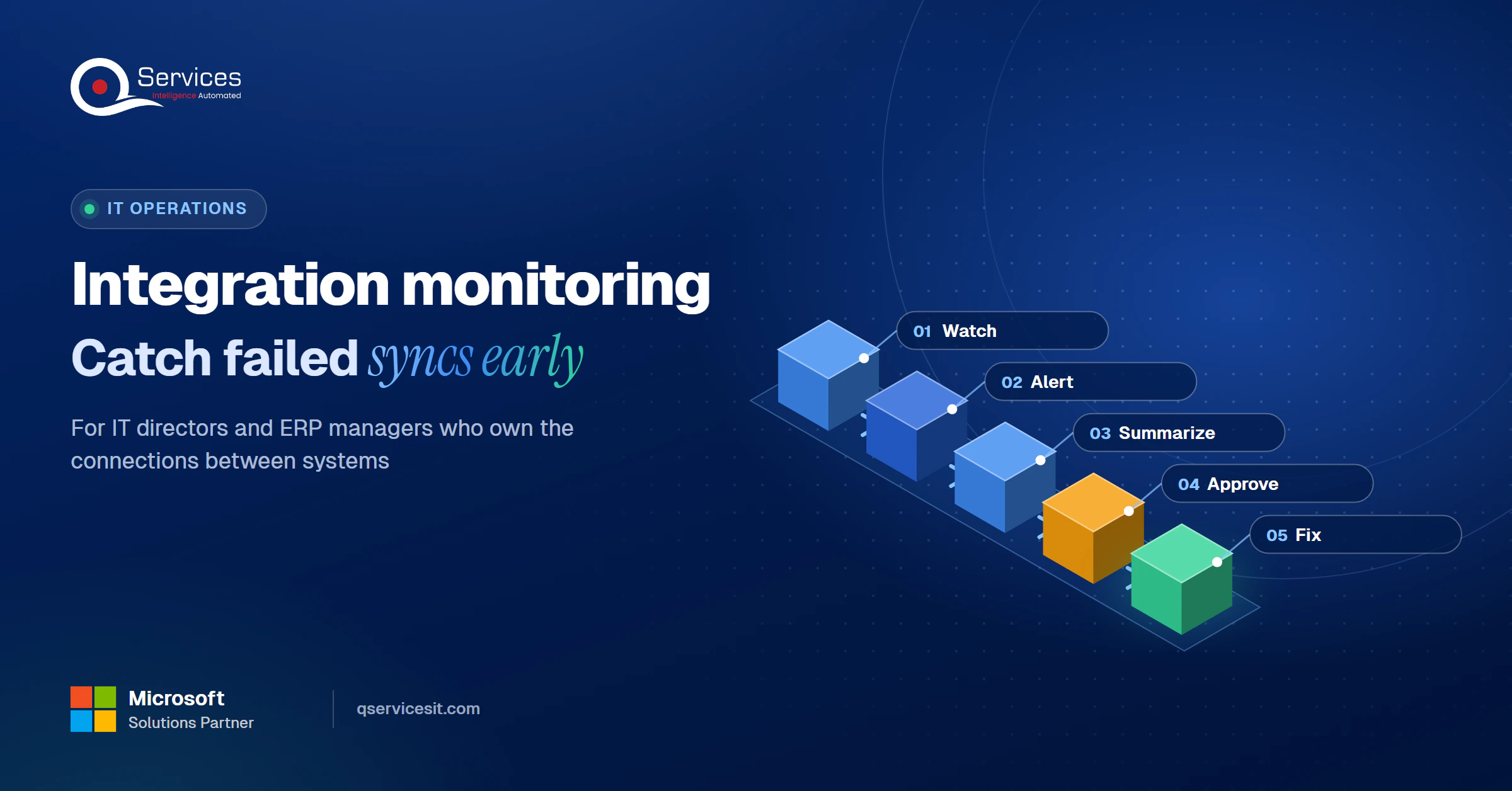
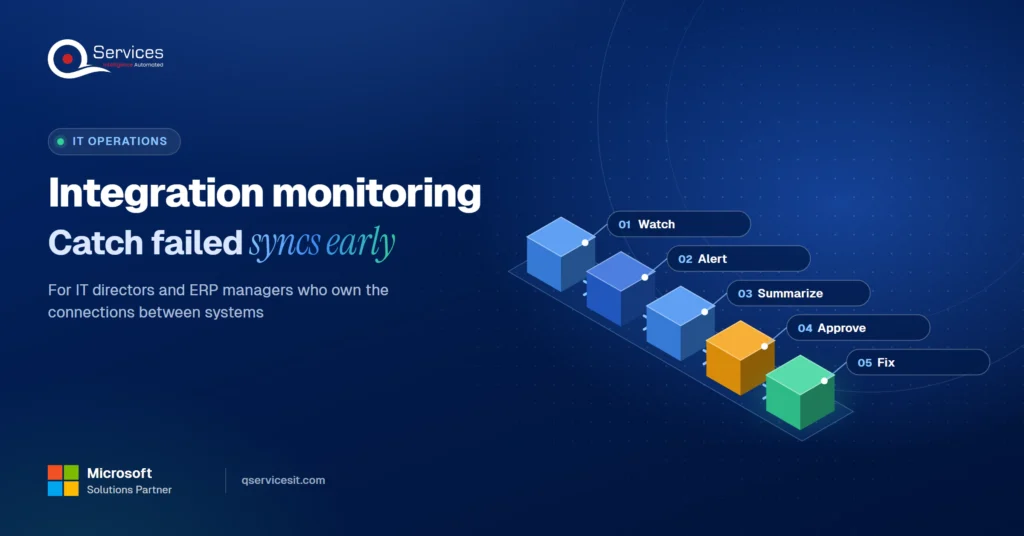
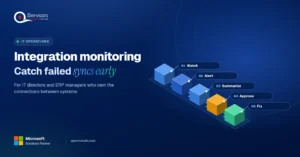
The QServices Framework Integration Monitoring = Watch → Alert → Summarize → Approve → Fix

Watch comes first because you can’t alert on what you don’t measure, and Approve sits before Fix so nothing posts to the ledger on a guess.
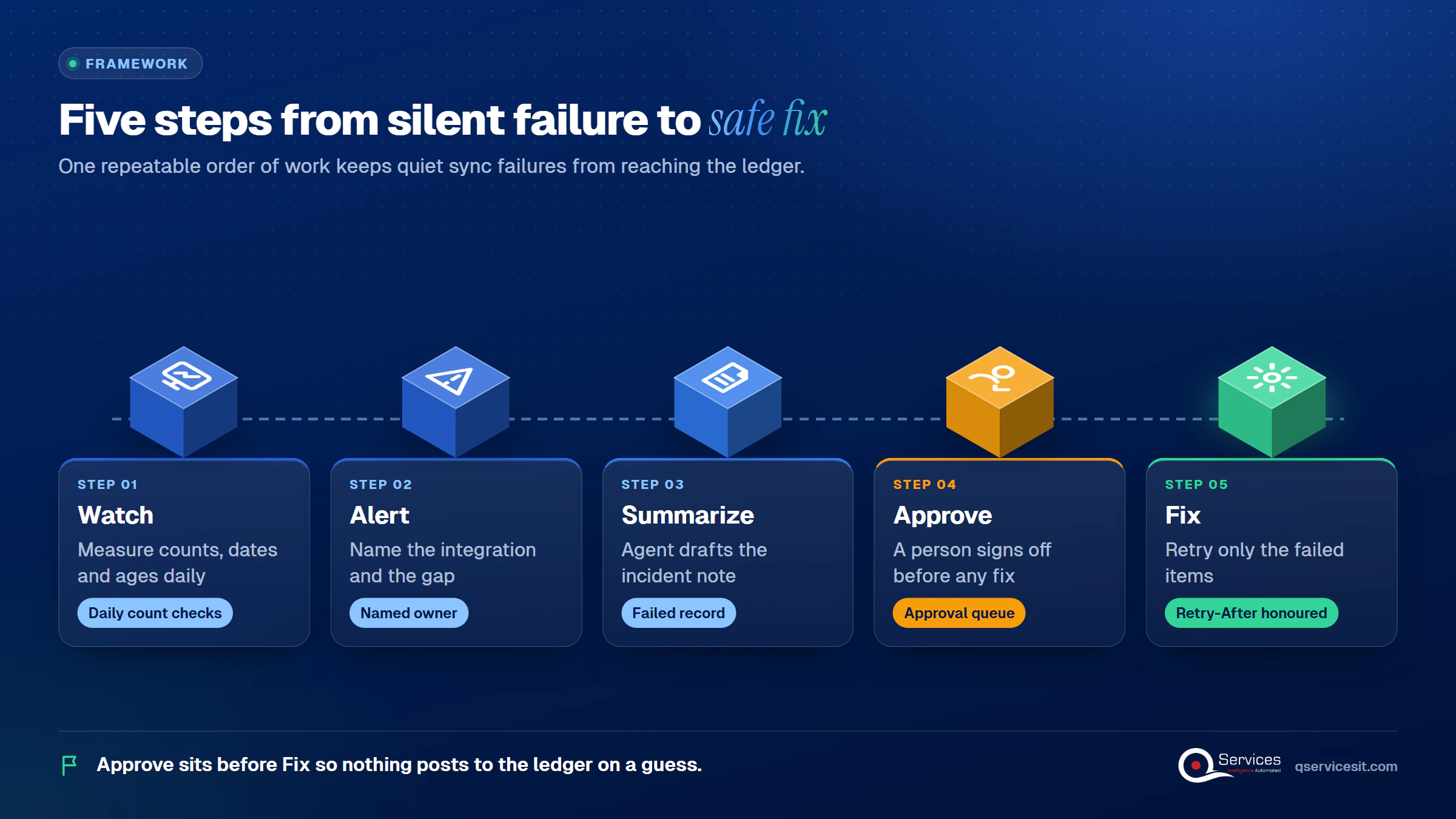
QServices Integration Monitoring framework: Watch → Alert → Summarize → Approve → Fix

Common ERP sync errors

The same few patterns show up again and again:

  • Record conflicts. Two people change the same customer in the CRM and the ERP, or one side deletes a record. In Business Central, errored records are skipped until someone fixes them, so the rest of the batch looks healthy.
  • Removed webhooks. Shopify retries a failed webhook up to eight times over four hours, then removes the subscription if failures persist. Orders then stop reaching the ERP with no error at all.
  • Throttling. Dataverse returns HTTP 429 with a Retry-After header when service protection limits are hit, and Microsoft says clients must handle it.
  • Bank feed gaps. A feed that looks connected but misses days, often after an expired MFA token or a bank connection change.

How do you know when an ERP sync has failed?

You know when a count, a date or an age stops matching. Store orders versus ERP orders, last bank statement date, and CRM customers versus ERP customers each give a yes or no answer. If you only watch job status, you will miss the failures that matter.

What to Monitor: ERP Integration Monitoring in Three Layers

This is how to monitor ERP integrations without drowning in metrics. Watch three layers, and weight the third most.
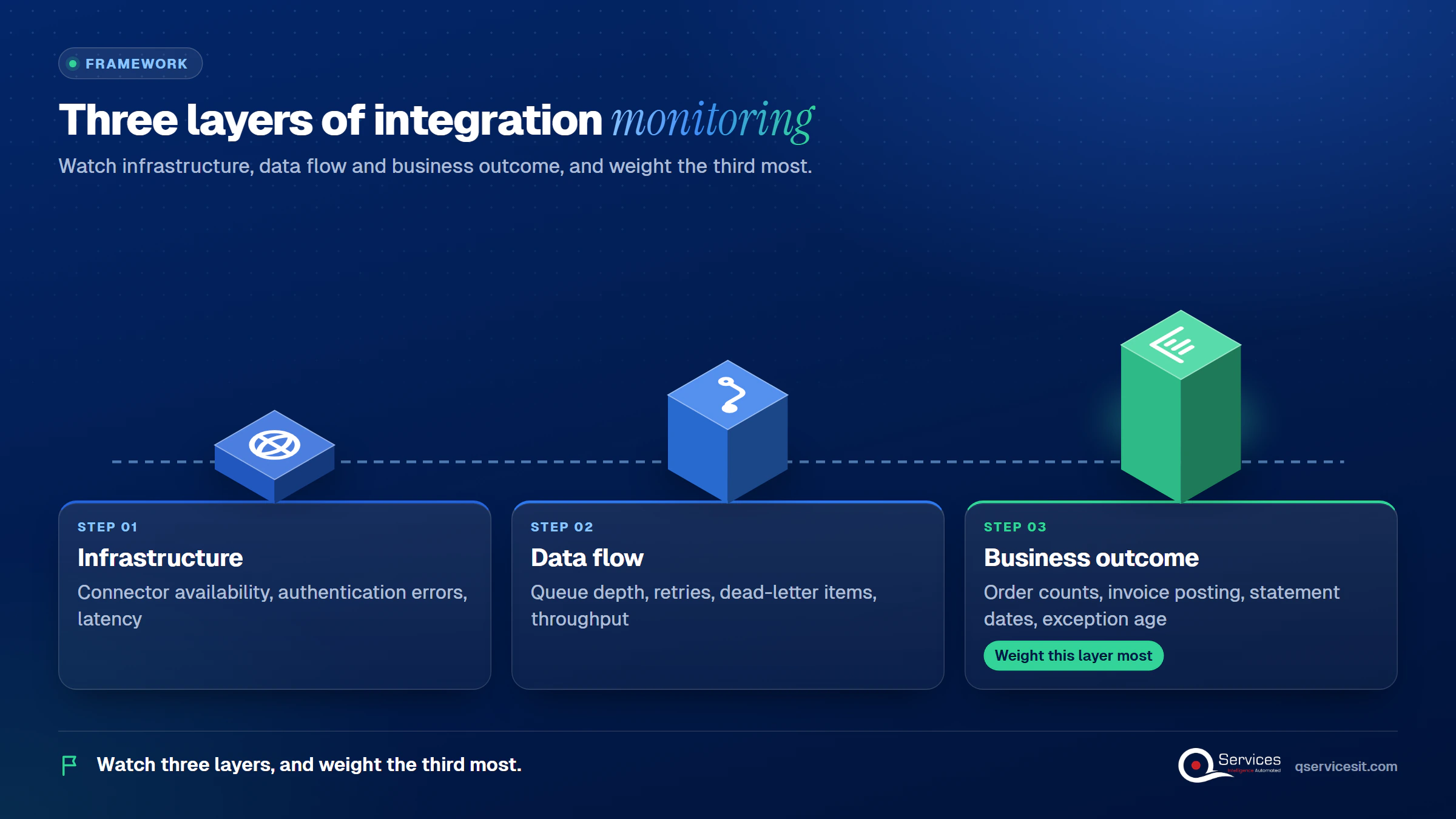
  1. Infrastructure. Connector availability, authentication errors, latency.
  2. Data flow. Queue depth, retries, dead-letter items, throughput against normal volume.
  3. Business outcome. Order counts, invoice posting success, statement dates, exception age.
Three monitoring layers in order: Infrastructure, Data flow, Business outcome, each with its example signals - integration monitoring

Data sync monitoring for queues and dead letters

A dead-letter queue isolates messages that could not be processed so you can diagnose them. AWS documents that its retention should be longer than the source queue’s. Treat a growing dead-letter count as a signal worth a ticket, not a page.

For API integration monitoring across Azure services, see our guide to Azure Integration Services.

How to monitor Shopify to ERP order sync and detect a failed ERP CRM sync

To monitor Shopify to ERP order sync, run a scheduled count at a fixed time each morning and compare it to the ERP. Webhook delivery isn’t guaranteed, so a scheduled pull is your safety net. To detect a failed ERP CRM sync, compare customer counts and credit fields on both sides; our post on CRM ERP integration shows which fields matter. The same count-and-match habit underpins an accounts receivable reconciliation routine.

Manual checks vs agent-assisted monitoring

Aspect Manual spot checks Agent-assisted monitoring
Time to notice Days, often at month end Hours, on a fixed schedule
Coverage Whatever someone remembers Every integration on the list
Incident note Written from memory later Drafted from the failed record
Setup effort None Needs owners, thresholds and runbooks first
Review load None A daily approval queue to clear

The honest downside is the setup row. An agent is only as good as the runbooks you hand it.

How Do You Set Up Integration Error Alerts People Don't Ignore?

The integration alert fix for alert fatigue is simple: page only when a person must act now. Google’s SRE book says every page should need urgent human action, and that frequent pages teach staff to skim or ignore them.

Integration alert best practices

  • Alert on symptoms (orders missing), not causes (CPU high).
  • Alert on error rates against normal volume, not a single failure.
  • Name the integration, last good sync time, failure category and items affected.
  • Send non-urgent items to a dashboard, not email.
  • Keep a second escalation path in case monitoring itself fails.

For ERP and bank feed sync failure alerts, the symptom is a statement date with a gap. An integration health dashboard should show that date next to every feed.

Key Insight If an alert only needs a scripted response, it should not be a page. Automate the script and keep the human for the decision.

Real-World Scenario A typical case we see: an ERP manager at a distributor takes about 300 Shopify orders a day. An outage removes the webhook subscription at 2 a.m., and nothing errors. At 6 a.m. the Watch stage compares store orders with ERP orders and finds 140 missing, so the Alert stage names the integration and the gap. Without it, finance would see the shortfall at month end, after two days of unfulfilled orders.

Standards & References

  • Google SRE book, monitoring distributed systems: symptom-based alerting and the four golden signals
  • Shopify webhooks documentation: delivery retries and subscription removal
  • Microsoft Learn, Dataverse API limits: throttling and Retry-After handling
  • AWS SQS dead-letter queues: isolating unprocessed messages for diagnosis

Is your fourth sync ticket this week the same bug?

Bring your recent failed-sync tickets to a short call and we’ll sort which ones need better alerts, a retry rule or an owner.

Book a 30-min call →

Can an Agent Write the Incident Summary?

Yes, as a draft. An automated incident summary for failed syncs can pull the failed record, the error text, the last good sync, the affected count and the runbook step for the owning team. A person reads it first, so the work starts at step three instead of step one.

This is a design we build, not a sourced benchmark. Vendors such as PagerDuty describe agents that pre-fill post-incident reviews, and they keep responders in charge of decisions. That matches our view of an AI agent incident summary with human approval: the agent drafts, a person approves anything that posts money or changes a system. See our take on human-in-the-loop governance.

Who Fixes What When a Sync Breaks?

Split ownership by failure type, and write it in a runbook per integration.

  • Finance or business users: record conflicts and deletions.
  • Administrators: integration settings, tokens and expired connections.
  • IT operations: throttling, queues and connector health.

A short ERP integration failure checklist per integration should list owner, threshold, first step and escalation. Integration monitoring for IT operations works when each alert has one named owner. Retry only the failed items, honour Retry-After, back off exponentially and make handlers idempotent.

How QServices Approaches Integration Monitoring

We start at Watch, because the first week of counts shows you which integrations are quietly failing. Our agents run in your own Azure tenant, and an approval queue sits in front of anything that posts. See how this fits across departments.
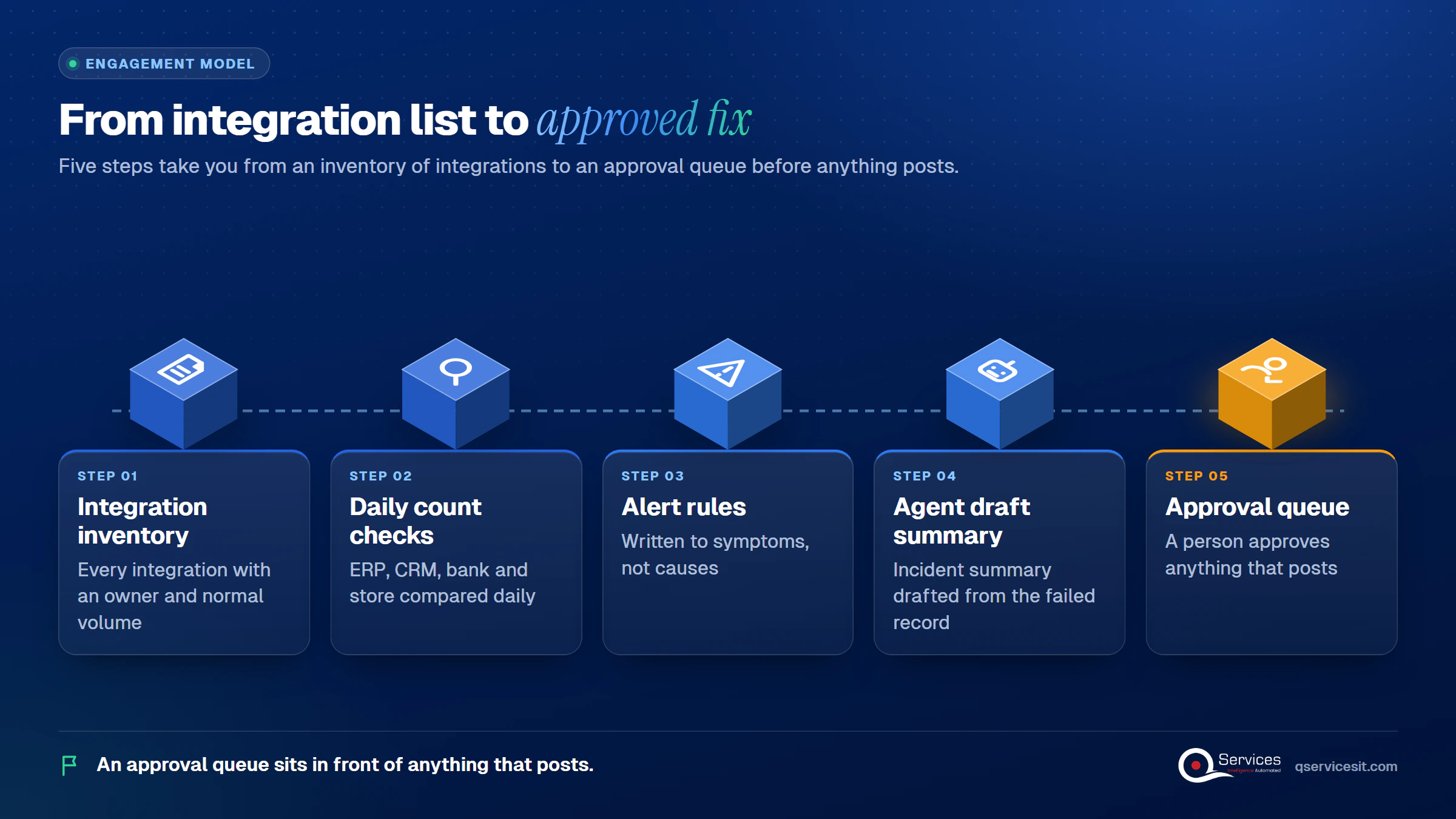
  1. A list of every integration with an owner and a normal volume.
  2. Daily count checks between ERP, CRM, bank and store.
  3. Alert rules written to the symptoms above.
  4. An agent that drafts the incident summary from the failed record.
  5. A runbook per integration, tied to our ERP integration services and workflow automation.
How QServices delivers integration monitoring: Integration inventory → Daily count checks → Alert rules → Agent draft summary → Approval queue

Implementation Checklist

  • Every integration has a named owner
  • Store, ERP and CRM counts are compared daily
  • Bank feed statement dates are checked for gaps
  • Alerts include integration name, last good sync and items affected
  • Non-urgent alerts go to a dashboard, not email
  • Retries honour Retry-After and are idempotent
  • An approval step sits before any fix that posts

Conclusion

Pilot integration monitoring on one workflow, such as Shopify to ERP orders, and track time to detect, missing orders per week and alerts per owner. Book a 30-min call and we’ll map your first three integrations with you.

Rohit Dabra

Written by Rohit Dabra

Co-Founder and CTO, QServices IT Solutions Pvt Ltd

Rohit Dabra is the Co-Founder and Chief Technology Officer at QServices, a software development company focused on building practical digital solutions for businesses. At QServices, Rohit works closely with startups and growing businesses to design and develop web platforms, mobile applications, and scalable cloud systems. He is particularly interested in automation and artificial intelligence, building systems that automate routine tasks for teams and organizations.

ERP integrationIT operationsWorkflow automationAI agent development
Talk to Our Experts

Frequently Asked Questions

Integration monitoring is the practice of checking that data moves correctly between systems such as your ERP, CRM, bank and online store. It tracks last successful sync time, error rates, queue backlog and record counts, and alerts a named owner when something drifts.

Start with a list of every integration and an owner. Run a daily count comparison (store orders versus ERP orders, bank statement dates, CRM versus ERP customers), then alert on gaps. Add queue depth and dead-letter checks for the technical layer.

Record conflicts from edits on both sides, removed webhook subscriptions, API throttling (HTTP 429 with a Retry-After header) and bank feeds with missing days after an expired token or connection change.

Page only when a person must act now, alert on symptoms and error rates against normal volume, and send everything else to a dashboard. Each alert should name the integration, last good sync, failure category and items affected.

Yes, as drafts. An agent can pull the failed record, error text, last good sync, affected count and the runbook step. A person approves the summary and any fix that posts money or changes a system.

Related Topics

Next step

Ready to stop learning about failures from finance?

Tell us which integrations break most often. We’ll map what to monitor, who gets alerted and where an agent can draft the incident for your team to review.

Book a 30-min call →

Recent Articles

Globally Esteemed on Leading Rating Platforms

Earning Global Recognition: A Testament to Quality Work and Client Satisfaction. Our Business Thrives on Customer Partnership

5.0

5.0

5.0

5.0

What clients say

Rated 5.0 by the
people we've built for.

Every quote comes from a published review on GoodFirms, Clutch or our own site. Click a source to read the full review.

★★★★★
“QServices was highly professional, knowledgeable, and approachable. We continue to work with them on other projects.”
NHNicholas HoareCEO, Nextgen ClearingGoodFirms
★★★★★
“Quality assurance is often overlooked, but these guys take that very seriously. … their team of experienced, dedicated developers and highly skilled engineers quickly dissected and decomposed every problem and presented solutions and options that directly met my needs”

Erik BrownBusiness owner and software engineerClient review
★★★★★
“The supplier delivered the application on time and was responsive to our needs. He was also flexible, which allowed us to make changes on the fly.”

Zoltan BodnarCFO, Yusen LogisticsGoodFirms
★★★★★
“Thank you Sahil and team for wonderful collaboration right from day 0. … Highly recommend the developers.”

Ranbeer MakinClientClient review
★★★★★
“They are always looking for new ways to improve their products and services and to deliver value to their customers.”
OFOluwatosin FalolaSenior .NET Developer, POOLCORPClutch
★★★★★
“I have had an excellent experience working with QServices. We have a highly collaborative relationship and I value them not just as contractors but as partners.”

Alex VanderElsClientClient review
★★★★★
“Sahil undertakes every project with a high degree of professionalism. His communication style is unmatched and he is always available to resolve issues or just discuss the project.”

Philmore J.ClientClient review
★★★★★
“Responsive, patient and professional. Consistent weekly attention to our project, and new ideas we hadn't asked for.”

Michael WilliamsonPresident and CEO, United Way of Southeast LouisianaGoodFirms
★★★★★
“I have been working with them on a project for a year now … They have been able to solve problems that come up with bugs or development and able to communicate well with me.”

Steven LewisClientClient review
★★★★★
“We had been working on the app for two years. QServices built it in two months.”

Brian WallerPresident, Technology Association of IowaGoodFirms
★★★★★
“All projects were delivered on time and were fully completed upon delivery.”
RBRaine Marie BuenvendiaSr. Support Specialist, Arc.DevClutch
★★★★★
“They had excellent quality. The hypercare they provided after the project went live is exceptional.”

KKKrish KishorePresident, Zero Hour ConsultantsClutch
Book Appointment
Sahil kataria (1)
Sahil Kataria

Founder and CEO

amit Kumar
Amit Kumar

Chief Sales Officer

Talk To Sales

USA

+1 270-550-1166

flag

+1 270-550-1166

Phil J.
Phil J.Head of Engineering & Technology​
QServices Inc. undertakes every project with a high degree of professionalism. Their communication style is unmatched and they are always available to resolve issues or just discuss the project.​
Assured

Thank You

Thanks, we’ve got your details. A named member of our team will reply within one business day.