
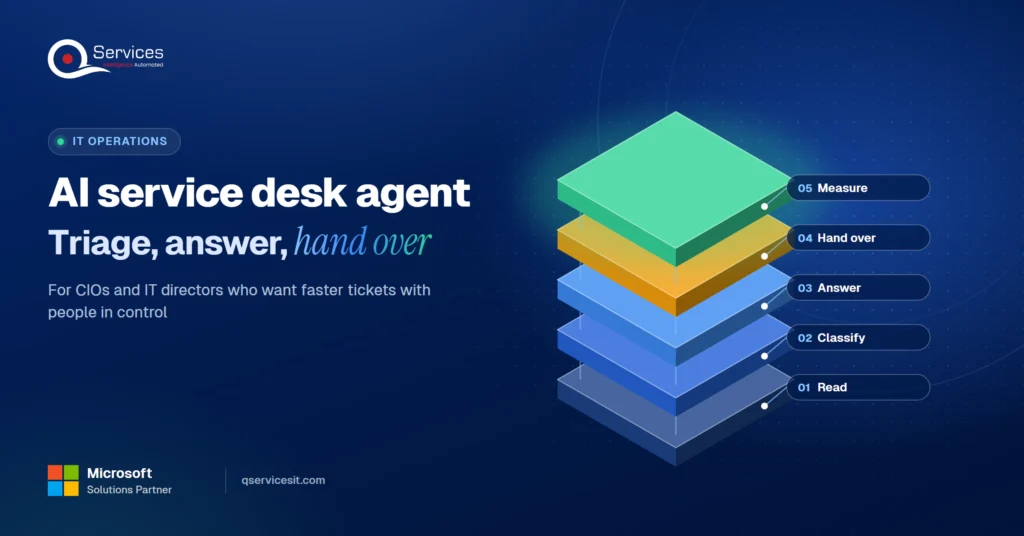
AI service desk agent: triage, first answers, hand-over
An AI service desk agent triages tickets and drafts first answers from your knowledge base. See the hand-over rule that keeps a person in charge of changes.
Home » Proposal automation: CRM-drafted proposals with a human touch
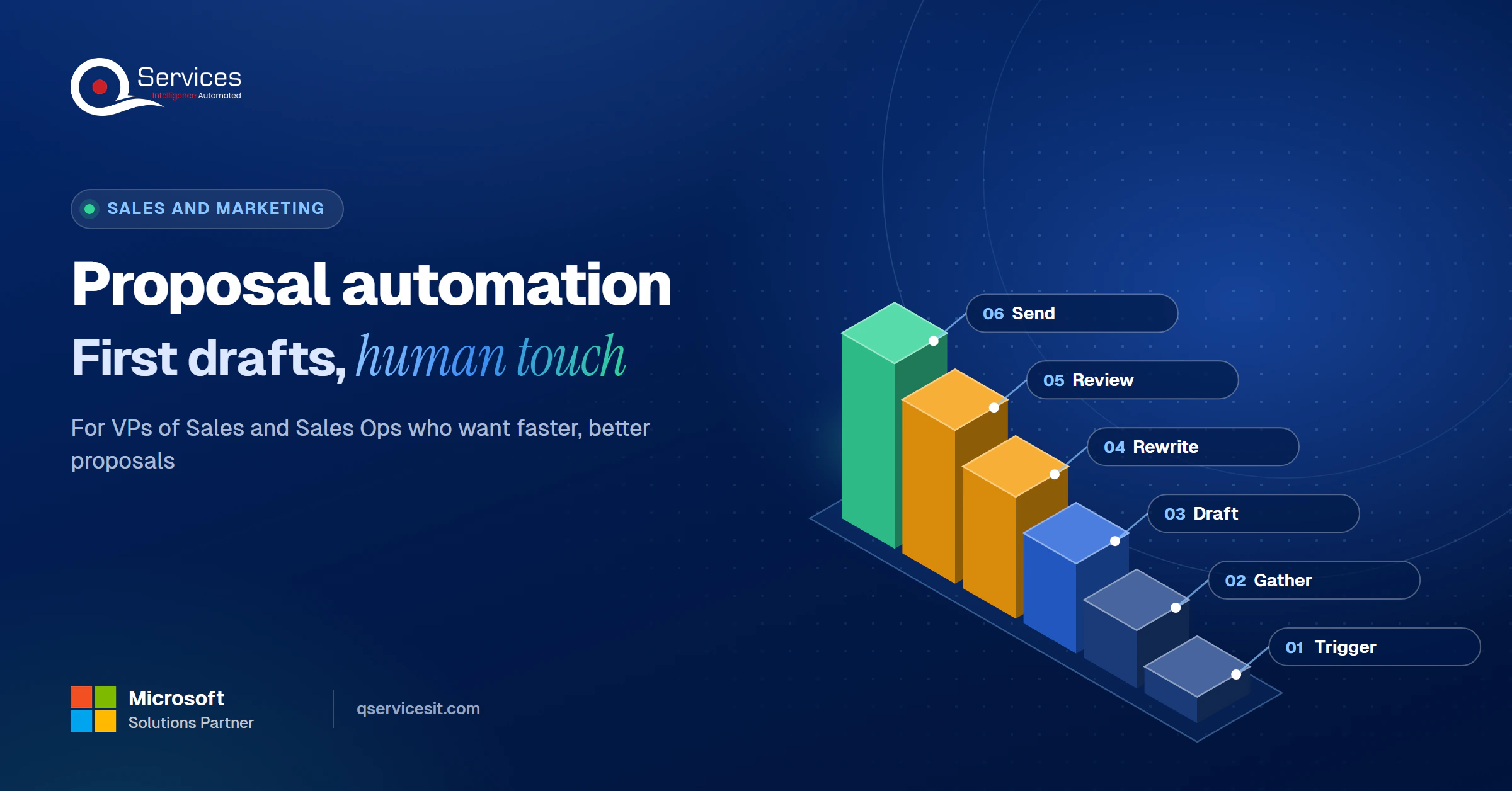
Proposal automation from CRM data works in three moves: a deal reaching a set stage triggers an agent, the agent drafts from CRM fields, call notes and past wins, and a rep rewrites and approves before anything is sent. Your team stays in control of every send.
That is the short version of how we use ai agents for sales in our own pipeline. The agent does the assembly. People do the thinking and the signing off.
This post shows the setup step by step, what we let the agent write, what a person always rewrites, and where review sits. It is written for VP Sales and Sales Ops leads at US teams who want faster first drafts without generic proposals.
How long does your first proposal draft take?
Walk through your proposal process with our team and see where an agent could draft from CRM data while your reps keep the final say.
Book a 30-min call →Quick Answer Proposal automation uses your CRM record, call notes and past winning proposals to draft a first version when a deal hits a chosen stage. A rep then rewrites the strategy and pricing sections, and an approver signs off before the proposal goes to the client. The draft is automated. The send is not.
Most proposal delays are not writing delays. They are hunting delays: the right case study, last quarter’s pricing language, the notes from the discovery call, a legal clause someone fixed in March.
Salesforce’s State of Sales report found the average seller spends 40% of their time actually selling (survey of 4,050 sellers, 2026 edition). The rest goes to admin, research and data work. Proposals sit squarely in that pile.
We use one sequence, and we reuse its stage names throughout this post.
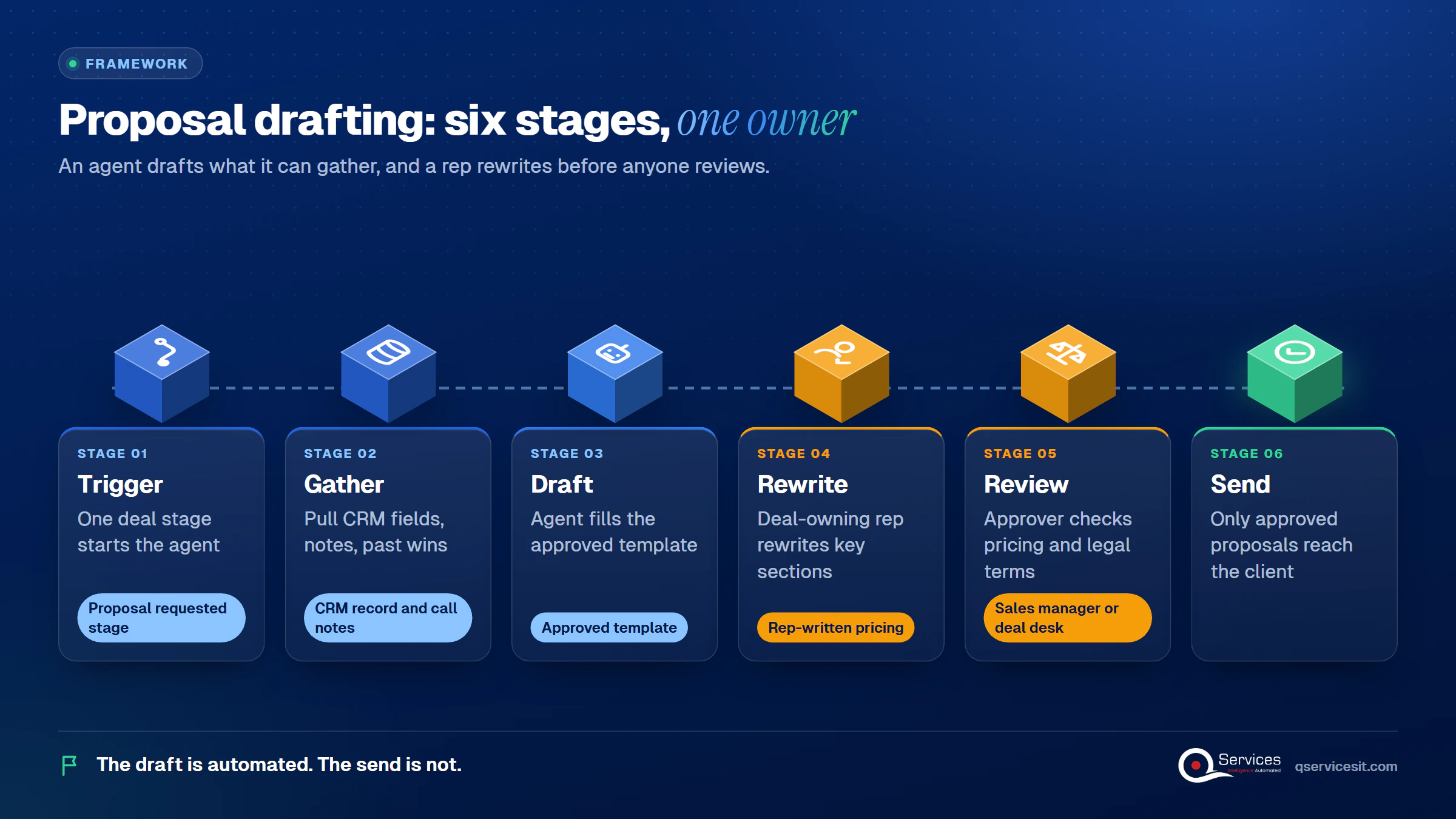
The QServices Framework Proposal Drafting = Trigger → Gather → Draft → Rewrite → Review → Send
The order matters because an agent can only draft what it can gather, and a person should only review something that has already been rewritten by the rep who owns the deal.
Three places, in our experience: finding source material, copying it into a new document, and chasing approvals. Only the first two are suited to automation.
To speed up proposal turnaround for sales teams, remove the blank page. A rep who starts from an 80% draft spends their time on the 20% that decides the deal.
Automated proposal generation is strongest on the parts of a proposal that are already written somewhere. The agent reads the CRM record, then assembles.
How to automate sales proposals from CRM data comes down to one clean trigger. Here is the sequence we run:
Microsoft describes the same pattern for its Sales agent: it works from CRM data and returns a recommended response that the seller assesses before using it.
It can write the executive summary skeleton, scope descriptions, timeline tables, standard terms and the "what you told us" recap from call notes. It sounds generic only when the CRM record is thin. Sparse notes produce sparse drafts.
What should reps write in a sales proposal? The parts where judgment and relationships decide the outcome.
Key Insight A proposal can become part of the contract. Treat unapproved SLAs, liability caps and renewal terms as the first things a reviewer checks.
The agent drafts these sections as placeholders at most. The rep rewrites them from scratch. If a draft reaches a client with the agent’s pricing paragraph untouched, the process has failed.
Real-World Scenario A typical case we see: a sales ops lead at a 40-rep team watches reps spend about two hours assembling each proposal, six a week per rep. Under the naive setup, the agent drafts everything including pricing, and a stale discount from a past win slips into a new quote. At the Rewrite stage, the rep replaces the pricing block, and at Review the approver sees the discount flag before anything is sent.
This is where drafts get good or get embarrassing. The agent needs structured CRM fields and a curated library of past wins.
To draft proposals from CRM notes and past wins, tag each past proposal with industry, deal size, product and outcome. Only proposals marked "won" enter the library. The agent matches the new deal to two or three of them and borrows structure, not sentences.
Reuse past winning proposals for new deals by pulling sections, not whole documents. A winning proposal from a different buyer carries that buyer’s names, numbers and quirks. Section-level reuse with the Gather stage checking names against the CRM avoids that.
Salesforce’s State of Sales report notes that 74% of sales professionals focus on data cleansing, and its EVP of Sales says unified data is the secret to useful agents. Fix the fields the proposal depends on first. Our post on CRM and ERP integration shows how to bring credit and order data into the same view.
| Static templates | CRM proposal automation | |
|---|---|---|
| Fills in deal data | Rep copies by hand | Agent pulls from the CRM |
| Uses past wins | Rep remembers and searches | Agent suggests matching sections |
| Time to first draft | Hours | Minutes, then rep editing |
| Setup effort | Low | Higher: field cleanup, library tagging |
| Risk of stale content | Moderate | Moderate, needs a library owner |
The honest downside: automation costs more to set up, and a neglected win library goes stale as quickly as a neglected template folder.
Where do your proposals stall?
Most delays sit between the discovery call and the first draft. A short call can pinpoint which handoffs an agent could cover for your team.
Book a 30-min call →A proposal review workflow before sending to the client is the step that keeps this safe. Nothing posts and no document leaves until a named person approves it.
The rep owns the content. A second person, the sales manager or deal desk, approves pricing, discount and legal terms. Route by deal size or discount level so small deals are not stuck behind a queue. Our guide on Power Automate approvals covers multi-stage sign-off.
Standards & References
- NIST Generative AI Profile (AI 600-1): lists generative AI risks, including confabulation and over-reliance
No US regulator requires proposal review, so this is good practice. NIST’s confabulation and over-reliance risks are the reason we keep it. For the wider principle, see our piece on AI agent governance.
Expect a shorter time to first draft and fewer copy-paste errors. We do not quote win-rate lifts, because we have not found a primary source that measures them for AI-drafted proposals, and results depend on data quality and review.
Salesforce reports that sellers expect fully deployed agents to cut email drafting time by 36% and prospect research time by 34%. Those are expectations, not measured results.
Once a proposal is signed, the work continues in quote to cash. Clean proposal data makes billing cleaner too.
We start at the Gather stage, because a draft is only as good as the CRM record behind it. Our AI agent development runs inside your own Azure tenant, and the same team builds and runs it.
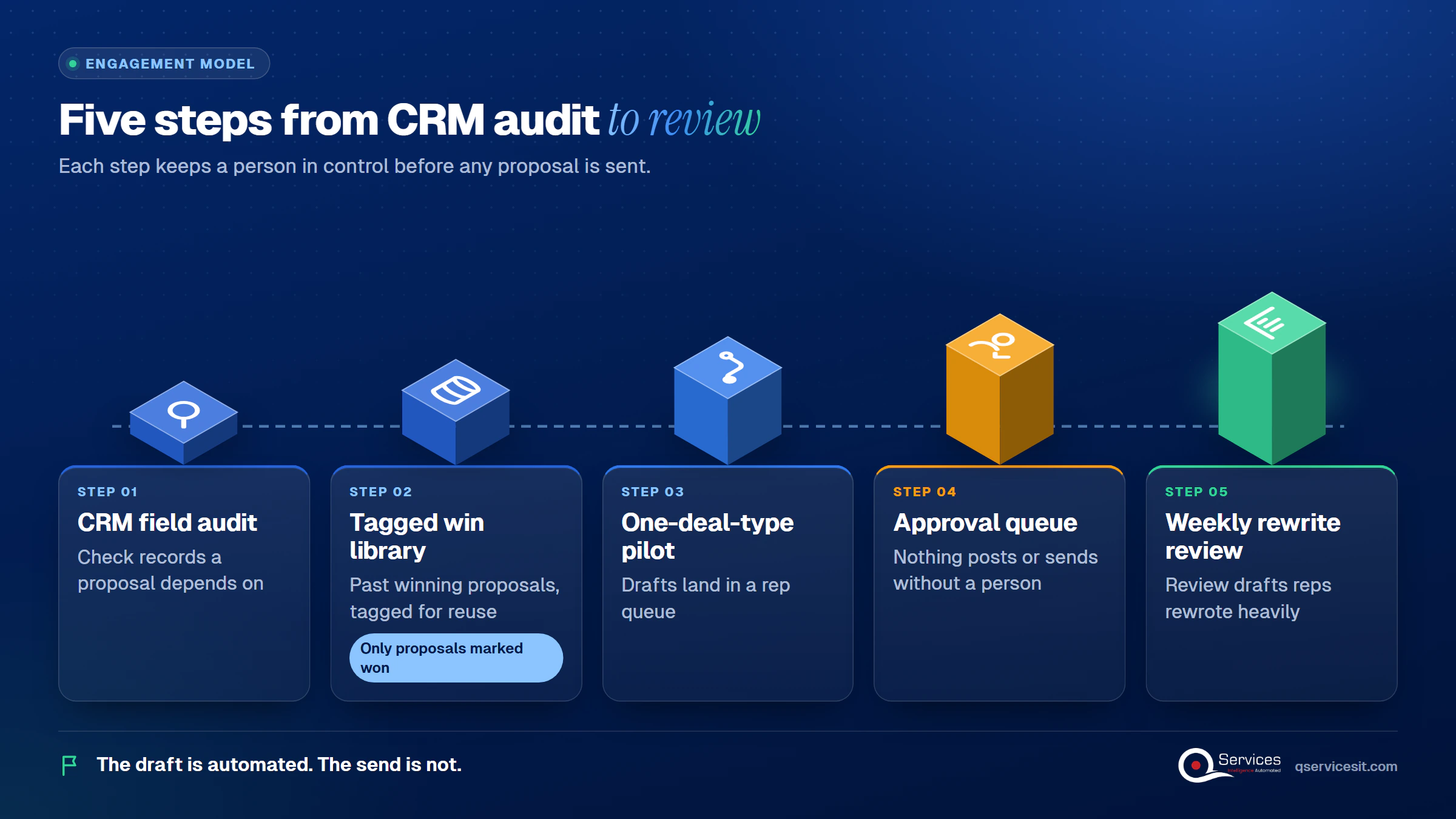
Implementation Checklist
- One deal stage is set as the only trigger
- Required CRM fields are named and validated before drafting
- Only proposals marked "won" are in the library
- Pricing and legal sections are marked rep-written
- Discount exceptions have a separate approval path
- Drafts land in the rep queue, not the client’s inbox
- A named owner maintains the library each quarter

Pilot proposal automation on one deal type for four weeks and measure time to first draft, rep editing time, errors caught at review and time to approve. When you are ready to set it up, book a process assessment with our team.

Written by Rohit Dabra
Co-Founder and CTO, QServices IT Solutions Pvt Ltd
Rohit Dabra is the Co-Founder and Chief Technology Officer at QServices, a software development company focused on building practical digital solutions for businesses. At QServices, Rohit works closely with startups and growing businesses to design and develop web platforms, mobile applications, and scalable cloud systems. He is particularly interested in automation and artificial intelligence, building systems that automate routine tasks for teams and organizations.
Proposal automation uses your CRM data, call notes and past winning proposals to draft a first version of a sales proposal automatically. A rep then rewrites the key sections and a manager approves before it is sent.
Pick one deal stage as the trigger, validate the CRM fields the proposal needs, and let an agent fill your approved template. The draft goes to the rep’s queue, never straight to the client. Deals with missing data should be flagged, not drafted.
Only if the CRM record is rich and a rep rewrites the opening argument, pricing and recommendation. Thin notes produce generic drafts, so the quality of the input data decides the quality of the output.
It is worth it when your team writes proposals often and reuses material from past wins. Expect faster first drafts and fewer copy-paste errors. Setup takes real effort, and we would not promise a win-rate lift.
The rep who owns the deal rewrites and checks it, and a manager or deal desk approves pricing, discounts and legal terms. A person should approve every send.

An AI service desk agent triages tickets and drafts first answers from your knowledge base. See the hand-over rule that keeps a person in charge of changes.
Integration monitoring for ERP, CRM, bank and store syncs: what to watch, how to alert, and how an agent drafts the incident note before anyone looks.
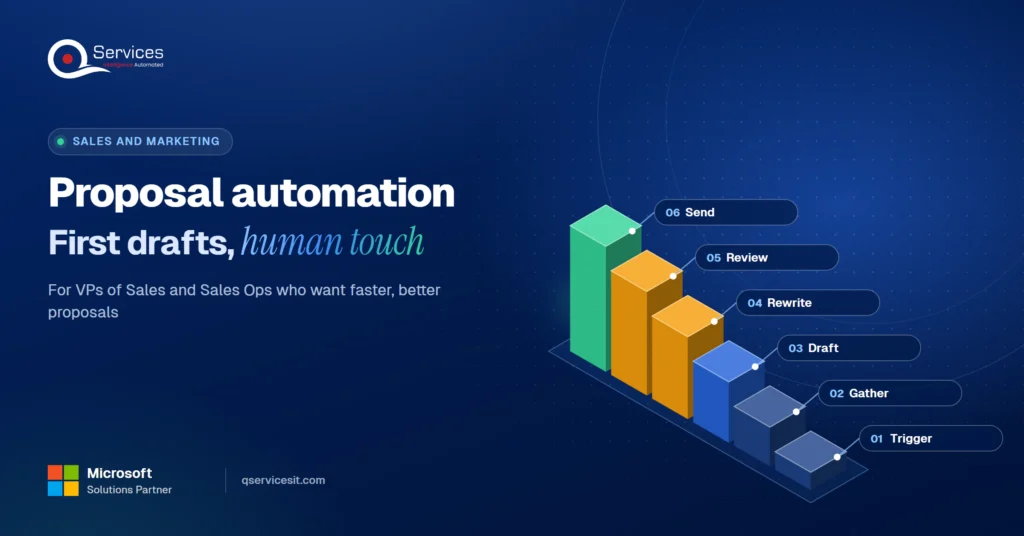
Proposal automation that drafts first versions from CRM notes and past wins, while your reps write the parts that win deals and approve every send.
AI in accounts receivable can read remittances and flag late payers today. See what works, what’s hype, and where your team still approves every action.
Lead routing that gets each inbound lead to the right rep in minutes. See which rules to use, how to enrich first, and where an AI agent beats a rule.
Finance data lake or Power BI on your ERP? See the three signs you’ve outgrown reporting, what to load first, and which Azure options fit a finance team.
Next step
Ready to stop starting proposals from a blank page?
Tell us how proposals get built today. We’ll map which steps an agent can draft and where your team should stay in charge.
Book a 30-min call →
An AI service desk agent triages tickets and drafts first answers from your knowledge base. See the hand-over rule that keeps a person in charge of changes.

Integration monitoring for ERP, CRM, bank and store syncs: what to watch, how to alert, and how an agent drafts the incident note before anyone looks.
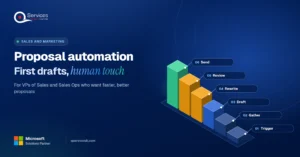
Proposal automation that drafts first versions from CRM notes and past wins, while your reps write the parts that win deals and approve every send.
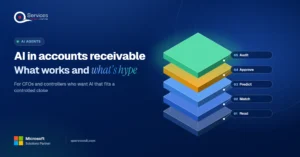
AI in accounts receivable can read remittances and flag late payers today. See what works, what’s hype, and where your team still approves every action.
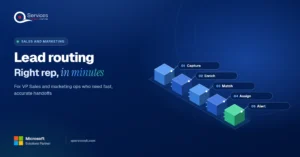
Lead routing that gets each inbound lead to the right rep in minutes. See which rules to use, how to enrich first, and where an AI agent beats a rule.
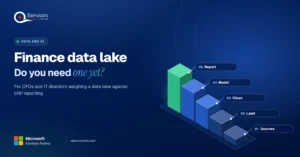
Finance data lake or Power BI on your ERP? See the three signs you’ve outgrown reporting, what to load first, and which Azure options fit a finance team.

Every quote comes from a published review on GoodFirms, Clutch or our own site. Click a source to read the full review.

Trustpilot5.0★★★★★See reviewsGoodFirms5.0★★★★★45 verified reviews
G25.0★★★★★See reviewsClutch5.0★★★★★Quality 5.0 · Schedule 4.8

Google4.7★★★★★Mohali office“QServices was highly professional, knowledgeable, and approachable. We continue to work with them on other projects.”
“Quality assurance is often overlooked, but these guys take that very seriously. … their team of experienced, dedicated developers and highly skilled engineers quickly dissected and decomposed every problem and presented solutions and options that directly met my needs”

Erik BrownBusiness owner and software engineerClient review“The supplier delivered the application on time and was responsive to our needs. He was also flexible, which allowed us to make changes on the fly.”

Zoltan BodnarCFO, Yusen LogisticsGoodFirms“Thank you Sahil and team for wonderful collaboration right from day 0. … Highly recommend the developers.”

Ranbeer MakinClientClient review“They are always looking for new ways to improve their products and services and to deliver value to their customers.”
“I have had an excellent experience working with QServices. We have a highly collaborative relationship and I value them not just as contractors but as partners.”

Alex VanderElsClientClient review“Sahil undertakes every project with a high degree of professionalism. His communication style is unmatched and he is always available to resolve issues or just discuss the project.”

Philmore J.ClientClient review“Responsive, patient and professional. Consistent weekly attention to our project, and new ideas we hadn't asked for.”

Michael WilliamsonPresident and CEO, United Way of Southeast LouisianaGoodFirms“I have been working with them on a project for a year now … They have been able to solve problems that come up with bugs or development and able to communicate well with me.”

Steven LewisClientClient review“We had been working on the app for two years. QServices built it in two months.”

Brian WallerPresident, Technology Association of IowaGoodFirms“All projects were delivered on time and were fully completed upon delivery.”
“They had excellent quality. The hypercare they provided after the project went live is exceptional.”

Founder and CEO

Chief Sales Officer

Thanks, we’ve got your details. A named member of our team will reply within one business day.