

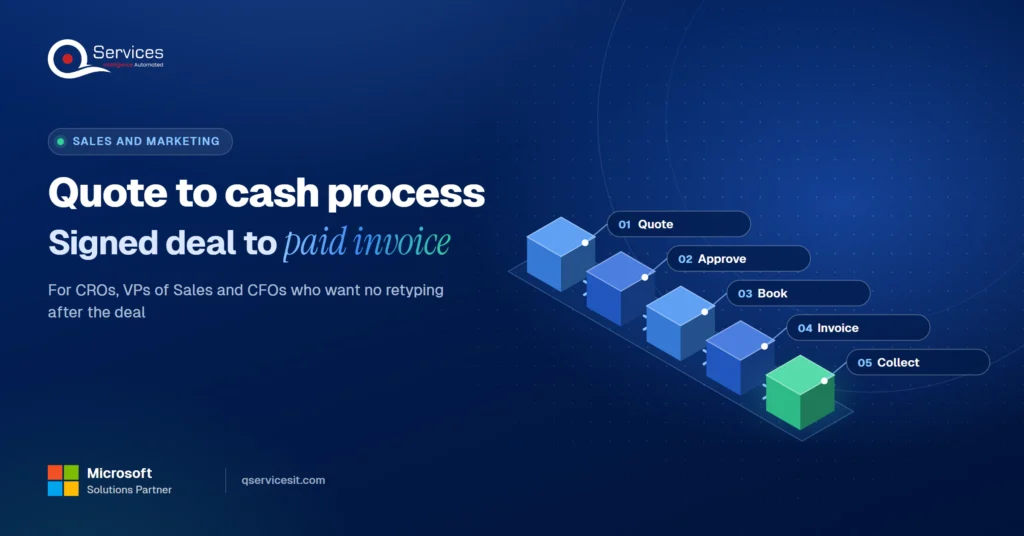
Quote to cash process: from signed deal to paid invoice

Isometric illustration of a deal moving from a CRM card to an ERP order, an invoice and a payment, linked by a glowing path. - quote to cash process
Summarize in:
Get an instant AI summary of this article

Introduction

The quote to cash process moves a deal from a CRM quote through approval, an ERP order, an invoice and a payment. Each hand-off should pass the data once, system to system, with a person approving anything that changes the order or posts money.

Most U.S. teams run that chain with retyping in the middle. Adding quote to cash automation removes the retyping, and it also removes the quiet delay between a signed deal and a sent invoice.

This guide follows one deal from the CRM to the cash in the bank. It shows the three hand-offs where data gets rekeyed and the one where cash slips.

In This Article, You'll Learn
  • How the quote to cash process works, stage by stage, from CRM quote to posted payment
  • Which approval fields to lock in the CRM before an order ever reaches the ERP
  • Five rules for a CRM to ERP order handoff that cannot create duplicate orders
  • Why invoices are delayed after a signed deal, and the one warning sign to watch
  • Who owns each step, written as a simple RACI you can adopt this quarter

Where does your deal data get retyped?

We trace one deal from CRM to ERP order, invoice and payment, and mark each hand-off where data is rekeyed or cash waits.

Book a process assessment →

Quick Answer The quote to cash process is the chain of steps from a customer quote to collected payment: quote, approval, ERP order, invoice and cash receipt. It works when each hand-off passes data once, from the CRM to the ERP to accounts receivable, with a person approving price changes and anything that posts money.

What Is the Quote to Cash Process and How Does It Work?

Quote to cash covers everything from the first customer quote to money collected. It is wider than the order to cash process, which starts only after an order is confirmed. Sales owns the front half, finance owns the back half, and the data has to cross between them.

Sources count the steps differently: Decimal lists six, Stax five, Conga ten. The count matters less than the hand-offs. We use five stages, and we reuse these names through the rest of this post.

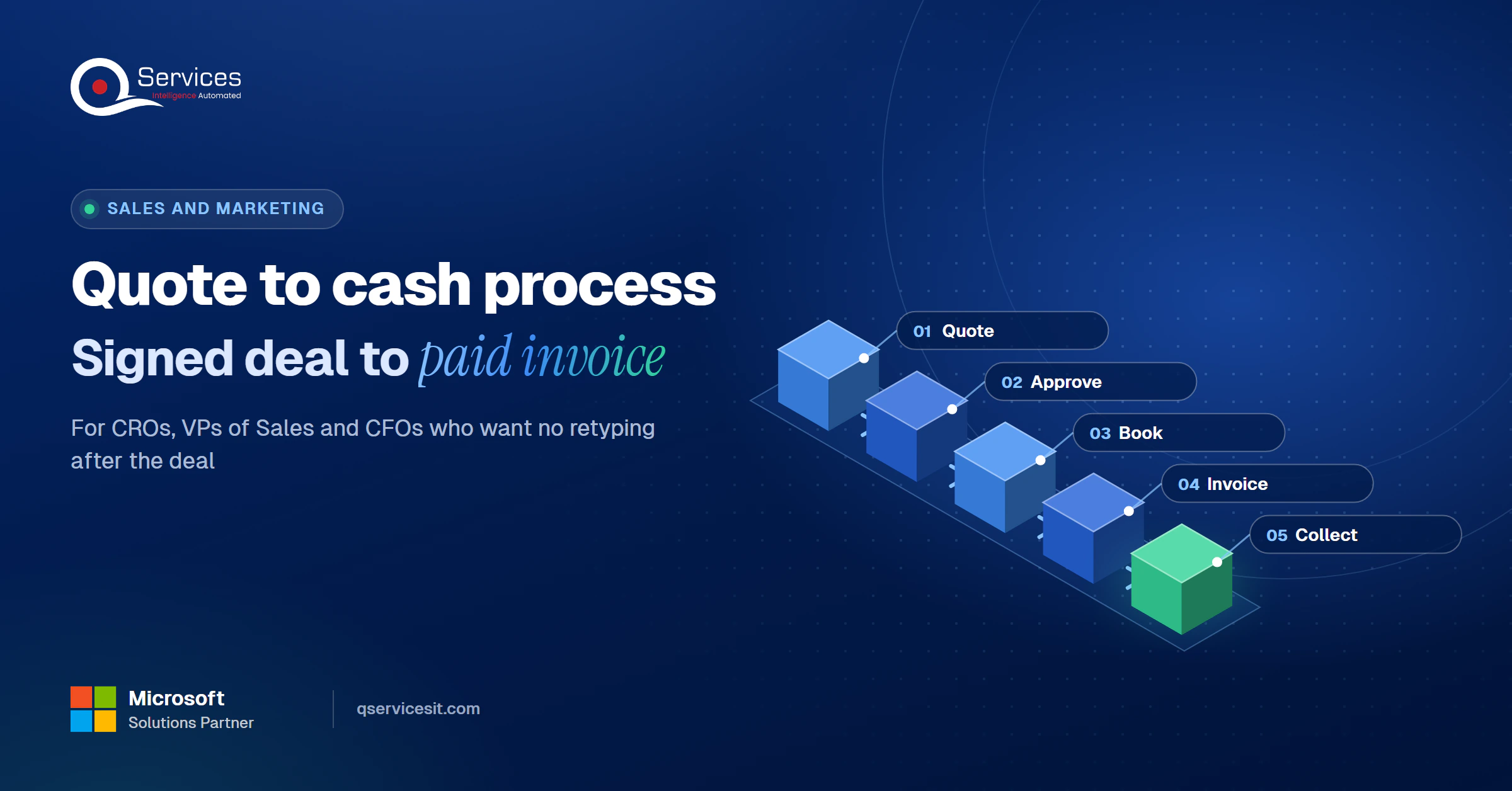
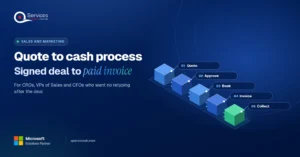
The QServices Framework One-Entry Rule = Quote → Approve → Book → Invoice → Collect

Every fact is typed once, at the stage where it is created, and every later stage reads it instead of retyping it. The order matters because an error at Quote or Approve is copied into every stage after it.
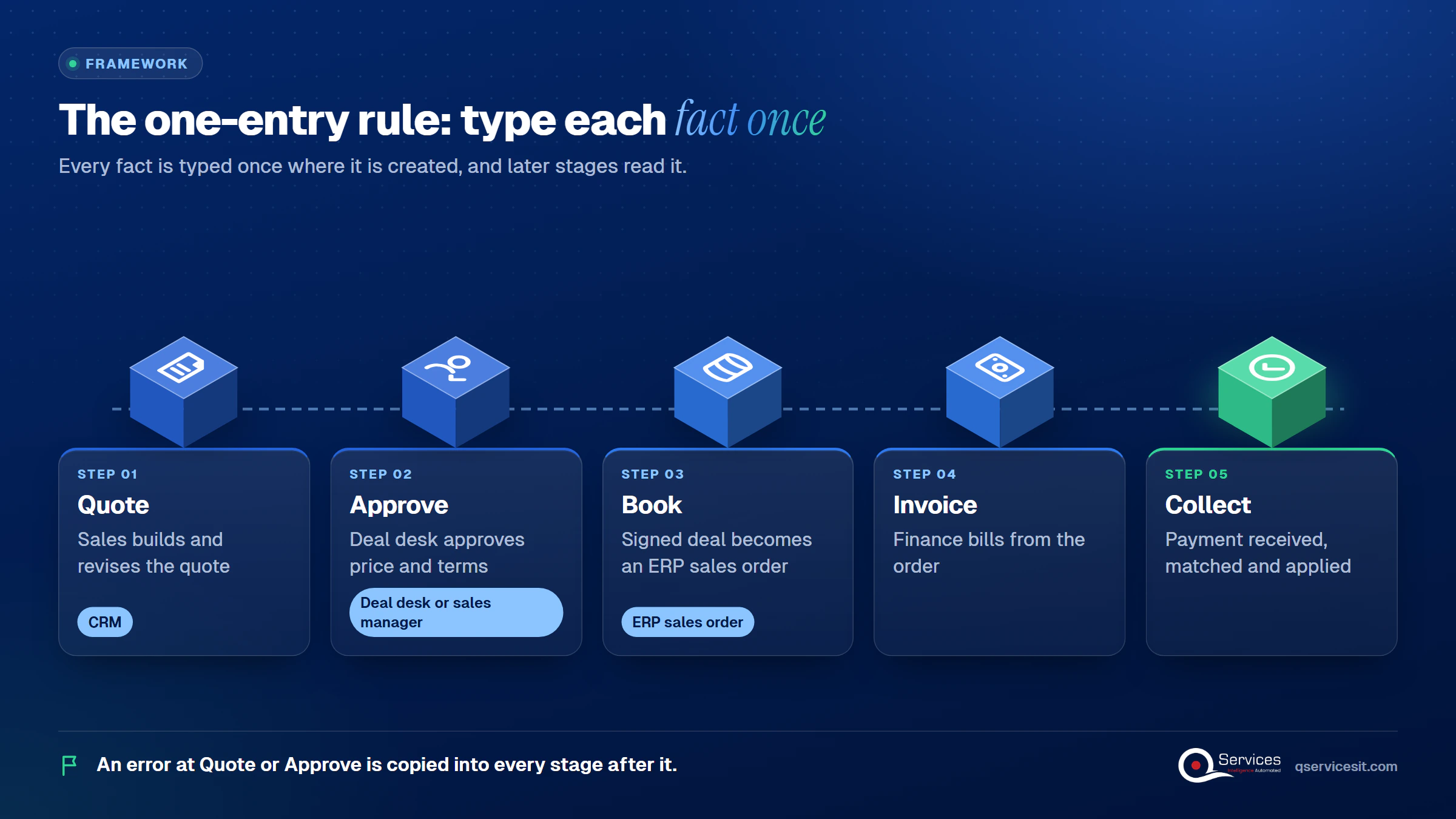
QServices One-Entry Rule framework: Quote → Approve → Book → Invoice → Collect - quote to cash process

Quote to Cash Steps From CRM to Payment

In practice the five stages map to systems like this:

  1. Quote: sales builds and revises the quote in the CRM.
  2. Approve: the deal desk or sales manager approves price and terms.
  3. Book: the signed deal becomes an ERP sales order.
  4. Invoice: finance bills from the order.
  5. Collect: the payment is received, matched and applied to the invoice.

Quote to Cash vs Order to Cash

Quote to cash starts at the quote. Order to cash starts at the confirmed order. The difference sounds academic until a pricing error shows up on an invoice and nobody can say whether it was made at the quote, the approval or the booking.

Quote and Approval in the CRM

The CRM is where the numbers are born, so it is where they need to be locked. Microsoft Learn describes a Dynamics 365 Sales quote as a draft that is revised, then activated so both sides see one read-only version, then accepted. In Salesforce CPQ, an order is created only from the Primary quote, and an admin can require an Approved status before ordering.

What to Lock Before a Quote Leaves the CRM

Record these on the quote so finance never has to ask:

  • The approver and the approval timestamp
  • The approved discount and the threshold it was checked against
  • The locked quote version, with approval revoked if lines or prices change afterwards

Key Insight An integration should record and enforce an approval, never grant one. The moment a sync tool can approve a discount, your control is a script instead of a person.

Deal to ERP Order: Where CRM to ERP Integration Pays Off

This is hand-off one. A closed-won deal becomes an ERP sales order, and the ERP order number goes back to the CRM. Done by hand, it is the first place a customer name, ship-to address, tax code or payment term gets retyped.

A typical case we see: a sales operations lead closes 40 deals in a month, and each one is rekeyed into the ERP by an admin who has to read the quote PDF. Two deals are booked with the old price list, and a third is booked twice after a rushed follow-up email. Finance finds out when the invoices go out and the customers call. The Book stage catches this, because the order is built from the locked quote and checked against it before anything is written.

CRM to ERP Order Handoff Best Practices

Vendor guidance from Tray.ai and Microsoft’s dual-write documentation agree on the basics:

  • Match or create the customer account first, so you never get duplicates.
  • Validate currency, tax code and totals before writing to the ERP.
  • Key every write to the opportunity ID, so a retry cannot create a second order.
  • Never let the integration change price, discount or quantity.
  • Write the ERP order number back to the deal, and reconcile nightly, because event-driven syncs can drop events silently.

Microsoft’s dual-write also has limits worth knowing: return orders are unsupported, financial dimensions are not synced, and the number sequences of the two systems must differ or order numbers can collide.

How to Stop Retyping Deal Data Into ERP

Book from the e-signature event, not from someone’s memory of it. Compare the booking to the signed document, and send any mismatch to a person instead of guessing. That is the approach behind our ERP integration services: one mapping, one order, one record of who approved what.

Standards & References

Invoice and Payment: From Quote to Invoice Workflow to Cash

This is hand-off two and three. The order becomes an invoice, and the payment has to find that invoice. Microsoft Learn names three invoice types in Dynamics 365: a customer invoice for a sales order, a free-text invoice with no order behind it, and a credit note.

The quote to invoice workflow only holds up when billing reads the order. Nobody should retype it from an email. After that, the sales to accounts receivable link is the remittance: the customer pays, and someone has to match that money to the right invoice.

Sales to Accounts Receivable: What Finance Needs From Sales

Finance needs the signed terms, the billing contact and any milestone or usage conditions, attached to the order. When those live in a CRM note, they are lost. When they sit on the order, invoicing, short pay tracking and collections can all work from the same facts.

Posting the Payment

When a payment can’t be matched, it becomes unapplied cash and it also hides the real receivable position. An accounts receivable automation agent can propose the match, and your team approves it before anything posts.

Which hand-off delays your cash?

The invoice step is where a clean deal turns into a late payment. Let us review how your orders reach AR and what gets retyped on the way.

Book a process assessment →

Where the Quote to Cash Process Breaks

The break is almost never in one system. It is in the gap between two. Sales to finance is where billing errors tend to start, because someone rekeys quote data by hand, and deal details often arrive by email or Slack. One vendor calls that retyping "human middleware".

Why Are Invoices Delayed After a Signed Deal?

Because nobody is told, or because what they are told is incomplete. A vendor rule of thumb (destinationCRM, not an independent study) treats more than seven days from verbal yes to first invoice as a warning sign.

Three places data is retyped:
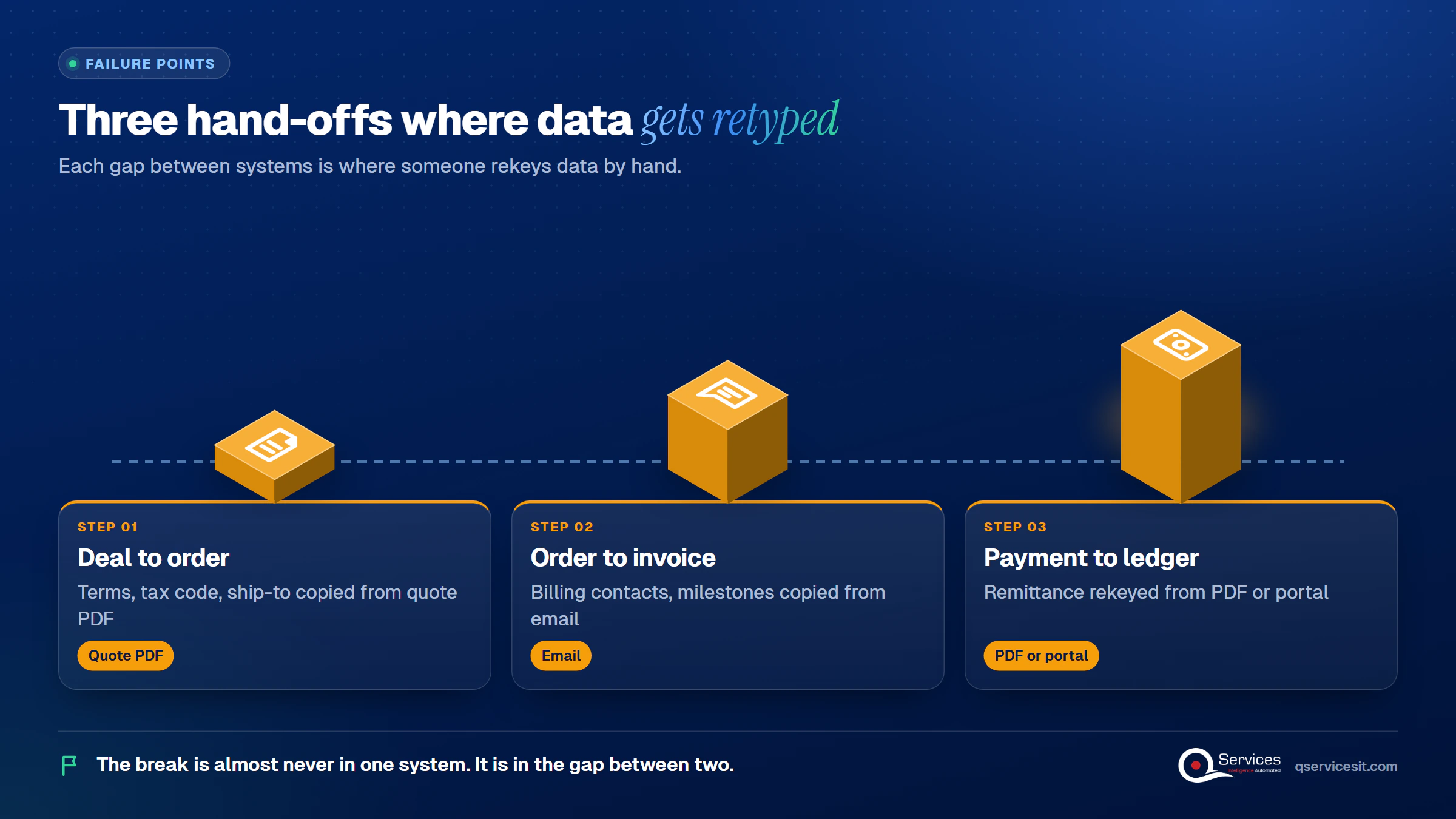
  • Deal to order: terms, tax code and ship-to copied from a quote PDF
  • Order to invoice: billing contacts and milestones copied from an email
  • Payment to ledger: the remittance rekeyed from a PDF or portal
Exactly 3 retyping hand-offs in quote to cash: Deal to order, Order to invoice, Payment to ledger - quote to cash process

Late payment compounds it. Atradius’s 2024 U.S. Payment Practices Barometer found about half of B2B invoices overdue, collected an average of 20 days late, with administrative inefficiency in buyers’ payment processes the main cause. That pressure is felt in days sales outstanding every month.

Manual Handoffs vs Automated Handoffs

Manual retyping Agents plus approval queue
Who enters the data An admin rekeys it from PDFs and email Read once from the CRM, checked, then written
Price changes at booking Possible and hard to notice Blocked; mismatches go to a person
Time to first invoice Depends on who sees the email Starts at the signed-deal event
Audit trail Scattered across inboxes One record of who approved what
Setup effort None Higher upfront; mapping takes finance time
Ongoing risk Typos and duplicates Bad source data is carried through faster

No single error rate is reliable here. Vendor claims for manual-entry errors range from about 4% to 27%, so measure your own before you quote anyone’s figure.

Who Owns Each Step of the Quote to Cash Process?

There is no standard owner. In some companies RevOps owns the systems, in others finance leads, and in others sales operations or a deal desk does. A vendor survey by Zuora found 82% of SaaS leaders say fragmented order to cash ownership causes operational problems, and that is a vendor survey, so treat it as a signal.

Our recommendation is a written RACI per hand-off. It is our synthesis, not a standard:

  • Sales: owns quote content
  • Deal desk: owns approval and booking checks
  • Finance: owns customer set-up, invoicing and cash application
  • AR: owns collections and disputes
  • RevOps or IT: owns the integration and nightly reconciliation

A step without a name next to it is where invoices sit. For stretched teams, the DSO playbook shows how to prioritize.

How QServices Approaches Quote to Cash Automation

We start at Book, because a wrong order is copied into every stage after it, then work outward in both directions. Our AI agents work inside your ERP and CRM, run in your own Azure tenant, and your team approves every action that posts money or changes a system. The same team builds and runs it. The work sits in our sales and marketing practice.
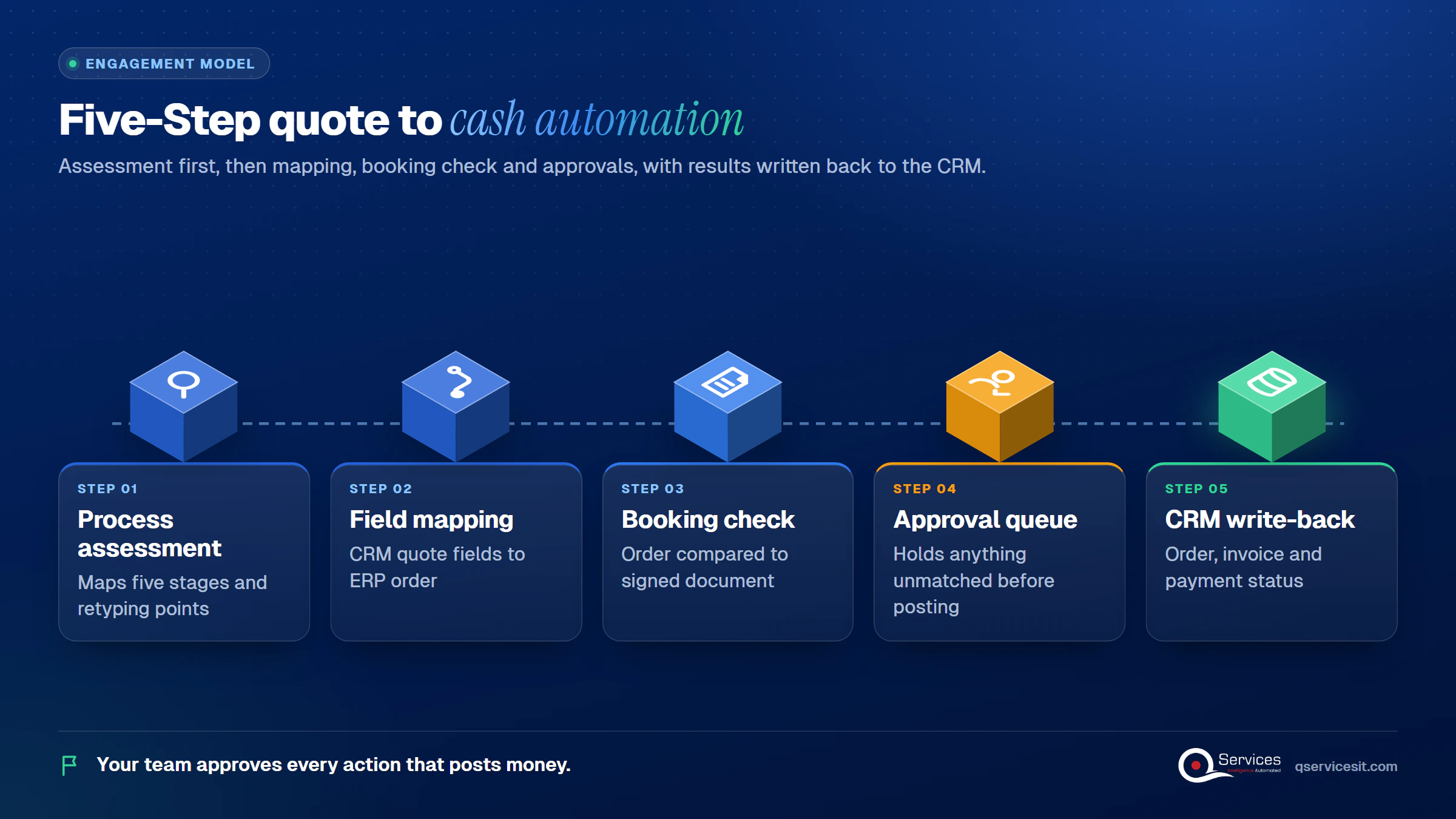
  1. A process assessment that maps the five stages and the retyping points
  2. A field-level mapping from the CRM quote to the ERP order
  3. A booking check that compares the order to the signed document
  4. An approval queue that holds anything unmatched before it posts
  5. Write-back of order, invoice and payment status to the CRM
How QServices delivers quote to cash automation: Process assessment → Field mapping → Booking check → Approval queue → CRM write-back - quote to cash process

Implementation Checklist

  • Every quote records approver, discount, threshold and timestamp
  • Approval is revoked automatically when quote lines change
  • ERP orders are keyed to the opportunity ID
  • Customer accounts are matched before an order is written
  • The integration cannot edit price, discount or quantity
  • The ERP order number is written back to the deal
  • A nightly reconciliation compares CRM and ERP orders
  • Each of the five stages has a named owner

Conclusion

Pilot the quote to cash process on one workflow, such as deals above your approval threshold, and measure days from signature to first invoice, orders corrected after booking, and unmatched payments. Book a process assessment and we will map your five stages first.

Rohit Dabra

Written by Rohit Dabra

Co-Founder and CTO, QServices IT Solutions Pvt Ltd

Rohit Dabra is the Co-Founder and Chief Technology Officer at QServices, a software development company focused on building practical digital solutions for businesses. At QServices, Rohit works closely with startups and growing businesses to design and develop web platforms, mobile applications, and scalable cloud systems. He is particularly interested in automation and artificial intelligence, building systems that automate routine tasks for teams and organizations.

ERP integrationAccounts receivableWorkflow automationCRM integration
Talk to Our Experts

Frequently Asked Questions

Quote to cash is the full chain from a customer quote to collected payment: quote, approval, ERP order, invoice and cash receipt. It is wider than order to cash, which starts once an order is confirmed.

Quote to cash starts at the customer quote and includes pricing and approval in the CRM. Order to cash is the back-office part that begins when the order is confirmed. Most pricing and booking errors start in the quote to cash front half.

There is no standard owner. A workable split is sales for quote content, the deal desk for approval and booking checks, finance for invoicing and cash application, and AR for collections. Write it down as a RACI per hand-off.

Pass data once from the CRM to the ERP, key every order to the opportunity ID, and block any change to price, discount or quantity. Agents propose and write, and a person approves anything that posts money or changes a system.

Pick one workflow and time it from signature to first invoice. Then map where data is retyped, name an owner per stage and book a process assessment. Most teams find the first fix at the deal to ERP order hand-off.

Related Topics

Next step

Ready to close the gap between sales and AR?

Bring a recent signed deal. We map its path to payment and show where AI agents could handle the entry, with your team approving every action.

Book a process assessment →

Recent Articles

Globally Esteemed on Leading Rating Platforms

Earning Global Recognition: A Testament to Quality Work and Client Satisfaction. Our Business Thrives on Customer Partnership

5.0

5.0

5.0

5.0

What clients say

Rated 5.0 by the
people we've built for.

Every quote comes from a published review on GoodFirms, Clutch or our own site. Click a source to read the full review.

★★★★★
“QServices was highly professional, knowledgeable, and approachable. We continue to work with them on other projects.”
NHNicholas HoareCEO, Nextgen ClearingGoodFirms
★★★★★
“Quality assurance is often overlooked, but these guys take that very seriously. … their team of experienced, dedicated developers and highly skilled engineers quickly dissected and decomposed every problem and presented solutions and options that directly met my needs”

Erik BrownBusiness owner and software engineerClient review
★★★★★
“The supplier delivered the application on time and was responsive to our needs. He was also flexible, which allowed us to make changes on the fly.”

Zoltan BodnarCFO, Yusen LogisticsGoodFirms
★★★★★
“Thank you Sahil and team for wonderful collaboration right from day 0. … Highly recommend the developers.”

Ranbeer MakinClientClient review
★★★★★
“They are always looking for new ways to improve their products and services and to deliver value to their customers.”
OFOluwatosin FalolaSenior .NET Developer, POOLCORPClutch
★★★★★
“I have had an excellent experience working with QServices. We have a highly collaborative relationship and I value them not just as contractors but as partners.”

Alex VanderElsClientClient review
★★★★★
“Sahil undertakes every project with a high degree of professionalism. His communication style is unmatched and he is always available to resolve issues or just discuss the project.”

Philmore J.ClientClient review
★★★★★
“Responsive, patient and professional. Consistent weekly attention to our project, and new ideas we hadn't asked for.”

Michael WilliamsonPresident and CEO, United Way of Southeast LouisianaGoodFirms
★★★★★
“I have been working with them on a project for a year now … They have been able to solve problems that come up with bugs or development and able to communicate well with me.”

Steven LewisClientClient review
★★★★★
“We had been working on the app for two years. QServices built it in two months.”

Brian WallerPresident, Technology Association of IowaGoodFirms
★★★★★
“All projects were delivered on time and were fully completed upon delivery.”
RBRaine Marie BuenvendiaSr. Support Specialist, Arc.DevClutch
★★★★★
“They had excellent quality. The hypercare they provided after the project went live is exceptional.”

KKKrish KishorePresident, Zero Hour ConsultantsClutch
Book Appointment
Sahil kataria (1)
Sahil Kataria

Founder and CEO

amit Kumar
Amit Kumar

Chief Sales Officer

Talk To Sales

USA

+1 270-550-1166

flag

+1 270-550-1166

Phil J.
Phil J.Head of Engineering & Technology​
QServices Inc. undertakes every project with a high degree of professionalism. Their communication style is unmatched and they are always available to resolve issues or just discuss the project.​
Assured

Thank You

Your details has been submitted successfully. We will Contact you soon!