

The accounts receivable process: a CFO's first 90 days

Isometric illustration of an invoice moving through credit, billing, payment, matching and collections stages toward a cash balance. - accounts receivable process
Summarize in:
Get an instant AI summary of this article

Introduction

A good accounts receivable process gets every invoice right the first time, applies each payment the day it lands, and chases late balances on a set schedule. Named owners run each step, and a person approves anything that posts money.

If you’re new to the CFO seat, this guide walks the accounts receivable process flow for new CFOs one stage at a time. For each stage you get the question to ask and the answer that should worry you. It also shows where accounts receivable automation takes routine work off your team’s desk.

We wrote it for controllers and CFOs running a US accounts receivable process, so it ends with a short controller AR checklist you can take to your first team meeting.

In This Article, You'll Learn
  • How the accounts receivable process works from credit approval to applied cash
  • The one question to ask the AR team at each stage in week one
  • Which answers are warning signs in a CFO accounts receivable review
  • How to speed up accounts receivable collections without damaging customer relationships
  • Which AR reporting metrics controllers should read every week

How much of your cash is sitting unapplied?

Get a walk-through of your AR steps, from invoice to matched payment, and see where manual work and delays pile up.

Book the AR Cash Assessment →

Quick Answer The accounts receivable process runs from approving a customer’s credit to collecting and applying their payment. Its stages are credit, invoicing, receiving payment, cash application, collections, disputes and reporting. A good one is written down, owned by named people, measured weekly and automated for routine work.

Credit and Onboarding: Where the Accounts Receivable Process Starts

Every late payment you chase in month six was decided in week one of the customer relationship. Credit and onboarding set the terms, the limit and the data that every later step depends on.

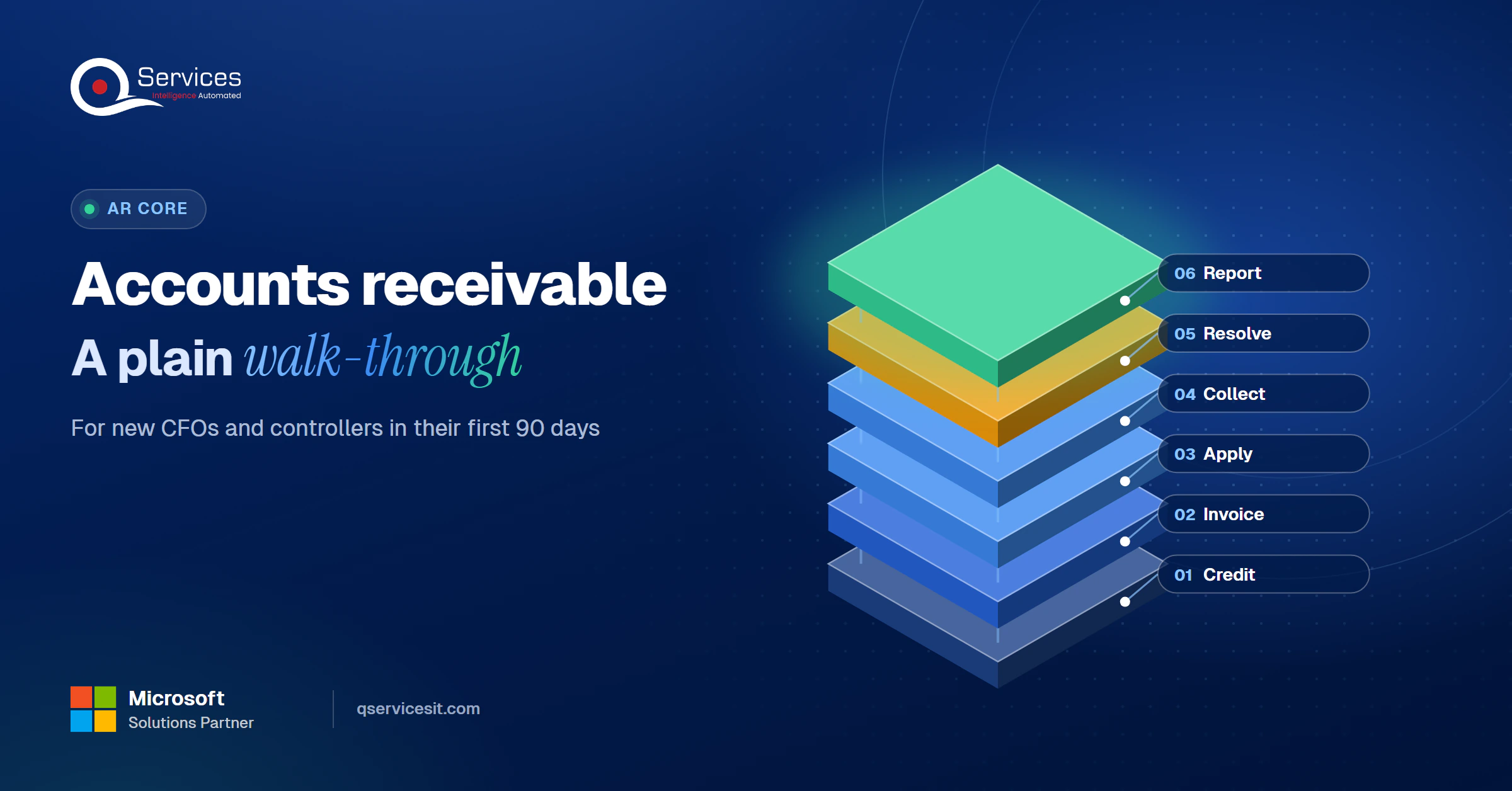
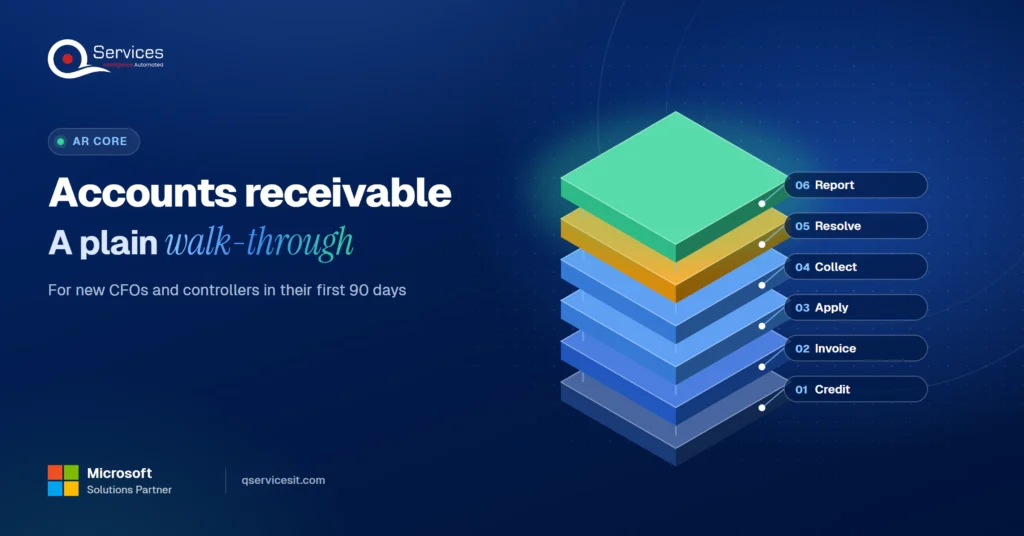
The QServices Framework AR Control Loop = Credit → Invoice → Apply → Collect → Resolve → Report

Each stage feeds the next. Bad credit data creates bad invoices, bad invoices create disputes, and disputes stall collections, so fix the loop in order.

QServices AR Control Loop framework: Credit → Invoice → Apply → Collect → Resolve → Report - accounts receivable process

How does the accounts receivable process work?

The accounts receivable process works as a loop. You approve credit, bill accurately, apply incoming cash, collect what is late, resolve disputes, and report on all of it. No regulator or standards body defines one official set of AR process steps, so treat any step list as common practice.

What a sound credit step looks like

A sound credit step has a written policy and a recorded approver. Look for these:

  • Credit tiers with payment terms mapped to risk
  • Two or three trade references, plus tax ID and principal checks
  • Bureau, lien and judgment searches before limits are set
  • A signed agreement covering terms, due dates and late-payment rules
  • Reviews triggered by missed payments, new liens or volume above the limit

Ask in week one: who approves limits above standard, and when was the last limit review? If the answer is "sales just tells us," that should worry you.

Invoicing: The AR Process Step That Sets Your Dispute Rate

Invoicing is the cheapest place to prevent a collections problem. An invoice needs a unique number, dates, party details, a clear description, the amount and a due date. Add the payment methods, the late-fee policy and a payment link, and send it on the billing date.

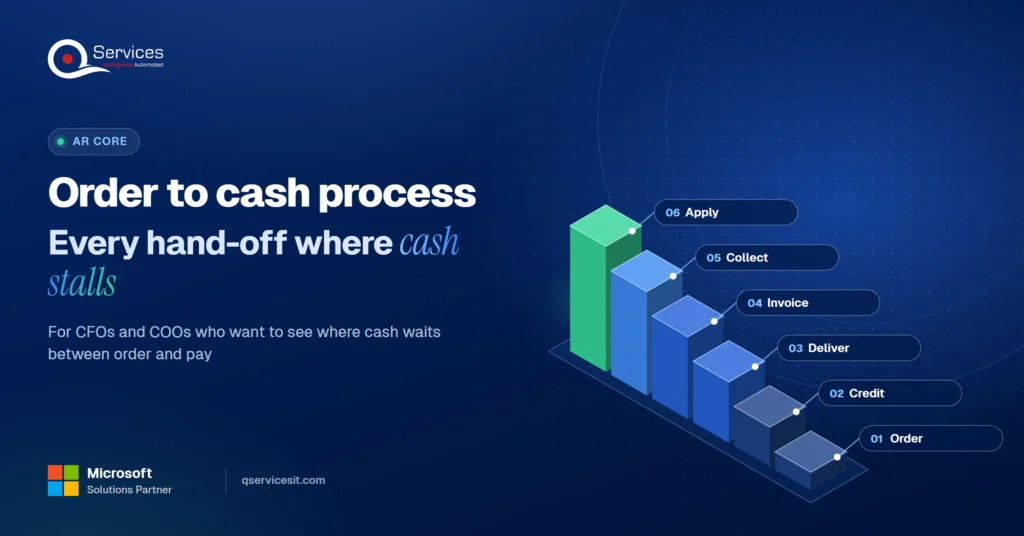
Billing should come from contract terms, not from someone re-keying a spreadsheet. In the order to cash process, manual re-keying is where wrong prices and missing PO numbers get in.

Key Insight As a rule of thumb we use, a dispute rate above 5% means billing needs fixing before collections gets any more effort. Chasing customers about invoices you got wrong only slows the cash further.

Ask in week one: what share of invoices are disputed, and what are the top three reasons? If nobody can say, nobody is coding them.

Receiving Payment in the Invoice to Cash Cycle

Payments arrive by ACH, wire, check and card, and they rarely arrive tidy. ACH and wire payments often land without structured remittance, so your team has to work out which invoices they cover.

Multi-entity payments, bundled invoices and missing PO numbers are the usual causes of manual review. Good remittance advice fixes much of this at the source, and you can write remittance requirements into customer contracts.

Ask in week one: where does remittance data come from, and who chases customers who don’t send it? A worrying answer is "we guess from the amount."

Cash Application: Matching Every Payment to Its Invoice

Cash application is where the accounts receivable workflow most often breaks. Our cash application process guide covers the six steps. Here is what matters on day one.

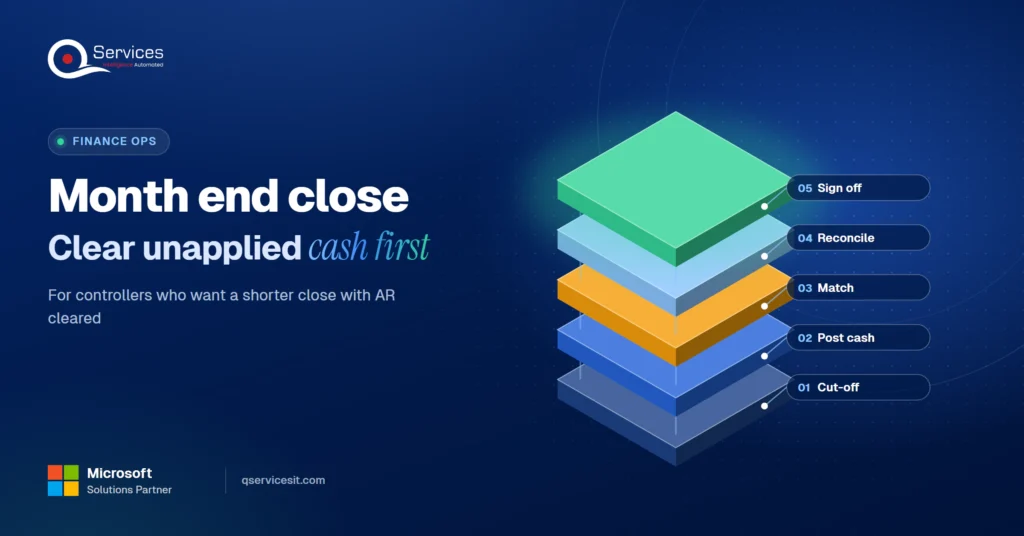
Unapplied cash inflates DSO and distorts your aging buckets. A customer has paid, but the invoice still ages, so it sits in the wrong bucket and gets dunned by mistake. If a balance is piling up, see how to clear an unapplied cash backlog.

Real-World Scenario A typical case we see: a controller at a US distributor finds $410,000 of unapplied cash across three entities. Two customers pay bundled invoices by wire with no remittance, and the AR team sends dunning emails to customers who already paid. The Apply stage catches it. Remittance is captured automatically, a person approves each proposed match in a queue, and only then does anything post.

Track the straight-through rate, the unapplied cash balance and exception resolution time. Our cash application services page shows how we handle this work.

Ask in week one: who owns unapplied cash, and how old is the oldest item? "Nobody owns it" is the worst answer.

Collections: How to Speed Up Accounts Receivable Collections

How to speed up accounts receivable collections comes down to a predictable cadence. A common starting point is a courtesy reminder 3 to 5 days before the due date. Escalate at 7, 21, 45 and 60+ days past due. Automate the first two levels and give the last two to a named person. Other teams use 5, 15 and 30 days, so this is a policy choice, not a rule.

Pause the sequence whenever a dispute is open, and review aging weekly. Our guide to reducing DSO with a stretched AR team goes deeper.

Manual vs agent-assisted AR management

Area Manual Agent-assisted, person approves
Reminders Sent when someone remembers Sent on schedule, paused for disputes
Cash matching Spreadsheet and inbox Proposed matches in an approval queue
Audit trail Scattered notes Timestamped log of every action
Setup effort None Weeks to map rules and connect the ERP
Ongoing oversight Staff time Someone must review exceptions daily

The honest downside is the setup and the review habit. Agents save time only if your rules are written down and someone owns the approval queue.

Legal limits on B2B collections

The federal FDCPA covers consumer debt, and the statute defines debt as a consumer obligation. State rules for commercial collections vary and are changing, with California the one to watch. Check your cadence with counsel, keep timestamped contact logs and honor stop-contact requests. For help running collections and disputes, see our collections and dispute management page.

Standards & References

  • FTC: Fair Debt Collection Practices Act: federal rules for debt collection conduct
  • 15 U.S.C. 1692a: defines debt as consumer obligations

Where does cash application stall for you?

Unmatched payments are where most AR teams lose days. We review how remittances reach your ERP and where a person still re-keys data.

Book the AR Cash Assessment →

Disputes and Deductions in the Accounts Receivable Process

The accounts receivable disputes and deductions process has six moves: identify the claim, validate it against proof of delivery, contract and PO, approve it within authority limits, adjudicate with a credit or debit memo, and tell the customer. Skipping the validation step is how teams give away margin.

Code every dispute by cause: pricing, promotions, shortages or compliance penalties. Recurring causes then get fixed upstream. Some large retailers accept claims only inside a window, such as 60 days, so slow handling can mean a lost claim.

Ask in week one: do disputes carry reason codes, and who can approve a write-off? Worry if one person controls both cash receipts and credit adjustments. That breaks segregation of duties.

Reporting: AR Reporting Metrics for Controllers

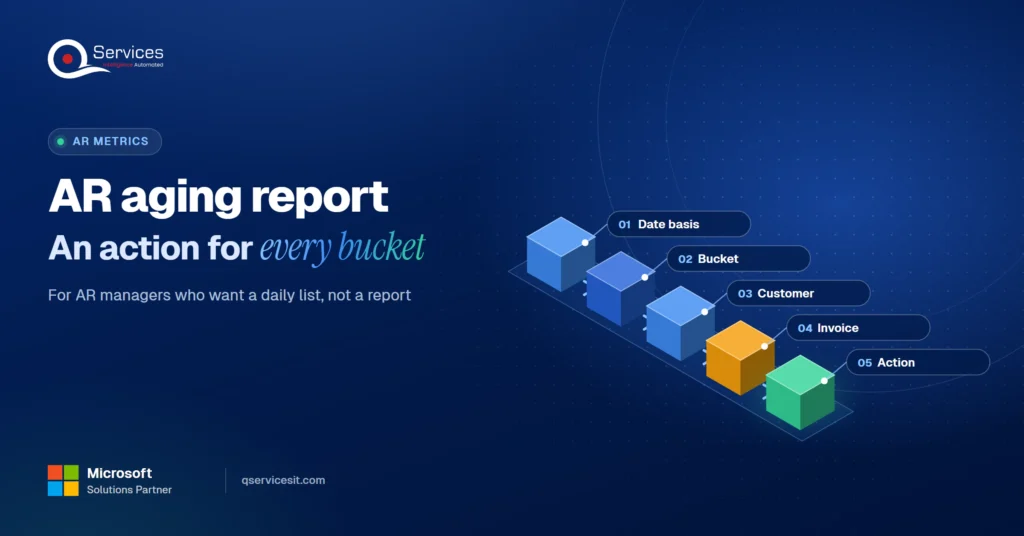
AR reporting metrics for controllers should answer one question: is cash arriving when it should? Start with the formulas:

  • DSO = AR ÷ credit sales × days in period (see our DSO formula guide)
  • Best possible DSO = current AR ÷ credit sales × days in period
  • Average days delinquent = DSO minus best possible DSO
  • CEI = (beginning AR + credit sales − ending total AR) ÷ (beginning AR + credit sales − ending current AR) × 100

Key Insight A DSO far above best possible DSO means customers are paying late, not that you sell on long terms. That points at collections and cash application, not at sales.

In our experience, under 45 days is a common DSO target, but it depends on your terms. Compare your own trend against best possible DSO rather than against a vendor’s industry table.

Grid of exactly 4 week-one worry signs: unapplied cash with no owner, DSO far above best possible DSO, no dispute reason codes, one person controlling cash and credits - accounts receivable process

What Questions Should a New CFO Ask the AR Team in Week One?

The best questions to ask your AR team are specific and answerable with a number or a name. Use this as your CFO accounts receivable review:

  1. Who approves credit limits above standard, and when was the last review?
  2. What share of invoices are disputed, and why?
  3. Where does remittance data come from?
  4. What is the unapplied cash balance, and who owns it?
  5. What is the collections cadence, and does it pause for disputes?
  6. Which disputes recur, and who fixes the cause?
  7. Do aging and CEI get reviewed weekly?
  8. Can one person both receive cash and post credits?

Vague answers are information too. Treat this as your controller AR checklist.

How QServices Approaches the Accounts Receivable Process

We start with the Apply stage, because unapplied cash distorts every other number on your dashboard. Our AI agents run inside your own Azure tenant, work in your ERP, and your team approves every action before anything posts. The same team builds and runs it.

  1. A map of your current invoice to cash path, with owners named
  2. An aging and unapplied cash baseline from your ledger
  3. A pilot on one entity’s remittance and matching
  4. An approval queue where a person reviews each proposed match
  5. Weekly exception and aging reports for the controller
How QServices delivers AR automation: map the current path → baseline aging and unapplied cash → pilot on one entity → approval queue → weekly reporting - accounts receivable process

Implementation Checklist

  • Written credit policy with a named approver
  • Dispute reason codes in use on every claim
  • Remittance requirements written into customer contracts
  • Unapplied cash has a named owner and an age report
  • Dunning sequence pauses automatically for open disputes
  • No one person receives cash and posts credits
  • Aging, DSO and CEI reviewed weekly
  • A person approves every posting before it hits the ledger

Conclusion

A sound accounts receivable process is a loop you can inspect, so pilot one entity’s unapplied cash and measure the unapplied balance, straight-through rate and exception resolution time over 30 days. Then Book the AR Cash Assessment to see where your own loop leaks.

Rohit Dabra

Written by Rohit Dabra

Co-Founder and CTO, QServices IT Solutions Pvt Ltd

Rohit Dabra is the Co-Founder and Chief Technology Officer at QServices, a software development company focused on building practical digital solutions for businesses. At QServices, Rohit works closely with startups and growing businesses to design and develop web platforms, mobile applications, and scalable cloud systems. He is particularly interested in automation and artificial intelligence, building systems that automate routine tasks for teams and organizations.

Accounts receivableCash applicationERP integrationFinance automation
Talk to Our Experts

Frequently Asked Questions

The accounts receivable process steps are credit and onboarding, invoicing, receiving payment, cash application, collections, disputes and deductions, and reporting. No standards body fixes one list, so step counts vary by source, but every sound accounts receivable cycle covers these stages.

Accounts receivable is the part of the order to cash process that starts when you invoice and ends when cash is applied. Order to cash is wider, covering order entry and credit approval before billing. Many teams treat invoice to cash as the AR portion.

It depends on your payment terms. The useful measure is the gap between your DSO and your best possible DSO. If that gap is wide, customers are paying late, and collections or cash application usually need work, not your terms.

Ask who approves credit limits above standard, what share of invoices are disputed and why, who owns unapplied cash, whether the dunning sequence pauses for disputes, and whether one person both receives cash and posts credits.

Capture remittance automatically, ask customers for it early, write remittance requirements into contracts, and set write-off thresholds for small items. Give unapplied cash a named owner and an age report, and have a person approve each proposed match before it posts.

Related Topics

Next step

Ready to see your AR process end to end?

We map each step with your team and show where AI agents could take over matching and follow-ups, with a person approving every action.

Book the AR Cash Assessment →

Recent Articles

Globally Esteemed on Leading Rating Platforms

Earning Global Recognition: A Testament to Quality Work and Client Satisfaction. Our Business Thrives on Customer Partnership

5.0

5.0

5.0

5.0

What clients say

Rated 5.0 by the
people we've built for.

Every quote comes from a published review on GoodFirms, Clutch or our own site. Click a source to read the full review.

★★★★★
“QServices was highly professional, knowledgeable, and approachable. We continue to work with them on other projects.”
NHNicholas HoareCEO, Nextgen ClearingGoodFirms
★★★★★
“Quality assurance is often overlooked, but these guys take that very seriously. … their team of experienced, dedicated developers and highly skilled engineers quickly dissected and decomposed every problem and presented solutions and options that directly met my needs”

Erik BrownBusiness owner and software engineerClient review
★★★★★
“The supplier delivered the application on time and was responsive to our needs. He was also flexible, which allowed us to make changes on the fly.”

Zoltan BodnarCFO, Yusen LogisticsGoodFirms
★★★★★
“Thank you Sahil and team for wonderful collaboration right from day 0. … Highly recommend the developers.”

Ranbeer MakinClientClient review
★★★★★
“They are always looking for new ways to improve their products and services and to deliver value to their customers.”
OFOluwatosin FalolaSenior .NET Developer, POOLCORPClutch
★★★★★
“I have had an excellent experience working with QServices. We have a highly collaborative relationship and I value them not just as contractors but as partners.”

Alex VanderElsClientClient review
★★★★★
“Sahil undertakes every project with a high degree of professionalism. His communication style is unmatched and he is always available to resolve issues or just discuss the project.”

Philmore J.ClientClient review
★★★★★
“Responsive, patient and professional. Consistent weekly attention to our project, and new ideas we hadn't asked for.”

Michael WilliamsonPresident and CEO, United Way of Southeast LouisianaGoodFirms
★★★★★
“I have been working with them on a project for a year now … They have been able to solve problems that come up with bugs or development and able to communicate well with me.”

Steven LewisClientClient review
★★★★★
“We had been working on the app for two years. QServices built it in two months.”

Brian WallerPresident, Technology Association of IowaGoodFirms
★★★★★
“All projects were delivered on time and were fully completed upon delivery.”
RBRaine Marie BuenvendiaSr. Support Specialist, Arc.DevClutch
★★★★★
“They had excellent quality. The hypercare they provided after the project went live is exceptional.”

KKKrish KishorePresident, Zero Hour ConsultantsClutch
Book Appointment
Sahil kataria (1)
Sahil Kataria

Founder and CEO

amit Kumar
Amit Kumar

Chief Sales Officer

Talk To Sales

USA

+1 270-550-1166

flag

+1 270-550-1166

Phil J.
Phil J.Head of Engineering & Technology​
QServices Inc. undertakes every project with a high degree of professionalism. Their communication style is unmatched and they are always available to resolve issues or just discuss the project.​
Assured

Thank You

Your details has been submitted successfully. We will Contact you soon!