Introduction
Accounts receivable management is a six-stage cycle: set credit terms, invoice accurately, apply cash, collect, resolve deductions, and measure results. Finance teams run it well when every stage has an owner, a written rule, and a metric.
Most of the manual effort sits in matching payments and chasing follow-ups. That is where accounts receivable automation helps, with AI agents working inside your ERP while your team approves every action.
This guide is for CFOs and controllers who want the whole cycle on one page. We cover each stage, current US benchmarks, and where people, process, and systems each belong.
Where is your cash getting stuck between invoice and bank?
We walk your invoice-to-cash flow with you and mark where agents could handle matching and follow-ups while your team approves each action.
Book the AR Cash Assessment →
Quick Answer Accounts receivable management is how a company turns sales into cash. It sets credit terms, invoices accurately, applies incoming payments, follows up on late balances, resolves short pays and disputes, and tracks KPIs such as days sales outstanding. Done well, it makes cash predictable and keeps overdue balances small.
What does good accounts receivable management look like?
Good AR is boring in the best way. Customers get credit they can handle, invoices are right the first time, cash lands against the correct invoice the same day, and nobody learns about a problem account from the bank balance.
The problem is that AR usually breaks at the handoffs, not inside one step. Sales sets terms, billing sends invoices, treasury receives cash, and collections chases the gap. Nobody sees the whole line.
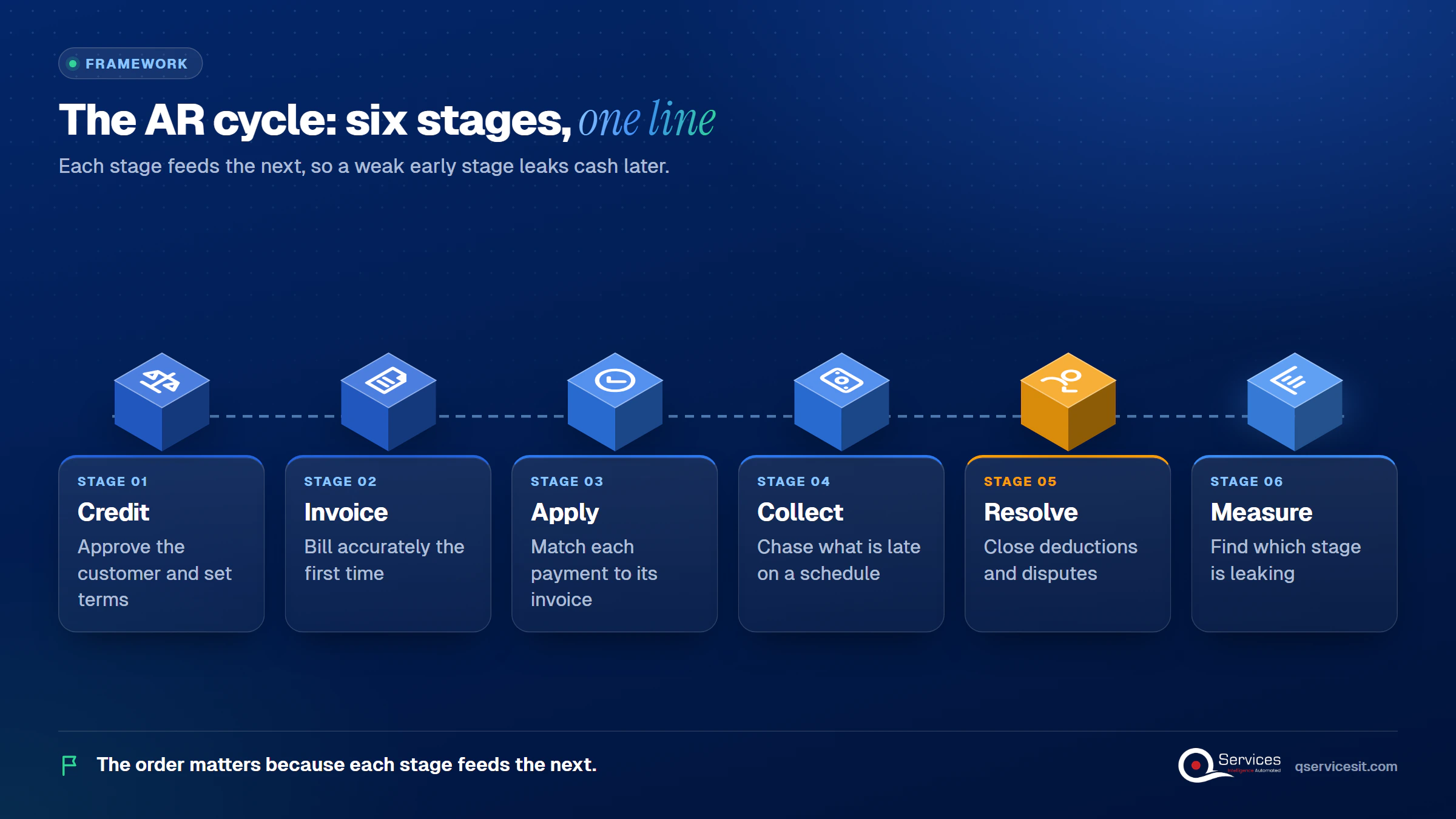
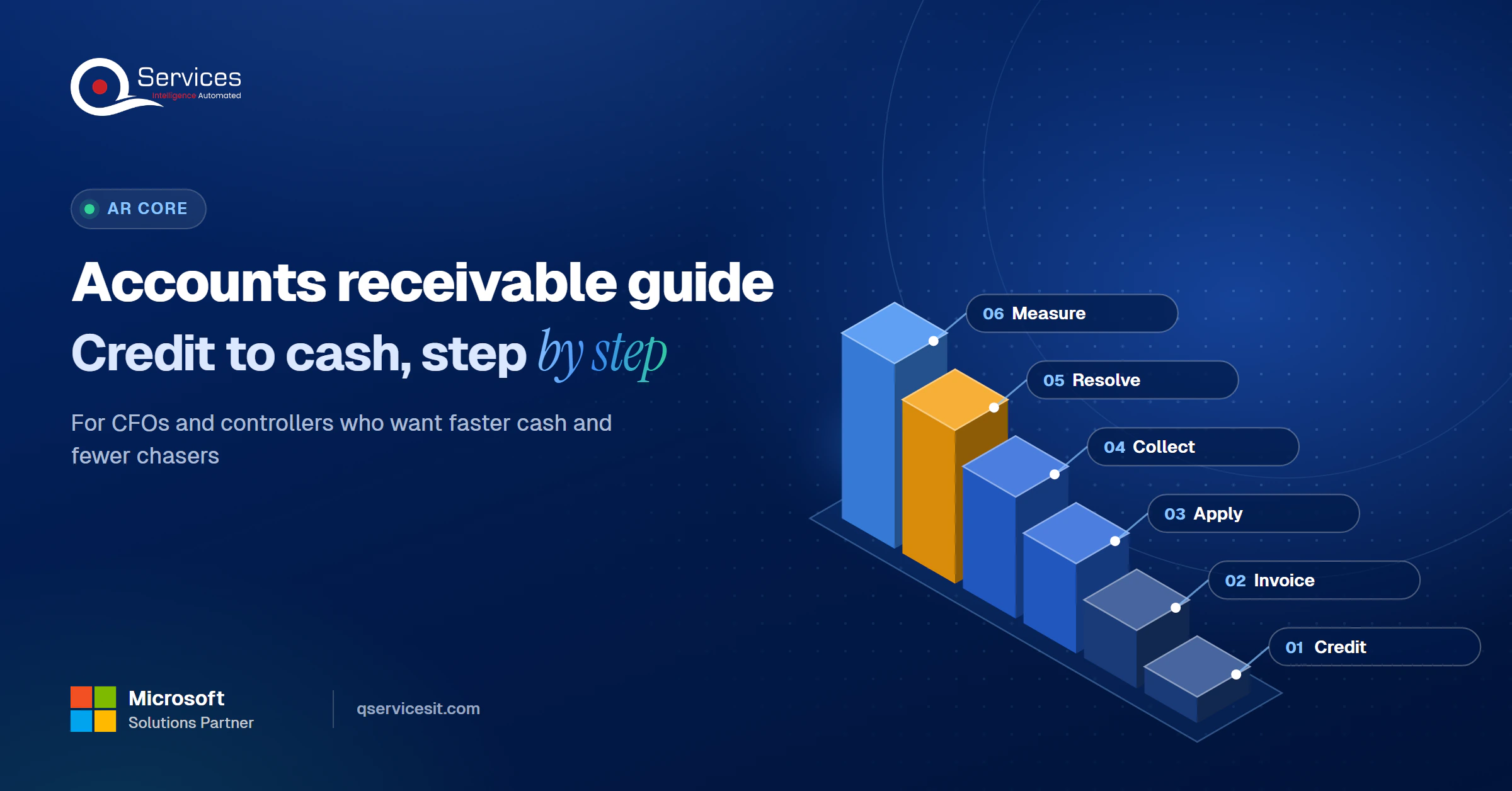
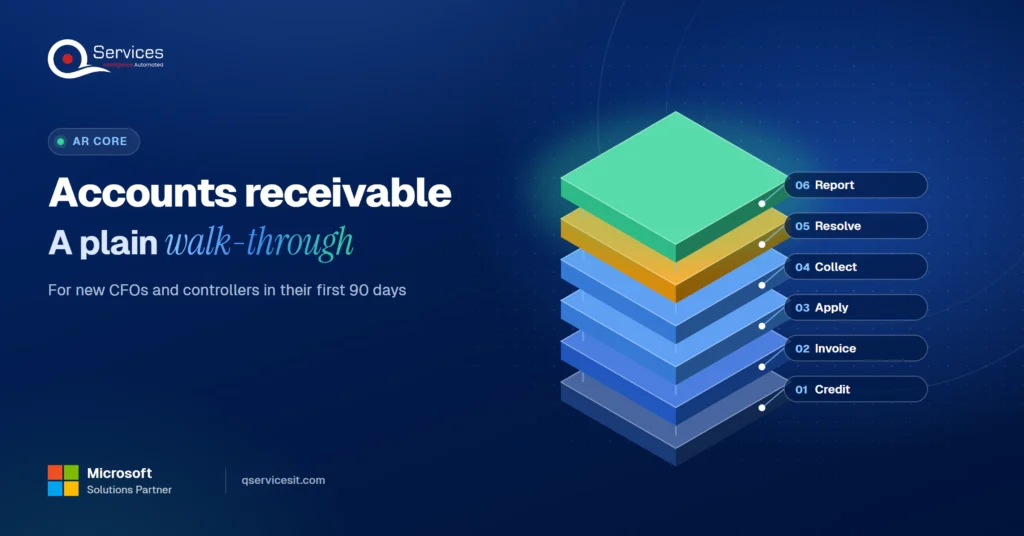
The QServices Framework AR Cycle = Credit → Invoice → Apply → Collect → Resolve → Measure
The order matters because each stage feeds the next: a loose credit decision creates a late invoice, a wrong invoice creates a dispute, and an unapplied payment looks like a past-due balance.
What are the accounts receivable process steps?
The accounts receivable process steps follow the same six stages in the framework above. Credit approves the customer, Invoice bills it, Apply matches the payment, Collect chases what is late, Resolve closes deductions and disputes, and Measure tells you which stage is leaking.
No regulator or standards body defines the cycle, so treat it as accepted practice rather than a rule.
Accounts receivable best practices for finance teams
The accounts receivable best practices for finance teams that hold up in the US are few and unglamorous:
- Write the credit policy down and make sales follow it.
- Send invoices within one business day of shipment or service.
- Apply cash the day it arrives, not at month end.
- Contact late accounts on a schedule, not when someone remembers.
- Code every deduction with a reason and an owner.
- Review the same KPIs every month, in the same order.
The stakes are real. The Federal Reserve Banks’ Small Business Credit Survey 2024 Report on Payments found roughly four in five small firms face payment-related challenges. That is a survey of small firms, but the pattern shows up in larger companies too.
Credit policy for receivables: set the rules first
A credit policy for receivables is the cheapest AR control you have. It decides who gets terms, how much, and what happens when they pay late. Without it, collections inherits every risky decision sales made.
How to write a credit policy
Here is how to write a credit policy in five steps:
- Collect evidence. Get a credit report, financial statements, payment history, and at least three trade references.
- Set a starting limit. One to two billing cycles of average monthly sales is a common starting point, not a rule.
- Start new accounts low. Use shorter terms or partial prepayment until they pay on time.
- Document the decision. Record who approved the limit and why.
- Raise limits in small steps after on-time payment.
Our view: keep the policy to two pages. A ten-page policy gets ignored.
When to review a credit limit
A limit is a business decision, never a permanent one. Review accounts every 6 or 12 months, and quarterly for high-risk customers. Trigger an early review when a payment runs more than 30 days late, a promise to pay is broken, disputes pile up across several invoices, or the balance sits near the limit.
Your ERP can enforce this. Dynamics 365 Finance supports credit limits, temporary limits, risk-based blocking rules, and approval workflows for limit changes and order releases. The exact setup is in the Standards card further down.
Invoicing: the accounts receivable process starts with a clean bill
An invoice that a customer cannot match to a purchase order does not get paid on time. It gets queried, and the clock stops while it waits in someone’s inbox.
Why invoice errors delay payment
Most invoice delays come from the same few errors: a missing or wrong PO number, a price that differs from the order, the wrong bill-to entity, or a missing remittance contact. Each one adds a round trip of emails.
Track the number of revised invoices each month. It is a plain signal of billing quality, and it points back to the Invoice stage when DSO creeps up.
What a payable invoice contains
- The customer’s PO number or reference, exactly as they issued it
- Line items and prices that match the order or contract
- Payment terms and due date in plain view
- The correct bill-to entity and AP contact
- A remittance instruction that tells the customer how to identify the payment
Key Insight Every invoice you correct is a payment you delayed. Fixing the data at the source costs minutes; fixing it after the customer disputes it costs weeks.
Cash application: matching every payment to its invoice
Cash application is the step where a payment is matched to the open invoices it covers. When it fails, cash sits unapplied and the customer still looks past due, which triggers reminders to people who already paid.
The usual causes are thin remittance data, partial payments, and one payment covering many invoices. Our cash application process guide walks the six steps and where they break.
Why unapplied cash piles up
Payments arrive through ACH, wire, check, and lockbox, often with a remittance file that does not match your invoice numbers. If the file is a poor fit, someone matches by hand. Our guide to clearing an unapplied cash backlog covers the cleanup, and a good remittance advice prevents much of it.
Where automation helps
Matching rules plus an agent can propose matches and route exceptions to a work queue. The measures to watch are the share of payments matched without touching, unapplied cash volume, and exception cycle time. Be skeptical of vendor claims of 90% or higher automation. Your rate depends on your remittance quality.
Unapplied cash also delays the close, as we explain in our month end close checklist.
How does the AR collections process work in 4 steps?
The AR collections process is a scheduled, documented routine for contacting customers before and after an invoice is due. How to improve AR collections comes down to consistency: the same reminder, to the right person, on the same day, every time.
1. Segment customers
Split accounts by balance, risk, and payment behavior. A large customer who always pays on day 40 needs a different approach than a new account that just missed its first due date.
2. Schedule the reminders
Send a friendly notice before the due date, a firm one just after, and a call at about two weeks late. Include a payment link and the invoice copy in every message, so the customer has no reason to wait.
3. Escalate on a rule
Define who steps in and when: collector, controller, then sales leadership. Legal action timing is a business decision for your company, so set it in the credit policy instead of improvising per account.
4. Record every promise
Log each promise to pay with a date. A broken promise is a trigger for escalation and a credit review. Your AR aging report then shows which bucket needs action first.
Still chasing payments by email and spreadsheet?
Collections is where manual follow-ups pile up. Book the assessment and we’ll map which reminders and escalations an agent can draft for your team to approve.
Book the AR Cash Assessment →
Deductions and short pays: how customers underpay
A deduction is an amount a customer withholds from a payment, usually for a reason they believe is valid. Common causes include pricing errors, damaged goods, shortages, early-payment discounts, and promotions. Some are invalid, and you only know which by working each one.
How to manage customer deductions
How to manage customer deductions starts with treating each one as a case:
- Give every deduction a case ID, an owner, and a reason code.
- Link it to the customer and the invoice it reduces.
- Track by age, reason, value, and account.
- Close it by payment, credit memo, or write-off.
- Review reason codes monthly to find the root cause.
Some large retailers only accept disputes inside a fixed window, such as 60 days, so age matters. We cover the tracking in our short pay tracking guide.
Real-World Scenario A typical case we see: a controller at a US building-products distributor finds $18,000 in short pays sitting in unapplied cash across 14 customers, all older than 45 days. In the naive approach, collectors keep dunning the full invoice amounts and the customers get annoyed. The Resolve stage catches it: each short pay becomes a coded case, six turn out to be pricing errors the company fixes, and the rest are re-billed with proof.
Reporting and KPIs: which AR KPIs to track
The AR KPIs to track are the ones that tell you which stage is leaking. Start with five, in the same order every month.
Accounts receivable reporting metrics
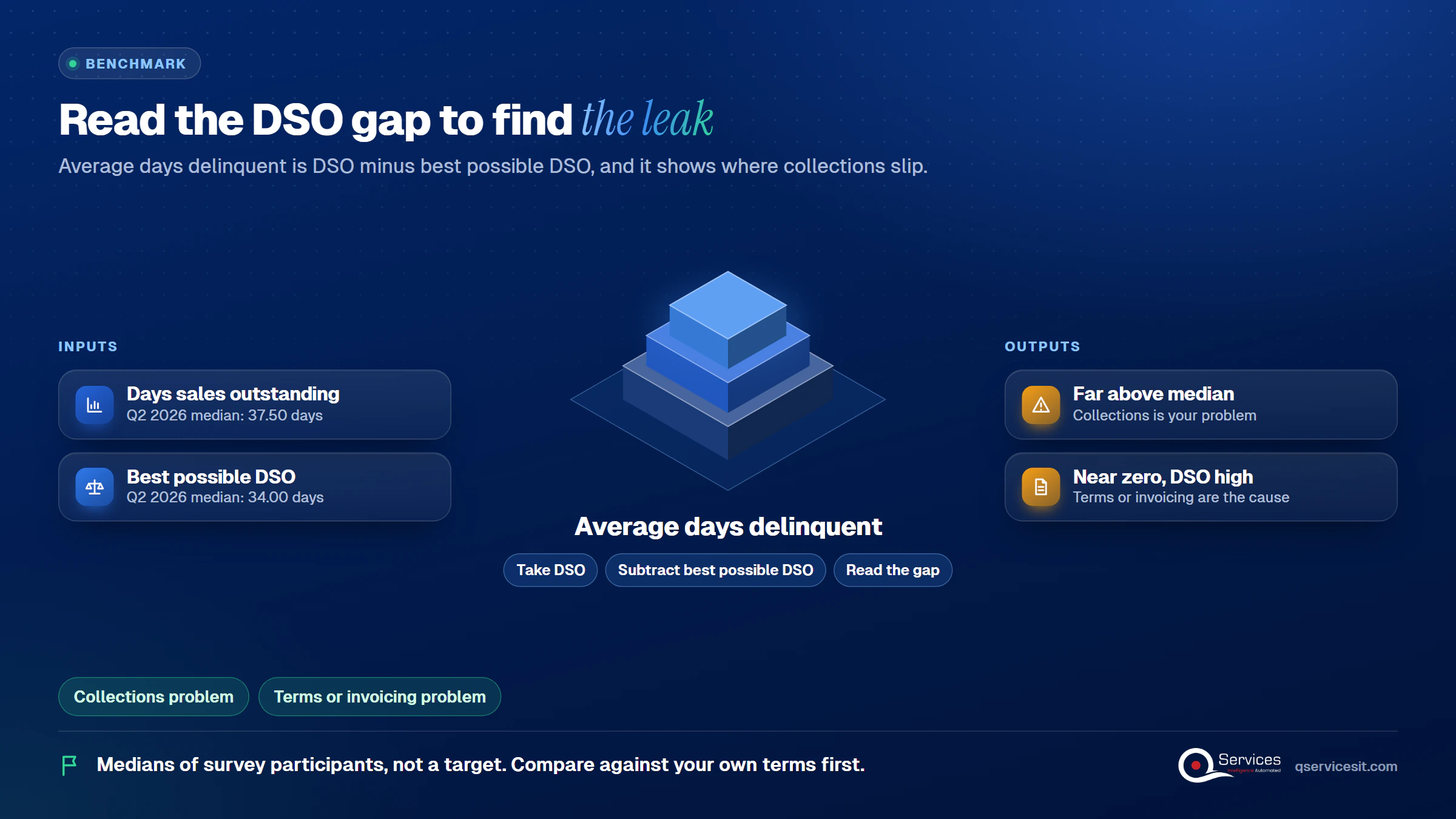
The most recent Credit Research Foundation National Summary of Domestic Trade Receivables (Q2 2026) gives these median values for participating companies:
| KPI |
What it tells you |
Q2 2026 median |
| Days sales outstanding (DSO) |
Average days to collect |
37.50 days |
| Best possible DSO |
DSO if nothing were overdue |
34.00 days |
| Average days delinquent |
DSO minus best possible DSO |
3.70 days |
| Collection effectiveness index |
Share of collectible cash collected |
79.35 |
| Percent current |
Receivables not yet past due |
87.92% |
| Over 91 days past due |
Seriously aged balances |
0.40% |
These are medians of survey participants, not a universal target. Compare yourself against your own terms first.
Standards & References
What is a good days sales outstanding for a US company?
A good DSO sits close to your payment terms. On Net 30 terms, a figure in the high 30s is a sensible target, and the gap between DSO and best possible DSO shows how much is overdue. Our days sales outstanding formula guide has the calculation and levers.
How to reduce days sales outstanding
How to reduce days sales outstanding comes down to three levers: invoice faster, apply cash faster, and contact late accounts sooner. If your team is stretched, start with the lever that removes manual work, as we describe in reducing DSO with a stretched AR team.
Key Insight Average days delinquent is DSO minus best possible DSO. Q2 2026 median: 3.70 days. If yours is far above that, collections is your problem; if it is near zero but DSO is high, your terms or invoicing are.
People vs process vs systems: where accounts receivable automation fits
People decide, process sets the order, and systems do the repetitive work. Problems appear when a team uses people for matching and chasing, which they do slowly, and systems for judgment, which they do badly.
Accounts receivable automation with ERP integration
Accounts receivable automation with ERP integration means the agent reads and writes where your records live: invoices, open items, customer credit, and collection notes. It avoids a spreadsheet side channel that drifts out of sync with the ledger. If you are moving ERPs, plan AR continuity first, as in our Dynamics GP to Business Central AR migration guide.
AR automation with human approval
AR automation with human approval means an agent drafts the match, the reminder, or the credit memo, and a person approves before anything posts money or changes a system. We cover why in AI agent governance. Can AI agents handle AR follow-ups? They can draft and queue them. Your team still approves the send.
Manual AR vs agent-assisted AR
| Area |
Manual AR |
Agent-assisted AR with approval |
| Cash matching |
Hand-keyed from bank files |
Agent proposes, person approves |
| Follow-ups |
Depend on who remembers |
Drafted on schedule, reviewed in a queue |
| Exceptions |
Found at month end |
Surfaced the day they appear |
| Audit trail |
Emails and spreadsheets |
Every action logged with approver |
| Setup effort |
None |
Weeks of mapping rules and cleaning data |
| Ongoing review |
None beyond the work |
Someone must clear the approval queue daily |
The honest downside is the last two rows. Automation needs clean data to start and a person reviewing the queue every day. Skip that review and you only move the backlog.
How QServices Approaches Accounts Receivable Management
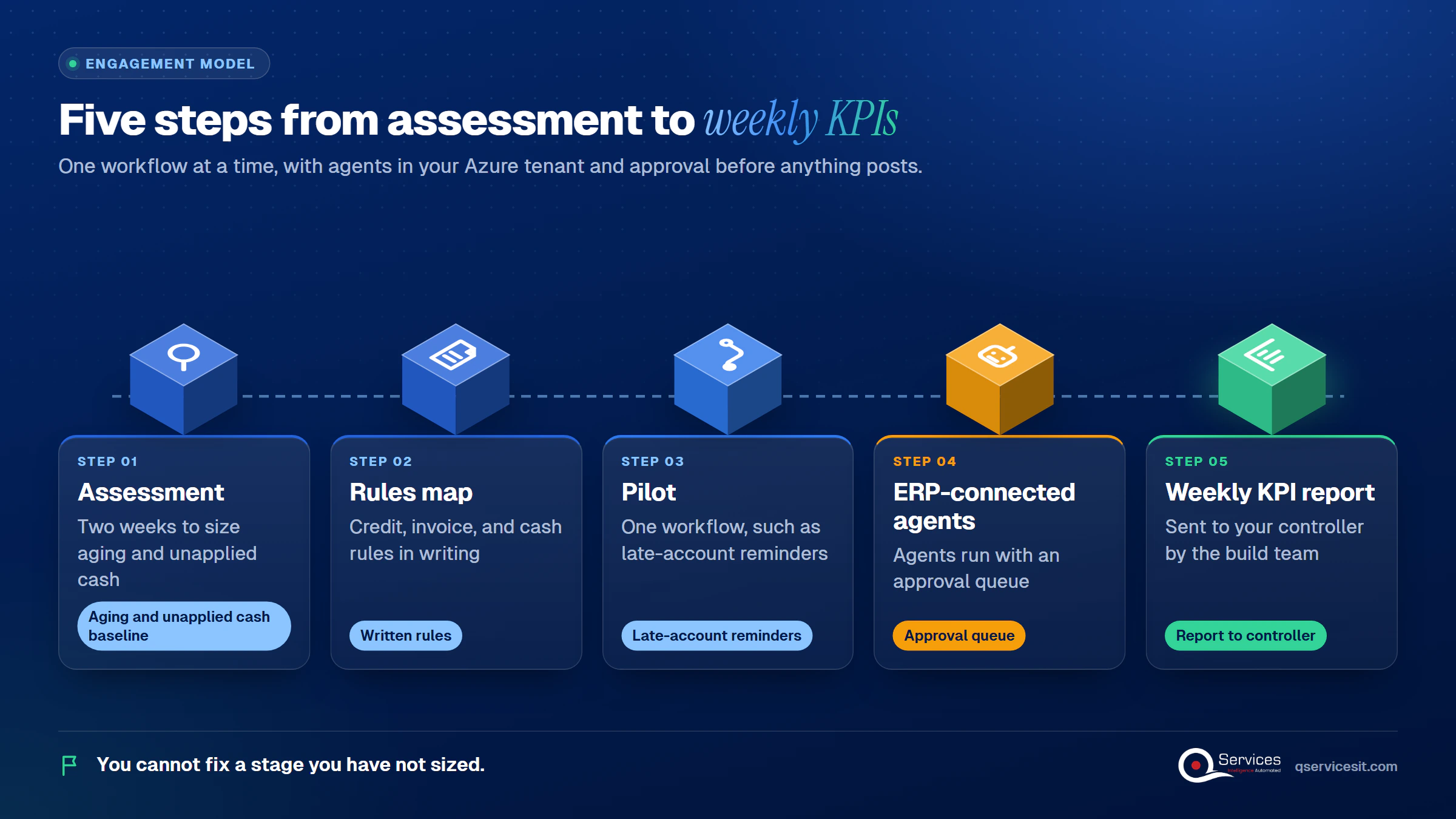
We start at the Measure stage, because you cannot fix a stage you have not sized. Then we work forward through the cycle one workflow at a time, with agents running in your own Azure tenant and an approval queue before anything posts.
- A two-week assessment that produces an aging and unapplied cash baseline
- A map of your credit, invoice, and cash rules in writing
- A pilot on one workflow, such as late-account reminders
- ERP-connected agents with an approval queue
- A weekly KPI report to your controller, run by the same team that built it
Implementation Checklist
- Written credit policy approved by finance and sales
- Credit limit review dates set for every active account
- Invoices carry the customer PO number
- Unapplied cash older than 10 days listed with an owner
- Every deduction has a case ID and reason code
- DSO, best possible DSO, and average days delinquent reported monthly
- An approver named for any action that posts money
Conclusion
Accounts receivable management improves fastest when you pilot the Collect stage on one customer segment for 60 days and measure DSO, average days delinquent, promises kept, and weekly hours spent on follow-ups. Agents can draft the reminders and propose the matches, and your team approves every action before it posts or sends. Book the AR Cash Assessment and we will size it against your own aging.

Written by Rohit Dabra
Co-Founder and CTO, QServices IT Solutions Pvt Ltd
Rohit Dabra is the Co-Founder and Chief Technology Officer at QServices, a software development company focused on building practical digital solutions for businesses. At QServices, Rohit works closely with startups and growing businesses to design and develop web platforms, mobile applications, and scalable cloud systems. He is particularly interested in automation and artificial intelligence, building systems that automate routine tasks for teams and organizations.
Accounts receivableCash applicationERP integrationFinance automation
Talk to Our Experts
Frequently Asked Questions
Related Topics
Next step
Ready to see where your AR time goes?
Book a working session with our team. We’ll review your credit, invoicing and collections steps and outline what to automate first.
Book the AR Cash Assessment →















 Trustpilot5.0★★★★★See reviewsGoodFirms5.0★★★★★45 verified reviews
 G25.0★★★★★See reviewsClutch5.0★★★★★Quality 5.0 · Schedule 4.8
 Google4.7★★★★★Mohali office
 Erik BrownBusiness owner and software engineerClient review
 Zoltan BodnarCFO, Yusen LogisticsGoodFirms
 Ranbeer MakinClientClient review
 Alex VanderElsClientClient review
 Philmore J.ClientClient review
 Michael WilliamsonPresident and CEO, United Way of Southeast LouisianaGoodFirms
 Steven LewisClientClient review
 Brian WallerPresident, Technology Association of IowaGoodFirms