

Cash application software vs a managed service: your AR fit

Isometric illustration of two paths from a stack of incoming payments, one through a software dashboard and one through a team-run service desk, both ending at a ledger. - cash application software
Summarize in:
Get an instant AI summary of this article

Introduction

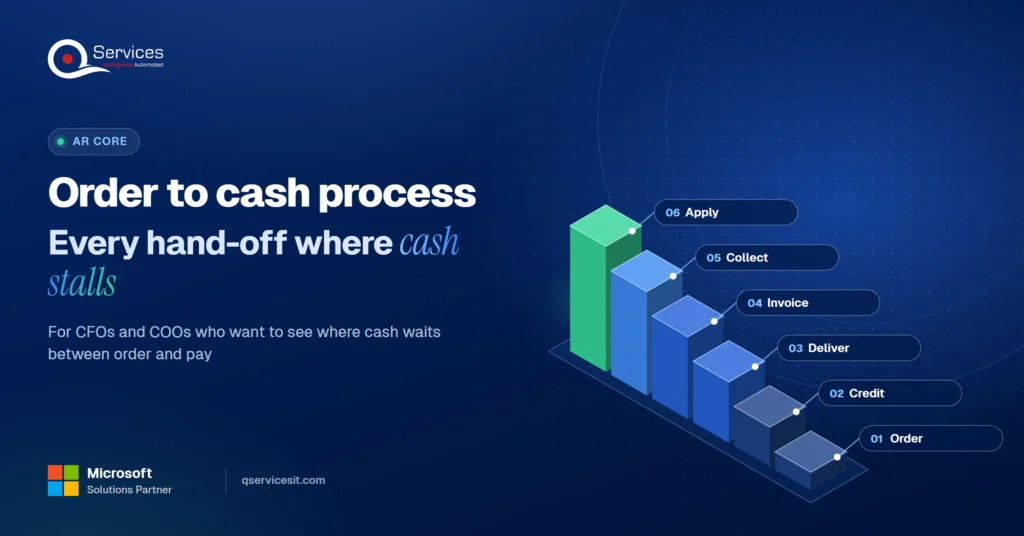
Buy cash application software if your payment volume is high, remittances arrive clean and electronic, and someone owns the exception queue. Choose a managed service if your team is small, your ERP is older, or exceptions dominate the work.

That is the short answer. Almost everything published on cash application automation is written or paid for by vendors, and we found no independent benchmark of match rates or total cost. So treat this as a decision guide, not a measured result.

Below, we compare the software category (HighRadius, Billtrust, Versapay) with a managed service and show when each wins. If you want the mechanics first, read our cash application process: 6 steps and where it breaks.

In This Article, You'll Learn
  • What cash application software does, and how matching works in four stages
  • Where a managed service differs, and what it costs you in control
  • How to count license fees plus your own team's time
  • Why older ERPs change the answer
  • A 5-check test for when to pick software and when to outsource

Which route fits your cash application work?

Walk through your payment volume, remittance formats and ERP with our team, and leave knowing whether software or a managed service suits your AR team.

Book the AR Cash Assessment →

Quick Answer Cash application software matches incoming payments to open invoices and posts them to your ERP, with a person handling exceptions. A managed service runs that same work for you under service levels. Software suits high volume and clean data. A managed service suits small teams, older ERPs and messy remittances.

What Is Cash Application Software and What Does It Do?

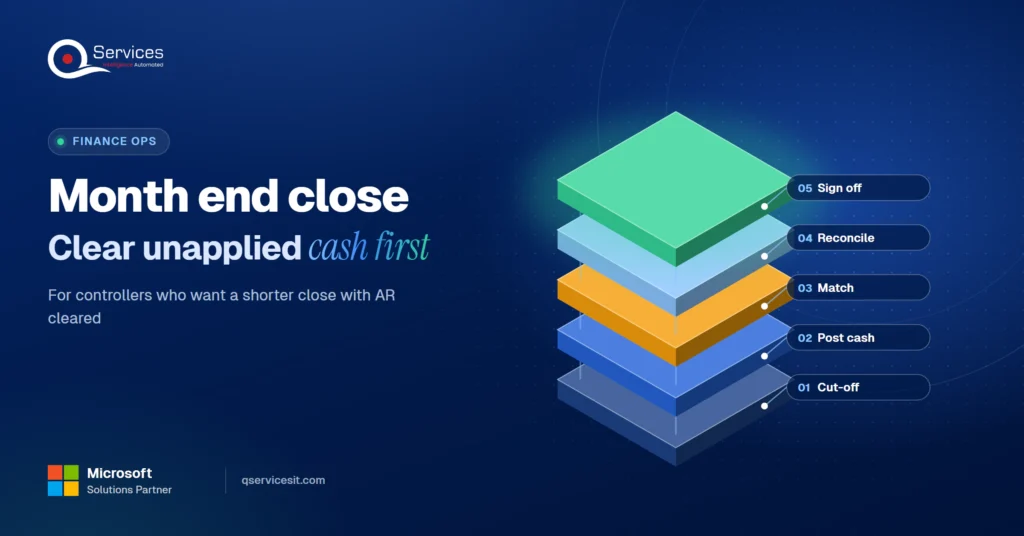
Cash application software matches incoming payments to open invoices and posts the result to your ERP. Until a payment is applied, the paid invoice stays open on the aging report, so collectors chase customers who already paid. That is why unapplied cash piles up and drags on collections.

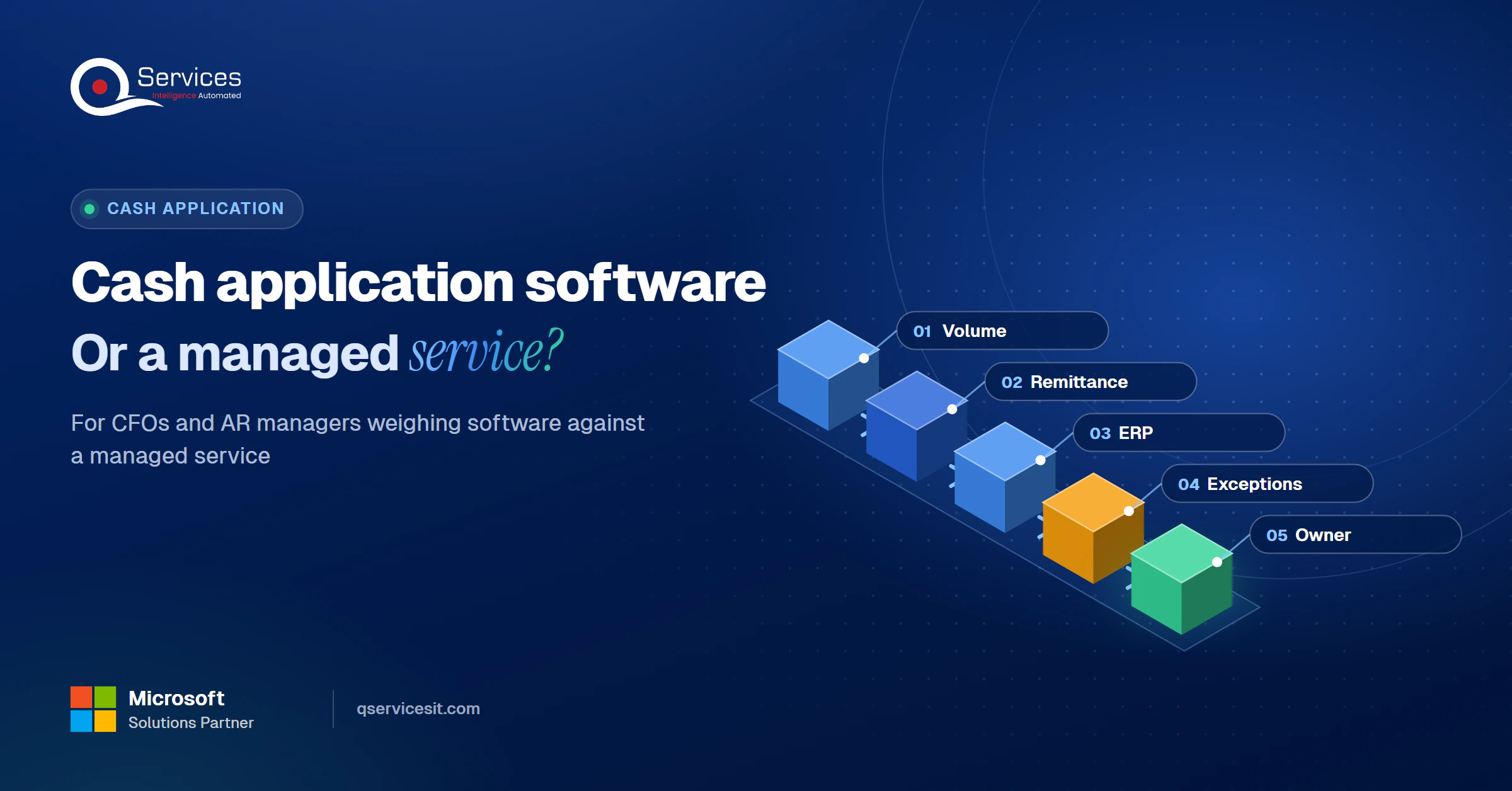
The QServices Framework Cash Application Fit = Volume → Remittance → ERP → Exceptions → Owner

Check them in this order. Volume decides whether software pays back at all, and the owner decides whether it still works six months after go-live.
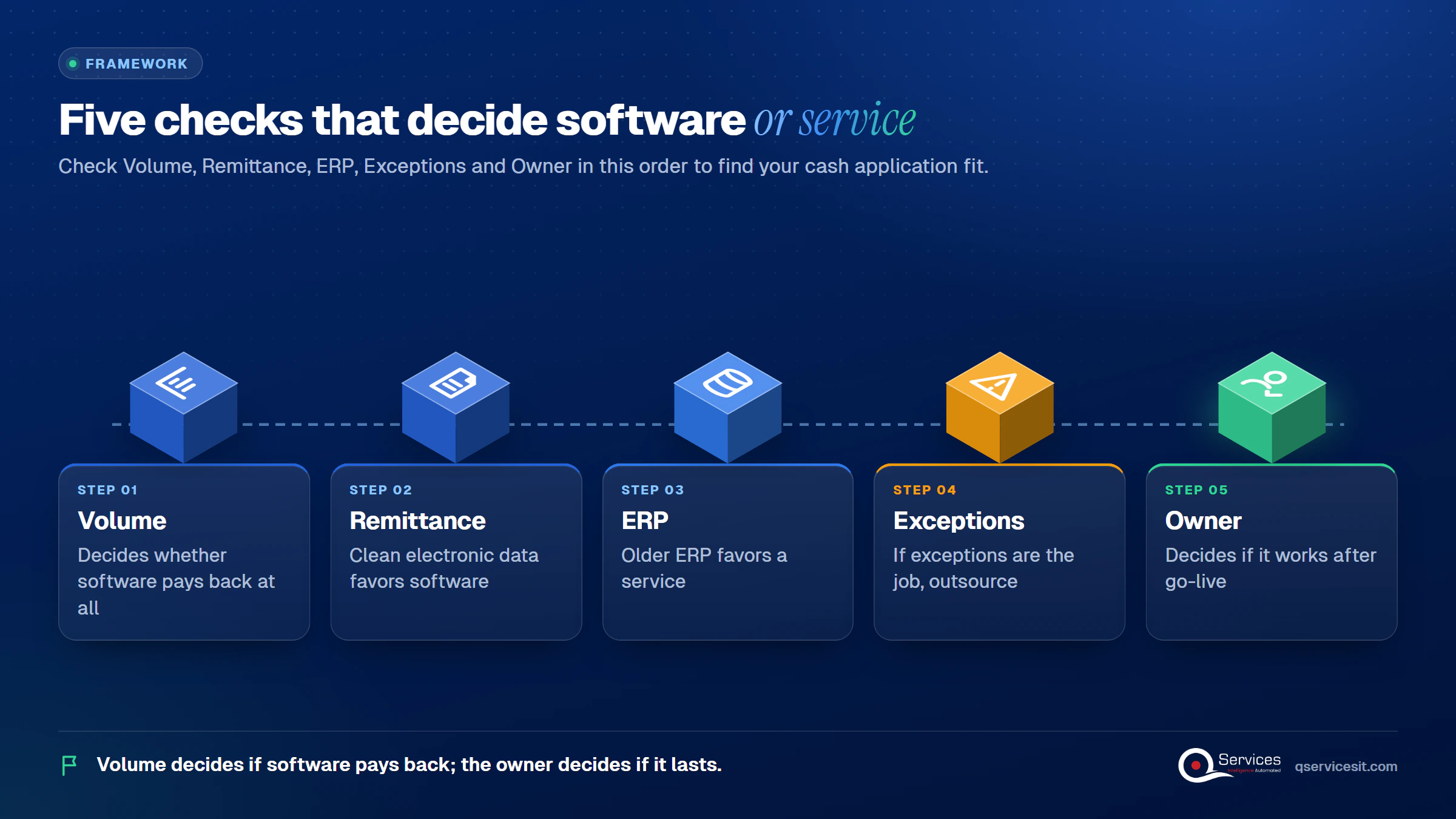
QServices Cash Application Fit framework: Volume → Remittance → ERP → Exceptions → Owner - cash application software

How cash application matching works

Vendor guides describe the same four stages for automated cash application:
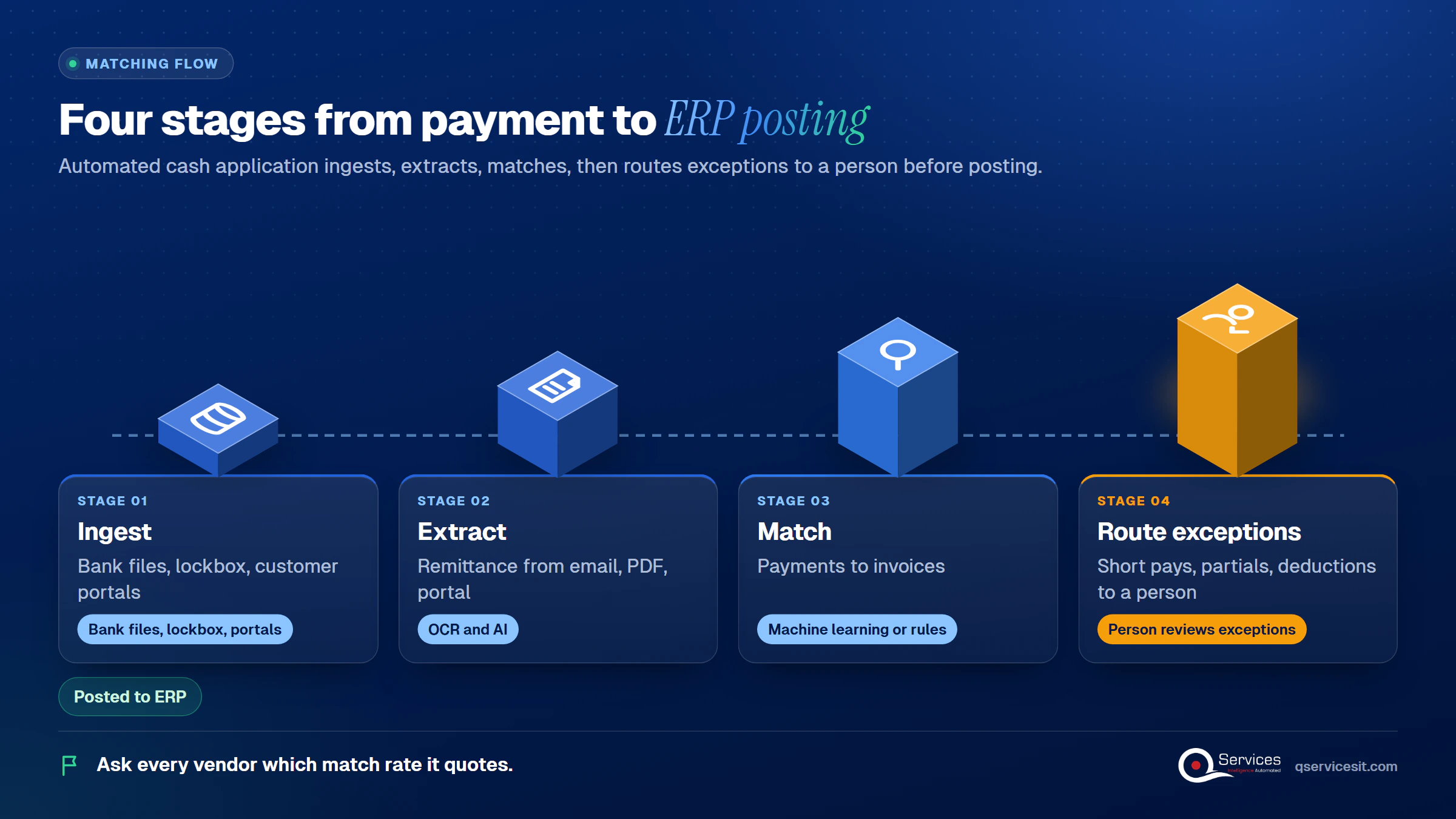
  1. Ingest payment data from bank files, lockbox and customer portals.
  2. Extract remittance data from email, PDF and portal formats, usually with OCR and AI.
  3. Match payments to invoices with machine learning or rules.
  4. Route exceptions (short pays, partials, deductions) to a person, and post the rest.
Four matching stages in order: Ingest, Extract, Match, Route exceptions, with the ERP posting after Route exceptions - cash application software

Key Insight Match rate has no standard definition. First-pass (no human touch) differs from total match rate, and invoice-level differs from line-level, so ask every vendor which one it quotes.

Where HighRadius, Billtrust and Versapay sit

Here is a cash application software comparison for US finance teams that treats claims as claims. HighRadius is an enterprise order-to-cash suite with cash application as a flagship module, and pricing is sales-quoted. Billtrust is an AR suite (invoicing, payments, collections, cash application) that matches by confidence score with an adjustable review threshold.

Versapay positions itself for growing finance teams, with native NetSuite, Sage Intacct and Dynamics 365 integrations. All three publish high straight-through claims. Every figure is vendor-reported, so ask for your own data, not a case study. This HighRadius Billtrust Versapay cash application category is mature, and the honest answer is that it works when your inputs are clean.

What Does a Cash Application Managed Service Do?

A cash application service runs matching, exception follow-up and posting for you under agreed service levels, while your team keeps credit and write-off decisions. Providers sit on a spectrum: offshore BPO teams, software-led services, and hybrid managed AR where agents work inside your ERP. Ours is the hybrid, and we label it as our own offer.

Our managed service is built to apply 98% of bank receipts within one business day. We start with a two-week assessment, then run a six-week switchover with shadow and reverse-shadow phases. The same team that builds the setup runs it. See our accounts receivable services for the full scope.

Cash application software vs managed service at a glance

Software Managed service
Who works exceptions Your team, in a queue you configure The provider, with your approval on anything that posts
Staff time after go-live Ongoing: formats, mapping, exceptions Low: you review and approve
Changing match logic You change it yourself, same day You ask the provider, so it is slower
Older ERP Connector or flat file, often a 1 to 3 day lag Can work through the ERP’s own API (test in a pilot)
Cost shape License plus your time Monthly fee by volume
Audit Your own controls Needs a SOC 1 Type 2 report and your user controls

The honest downsides: a managed service gives you less direct control over match logic, and it adds a vendor to your audit scope.

The cash application exceptions handling process

The cash application exceptions handling process decides whether any of this works. Short pays, partials, deductions and lump sums go to a person with the invoice, the remittance and a suggested match side by side. Learn why customers underpay in our short pay tracking guide. In our setup, a person approves anything that posts money or changes a system.

Cost of Cash Application Software: License Plus Your Team's Time vs Retainer

Pricing is mostly sales-quoted, and no independent price benchmark exists. Compare total cost, not the quote.

How much does cash application software cost to run?

The license line is only part of how much cash application software costs to run. Budget for these:

  • The license or per-payment fee, and any annual escalator
  • Setup fees and professional services
  • Connectors, sometimes charged per ERP instance
  • Training after staff turnover
  • Tier overages and add-on AI modules
  • Your own staff time on configuration, exception queues and remittance-format fixing

A hypothetical: 10,000 payments a month at $0.50 each is $60,000 a year. A 12% annual escalator takes that to about $94,000 by year five. Ask every vendor for year-three pricing.

Real-World Scenario A typical case we see: an AR manager with a team of four applies about 8,000 payments a month. A third arrive without usable remittance, mostly wires and checks. The software quote looks affordable, but nobody priced the two people who will fix formats and work the exception queue. The Owner stage catches it before signing.

A managed service charges a fixed monthly fee by volume. Ours puts 10 to 15% of the fee at risk against service levels.

Cash application software implementation time

Cash application software implementation time varies with your data. Vendors typically quote 30 days to 3 months for lighter tools and 3 to 6 months for enterprise platforms. Treat those as vendor claims. Our own managed switchover takes six weeks after the two-week assessment.

Where does your team lose the most time?

If matching and exceptions eat your week, a short assessment shows which part software handles well and which part needs people.

Book the AR Cash Assessment →

Fit With Older ERPs: Where Cash Application Software Strains

Cash application software for older ERPs: connector or flat file?

Vendors say they support SAP ECC, JD Edwards, Infor and others. The common method is flat file over SFTP with a 1 to 3 day lag, plus per-ERP field mapping. Cash application software for older ERPs needs two checks: who pays for the connector, and whether posting status flows back to the platform.

A service that works through the ERP’s own API avoids the connector. That is our positioning, so prove it in a pilot. If you are on Dynamics GP, support ends in 2029, as we explain in what 2029 means for your finance team. Plan the matching layer so it survives a move to Business Central without AR stopping.

Why remittance matching depends on your customers

Remittance matching is only as good as the data. Bank statements arrive as BAI2 (dominant in the US), MT940 or camt.053, and banks fill reference fields inconsistently. ACH addenda for CCD payments carry a single 80-character record, so detail often lives in email or a portal. Read how the EDI 820 payment file posts to your ERP and what a good remittance advice contains.

Key Insight Clean electronic remittance favors software. Missing, lumped or paper remittance favors people, because payment matching software cannot match what it never receives.

When to Pick Cash Application Software or a Managed Service: 5 Checks

Work through the framework stages in order. This is also when to outsource cash application: when most answers fall on the right.
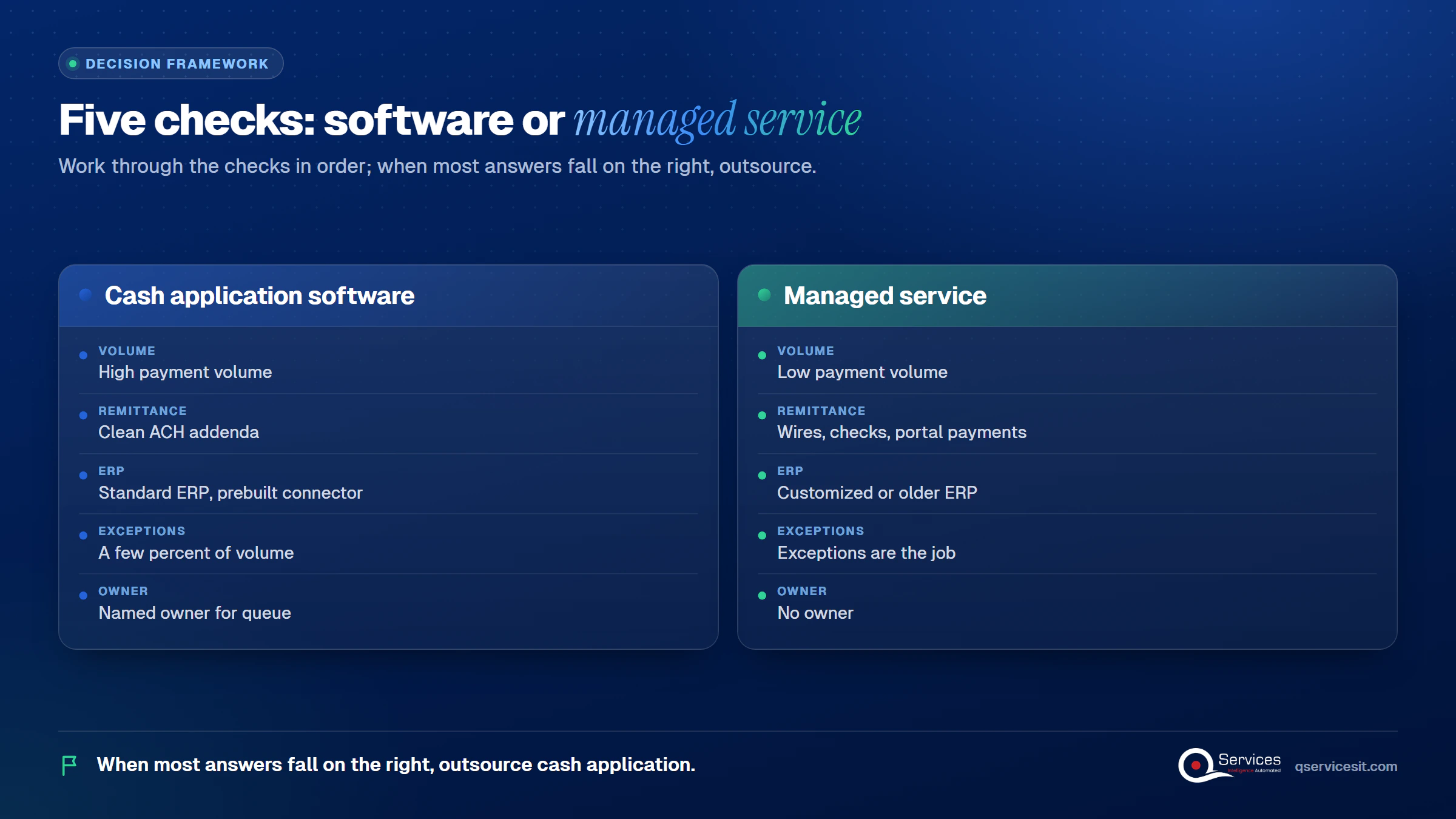
Five checks in order: Volume, Remittance, ERP, Exceptions, Owner, each with a software-side and a managed-service-side answer - cash application software

1. Volume

High payment volume favors software, because match rates improve with volume and learning. Low volume rarely repays a license.

2. Remittance

If most payments are ACH with clean addenda, software wins. If wires, checks and portal payments dominate, expect a long exception tail.

3. ERP

A standard ERP with a prebuilt connector favors software. A customized or older ERP favors a service that posts through the ERP itself.

4. Exceptions

If exceptions are a few percent of volume, your team can absorb them. If they are the job, outsource them.

5. Owner

Software needs a named person to own configuration and the queue. No owner is the clearest reason to choose a managed service. SOX still applies to outsourced AR, and management stays responsible for internal control over financial reporting, so check the provider’s SOC 1 Type 2 scope.

Standards & References

How QServices Approaches Cash Application Automation

We start with the Volume stage: a baseline of unapplied cash and days to apply, because you cannot choose well without it. Our approach to accounts receivable automation uses AI agents for cash application inside the ERP, running in your own Azure tenant, with an approval queue before anything posts.
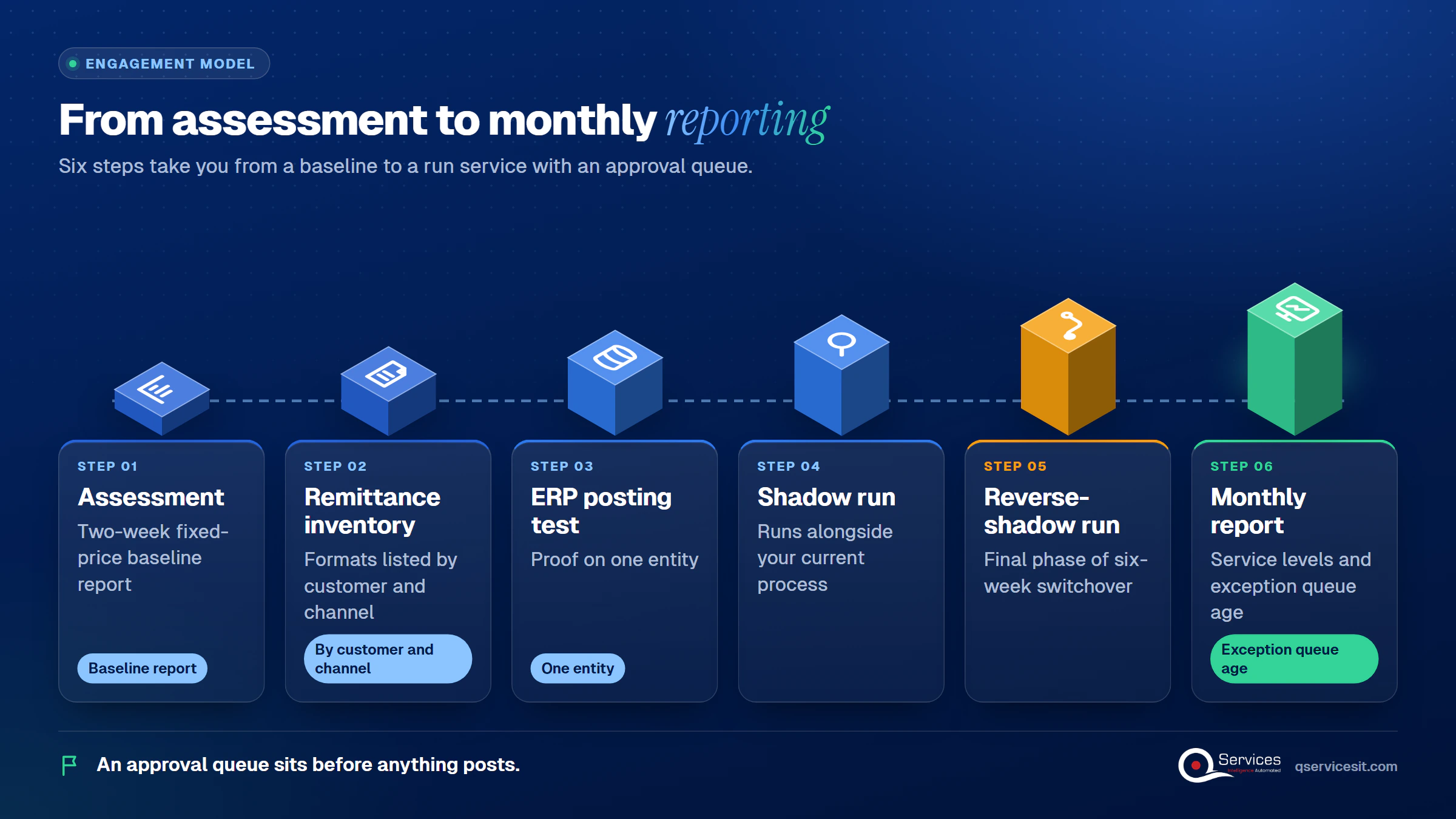
  1. A two-week fixed-price assessment with a baseline report
  2. A remittance format inventory by customer and channel
  3. An ERP posting test on one entity
  4. A six-week switchover with shadow and reverse-shadow phases
  5. A monthly service-level report with the exception queue age
How QServices delivers cash application: Assessment → Remittance inventory → ERP posting test → Shadow run → Reverse-shadow run → Monthly report - cash application software

Implementation Checklist

  • Unapplied cash balance and days to apply measured for the last 3 months
  • Match rate defined as first-pass or total, in writing
  • Remittance formats listed by customer and channel
  • ERP connector or API path confirmed, with posting status flowing back
  • Year-three pricing and connector costs in writing
  • A named owner for the exception queue
  • Credit and write-off approvals kept with your team
  • SOC 1 Type 2 report requested if you outsource

Conclusion

Pick cash application software if you can name the owner and your data is clean. Otherwise, pilot one entity for six weeks and measure first-pass match rate, days to apply, unapplied cash age and exception queue age. Then Book the AR Cash Assessment and we will baseline your numbers before you sign anything.

Rohit Dabra

Written by Rohit Dabra

Co-Founder and CTO, QServices IT Solutions Pvt Ltd

Rohit Dabra is the Co-Founder and Chief Technology Officer at QServices, a software development company focused on building practical digital solutions for businesses. At QServices, Rohit works closely with startups and growing businesses to design and develop web platforms, mobile applications, and scalable cloud systems. He is particularly interested in automation and artificial intelligence, building systems that automate routine tasks for teams and organizations.

Accounts receivableCash applicationERP integrationFinance automation
Talk to Our Experts

Frequently Asked Questions

Cash application software matches incoming payments to open invoices and posts the result to your ERP. It ingests bank and remittance data, extracts payment details, matches them to invoices, and routes exceptions such as short pays to a person. This is how cash application matching works in most tools.

Software is a tool your team configures and runs, including the exception queue. A cash application managed service runs the matching and exception work for you under service levels, while your team keeps credit and write-off decisions. In short, cash application software vs outsourcing is a choice between owning the work and buying it.

Pricing is mostly sales-quoted, and no independent benchmark exists. Count the license, setup, connectors, year-three escalators and your own staff time. Vendors typically quote 30 days to 3 months for lighter tools and 3 to 6 months for enterprise platforms. Treat those as vendor claims.

Usually, but often through flat files over SFTP with a 1 to 3 day lag and per-ERP field mapping. Ask who pays for the connector and confirm posting status flows back. A service that posts through the ERP’s own API can avoid the connector, so test that in a pilot.

Yes. Outsource it when your team is small, exceptions dominate, or nobody can own the queue. SOX still applies, so ask for a SOC 1 Type 2 report. To start, baseline your unapplied cash and days to apply, then book the AR Cash Assessment.

Related Topics

Next step

Ready to compare options on your own data?

Bring a sample of last month’s payments and remittances. We’ll map how each route would handle them, and a person approves every posting.

Book the AR Cash Assessment →

Recent Articles

Globally Esteemed on Leading Rating Platforms

Earning Global Recognition: A Testament to Quality Work and Client Satisfaction. Our Business Thrives on Customer Partnership

5.0

5.0

5.0

5.0

What clients say

Rated 5.0 by the
people we've built for.

Every quote comes from a published review on GoodFirms, Clutch or our own site. Click a source to read the full review.

★★★★★
“QServices was highly professional, knowledgeable, and approachable. We continue to work with them on other projects.”
NHNicholas HoareCEO, Nextgen ClearingGoodFirms
★★★★★
“Quality assurance is often overlooked, but these guys take that very seriously. … their team of experienced, dedicated developers and highly skilled engineers quickly dissected and decomposed every problem and presented solutions and options that directly met my needs”

Erik BrownBusiness owner and software engineerClient review
★★★★★
“The supplier delivered the application on time and was responsive to our needs. He was also flexible, which allowed us to make changes on the fly.”

Zoltan BodnarCFO, Yusen LogisticsGoodFirms
★★★★★
“Thank you Sahil and team for wonderful collaboration right from day 0. … Highly recommend the developers.”

Ranbeer MakinClientClient review
★★★★★
“They are always looking for new ways to improve their products and services and to deliver value to their customers.”
OFOluwatosin FalolaSenior .NET Developer, POOLCORPClutch
★★★★★
“I have had an excellent experience working with QServices. We have a highly collaborative relationship and I value them not just as contractors but as partners.”

Alex VanderElsClientClient review
★★★★★
“Sahil undertakes every project with a high degree of professionalism. His communication style is unmatched and he is always available to resolve issues or just discuss the project.”

Philmore J.ClientClient review
★★★★★
“Responsive, patient and professional. Consistent weekly attention to our project, and new ideas we hadn't asked for.”

Michael WilliamsonPresident and CEO, United Way of Southeast LouisianaGoodFirms
★★★★★
“I have been working with them on a project for a year now … They have been able to solve problems that come up with bugs or development and able to communicate well with me.”

Steven LewisClientClient review
★★★★★
“We had been working on the app for two years. QServices built it in two months.”

Brian WallerPresident, Technology Association of IowaGoodFirms
★★★★★
“All projects were delivered on time and were fully completed upon delivery.”
RBRaine Marie BuenvendiaSr. Support Specialist, Arc.DevClutch
★★★★★
“They had excellent quality. The hypercare they provided after the project went live is exceptional.”

KKKrish KishorePresident, Zero Hour ConsultantsClutch
Book Appointment
Sahil kataria (1)
Sahil Kataria

Founder and CEO

amit Kumar
Amit Kumar

Chief Sales Officer

Talk To Sales

USA

+1 270-550-1166

flag

+1 270-550-1166

Phil J.
Phil J.Head of Engineering & Technology​
QServices Inc. undertakes every project with a high degree of professionalism. Their communication style is unmatched and they are always available to resolve issues or just discuss the project.​
Assured

Thank You

Your details has been submitted successfully. We will Contact you soon!