Power automate approvals are one of the most common requests QServices receives from operations and IT teams, and one of the most commonly rebuilt workflows after go-live. The pattern is predictable: a developer builds the flow in an afternoon, it handles the first 20 requests without issue, and then an approver leaves the company, a SharePoint permission changes, or a complex multi-department sign-off times out with no escalation in place. Three weeks later, procurement is routing approvals through email again.
This post walks through a 6-stage framework for building multi-stage sign-off workflows that hold up in production. We cover trigger design, audit trails, the governance layer that keeps flows compliant, and the failure points that surface most reliably in real deployments.
In This Article, You'll Learn
How to Automate Approval Workflows Without Rebuilding From Scratch
Why Most Power Automate Approvals Fail in Production
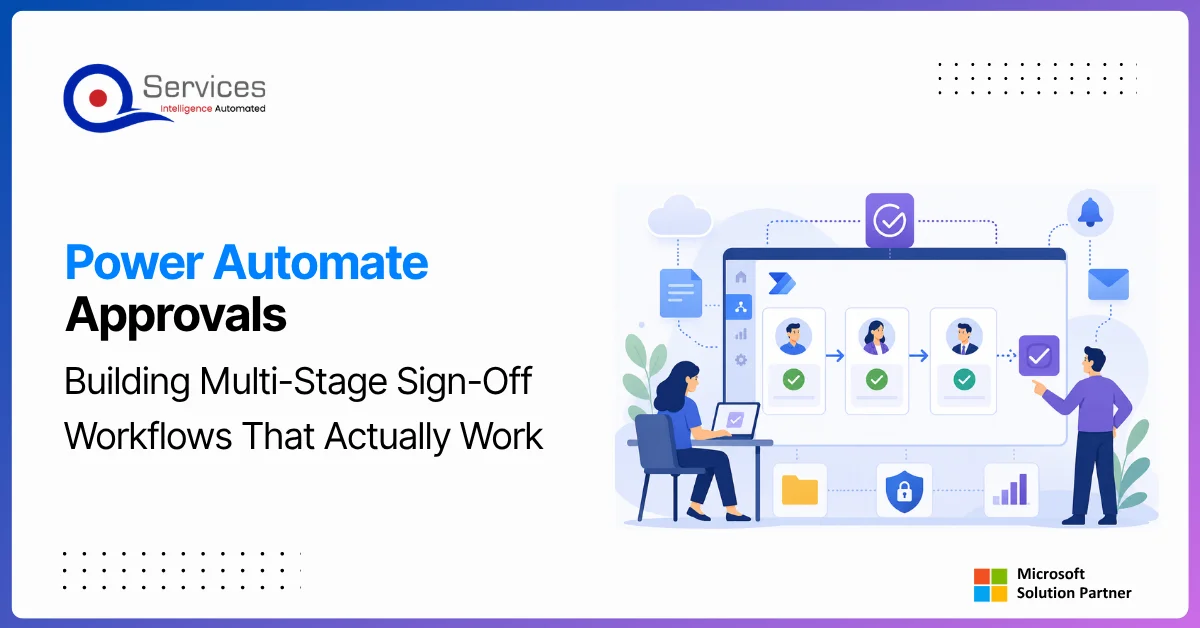
The 6-Stage Framework for Building Multi-Stage Power Automate Approvals
Building an Audit Trail That Compliance Teams Can Use
How Power Platform Governance Keeps Approval Workflows Compliant
Eager to discuss about your project?
Share your project idea with us. Together, we’ll transform your vision into an exceptional digital product!
How to Automate Approval Workflows Without Rebuilding From Scratch
Teams searching for how to automate approval workflows usually already have a manual process in place: an email chain, a paper form, or a SharePoint list someone checks by hand. The fastest path is not a full custom build. It is mapping that existing process onto Power Automate's approval action, then hardening it with the stages below.
Power Automate ships a native Approvals connector with support for sequential, parallel, and custom-response approvals, plus a mobile Approvals app so approvers can act from a phone without opening email. For simple single-stage sign-offs, a manager approving a $500 expense, for example, this out-of-the-box setup is often enough on day one.
Key Insight For simple single-stage sign-offs, a manager approving a $500 expense, for example, this out-of-the-box setup is often enough on day one.
Where it breaks down is scale: multiple departments, conditional routing based on dollar amount or vendor type, or a requirement to report on cycle time. That is when the 6 stages below matter, because each one closes a gap the native approval action leaves open on its own.
Why Most Power Automate Approvals Fail in Production
Most approval flows fail not because of a bug in the flow itself, but because of design decisions made before the first action was dropped into the canvas. Two failure patterns appear across almost every rebuild.
The Configuration Looks Right Until Someone Leaves
The failure point here is hardcoded approver email addresses. When you assign approval actions directly to a named email rather than a dynamic lookup, the flow breaks silently the moment that person's account is disabled. The approval email goes nowhere, the request sits pending, and no one knows until someone chases it manually.
The fix is dynamic approver resolution: pull the direct manager from the Office365Users.ManagerV2() action, or maintain a delegation table in Dataverse where business units define their approval chains without involving IT every time the org chart changes.
Missing Escalation Paths Create Silent Backlogs
Production approval flows need three branches, not two. Most power automate workflow examples online show an Approve/Reject split. The third branch, what happens if no one responds in 48 hours, is what separates a demo flow from a production one.
Power Automate's approval action supports a timeout parameter, but the timeout alone does not solve the problem. You need a parallel branch that fires a reminder at 24 hours and escalates to a secondary approver at 48 hours. Skip this and you build a flow that looks complete but fails quietly under real workload.
The 6-Stage Framework for Building Multi-Stage Power Automate Approvals
Each stage maps to a distinct set of decisions and configurations. Rushing through any one of them to hit a demo deadline reliably moves the problem downstream.
Stage 1: Map the Approval Hierarchy Before Opening Power Automate
Define the full sign-off chain in a process diagram before touching the flow designer. Document who approves at each stage, what conditions route to a different approver, and what the fallback is when the primary approver is unavailable.
Common failure point: starting in the flow designer first, then discovering mid-build that the chain has conditional branches no one documented. This typically adds 3 to 5 days of rework.
Stage 2: Design the Trigger and Data Collection Layer
The trigger and the data it carries into the flow determine the quality of every subsequent step. A form built through custom power apps development or power pages development passes structured, validated data. An email trigger or manual SharePoint list entry passes inconsistent data that forces cleanup work the flow should never be doing.
For anything beyond a simple two-step approval, QServices recommends a structured intake form backed by a Dataverse table. For the form type, the power apps canvas vs model-driven decision comes down to whether you need a branded custom UI or a data-entry form with built-in relationship handling.
Common failure point: using email as the trigger, which breaks whenever sender formatting changes or someone CCs a distribution alias.
Stage 3: Configure Sequential vs Parallel Approval Routing
Sequential approvals run one after another; parallel approvals require all designated approvers to respond before the flow advances. For multi-department sign-offs where finance and legal must both approve a vendor contract, parallel routing cuts cycle time significantly. For hierarchical sign-offs running manager to director to VP, sequential routing matches how decisions actually get made.
With parallel approvals, you need to be explicit about whether unanimous approval is required or a majority suffices. That logic must live in the flow, not in an assumption.
Common failure point: defaulting to sequential routing when parallel is appropriate, turning a 2-hour process into a 2-day one.
Stage 4: Build Timeout and Escalation Logic
Every approval action in a multi-stage flow needs a timeout, a reminder, and an escalation path configured before the flow goes live. The timeout window should be agreed with the business owner, not assumed by the developer.
Use Power Automate's parallel branch pattern: one branch waits for the approval response, the second fires a reminder at T+24 hours and escalates to the manager's manager at T+48 hours. If the escalation approver also times out, the flow logs the event in Dataverse and notifies a designated fallback owner.
Common failure point: setting a timeout on the approval action without building the escalation branch, causing timed-out requests to disappear with no notification.
To see how QServices has applied this escalation pattern for healthcare procurement and logistics vendor approvals, see QServices Power Automate Projects.
Stage 5: Connect to Dataverse for Approval Records
Every approval decision, timestamp, and comment should be written to a Dataverse table, not stored in flow run history. Flow run history has a 30-day default retention window and is not queryable for compliance reporting. Dataverse tables are queryable, long-lived, and expose approval data to Power Apps dashboards and Power BI reports without additional data engineering.
Teams working with a dataverse consulting partner on this layer can configure row-level security so each department head sees only their team's records, while finance and audit roles see everything.
Common failure point: relying on run history as the audit trail, then discovering compliance needs data that has already been purged.
Stage 6: Govern, Test, and Hand Off to the Business
Testing approval flows requires more than a happy path run. Test rejection branches, timeout behavior, escalation chains, and the behavior when an approver's account is disabled mid-flow. This is also where power platform ALM matters: track flow versions in a solution, document which environment each version lives in, and maintain a change log.
Document the flow in a runbook the business owner can follow, covering how to update the approver configuration table when teams change. This is where citizen developer governance matters practically: the business should own the configuration, not the developer.
The Power Platform governance framework post covers the 6 pillars every enterprise should implement before handing flows to business owners.
Common failure point: handing off a flow with no documentation, creating a permanent support dependency.
Building an Audit Trail That Compliance Teams Can Use
The audit trail decision affects both what compliance teams can report on and whether your approval data can feed a broader analytics layer. Getting this wrong at Stage 5 usually surfaces 6 months later during an audit.
Why SharePoint Lists Break Under Approval Data Load
SharePoint lists work for approval prototypes but are not built for production approval data at scale. Column limits, the 5,000-item list view threshold, and the lack of proper row-level security create reporting problems the moment a compliance team runs a quarterly review. The migration from SharePoint to Dataverse for approval storage is typically a 1 to 2 week project, and the query performance improvement is immediate.
The same Dataverse tables that store approval records can also feed a power bi dashboard development project that tracks cycle times, escalation rates, and SLA compliance across departments, giving leadership visibility without any additional data pipelines.
Power BI and Dataverse: Closing the Reporting Gap
Once approval records are in Dataverse, connecting Power BI takes under a day. Connect Power BI Desktop to your Dataverse environment, select the approval tables, and metrics like average cycle time and SLA compliance by approver are available without transformation work.
Teams that already use power bi consulting services for operational reporting can add approval metrics to existing dashboards without standing up new infrastructure. The honest answer on power bi dashboard development complexity is that it depends on how cleanly the approval data was structured at Stage 5: Dataverse-backed flows produce clean data models, SharePoint-backed ones require significant cleanup before they are usable.
How Power Platform Governance Keeps Approval Workflows Compliant
Power platform governance is not just about preventing shadow IT power platform sprawl. It makes sure the approval workflows your business depends on are maintainable, auditable, and can be updated by the right people without creating compliance gaps. This applies whether the approval trigger comes from a Power Apps canvas form, a power pages development portal, or an automated Dataverse record change.
DLP Policies and Connector Restrictions for Approval Flows
Data Loss Prevention policies define which connectors can coexist in a single flow. Without DLP policies, a citizen developer building a purchase approval flow could accidentally wire it to a personal OneDrive or an external SaaS connector, routing sensitive financial data outside your tenant's security boundary. Approval flows that pull in paid connectors like SQL Server or Salesforce should also factor in the cost gap between premium and standard connectors before scaling across departments.
Power Platform governance prevents shadow IT through DLP policies, environment strategies, and approval workflows that route new flow creation requests through an IT review gate rather than allowing unrestricted self-service.
Environment Strategy and Power Platform ALM
Power platform ALM means approval flows move through Development, Test, and Production environments using managed solution packaging, not manual recreation. Most teams skip this for approval flows because they seem simple, then end up managing three slightly different versions across environments with no change history.
Export managed solutions for UAT and Production, track changes in Azure DevOps, and use the Power Platform Center of Excellence toolkit for environment governance. QServices implements Power Platform Center of Excellence using Microsoft's CoE toolkit, giving enterprises an out-of-the-box governance layer without building one from scratch.
Ready to see how QServices has implemented these governance and approval patterns for mid-market clients? See QServices Power Automate Projects for real delivery examples.
When to Bring In Power Automate Consulting Support
Some approval workflows stay simple: single-level manager approval, standard budget request below a fixed threshold. Most do not stay simple for long. The moment you add conditional routing, SLA tracking, external system integration, or compliance reporting requirements, the complexity outpaces what citizen developer tools handle reliably.
Signs Your Flow Has Outgrown Citizen Developer Scope
A flow needs professional power automate consulting when it has more than 3 conditional approval stages, requires integration with an external ERP or CRM, has formal SLA requirements, or processes data subject to regulatory audit. At that point, build and maintenance complexity exceeds what a citizen developer can reliably own.
Citizen developer programs need governance guardrails to prevent data silos and compliance gaps. QServices recommends defining a clear escalation path from citizen developer builds to professional power platform development company engagements before these gaps surface in production.
For complex automation that pushes beyond Power Automate's scope, the post on Power Automate vs Logic Apps covers when to move to an Azure-native solution.
What a Professional Engagement Covers
A dataverse consulting or power automate consulting project for multi-stage approvals typically runs 3 to 6 weeks, covering requirements workshops, solution design, build, testing across three environments, and handoff documentation. Power apps development services at QServices are delivered as fixed-scope projects with defined deliverables, so you know the full cost before work starts.
Microsoft's approval connector documentation provides a complete technical reference for approval action parameters, including timeout configurations and adaptive card templates, if your team is building in-house.
Key Takeaways
Teams searching for how to automate approval workflows usually already have a manual process in place: an email chain, a paper form, or a SharePoint list someone checks by hand.
Most approval flows fail not because of a bug in the flow itself, but because of design decisions made before the first action was dropped into the canvas.
Each stage maps to a distinct set of decisions and configurations.
The audit trail decision affects both what compliance teams can report on and whether your approval data can feed a broader analytics layer.
Power platform governance is not just about preventing shadow IT power platform sprawl.
Conclusion
Power automate approvals that survive production share a consistent design: dynamic approver resolution, explicit timeout and escalation logic, Dataverse-backed audit records, and a governance layer that makes the flow maintainable after the developer hands it off. Skipping any of these does not simplify the build; it shifts the cost to a support ticket two months later.
If your team is building approval workflows from scratch or fixing ones that keep breaking, QServices delivers structured power automate consulting engagements covering the full lifecycle from requirements to governed handoff. See QServices Power Automate Projects to discuss your specific approval process and review completed delivery examples.
Co-Founder and CTO, QServices IT Solutions Pvt Ltd
Rohit Dabra is the Co-Founder and Chief Technology Officer at QServices, a software development company focused on building practical digital solutions for businesses. At QServices, Rohit works closely with startups and growing businesses to design and develop web platforms, mobile applications, and scalable cloud systems. He is particularly interested in automation and artificial intelligence, building systems that automate routine tasks for teams and organizations.
A production-ready multi-stage Power Automate approval workflow needs four components: a structured trigger such as a Power Apps form or Dataverse record, sequential or parallel approval actions matching the sign-off hierarchy, timeout and escalation branches on every approval stage, and audit records written to a Dataverse table. The Microsoft approval connector handles the core request-response loop, but escalation logic and audit storage need to be built separately alongside it.
Use a parallel branch pattern: one branch waits for the approval response, a second branch fires a reminder notification at 24 hours and escalates to the manager’s manager at 48 hours. If the escalation approver also times out, the flow should log the event in Dataverse and notify a designated fallback owner. Setting a timeout without building the escalation branch causes timed-out requests to disappear silently with no record.
Dataverse is the right choice for production approval workflows. SharePoint lists hit view threshold limits at 5,000 items, lack proper row-level security for multi-department scenarios, and require significant transformation before approval data is usable in Power BI reports. Dataverse tables are queryable, support row-level security natively, and connect directly to Power Apps review dashboards and Power BI without additional data engineering work.
DLP policies define which connectors can coexist in a single flow. For approval workflows, the Microsoft Approvals connector, Teams, and Outlook connectors must be in the same business data group. Without this classification, a flow that sends approval notifications via Teams while writing to an unclassified connector may be blocked entirely. Check connector groupings in your DLP policies before building approval flows that span multiple notification channels.
A flow needs professional power automate consulting when it has more than 3 conditional approval stages, requires integration with an external system like Dynamics 365 or an ERP, has formal SLA requirements needing audit reporting, or processes sensitive data subject to regulatory compliance. At this point, build and maintenance complexity exceeds what a citizen developer can reliably own without creating compliance risks.
A 2 to 3 stage approval flow with a structured trigger, escalation logic, and Dataverse audit records takes 3 to 5 days to build, test, and document. A complex multi-stage flow with conditional routing, a Power Apps review dashboard, and ALM deployment across Development, Test, and Production environments typically runs 3 to 6 weeks as a full power automate consulting engagement.
When PDF text extraction drops the spaces between words, AI agents can’t find facts that are right there. How we found it in Azure AI Foundry and fixed it.
Pint AE explained for UAE finance teams with one sample invoice: see which fields come from your ERP, which go missing, and how to test before go-live.
Days sales outstanding explained for CFOs: the formula, worked examples, named industry benchmarks, and why seasonal sales distort DSO. See what moves it.
Eager to discuss about your project?
Share your project idea with us. Together, we’ll transform your vision into an exceptional digital product!
When PDF text extraction drops the spaces between words, AI agents can’t find facts that are right there. How we found it in Azure AI Foundry and fixed it.
Pint AE explained for UAE finance teams with one sample invoice: see which fields come from your ERP, which go missing, and how to test before go-live.
Days sales outstanding explained for CFOs: the formula, worked examples, named industry benchmarks, and why seasonal sales distort DSO. See what moves it.
QServices Inc. undertakes every project with a high degree of professionalism. Their communication style is unmatched and they are always available to resolve issues or just discuss the project.
Turn the Microsoft Licenses
You Already Own Into an AI Workplace
Join our live webinar on Sept 24 and see five ways to automate meetings, approvals, and