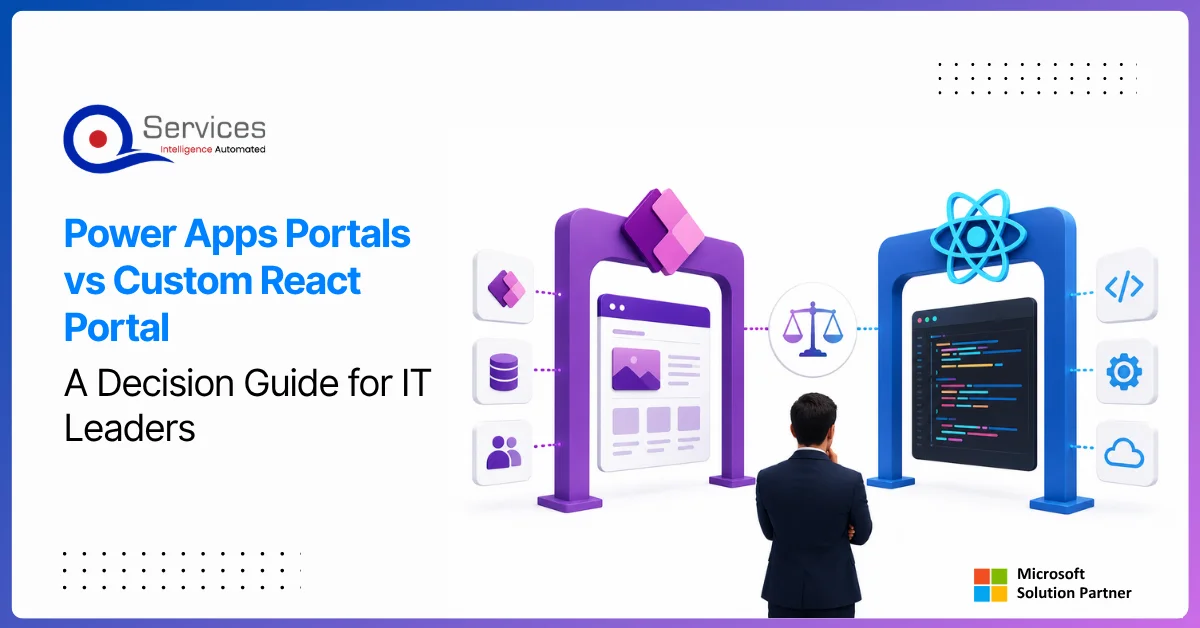
Power apps portals sit at an interesting crossroads for IT leaders: they're fast, deeply integrated with the Microsoft stack, and manageable without a dedicated development team. But they're also constrained in ways that matter when your business needs a portal that handles complex UI logic, third-party integrations outside the Microsoft ecosystem, or pixel-perfect UX design.
This guide gives you a straight comparison so you can make the right call without spending three months in discovery. We'll cover what each option actually delivers, where each breaks down, and the governance questions that need answers before you commit either way.
Power apps portals are external-facing websites built on Microsoft Dataverse that allow customers, partners, and vendors to interact with your business data through a low-code configured web interface. They're provisioned through the Power Apps maker portal, connect natively to Dataverse tables, and can be configured without writing backend code.
According to Microsoft's Power Pages documentation, Microsoft rebranded Power Apps portals as Power Pages in 2022, making it a standalone product within the Power Platform suite. The core technology is unchanged; the product name changed.
Power Pages vs Power Apps Portals: What Changed?
The rebrand from microsoft power apps portals to Power Pages was more than cosmetic. Power Pages introduced a dedicated design studio, improved templates, and clearer per-session/per-user licensing. If you're doing power pages development today, you work in the Power Pages design studio rather than the legacy portal configuration interface.
The underlying technology, including Dataverse integration, Liquid templating, and the webapi.safeajax power apps portals pattern for custom JavaScript interactions, remains largely unchanged. Legacy portal configurations continue to function under the new product name.
What Can You Build with Power Apps Portal Development?
Typical use cases for power apps portal development include:
Customer self-service portals connected to Dynamics 365 cases and service records
Partner portals for deal registration, document sharing, and lead management
Community portals with forum and knowledge base features
Employee portals for HR form submissions and internal requests
Government citizen portals for permit applications and public service requests
What Is a Custom React Portal and When Does It Make Sense?
A custom React portal is a web application built with React (typically Next.js or Vite) that connects to your backend via APIs. Unlike power app portal options within the Microsoft ecosystem, a React portal is not constrained by what the Power Platform supports natively. You control the architecture, data layer, UI components, and deployment pipeline entirely.
Custom React development services take longer and cost more upfront than a Power Pages deployment, but the resulting product belongs to you without platform licensing dependencies.
The Flexibility Advantage of Custom React Development
React portals can consume any API, any database, and any authentication provider. They support complex UI patterns: multi-step wizards, real-time data feeds, drag-and-drop interfaces, and reporting dashboards that aren't practical in Power Pages without heavy JavaScript workarounds.
If your portal needs tight integration with non-Microsoft systems (Salesforce, SAP, custom microservices, or third-party payment providers), React handles those connections cleanly. Portal power apps can technically reach external APIs, but the effort and fragility grow significantly beyond basic use cases.
Where React Portals Outperform Microsoft Power Apps Portals
React wins on flexibility, performance, and long-term maintainability at scale. Power pages development is faster to start but slower to extend once you hit the platform's constraints. Teams who've pushed power apps portal apps beyond their natural boundaries often describe the experience as working against the platform, not with it.
If your use case involves multi-language content hierarchies, custom authentication flows (SAML or OAuth not natively covered by Power Pages), real-time collaboration, or heavy client-side state management, a React portal is the more straightforward choice.
Power Apps Portals vs Custom React Portal: Side-by-Side Comparison
Factor
Power Apps Portals (Power Pages)
Custom React Portal
Setup Speed
Days to weeks
Weeks to months
UI Customization
Moderate (templates + Liquid)
Unlimited
Microsoft 365 Integration
Native (Dataverse, D365)
Via APIs
Non-Microsoft Integrations
Limited and complex
Easy
Licensing Model
Per-session or per-user
Hosting plus dev time
Ongoing Maintenance
Low (Microsoft-managed)
Requires development team
Power Platform ALM
Built-in (solutions, environments)
Custom CI/CD pipeline
Best For
Dataverse-centric use cases
Complex, multi-system portals
Citizen Developer Friendly
Yes
No
Long-term Scalability
Platform-bound
High
If you're trying to place your project in this comparison, a targeted discussion saves significant scoping time.
When Should I Use Power Apps Portals?
Choose power apps portals when your data lives in Dataverse and your portal scope is well-defined. If you're running Dynamics 365 and need customers to view cases, submit requests, or update contact records, Power Pages delivers this in weeks without writing backend code.
Ideal Scenarios for Power Pages Development
Power pages development makes the most sense when:
Your primary data source is Dataverse or Dynamics 365
Your IT team has power automate consulting experience and can configure flows independently
The portal scope is well-defined and unlikely to expand dramatically
You want Microsoft to manage infrastructure, security patches, and platform availability
You have citizen developers who will maintain and extend the portal over time
The citizen developer governance question matters here. Power apps portals expose Dataverse data to external users, which means your data security model needs to be solid before you go live. See our Power Platform security guide for what that actually requires in practice.
Microsoft Ecosystem and Dataverse Consulting Fit
If you're already running Dynamics 365 or have invested in dataverse consulting to structure your data model, power apps portals extend that investment naturally. The table permissions model maps directly to Dataverse security roles. You don't need a separate backend tier or API layer.
For companies already paying for Dynamics 365 licenses, Power Pages authenticated user licensing through Microsoft is often more cost-efficient than building and hosting a separate React application with equivalent functionality.
When Should You Choose a Custom React Portal?
Choose a custom React portal when your requirements outgrow what Power Pages supports cleanly. This is less about technology preference and more about architecture fit.
Complex UI/UX and Custom Power Apps Development Needs
Custom power apps development at the portal level hits a ceiling when designs require interactions that Liquid templates can't express well. Animated transitions, complex branching form logic, real-time validation pulling from multiple external systems: these are standard React capabilities, but they require significant workarounds in Power Pages that accumulate as maintenance debt.
Enterprise design systems, corporate component libraries and strict WCAG accessibility compliance included, also integrate cleanly with React and demand significant extra effort inside Power Pages templates.
Enterprise Integration and Power Platform ALM Considerations
For organizations with mature DevOps pipelines, a React portal fits neatly into standard workflows: version control in Git, CI/CD automation, and automated testing frameworks. Power Pages solution transport works, but it's less familiar to most development teams and more brittle in complex deployment scenarios.
When your portal needs to connect to Azure SQL databases, third-party REST APIs, microservices, or event-driven architectures, React gives you cleaner integration patterns. Power automate workflow examples show how flows can bridge specific gaps, but routing everything through connectors adds latency to what are often simple direct API calls.
Power Platform Governance: The Overlooked Factor in Portal Decisions
Whichever direction you choose, power platform governance is not optional. It's the difference between a portal that scales over 18 months and one that becomes a compliance problem.
How Power Platform Governance Prevents Shadow IT
Power Platform governance prevents shadow IT through DLP policies, environment strategies, and approval workflows. Without governance, citizen developers build portals and flows that bypass IT oversight, creating data silos and compliance gaps that surface during audits. This risk is especially acute in regulated industries like healthcare, banking, and financial services.
Data Loss Prevention policies in Power Platform let you control which connectors can share data across system boundaries. For portals specifically, you want to confirm that external-facing Dataverse tables carry the correct security roles before any external user accesses them.
Research from Gartner on low-code development technologies consistently identifies ungoverned proliferation as a top risk in citizen development programs: apps and portals multiply faster than IT can audit them.
Setting Up a Power Platform Center of Excellence
QServices implements Power Platform Center of Excellence using Microsoft's CoE toolkit, which provides starter components for environment management, maker onboarding, and usage analytics. The CoE is not reserved for large enterprises: mid-market companies with ten or more active makers benefit from the structure it provides.
The Microsoft CoE Starter Kit includes environment management flows, compliance checker apps, and power bi dashboard development tools for monitoring connector usage, license consumption, and app health across your tenant.
Our Power Platform Center of Excellence guide walks through setting up each component phase by phase, including how to onboard citizen developers safely without opening ungoverned production access.
Citizen Developer Governance and DLP Policies
Citizen developer governance is the process of enabling non-technical staff to build solutions while preventing accidental data exposure. For portals specifically, this means:
Role-based access to Dataverse table data with explicit external-user permissions
Approval workflows before any portal is promoted to production
Regular audits of portal table permissions and active user sessions
Citizen developer programs need governance guardrails to prevent data silos and compliance gaps, particularly in healthcare, financial services, and logistics where data residency and audit trails are regulatory requirements. Shadow IT power platform risks grow proportionally with how many makers are operating without oversight.
If your team is building portals without a structured governance model, that's the first problem to solve before choosing a platform.
How Much Does Power Apps Development Cost?
Cost depends more on scope and ongoing maintenance expectations than on the technology choice itself.
Power Apps Portals Licensing and Costs
Power Pages licensing runs approximately $200 per month for 100 authenticated users (per-user model) or $500 per month for 500 external sessions (per-session model), based on Microsoft's published Power Pages pricing as of 2026. Actual costs vary with enterprise agreement discounts.
Key Insight Power Pages licensing runs approximately $200 per month for 100 authenticated users (per-user model) or $500 per month for 500 external sessions (per-session model), based on Microsoft's published Power Pages pricing as of 2026.
In our client engagements, power apps development services typically range from $15,000 for a simple portal (three to five page types, basic Dataverse tables) to $80,000 or more for complex multi-role portals with custom JavaScript, elaborate security configurations, and third-party integrations. Power BI consulting services sometimes accompany these projects when the portal needs embedded analytics.
Key Insight In our client engagements, power apps development services typically range from $15,000 for a simple portal (three to five page types, basic Dataverse tables) to $80,000 or more for complex multi-role portals with custom JavaScript, elaborate security configurations, and third-party integrations.
Custom React Portal Development Costs
Custom React portal development costs more upfront. In our experience, a mid-complexity portal covering authentication, CRUD operations, a few external API integrations, and a basic admin dashboard typically runs $50,000 to $150,000 with a specialist team. Ongoing hosting and maintenance add to the total cost of ownership.
Key Insight In our experience, a mid-complexity portal covering authentication, CRUD operations, a few external API integrations, and a basic admin dashboard typically runs $50,000 to $150,000 with a specialist team.
The trade-off: you own the asset entirely. There's no per-session licensing, no dependency on Microsoft's Power Pages pricing changes, and no platform ceiling. A hybrid architecture (React frontend consuming Power Automate flows and Dataverse via API) is also possible and combines React's UI flexibility with Microsoft's integration strengths.
Three Types of Power Apps
The Power Platform product naming confuses even experienced Microsoft practitioners. There are three distinct types of Power Apps:
Canvas apps – You design the UI from scratch using drag-and-drop controls. Flexible and well-suited to task-specific tools.
Model-driven apps – The application UI is auto-generated from your Dataverse data model. Best for complex, data-heavy business processes.
Power Pages (Power Apps portals) – External-facing websites built on Dataverse for customers, partners, and vendors.
The power apps canvas vs model driven question deserves its own dedicated analysis, but briefly: canvas apps are better for targeted use cases with specific UI requirements; model-driven apps are better for complex relational data with standard process screens. Neither replaces Power Pages for external-user portal scenarios.
Power apps portals are external-facing websites built on Microsoft Dataverse that allow customers, partners, and vendors to interact with your business data through a low-code configured web interface.
A custom React portal is a web application built with React (typically Next.js or Vite) that connects to your backend via APIs.
If you're trying to place your project in this comparison, a targeted discussion saves significant scoping time.
Choose power apps portals when your data lives in Dataverse and your portal scope is well-defined.
Choose a custom React portal when your requirements outgrow what Power Pages supports cleanly.
Conclusion
Power apps portals are the right choice when your data is in Dataverse and your portal scope is clear. They're fast to deploy, well-integrated with the Microsoft ecosystem, and maintainable by citizen developers, provided your power platform governance model is in place. Custom React portals are the right choice when you need UI flexibility, complex integrations, or long-term scalability beyond what Power Pages supports.
The decision comes down to three questions: Where does your data live? Who will maintain this in 18 months? And what is the most complex thing this portal needs to do?
QServices has delivered power apps development services and custom portal builds across healthcare, logistics, and financial services. We can scope your requirement in a single focused session.
Co-Founder and CTO, QServices IT Solutions Pvt Ltd
Rohit Dabra is the Co-Founder and Chief Technology Officer at QServices, a software development company focused on building practical digital solutions for businesses. At QServices, Rohit works closely with startups and growing businesses to design and develop web platforms, mobile applications, and scalable cloud systems. He is particularly interested in automation and artificial intelligence, building systems that automate routine tasks for teams and organizations.
Power Apps portals (now officially called Power Pages) are external-facing websites built on Microsoft Dataverse that allow customers, partners, and vendors to interact with your business data through a low-code configured web interface. They connect natively to Dataverse tables and Dynamics 365 records without requiring backend development work.
Power Pages is the new name for Power Apps portals following Microsoft’s 2022 rebrand. The underlying technology is identical: Dataverse integration, Liquid templating, and the same configuration tools. Power Pages introduced a dedicated design studio, improved starter templates, and clearer per-session/per-user licensing. New portal projects use the Power Pages design studio; existing legacy portal configurations continue to work under the new product name.
The three types of Power Apps are: (1) Canvas apps, where you design the UI from scratch using drag-and-drop controls; (2) Model-driven apps, where the application UI is auto-generated from your Dataverse data model and works best for complex business processes; and (3) Power Pages (formerly Power Apps portals), which are external-facing websites for customers, partners, and vendors built on Dataverse.
Within Microsoft Power Apps portals (Power Pages), common portal types include: customer self-service portals connected to Dynamics 365 cases, partner portals for deal registration and document sharing, community portals with forums and knowledge bases, employee portals for HR and internal requests, and government citizen portals for public service requests. Each uses the same Dataverse-backed platform but with different table structures, security roles, and page templates.
Choose a canvas app when you need a specific UI and full flexibility to design exactly how the interface looks and behaves. Choose a model-driven app when you’re working with complex relational data in Dataverse and need standard business process screens auto-generated from your data model. Neither replaces Power Pages (Power Apps portals) for external-user portal scenarios — that is a separate product with a different purpose.
Power Pages licensing costs approximately $200 per month for 100 authenticated users or $500 per month for 500 external sessions based on Microsoft’s published pricing. Development costs from a Power Platform development company range from $15,000 for a simple portal to $80,000 or more for complex multi-role portals with custom JavaScript and third-party integrations. Custom React portals cost $50,000 to $150,000 or more upfront but carry no per-session licensing fees and have no platform ceiling on functionality.
Business intelligence consulting services should give a mid-market company a governed way to make decisions. Attractive dashboards are only the visible part. The useful outcome is a system in which source data, metric definitions, access, releases, ownership, and support still work after the consultants leave.
In a Microsoft Solutions Partner vs Microsoft Partner comparison, the difference is validation. A company can participate in the Microsoft AI Cloud Partner Program without holding a customer-facing Solutions Partner designation. A designated Solutions Partner has met Microsoft’s current threshold in a specific solution pathway: at least 70 out of 100 partner capability points, with more than zero points in every required metric, based on performance, skilling, and customer success data recorded in Partner Center.
How do you build a legacy application modernization strategy for Azure? A legacy application modernization strategy assigns the right treatment to each workload, then sequences the work around business value, technical evidence, and operational risk. For Azure, that means choosing among retire, retain, rehost, replatform, refactor, rearchitect, rebuild, and replace instead of treating cloud migration as a blanket mandate. Direct Answer A legacy application modernization strategy for Azure should classify
Eager to discuss about your project?
Share your project idea with us. Together, we’ll transform your vision into an exceptional digital product!
Business intelligence consulting services should give a mid-market company a governed way to make decisions. Attractive dashboards are only the visible part. The useful outcome is a system in which source data, metric definitions, access, releases, ownership, and support still work after the consultants leave.
In a Microsoft Solutions Partner vs Microsoft Partner comparison, the difference is validation. A company can participate in the Microsoft AI Cloud Partner Program without holding a customer-facing Solutions Partner designation. A designated Solutions Partner has met Microsoft’s current threshold in a specific solution pathway: at least 70 out of 100 partner capability points, with more than zero points in every required metric, based on performance, skilling, and customer success data recorded in Partner Center.