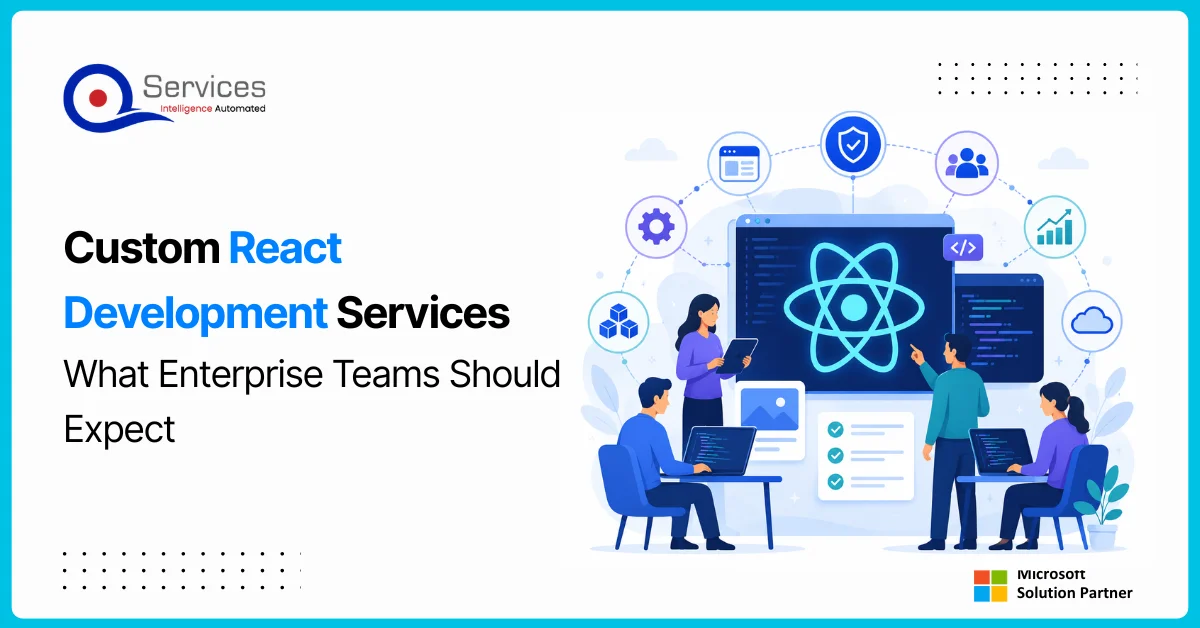
React development services have become the default choice for enterprise teams building modern, scalable web applications. Whether you're replacing a decade-old intranet portal or launching a customer-facing SaaS product, React provides a component-based architecture that scales with the product roadmap. But the gap between a developer who knows React syntax and a genuine enterprise development partner is significant, and enterprise teams need a partner who understands deployment pipelines, security compliance, Azure infrastructure design, and how the React front-end connects to existing backend systems and business workflows.
This post covers what enterprise teams should realistically expect from custom React development services: the engagement model, how Azure and the Microsoft Power Platform fit in, and what separates a partner who delivers from one who disappears after the final pull request.
In This Article, You'll Learn
What Does a React Development Company Do for Enterprise Teams?
React Development Services Built for the Microsoft Azure Ecosystem
How Do Azure DevOps Consulting Services Support React CI/CD Pipelines?
Modernizing Legacy Apps: React and Azure App Modernization Together
When Should Enterprise Teams Choose React Over Power Apps?
Eager to discuss about your project?
Share your project idea with us. Together, we’ll transform your vision into an exceptional digital product!
What Does a React Development Company Do for Enterprise Teams?
A React development company designs, builds, and maintains custom web interfaces using React, handling everything from architecture decisions and component libraries to CI/CD pipelines and post-launch support. For enterprise teams, the scope goes significantly beyond writing components.
At QServices, we structure our react development services across three layers: discovery (architecture, integrations, technical constraints), build (component development, testing, accessibility), and operations (deployment pipelines, monitoring, ongoing maintenance). Most enterprise teams underestimate the third layer until something breaks in production at 2 AM.
Discovery and Architecture Planning
Before writing a single line of JSX, a good React partner maps the existing system. Which APIs does the UI consume? Is there a design system in place, or does one need to be built? What are the authentication requirements, such as Azure Entra ID, SAML, or OAuth? These decisions carry downstream consequences that are expensive to reverse six months into a build.
For enterprise teams, the discovery phase typically takes two to three weeks and produces an architecture document covering component hierarchy, state management strategy (Redux, Zustand, or React Query), and performance targets for the production environment.
Component-Based Development and Reusable UI Systems
The real return on investment in React comes from reusability. A well-built enterprise UI library means the second and third applications your team ships cost 40-60% less to build than the first. Components built to WCAG 2.1 AA accessibility standards, documented in Storybook, and versioned as internal packages give your development teams a reusable foundation across product lines.
Key Insight A well-built enterprise UI library means the second and third applications your team ships cost 40-60% less to build than the first.
Performance Optimization and Accessibility Compliance
Enterprise applications carry a lot of data. Rendering 5,000 rows in a data grid, handling real-time WebSocket updates, or running analytics dashboards with 20 charts requires deliberate performance work. Code splitting, lazy loading, memoization, and virtual scrolling are baseline requirements for production-grade React applications, not optional extras.
React Development Services Built for the Microsoft Azure Ecosystem
Most enterprise teams running Microsoft-first technology stacks don't want React apps in isolation. They want React apps that run on Azure, authenticate through Entra ID, and connect to Azure-hosted APIs and services. This is where react development services and azure consulting services converge.
QServices is a Microsoft Certified Solutions Partner specializing in Azure, which means our React engagements include infrastructure planning from day one rather than treating deployment as an afterthought.
Azure Cloud Migration Services and React Hosting Options
Azure cloud migration services for React front-ends cover selecting the right hosting model: Azure Static Web Apps, Azure App Service, Azure Front Door with CDN, or containerized deployments on Azure Kubernetes Service. The right option depends on traffic patterns, geographic distribution, and how the front-end integrates with back-end APIs.
Once the hosting model is confirmed, setup includes custom domain configuration with SSL, CDN cache rules, and connections to APIs running on App Service or Azure Functions. Our work as an azure managed services provider continues post-deployment with patching schedules, auto-scaling policies, and monthly cost reviews.
Azure Landing Zone Implementation for React Applications
An azure landing zone implementation creates the governance structure, network topology, and identity configuration that enterprise applications sit inside. For React apps with multiple environments (dev, staging, production) and multiple contributing teams, a proper landing zone prevents the subscription sprawl that makes Azure estates expensive to manage over time.
We follow Microsoft's Cloud Adoption Framework for landing zone design, so your resource groups, network segmentation, and policy assignments follow a pattern that scales across dozens of applications rather than being optimized for just one.
Hybrid Cloud Azure Setup for Multi-Tenant Applications
Some enterprise customers have on-premise data residency requirements that rule out a fully cloud-hosted model. A hybrid cloud azure setup keeps sensitive data on-premise while the React front-end and stateless APIs run in Azure. The React app authenticates through Entra ID, calls Azure API Management as a gateway, and the gateway routes requests to on-premise services through a VPN or ExpressRoute connection.
How Do Azure DevOps Consulting Services Support React CI/CD Pipelines?
Building a React application is only part of the work. Getting it from a developer's laptop to production reliably and without manual steps is where many enterprise projects break down. Our azure devops consulting services cover the full pipeline from commit to deployment.
Build Pipelines, Automated Testing, and Release Gates
A mature React CI/CD pipeline runs unit tests (Jest or Vitest), integration tests (React Testing Library), end-to-end tests (Playwright or Cypress), and a Lighthouse performance audit on every pull request. Quality gates block merges if coverage drops below threshold or Core Web Vitals regress. Deployment slots on Azure App Service let you validate a release against a fraction of real traffic before committing the full swap.
Monitoring React Apps with Azure Application Insights
Azure Application Insights tracks client-side JavaScript errors, page load times, user flows, and custom events. We instrument React apps to capture component-level rendering errors and route-change performance, giving operations teams the visibility to detect regressions before users file support tickets. This monitoring setup is standard in every engagement we deliver.
Modernizing Legacy Apps: React and Azure App Modernization Together
A large share of enterprise react development services work isn't greenfield. It's modernization: replacing aging UIs built on Angular 1, jQuery, or ASP.NET WebForms with a React front-end while migrating back-end services to Azure. Our legacy app modernization guide covers the rewrite vs. refactor decision in depth.
Azure app modernization adds the cloud dimension to this work. The legacy application may run on an on-premise Windows Server. The modernized React front-end will run in Azure, authenticated through Entra ID, with APIs deployed to Azure App Service or Azure Functions.
Lift and Shift to Azure vs. Full UI Rebuild
A lift and shift to azure moves the existing application to Azure infrastructure without changing the code. This cuts operational overhead but doesn't improve the user experience or the maintainability of the front-end code. For organizations where the legacy UI is genuinely unusable, lift-and-shift is a temporary step toward a React rebuild, not a destination in itself.
The honest answer: the right approach depends on where your technical debt actually lives. A React rebuild doesn't solve a 15-year-old stored procedure problem in SQL Server.
Migrate On-Premise to Azure: What the React Layer Involves
When teams migrate on premise to azure, the React front-end typically requires changes to API base URLs, authentication flows, and CORS policies. These changes are usually minor but need thorough testing before the old infrastructure is decommissioned. We include a migration runbook in every engagement that documents every connection the React app makes and verifies each one post-migration.
When Should Enterprise Teams Choose React Over Power Apps?
This question comes up in almost every discovery call, and the answer depends on context. Our Power Apps vs Power Automate guide covers the low-code decision tree in detail.
As a power platform development company and React development partner, QServices helps clients draw the right boundary based on maintenance requirements, user base, and performance needs. Power automate consulting and power platform governance work runs alongside our React practice in most enterprise engagements because most large organizations need both.
When Power Apps Development Services Are Enough
Power apps development services work well for internal productivity tools with straightforward data models: approval forms, inspection checklists, simple dashboards pulling from SharePoint or Dataverse. A 50-user internal tool often ships two to three times faster in Power Apps than in React, and business users can maintain it without a development retainer. For power bi consulting services, embedded Power BI reports work well when the audience is internal and design customization requirements are modest.
When Custom React Development Is the Right Call
React becomes the right choice when the application serves external users, requires complex state management, needs offline capability, or must meet performance standards that Power Apps can't reach. It's also the right call when the product design system exists outside Microsoft's Fluent UI constraints or when the interaction model is too complex for low-code tooling. Power platform governance tools can still manage back-end data and workflows while React handles the front-end experience.
Evaluating a React Development Partner: Enterprise Checklist
Not every React development shop is ready to work in enterprise environments. Before signing an engagement, your team should work through both categories below. The answers will tell you whether you're looking at a front-end contractor or a genuine delivery partner.
Infrastructure and Security Capability Questions
Does the partner operate as a verified microsoft azure consulting company? For Microsoft-first teams, this means Microsoft certifications and named references, not just self-reported familiarity. Ask specifically about their azure architecture review process and whether they have completed an azure infrastructure assessment on comparable projects before.
Can they demonstrate a completed azure security assessment? Enterprise React apps require threat modeling and a security review built into the delivery scope, not added as a final step. Ask for a sample report.
What is their experience with azure app modernization? If you're replacing a legacy system, you want a partner who has managed the front-end migration side of a cloud project before, including handling the azure migration partner responsibilities end to end.
Delivery Process and Handoff Questions
Can they show CI/CD pipeline examples? Ask for actual pipeline YAML files, deployment logs, and release gate configurations, not just a reference to "we do DevOps."
How do they handle accessibility compliance? Request WCAG audit reports from past projects, and ask how they handle remediation when automated scans surface issues.
What does post-launch handoff include? Look for Storybook component documentation, internal npm package publishing, and formal knowledge transfer sessions with your developers.
What ongoing support model do they offer? Defined SLAs, escalation paths, and clarity on whether they continue as an azure managed services provider post-launch or hand off and end the engagement.
How QServices Delivers React Development Services at Enterprise Scale
QServices is a React development partner for enterprise teams and a Microsoft Certified Solutions Partner with more than 500 completed Azure and Microsoft platform projects since 2014. Our React practice runs as part of a broader Microsoft-platform capability that includes azure migration partner engagements, azure infrastructure assessment, Power Platform development, and Dynamics 365 integration.
We apply enterprise integration patterns to every React engagement because enterprise React apps rarely talk to a single API. They pull data from Dynamics 365, SharePoint, Azure SQL, and third-party services simultaneously. The integration architecture matters as much as the component library design.
Azure Architecture Review in Every Engagement
Every React project we take on starts with a structured azure architecture review covering hosting model selection, network security configuration, Entra ID identity integration, monitoring setup with Application Insights, and cost modeling. The review document is shared with your team so infrastructure decisions are transparent and auditable before development begins. This review identifies cost savings opportunities and capacity planning requirements before any infrastructure is provisioned.
Power Automate Consulting for Workflow Integration
React front-ends frequently need to trigger or respond to business workflows. A customer submits a form in the React app; a Power Automate flow kicks off an approval chain in Teams and writes back to Dataverse. This integration requires both the workflow design and the client-side event handling to be planned together from the start. Read more about how we build multi-stage approval workflows to see how this pattern works in production.
Human-in-the-Loop governance ensures human approval at every deployment stage for clients in regulated industries like healthcare and banking. For those teams, this isn't optional.
Key Takeaways
A React development company designs, builds, and maintains custom web interfaces using React, handling everything from architecture decisions and component libraries to CI/CD pipelines and post-launch support.
Most enterprise teams running Microsoft-first technology stacks don't want React apps in isolation.
Building a React application is only part of the work.
A large share of enterprise react development services work isn't greenfield.
This question comes up in almost every discovery call, and the answer depends on context.
Conclusion
React development services at the enterprise level require more than front-end expertise. They require a partner who understands the cloud infrastructure those applications run on, the DevOps pipelines that deploy them, and the business workflows they need to connect with. QServices brings Microsoft Certified expertise across azure consulting services, azure devops consulting services, and Power Platform to every React engagement.
If your team is planning a React build or modernization project and needs a partner with a proven enterprise delivery record, request a React development quote today. We scope engagements transparently, include an azure infrastructure assessment in the discovery phase, and provide the documentation your internal teams need to own the application long-term.
Co-Founder and CTO, QServices IT Solutions Pvt Ltd
Rohit Dabra is the Co-Founder and Chief Technology Officer at QServices, a software development company focused on building practical digital solutions for businesses. At QServices, Rohit works closely with startups and growing businesses to design and develop web platforms, mobile applications, and scalable cloud systems. He is particularly interested in automation and artificial intelligence, building systems that automate routine tasks for teams and organizations.
Expect a structured engagement covering three phases: discovery (two to three weeks for architecture planning, API mapping, and authentication design), a build phase producing a tested component library and CI/CD pipeline, and a post-launch operations phase covering monitoring, scaling, and ongoing support. A mature React development partner will include Azure infrastructure planning and an architecture review before any code is written, not treat deployment as an afterthought.
Enterprise React applications typically run on Azure (Azure Static Web Apps, App Service, or AKS), authenticate through Entra ID, and connect to APIs deployed on Azure infrastructure. A React development partner with azure consulting services capabilities designs the hosting model, security configuration, and deployment pipeline as part of the engagement scope. Azure cloud migration services may also be required when moving an existing application from on-premise to Azure-hosted infrastructure.
Choose React when the application serves external users, requires complex state management, needs offline capability, or must meet performance standards Power Apps cannot reach. Power apps development services are better suited for internal productivity tools with simpler data models where non-developers need to maintain the application. Most large enterprises use both: Power Platform for internal workflows and React for customer-facing or high-complexity applications. Power platform governance controls the back-end data layer in either case.
A typical enterprise React application takes 12 to 20 weeks from discovery to production deployment, depending on complexity. A greenfield customer portal with standard Entra ID authentication and 15 to 20 views typically takes around 12 weeks. A modernization project replacing a legacy system with Azure app modernization work and complex data integrations can take 20 to 30 weeks. Azure DevOps consulting services and CI/CD pipeline setup add one to two weeks to the timeline but significantly reduce ongoing deployment overhead.
An Azure architecture review for a React engagement covers hosting model selection (Static Web Apps, App Service, or AKS), network security configuration, Entra ID identity integration, monitoring setup with Azure Application Insights, cost modeling, and CI/CD pipeline design. The review produces a document your team keeps, making infrastructure decisions auditable and transferable. A thorough azure architecture review also identifies cost optimization opportunities before infrastructure is provisioned.
Migration typically follows three steps: first, a lift and shift to azure moves the legacy app to cloud infrastructure without code changes to reduce operational complexity; second, back-end services are modernized to RESTful APIs on Azure App Service or Functions; third, the front-end is rebuilt in React. When you migrate on premise to azure, the React layer requires updated API endpoints, Entra ID authentication reconfiguration, and CORS policy adjustments. A migration runbook documenting all connections and verifying each one post-migration is a standard deliverable in a mature React engagement.
Look for a verified microsoft azure consulting company with Microsoft Certified Solutions Partner status, demonstrable CI/CD pipeline examples, documented accessibility compliance processes, and a clear post-launch handoff model including Storybook component documentation and knowledge transfer sessions. Ask whether they offer an azure infrastructure assessment as part of discovery and whether they continue as an azure managed services provider after launch. Partners who treat infrastructure as an afterthought or have no defined support SLAs are a risk for enterprise teams.
When PDF text extraction drops the spaces between words, AI agents can’t find facts that are right there. How we found it in Azure AI Foundry and fixed it.
Pint AE explained for UAE finance teams with one sample invoice: see which fields come from your ERP, which go missing, and how to test before go-live.
Days sales outstanding explained for CFOs: the formula, worked examples, named industry benchmarks, and why seasonal sales distort DSO. See what moves it.
Eager to discuss about your project?
Share your project idea with us. Together, we’ll transform your vision into an exceptional digital product!
When PDF text extraction drops the spaces between words, AI agents can’t find facts that are right there. How we found it in Azure AI Foundry and fixed it.
Pint AE explained for UAE finance teams with one sample invoice: see which fields come from your ERP, which go missing, and how to test before go-live.
Days sales outstanding explained for CFOs: the formula, worked examples, named industry benchmarks, and why seasonal sales distort DSO. See what moves it.
QServices Inc. undertakes every project with a high degree of professionalism. Their communication style is unmatched and they are always available to resolve issues or just discuss the project.
Turn the Microsoft Licenses
You Already Own Into an AI Workplace
Join our live webinar on Sept 24 and see five ways to automate meetings, approvals, and