Dynamics GP end of life: what 2029 means for your finance team
Dynamics GP end of life is closer than it feels. See the real Microsoft dates, your three options, and what each one means for AR and open invoices.

Architecture map, prioritized backlog, 15/20/45 plan, and risk register — ready for your board.
One workflow shipped end-to-end with audit trail, monitoring, and full handover to your team.
Stabilize a stalled project, identify root causes, reset delivery, and build a credible launch path.
Monitoring baseline, incident cadence targets, and ongoing reliability improvements for your integrations.
Answer 3 quick questions and we'll recommend the right starting point for your project.
Choose your path →Turn scattered data into dashboards your team actually uses. Weekly reporting, KPI tracking, data governance.
Cloud-native apps, APIs, and infrastructure on Azure. Built for scale, maintained for reliability.
Automate manual processes and build internal tools without the overhead of custom code. Power Apps, Power Automate, Power BI.
Sales pipelines, customer data, and service workflows in one place. Configured for how your team actually works.
Custom .NET/Azure applications built for workflows that off-the-shelf tools can't handle. Your logic, your rules.
Every engagement starts with a clear plan. In 10 days you get:
Patient data systems, compliance reporting, and workflow automation for regulated environments.
Real-time tracking, route optimization, and inventory visibility across your distribution network.
Scale your product infrastructure, integrate third-party tools, and ship features faster with reliable ops.
Secure transaction processing, regulatory reporting, and customer-facing portals for financial services.
Get a clear plan in 10 days. No guesswork, no long proposals.
See case studies →Download our free checklist covering the 10 steps to a successful delivery blueprint.
Download free →15-minute call with a solutions architect. No sales pitch — just clarity on your project.
Book a call →Home » Dynamics GP end of life: what 2029 means for your finance team
Dynamics GP end of life is closer than it feels, and the date is already printed on Microsoft’s lifecycle page. If you run finance on GP, the real question is not whether to act but when to start, because a move touches AR, open invoices and month-end close.
This post skips the panic. It lays out the dates, the three options and what each one means for receivables, so a CFO and an IT director can make one decision together.
Is your GP move planned before support ends?
Talk through your dates, your three options and what happens to open invoices with a QServices ERP specialist. A person reviews every step before anything changes.
Plan your ERP move →Quick Answer Dynamics GP end of life is December 31, 2029, the end-of-support date on Microsoft’s lifecycle page. Until then GP keeps receiving security and regulatory updates. After it, GP still runs, but without patches, tax updates or Microsoft support. Most finance teams should start planning in 2027.
Microsoft publishes a fixed lifecycle for GP. Treat that page as the source of truth, and check it again before you commit a budget, because vendor dates can move.
The QServices Framework GP Exit Path = Dates → Options → Data → Cutover → Run
The order matters because the date sets your deadline, the option sets your scope, and your AR data decides how hard the cutover is.
The Dynamics GP retirement date is December 31, 2029, per the Microsoft Dynamics GP lifecycle page. That is the dynamics gp end of support date US finance teams should plan around.
The dynamics gp support timeline has two parts. Through 2029, supported versions get security and regulatory updates. After 2029, nothing ships.
Yes, in the sense that matters. Microsoft is steering GP customers toward Business Central and is not planning a successor GP release after the support window closes. Your data does not disappear, and your license does not expire on that date. What ends is the vendor’s obligation to keep the product current.
Key Insight A software end-of-life date is not a shutdown date. It is the day your risk shifts from Microsoft to you.
On January 1, 2030 nothing breaks. Invoices still post, statements still print. The change is slow, and it shows up in places finance leaders notice late.
Plan for these effects:
Technically, yes. Whether that is wise depends on your tolerance for unpatched risk. Some teams accept it for a year while they finish a migration. Few should accept it as a plan.
Standards & References
- Microsoft Dynamics GP lifecycle: official support dates for GP versions
- Dynamics 365 Business Central documentation: product capabilities and migration guidance from Microsoft
These are the realistic dynamics gp replacement options. Each one fits a different situation.
The dynamics gp upgrade path means moving to the newest supported GP release. It is the lowest-effort choice and keeps your customizations and reports. It also only buys time until 2029, so you are deferring the real decision.
Dynamics GP to Business Central is the path Microsoft promotes. It is a cloud-first ERP with active development, so you stop worrying about end-of-life dates. If you want a partner view, see our guide to what to look for in a Dynamics 365 Business Central partner.
Some teams stay put. It costs nothing in migration effort now and everything in exposure later. We only see it work for a short, planned bridge, not as a destination.
| Stay on GP | Business Central | |
|---|---|---|
| Vendor support after 2029 | None | Ongoing |
| Security and tax updates | End 2029 | Continuous |
| Effort in the next 12 months | Low | Higher: data migration, retraining, report rebuilds |
| Customizations | Kept as they are | Rebuilt or retired |
| Cost of delay | Rises each year | Falls as planning starts early |
The honest trade-off is the third row. Business Central asks more of you now, and some bespoke GP reports will need rebuilding.
Worried about open invoices in a move?
See how open invoices, customer balances and payment history carry across, and where your team approves each step along the way.
Plan your ERP move →AR is where finance teams feel the risk, so decide how it moves before you decide when.
Open invoices are brought across as open items with their original dates, amounts and terms, so aging stays intact. Customer balances should tie to the penny at cutover. Closed history is a separate decision: migrate it, archive it, or keep a read-only GP copy.
Before cutover, run these checks on dynamics gp to business central AR migration:
Real-World Scenario A typical case we see: a controller at a 120-person distributor has 2,400 open invoices and 90 unapplied payments on cutover weekend. In the naive approach, the unapplied payments are netted against invoices to "clean up", and a customer’s disputed balance vanishes from aging. The Data stage catches this, because the team reconciles aging by customer before and after, and keeps unapplied items visible.
Key Insight If aging by customer does not tie on cutover day, your collections team is working from a wrong list on day one.
A realistic dynamics gp migration timeline 2027 to 2029 gives you room to avoid a rushed close. Timelines vary with data volume and customization. For a sense of the effort, read our Dynamics 365 migration risks and roadmap.
Confirm the Microsoft dates, inventory your add-ons and reports, and choose an option. Budget approval belongs here.
Clean AR and vendor data, run a trial migration, and cut over at a quarter or year boundary. Keep GP read-only for a few months afterward.
Use this year as a safety margin, not a deadline. Close the audit trail and retire GP before December.
We start with the Dates stage, because the support deadline sets the scope for everything after it. Our team does the work on the ERP you already run, then moves it with you. If you want a second opinion on your Dynamics GP move, talk to our team.
Implementation Checklist
- Microsoft’s GP end-of-support date confirmed against the lifecycle page
- Every GP add-on and integration listed with an owner
- Option chosen and signed off by CFO and IT Director
- AR aging by customer exported as a baseline
- Unapplied cash and credits identified separately
- Trial migration completed with a tie-out report
- Cutover date set away from quarter-end close
- Read-only GP access plan agreed with your auditors
Dynamics GP end of life lands on December 31, 2029, and the cost of waiting grows every quarter you do not plan. The risk is not a sudden outage. It is an unpatched ledger holding your receivables.
Three things solve it: a confirmed date and option, a tested AR migration and a cutover away from close. Most teams can finish inside the 2027 to 2029 window when they start early.
Pilot one workflow first: your AR aging and open-invoice migration. Measure aging variance by customer, count of unapplied items, and days to complete the trial. If the numbers tie, the rest of the move gets easier. When you are ready, talk to our team.

Written by Rohit Dabra
Co-Founder and CTO, QServices IT Solutions Pvt Ltd
Rohit Dabra is the Co-Founder and Chief Technology Officer at QServices, a software development company focused on building practical digital solutions for businesses. At QServices, Rohit works closely with startups and growing businesses to design and develop web platforms, mobile applications, and scalable cloud systems. He is particularly interested in automation and artificial intelligence, building systems that automate routine tasks for teams and organizations.
The Dynamics GP end of life date is December 31, 2029, according to Microsoft’s lifecycle page. Check that page again before finalizing plans, since vendor dates can change.
Microsoft is retiring GP on a fixed schedule and directing customers to Business Central. Your data and license remain, but support and updates end with the dynamics gp end of support 2029 date.
GP keeps running, but you get no security patches, tax updates or Microsoft support. Add-ons and bank formats may also stop working over time, and auditors may question the risk.
There are three: take the upgrade path to the latest GP release, move to Business Central, or stay on GP and accept the risk. Business Central is the only one that removes the end-of-life question.
Open invoices come across as open items with original dates, amounts and terms, so aging stays intact. Customer balances should tie at cutover. Closed history is archived or migrated by decision.
It depends on data volume and customization. A common plan spans 2027 to 2029: decide in 2027, migrate and cut over in 2028, and use 2029 as a safety margin. A trial run gives you a firm estimate.
Cost depends on the number of custom reports, add-ons, data quality and history you keep. We scope it after a GP inventory and trial migration rather than quoting before we see your system.
Confirm the Microsoft date, list every add-on and report, and export an AR aging baseline. Then compare the three options with your CFO and IT director, and run a trial AR migration.

Dynamics GP end of life is closer than it feels. See the real Microsoft dates, your three options, and what each one means for AR and open invoices.


Follow one payment through the cash application process, step by step, and see the exact moment it stalls so your AR team can clear unapplied cash faster.

UAE e invoicing requirements for Phase 2 businesses under AED 50M: the dates, the ERP data to fix first, and how to pick an accredited provider.

Unapplied cash can sit in your bank account for weeks. Learn the five causes behind it and clear the backlog in a week, before month-end close.

Azure OpenAI security for production apps: identity, private networking, content filters, prompt injection defenses and monitoring to set before go-live.

Business intelligence consulting services should give a mid-market company a governed way to make decisions. Attractive dashboards are only the visible part. The useful outcome is a system in which source data, metric definitions, access, releases, ownership, and support still work after the consultants leave.
Next step
What happens to your AR when GP goes?
Bring your current setup and we’ll map the options, the timeline and the AR cutover, so your finance team knows what is coming and when.
Plan your ERP move →
Dynamics GP end of life is closer than it feels. See the real Microsoft dates, your three options, and what each one means for AR and open invoices.
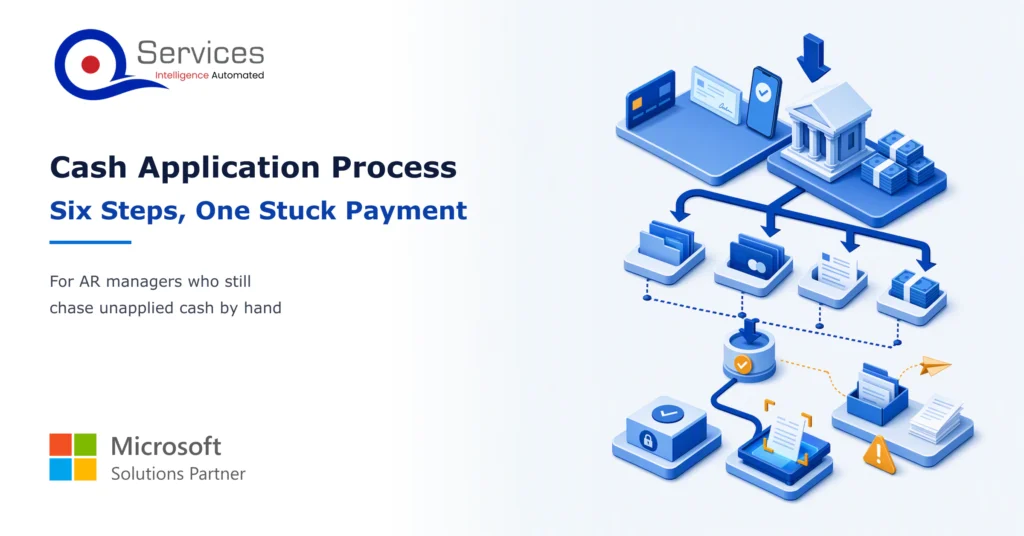
Follow one payment through the cash application process, step by step, and see the exact moment it stalls so your AR team can clear unapplied cash faster.
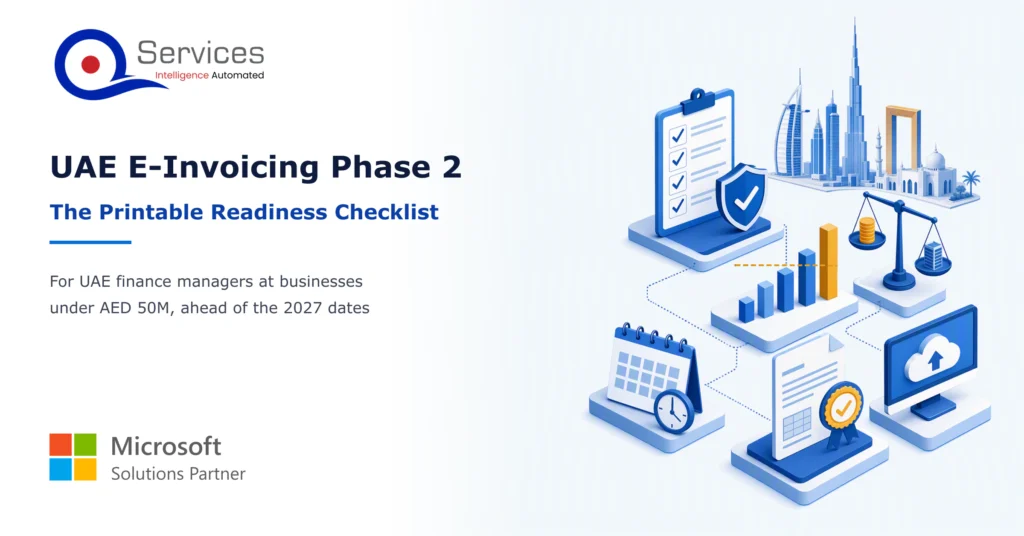
UAE e invoicing requirements for Phase 2 businesses under AED 50M: the dates, the ERP data to fix first, and how to pick an accredited provider.
Unapplied cash can sit in your bank account for weeks. Learn the five causes behind it and clear the backlog in a week, before month-end close.

Azure OpenAI security for production apps: identity, private networking, content filters, prompt injection defenses and monitoring to set before go-live.

Business intelligence consulting services should give a mid-market company a governed way to make decisions. Attractive dashboards are only the visible part. The useful outcome is a system in which source data, metric definitions, access, releases, ownership, and support still work after the consultants leave.


Founder and CEO

Chief Sales Officer

Join our live webinar on Sept 24 and see five
ways to automate meetings, approvals, and
document search with tools already in your
tenant.