Power platform premium connectors are, in our experience, the single most misunderstood line item in a Microsoft licensing quote. Most organizations start a Power Apps or Power Automate project assuming their existing Microsoft 365 plan covers everything, then hit a wall when they try to connect to Salesforce, SQL Server, or ServiceNow. This guide explains exactly what separates standard from premium connectors, how the licensing cost math works, and how to make the right call before you commit to an architecture.
In This Article, You'll Learn
What Are Power Platform Premium Connectors?
Standard vs Premium Connectors: A Side-by-Side Comparison
When Do You Need Power Platform Premium Connectors?
How the Licensing Math Actually Works
How Power Platform Governance Controls Connector Costs
Eager to discuss about your project?
Share your project idea with us. Together, we’ll transform your vision into an exceptional digital product!
Power Platform connectors are pre-built integration points that let Power Apps, Power Automate, and Power Pages communicate with external services. Microsoft classifies every connector into one of two tiers: standard or premium.
Standard connectors work with any Microsoft 365 or Office 365 subscription at no additional cost. SharePoint, Outlook, Teams, Excel Online, OneDrive, and Planner all fall here. If your automation stays entirely inside the Microsoft 365 ecosystem, you may never need anything beyond this tier.
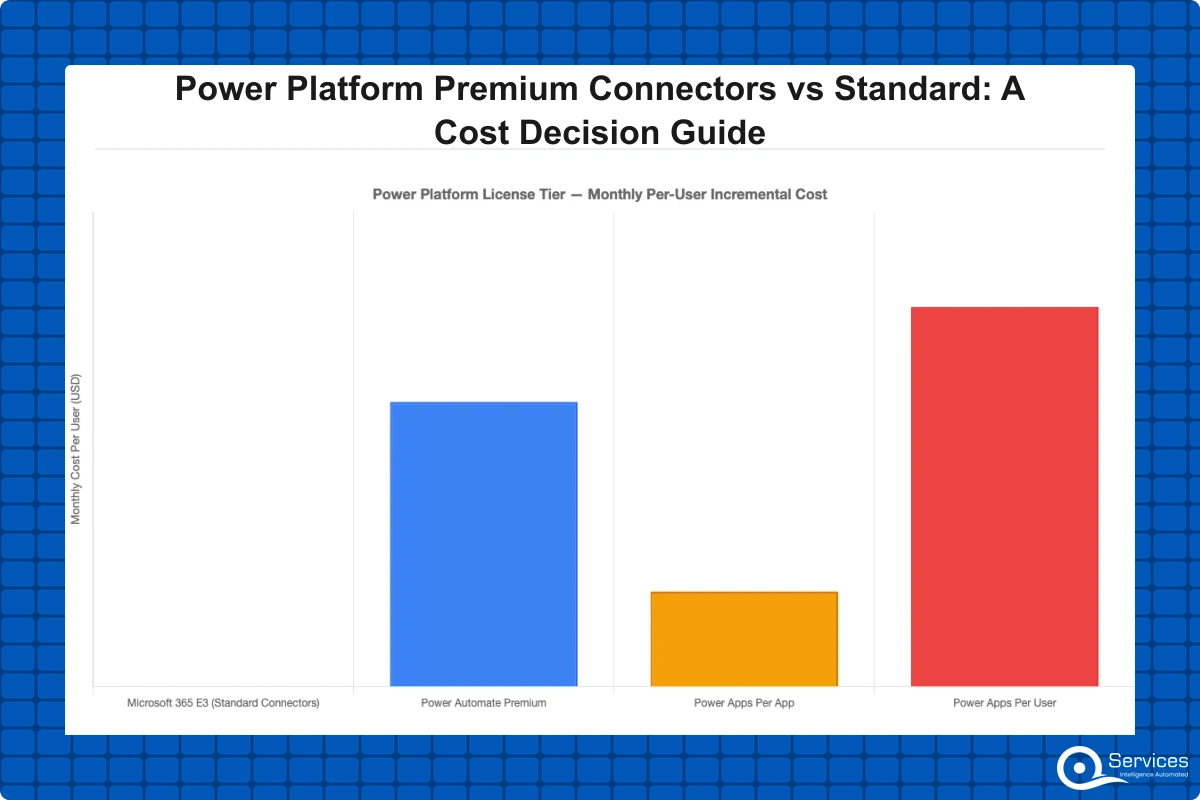
Key Insight Premium connectors require either a Power Apps Per App plan ($5/user/app/month) as of 2026, a Power Apps Per User plan ($20/user/month), or a Power Automate Premium plan ($15/user/month) as of 2026.
Standard Connectors: What Is Included
Standard connectors cover the core Microsoft 365 toolset. For many internal automation projects, they go further than teams expect. You can build multi-stage approval workflows, create SharePoint list-driven canvas apps, and send Teams notifications, all without touching a premium license.
Microsoft's official connector reference documentation lists every available connector and its tier classification. It is the definitive source to check before committing to an architecture.
Premium Connectors: What Triggers the Upgrade
You cross into premium territory the moment your process touches a system outside the standard list. The most common triggers we see in power automate consulting engagements are Dataverse, SQL Server, Salesforce, ServiceNow, SAP, DocuSign, and the HTTP connector for custom REST API calls.
Is Dataverse a Premium Connector?
Yes, Dataverse is a premium connector, and this surprises teams because Microsoft's own documentation recommends Dataverse as the preferred data store for Power Apps. Every user who runs an app that reads from or writes to Dataverse needs a Power Apps license, not just a Microsoft 365 seat. This is a critical detail for power platform governance planning that must happen before any model-driven app build starts.
Standard vs Premium Connectors: A Side-by-Side Comparison
The table below covers the most decision-relevant differences for organizations evaluating their options:
Microsoft's Power Platform licensing FAQ provides current pricing and any enterprise agreement variations that may apply to your organization.
When Do You Need Power Platform Premium Connectors?
Power platform premium connectors become necessary the moment your workflow or app needs to touch data or systems outside the Microsoft 365 boundary. That is the short answer, but the business reality is more nuanced.
Scenarios That Force the Premium Tier
These are the use cases where standard connectors simply cannot get the job done:
CRM integration: Connecting Power Apps to Salesforce or Dynamics 365 Sales requires premium access.
Database-driven apps: Any app reading from or writing to SQL Server, Azure SQL, PostgreSQL, or Oracle uses premium connectors.
ERP connectivity: SAP, Oracle ERP, and similar systems are all in the premium tier.
Document automation: DocuSign, Adobe PDF Services, and similar tools require premium access.
Custom API calls: The HTTP connector, which lets you call any REST API, is premium. This affects teams building custom power apps development solutions against internal microservices or third-party APIs.
External portals: Power pages development for authenticated external users requires premium licensing for every published portal session.
Scenarios Where Standard Connectors Are Enough
Not every project needs premium. Teams that automate purely within Microsoft 365 can build genuinely useful solutions at no extra licensing cost:
Leave request forms writing to SharePoint with Teams notifications
Onboarding checklists using Planner and SharePoint
Basic document routing using OneDrive and Outlook
If your use case stays within this list, paying for premium licensing is unnecessary spend. Confirming this before building is part of good power automate consulting practice.
How the Licensing Math Actually Works
Getting the cost calculation wrong at the scoping stage is the most expensive mistake we see in power apps development services engagements. Here is the formula you need.
Per App vs Per User Licensing
Microsoft offers two primary paths for premium access:
Per App Plan ($5/user/app/month): Each user gets access to one specific app. Three apps cost $15/user/month. This works well when most users only touch one or two solutions regularly.
Per User Plan ($20/user/month): Unlimited premium apps and flows. This becomes cost-effective once a user needs more than four premium apps or when your rollout is scaling fast.
Key Insight Per User Plan ($20/user/month): Unlimited premium apps and flows.
Power Automate Premium ($15/user/month): Covers premium connectors in flows only, not canvas or model-driven apps. Useful when automation needs live in flows rather than apps.
Teams doing power pages development for customer-facing portals also need to budget for premium licenses on authenticated sessions, so portal projects must factor this in at the architecture stage. Most mid-market organizations end up on a mix of plans. Running per-app and per-user plans alongside a structured Power Platform Center of Excellence keeps the license pool visible and auditable.
Power Automate Premium Connectors Pricing in Practice
A practical example: A logistics company with 200 warehouse staff needs a canvas app reading shipment data from SQL Server. That is a premium connector. At the per-app rate, 200 users x $5 = $1,000/month for that single app. A second premium app doubles the cost. Switching to Per User at $20 x 200 = $4,000/month only makes sense once staff need five or more premium apps each.
Key Insight At the per-app rate, 200 users x $5 = $1,000/month for that single app.
This is why a power platform development company should run a connector audit before any project scoping begins. In our client engagements, we have seen premium-dependent apps for 500 users without a licensing plan add $30,000 or more per year in unexpected costs.
How Power Platform Governance Controls Connector Costs
Power Platform governance prevents shadow IT through DLP policies, environment strategies, and approval workflows. Without governance, citizen developers build apps independently, connect premium connectors without a matching license plan, and create data silos that compliance teams later have to untangle.
DLP Policies and Connector Classification
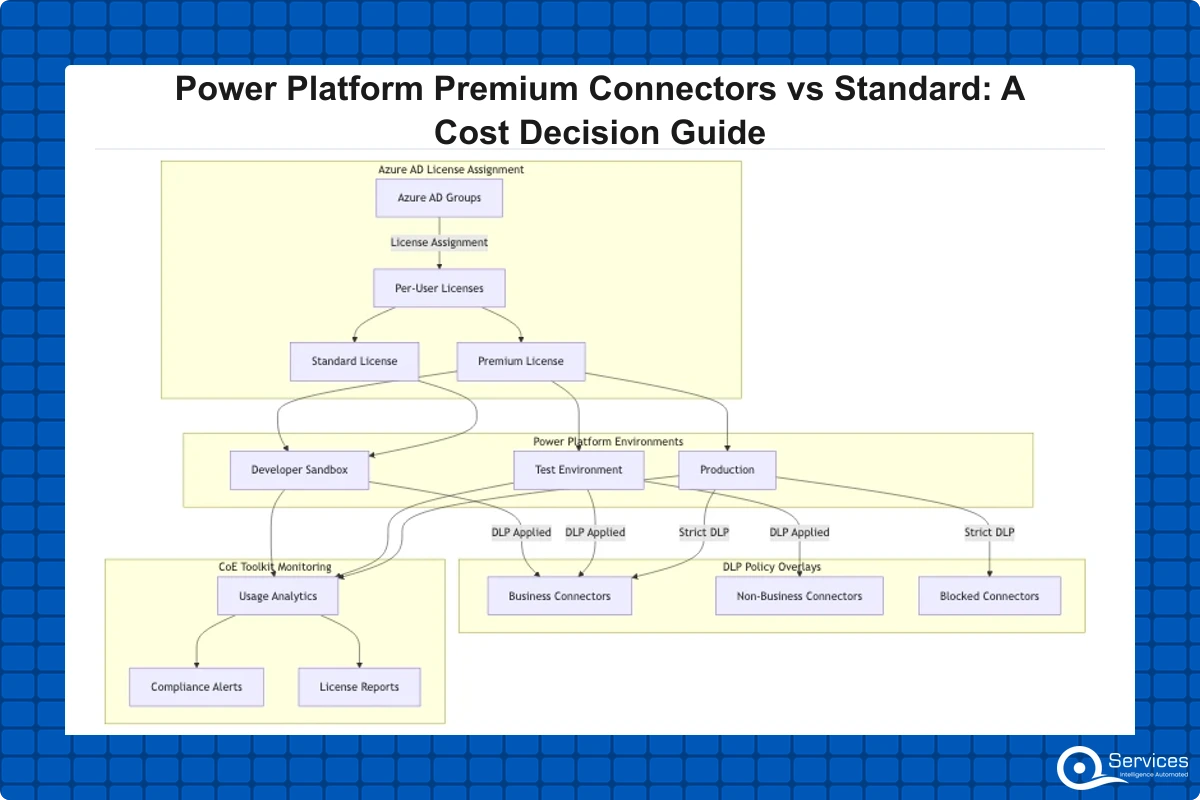
Data Loss Prevention (DLP) policies in Power Platform let admins group connectors into three buckets: Business, Non-Business, and Blocked. Connectors in different buckets cannot be combined in the same flow or app. This gives your team two levers for cost control:
Restrict which premium connectors are available in development environments
Force business-critical connectors into approved, licensed environments only
Organizations managing power platform ALM across multiple environments need connector policies that carry through consistently from development to production, or premium connectors can slip into flows that were never budgeted for them. Our Power Platform Governance Framework guide covers the six pillars of DLP configuration in detail, including environment tiering and connector policies for enterprise teams.
How Citizen Developer Governance Fits In
Citizen developer governance is where cost control and compliance risk overlap. When business users build their own flows and apps, premium connector usage spreads fast across the organization. A governance program needs three things to keep this in check:
A connector request process that documents who approves access to Salesforce, SQL Server, or other premium sources
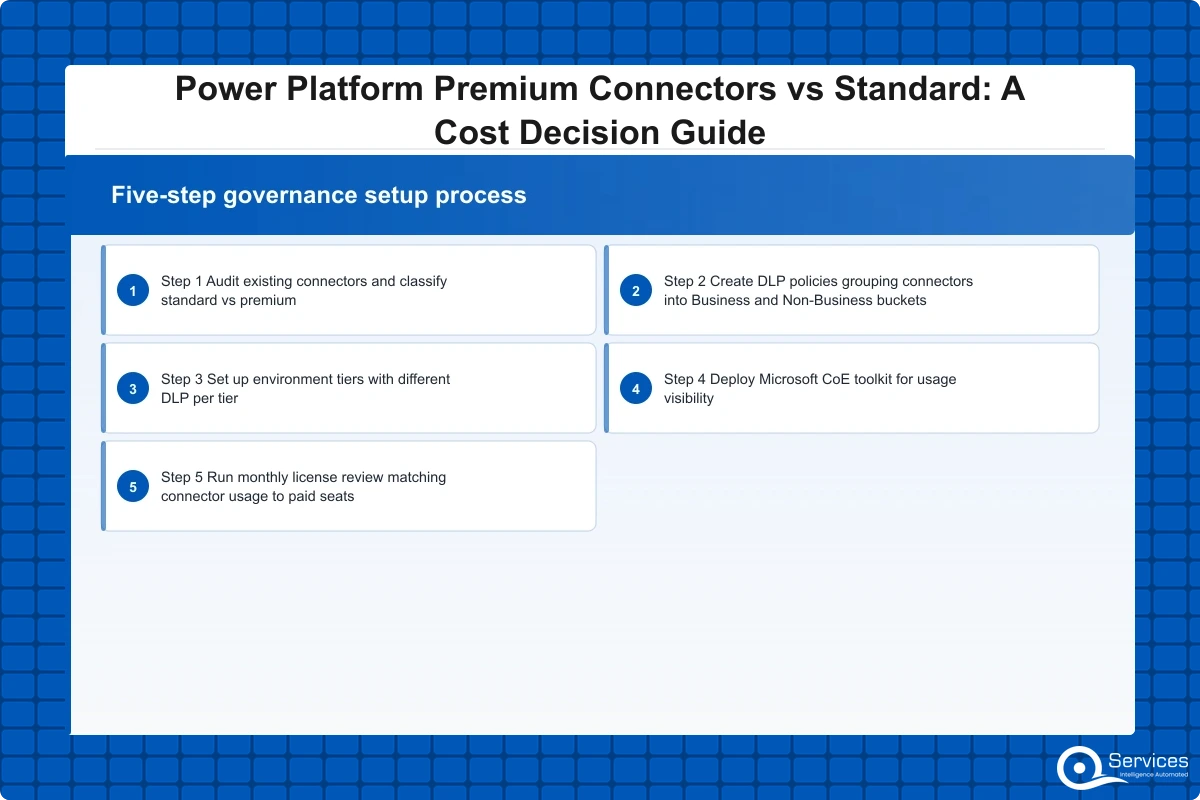
Environment tiers with different DLP policies per tier (sandbox, development, production)
License tracking that ties connector usage back to specific cost centers
QServices implements Power Platform Center of Excellence using Microsoft's CoE toolkit, which includes maker onboarding flows, environment management dashboards, and usage reporting that makes shadow IT power platform activity visible before it becomes a compliance or licensing problem. Structured citizen developer governance through the CoE also ensures that power automate workflow examples shared across the organization follow approved connector and license patterns.
Power Apps Canvas vs Model-Driven App and Your Connector Decision
The power apps canvas vs model driven choice directly affects which connectors you need and what the total licensing cost looks like.
Canvas apps connect to virtually any data source, standard or premium, giving you layout flexibility and a wider connector range. If you connect to three premium sources, each session still requires premium licensing, but you choose exactly which connectors to include.
Model-driven apps are built exclusively on Dataverse. Because Dataverse is a premium connector, every model-driven app user needs a Power Apps Per User or Per App license with no exceptions. That said, model-driven apps deliver richer out-of-the-box capabilities: relationship management, business rules, audit logs, and role-based security that canvas apps require custom code to replicate.
Dataverse consulting helps teams assess whether those built-in capabilities justify the mandatory premium license cost or whether a canvas app against a simpler data source is the smarter starting point. For teams doing power platform ALM with multiple environments and complex relational data models, model-driven apps on Dataverse are usually the right architectural choice. For departmental tools with simpler data needs, canvas apps against SharePoint or Excel stay in the standard tier and cost nothing extra.
For a deeper look at when each tool fits, our guide on Power Apps vs Power Automate covers the decision framework in detail, including hybrid approaches that combine both.
What a Power Platform Development Company Actually Does With This Decision
When we scope a Power Platform project, connector analysis happens in the first conversation, not as an afterthought in development.
Power Platform Center of Excellence and Connector Strategy
A power platform center of excellence maps every active connector to a license, flags premium connector usage without a matching paid plan, and gives the IT team visibility before Microsoft audits surface problems. We have seen organizations running 40 or more premium flows on standard licenses, an exposure that becomes a procurement and compliance issue quickly.
Dataverse consulting adds another layer here. When clients want to centralize business data in Dataverse rather than scattered SharePoint lists, the licensing conversation has to happen at the architecture stage. You cannot retroactively issue Per User plans for 300 users after an app is live and adoption has already spread.
When to Bring In External Power Automate Consulting
The right time for external power automate consulting is before you commit to a connector-heavy architecture. The most expensive mistakes come from organizations that build first and license later, particularly when citizen developer governance programs create dozens of premium flows before anyone checks whether those users have the right plans.
Good power platform governance, combined with a CoE and a clear connector policy, turns what looks like a compliance burden into a controlled, predictable budget line. Our Power BI dashboard development and power bi consulting services work follows the same principle: understand the data sources and licensing requirements first, then build the solution.
Key Takeaways
Power Platform connectors are pre-built integration points that let Power Apps, Power Automate, and Power Pages communicate with external services.
The table below covers the most decision-relevant differences for organizations evaluating their options:
Power platform premium connectors become necessary the moment your workflow or app needs to touch data or systems outside the Microsoft 365 boundary.
Getting the cost calculation wrong at the scoping stage is the most expensive mistake we see in power apps development services engagements.
Power Platform governance prevents shadow IT through DLP policies, environment strategies, and approval workflows.
Conclusion
Power platform premium connectors are not just a technical classification; they are a budget decision that shapes every app, flow, and portal your team builds on the platform. Stay inside Microsoft 365 tools and standard connectors keep costs at zero. Connect to databases, CRMs, ERPs, or custom APIs and the premium tier kicks in, with licensing that adds up fast across a mid-market user base.
The smart approach is to audit your planned connectors before any significant build, model the per-app vs per-user cost for your actual user count, and pair that analysis with solid power platform governance so citizen developer programs do not create surprise licensing exposure. A power platform center of excellence built on Microsoft's CoE toolkit gives you the visibility to stay ahead of both cost and compliance.
Ready to see what your specific connector mix will cost? Get a Power Platform Cost Assessment from our team. We map your use cases to the right license tier, flag governance gaps, and give you a number you can budget against before the first line of code is written.
Co-Founder and CTO, QServices IT Solutions Pvt Ltd
Rohit Dabra is the Co-Founder and Chief Technology Officer at QServices, a software development company focused on building practical digital solutions for businesses. At QServices, Rohit works closely with startups and growing businesses to design and develop web platforms, mobile applications, and scalable cloud systems. He is particularly interested in automation and artificial intelligence, building systems that automate routine tasks for teams and organizations.
Premium connectors in Power Apps are integrations that require a paid Power Apps license beyond Microsoft 365. They include Dataverse, SQL Server, Salesforce, ServiceNow, DocuSign, the HTTP connector for custom APIs, and hundreds of enterprise services. Any app that uses a premium connector requires every user running that app to hold a Power Apps Per App ($5/user/app/month) or Per User ($20/user/month) license.
Premium connectors are a classification of Power Platform connectors that cannot be used with a standard Microsoft 365 or Office 365 license. They cover integrations outside the Microsoft 365 ecosystem, including databases (SQL Server, Oracle), CRMs (Salesforce, Dynamics 365 via Dataverse), ERP systems (SAP), document signing tools (DocuSign), and custom HTTP or REST API calls. Using any premium connector in a flow or app triggers a paid Power Automate or Power Apps license requirement for each user.
Yes, Dataverse is a premium connector. This surprises many teams because Microsoft recommends Dataverse as the preferred data store for Power Platform solutions. Any Power Apps canvas app or Power Automate flow that connects to Dataverse requires the user to hold a Power Apps Per App or Per User license, not just a Microsoft 365 seat. Model-driven apps, which are built exclusively on Dataverse, always require premium licensing for every user with no exceptions.
Check your current license. Standard Microsoft 365 and Office 365 plans do not include premium connector access in Power Automate. You need a Power Automate Premium license ($15/user/month) to use connectors such as SQL Server, Salesforce, Dataverse, ServiceNow, or the HTTP connector in your flows. You can verify which connectors are premium by checking the Microsoft connector reference at learn.microsoft.com, where each connector is labeled Standard or Premium.
A Power Platform Center of Excellence (CoE) is a governance team and toolkit that manages how Power Platform is used across an organization. It handles environment strategy, DLP policy management, maker onboarding, license tracking, and usage reporting. Microsoft provides a free CoE Starter Kit built on Power Apps and Power Automate that organizations can deploy to gain visibility into who is building what, which premium connectors are in use, and whether those connectors are covered by the right licenses.
Power Platform governance prevents shadow IT through three mechanisms: DLP policies that restrict which connectors can be used in each environment, environment tiering that separates development and production workloads with different access controls, and approval workflows that require admin sign-off before new premium connectors are enabled. Without these controls, citizen developers can create flows and apps connecting premium data sources without a matching license plan, creating both compliance gaps and unexpected licensing costs that surface during Microsoft audits.
Both can require premium connectors, but model-driven apps always do. Model-driven apps are built exclusively on Dataverse, which is a premium connector, so every user needs a Power Apps Per App or Per User license. Canvas apps can connect to standard connectors like SharePoint or Excel at no extra cost, but adding a premium connector such as SQL Server or Salesforce triggers the same licensing requirement. The choice between the two should account for both the feature requirements and the per-user licensing cost across your expected user base.
Azure migration cost breaks down by workload strategy, not a single number. See real per-workload ranges, what FastTrack and Azure Migrate and Modernize actually cover, and how a fixed-price Blueprint Sprint replaces a vague estimate with a firm quote.
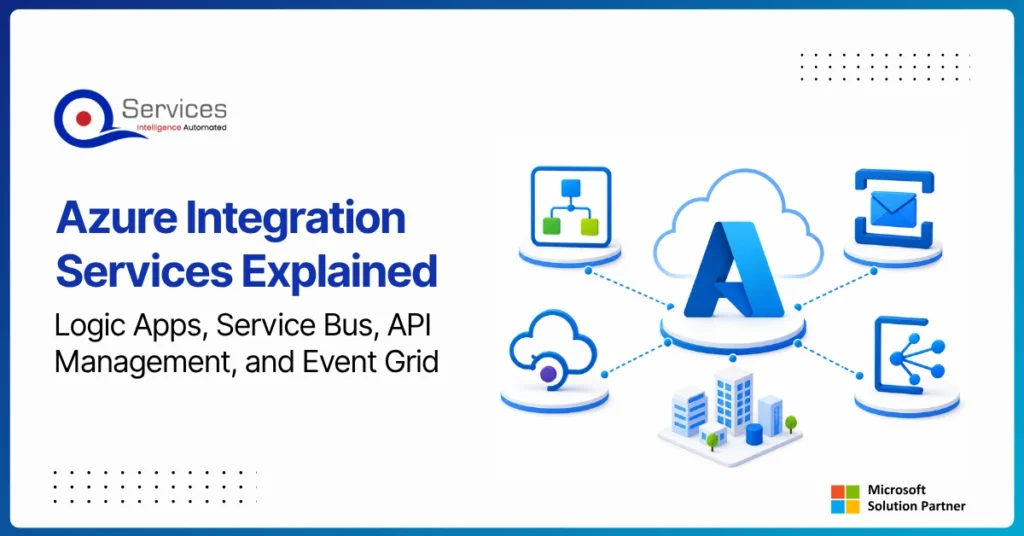
Azure Integration Services is Microsoft’s suite of cloud-native tools for connecting applications, data, and processes across your enterprise. When your organization runs a mix of on-premise systems, SaaS platforms, and custom APIs, getting them to communicate reliably is one of the hardest operational problems you will face. Azure integration services address that directly with four purpose-built components: Logic Apps for workflow automation, Service Bus for reliable messaging, API Management for governing APIs at scale, and Event Grid for event-driven architecture.
Key Insight Azure Integration Services is Microsoft’s suite of cloud-native tools for connecting applications, data, and processes across your enterprise.
This guide breaks down each component, explains how they work together, and covers when azure cloud migration services can bring your entire integration layer into the cloud. Teams evaluating azure consulting services for the first time will find the service breakdowns most useful. Teams already planning a lift and shift to azure should jump straight to the migration section.
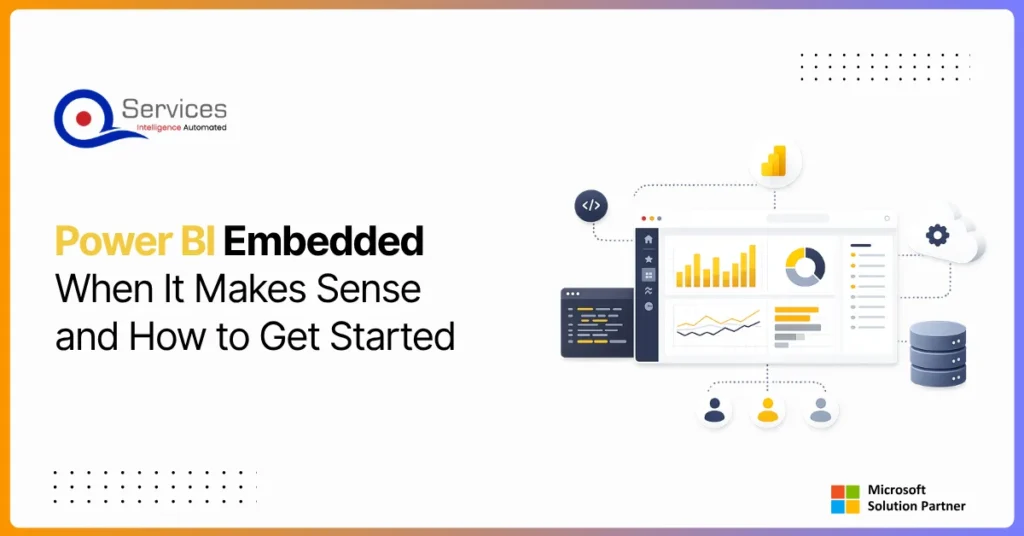
Power BI Embedded is Microsoft’s developer-focused API for embedding interactive analytics directly inside third-party apps, customer portals, and SaaS products. If you are building software and want customers to see live dashboards without logging into the Power BI service, this is where that journey starts. The question is not whether you can embed Power BI reports, you almost certainly can. The real question is whether it makes financial and architectural sense for your specific situation. This guide covers the when, the how, and the cost math that most tutorials skip.
Eager to discuss about your project?
Share your project idea with us. Together, we’ll transform your vision into an exceptional digital product!
Azure migration cost breaks down by workload strategy, not a single number. See real per-workload ranges, what FastTrack and Azure Migrate and Modernize actually cover, and how a fixed-price Blueprint Sprint replaces a vague estimate with a firm quote.
Azure Integration Services is Microsoft’s suite of cloud-native tools for connecting applications, data, and processes across your enterprise. When your organization runs a mix of on-premise systems, SaaS platforms, and custom APIs, getting them to communicate reliably is one of the hardest operational problems you will face. Azure integration services address that directly with four purpose-built components: Logic Apps for workflow automation, Service Bus for reliable messaging, API Management for governing APIs at scale, and Event Grid for event-driven architecture.
Key Insight Azure Integration Services is Microsoft’s suite of cloud-native tools for connecting applications, data, and processes across your enterprise.
This guide breaks down each component, explains how they work together, and covers when azure cloud migration services can bring your entire integration layer into the cloud. Teams evaluating azure consulting services for the first time will find the service breakdowns most useful. Teams already planning a lift and shift to azure should jump straight to the migration section.
Power BI Embedded is Microsoft’s developer-focused API for embedding interactive analytics directly inside third-party apps, customer portals, and SaaS products. If you are building software and want customers to see live dashboards without logging into the Power BI service, this is where that journey starts. The question is not whether you can embed Power BI reports, you almost certainly can. The real question is whether it makes financial and architectural sense for your specific situation. This guide covers the when, the how, and the cost math that most tutorials skip.
Power apps portals sit at an interesting crossroads for IT leaders: they’re fast, deeply integrated with the Microsoft stack, and manageable without a dedicated development team. But they’re also constrained in ways that matter when your business needs a portal that handles complex UI logic, third-party integrations outside the Microsoft ecosystem, or pixel-perfect UX design.
This guide gives you a straight comparison so you can make the right call without spending three months in discovery. We’ll cover what each option actually delivers, where each breaks down, and the governance questions that need answers before you commit either way.
If you’re evaluating your Microsoft stack more broadly, our breakdown of Power Platform vs Custom .NET Development provides useful parallel context.
Globally Esteemed on Leading Rating Platforms
Earning Global Recognition: A Testament to Quality Work and Client Satisfaction. Our Business Thrives on Customer Partnership
5.0
5.0
5.0
5.0
Turn the Microsoft Licenses
You Already Own Into an AI Workplace
Join our live webinar on Sept 24 and see five ways to automate meetings, approvals, and