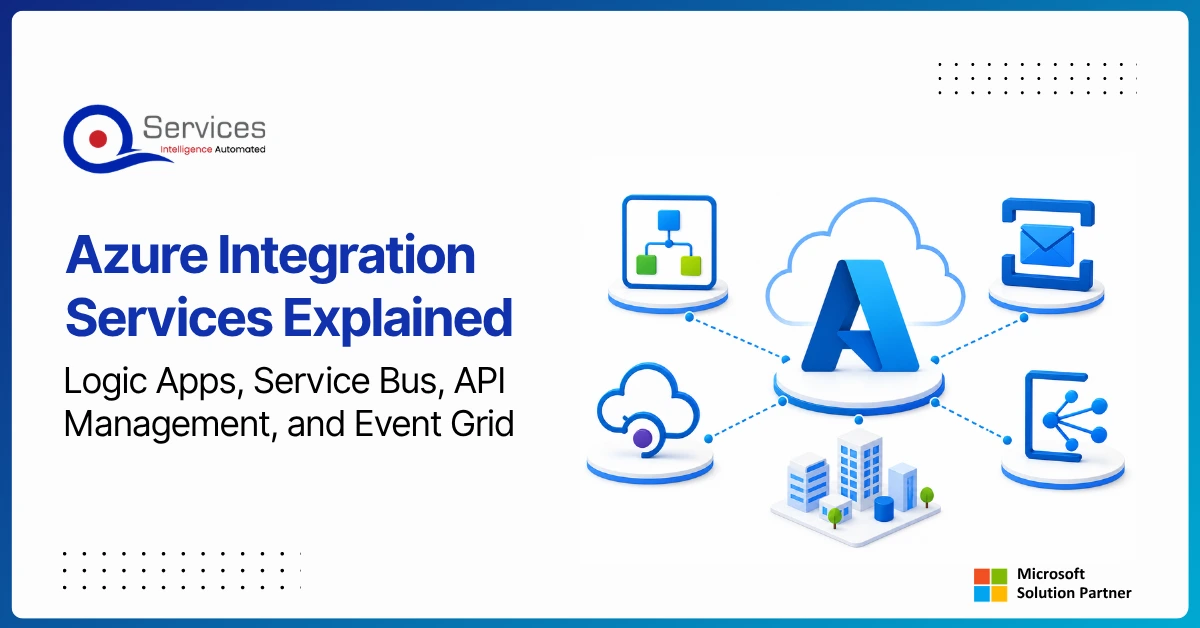
Azure Integration Services is Microsoft’s suite of cloud-native tools for connecting applications, data, and processes across your enterprise. When your organization runs a mix of on-premise systems, SaaS platforms, and custom APIs, getting them to communicate reliably is one of the hardest operational problems you will face. Azure integration services address that directly with four purpose-built components: Logic Apps for workflow automation, Service Bus for reliable messaging, API Management for governing APIs at scale, and Event Grid for event-driven architecture.
Key Insight Azure Integration Services is Microsoft’s suite of cloud-native tools for connecting applications, data, and processes across your enterprise.
This guide breaks down each component, explains how they work together, and covers when azure cloud migration services can bring your entire integration layer into the cloud. Teams evaluating azure consulting services for the first time will find the service breakdowns most useful. Teams already planning a lift and shift to azure should jump straight to the migration section.
In This Article, You'll Learn
What Are Azure Integration Services?
The Four Core Azure Integration Services Components
Azure integration services are a collection of fully managed Microsoft Azure tools designed to help enterprises connect disparate systems, orchestrate workflows, and exchange data in real time or batch mode. Microsoft's Azure integration architecture documentation groups these tools around four primary services, though the broader platform also includes Azure Data Factory and Azure API Center.
Azure Integration Services is Microsoft's cloud-native middleware. Traditional middleware like IBM MQ or MuleSoft typically requires on-premise infrastructure, licensing, and a dedicated operations team. Azure integration services architecture shifts that burden to managed PaaS, so your team focuses on designing integration flows rather than maintaining servers.
Azure Integration Services Architecture Overview
The architecture follows a hub-and-spoke model. Azure Service Bus acts as the central message broker, Logic Apps trigger on events or schedules, API Management sits at the perimeter to control inbound and outbound API traffic, and Event Grid fans out event notifications to multiple subscribers simultaneously. These four azure integration services components are designed to be used independently or in combination, depending on the complexity of your integration scenario.
Is Azure Integration Services a Middleware Platform?
Yes, and that is the clearest way to think about it. Azure Integration Services replaces the role of traditional enterprise service buses like MuleSoft or IBM App Connect. The key difference is that you pay per execution rather than per server, which makes it significantly more cost-effective for workloads with variable or seasonal demand. It is also worth noting that an azure integration services vs mulesoft comparison almost always comes down to this pricing model difference for mid-market organizations.
Azure Integration Services Certification and Governance
Microsoft offers the AZ-204 (Developing Solutions for Microsoft Azure) and AZ-900 certifications that cover integration topics. For production integration pipelines, an azure architecture review should validate that your Logic App workflows meet retry, idempotency, and error-handling standards before any workload goes live. Teams pursuing formal azure integration services certification paths should also review the AZ-900 fundamentals track, which covers the azure integration services list and core cloud concepts.
The Four Core Azure Integration Services Components
Here is a structured overview of all four azure integration services components before going deeper into each:
Service
Primary Use Case
Trigger Model
Best For
Logic Apps
Workflow automation, B2B EDI
Schedule, HTTP, Event
Process orchestration
Service Bus
Reliable async messaging, queues, topics
Pull (consumer)
Decoupled system integration
API Management
API gateway, versioning, rate limiting
HTTP request
Unified API governance
Event Grid
Event routing, fan-out notifications
Push (publisher)
Real-time event-driven flows
Logic Apps: Low-Code Workflow Automation
Logic Apps connects to 400+ connectors covering Salesforce, SAP, Dynamics 365, Outlook, and custom REST APIs. You can build multi-step approval flows, data transformation pipelines, and scheduled batch jobs without writing server-side code.
Key Insight Logic Apps connects to 400+ connectors covering Salesforce, SAP, Dynamics 365, Outlook, and custom REST APIs.
The honest caveat: Logic Apps Standard (the newer tier) runs on Azure Functions infrastructure and requires more setup than the Consumption tier, but it gives you network isolation and better performance for high-throughput scenarios. For teams already using Power Automate, Power Automate vs Logic Apps vs Azure Functions breaks down exactly which tool belongs in which scenario.
Azure Service Bus: Reliable Enterprise Messaging
Service Bus is a fully managed message broker with queues and publish/subscribe topics. It is the right choice when you need guaranteed message delivery, ordered processing, or dead-letter queues for failed messages. Healthcare and financial services teams use it to decouple order processing from fulfillment, or to ensure patient and transaction records sync between systems without data loss.
Service Bus supports both AMQP and HTTP protocols, which means it integrates with virtually any technology stack, including Java, .NET, Python, and Node.js applications.
API Management: Unified API Gateway
Azure API Management sits in front of your backend APIs and handles authentication, rate limiting, caching, versioning, and developer portal generation. If your organization has 20+ microservices each with their own authentication scheme, API Management brings them under a single governed entry point. For a deeper look at REST API architecture patterns that pair well with Azure API Management, see our API Development Services: REST vs GraphQL vs gRPC guide.
Azure Event Grid: Event-Driven Architecture
Event Grid is a fully managed event routing service capable of handling millions of events per second. It follows a publisher/subscriber model: a source such as Azure Blob Storage, a custom application, or a Logic App publishes an event, and Event Grid delivers it to one or many subscribers without requiring those subscribers to poll APIs on a schedule. This makes it the go-to choice for real-time notifications, IoT telemetry ingestion, and triggering downstream automation when something changes in your system.
How Logic Apps and Power Automate Work Together
Many organizations run both Logic Apps and Power Automate simultaneously, and that is by design. Power platform governance principles apply to both: business users build flows in Power Automate, IT teams build integration pipelines in Logic Apps, and both share connectors through the Microsoft connector ecosystem. Getting this division right saves significant rework later.
When to Use Logic Apps vs Power Automate
Power automate consulting teams typically recommend Power Automate for human-in-the-loop workflows such as approvals, notifications, and data entry automation, and Logic Apps for system-to-system integration including ERP to CRM sync, file transformation pipelines, and EDI processing.
The licensing model differs too. Power Automate charges per user or per flow. Logic Apps charges per execution. For high-volume batch processes, Logic Apps is usually cheaper. For ad-hoc business automations that depend on user adoption, Power Automate is the better fit. These distinctions matter when you are budgeting a power platform development company engagement, because the wrong tool choice inflates long-term operating costs.
Power Platform Development and Integration
Logic Apps can trigger Power Automate flows and vice versa. A practical example: a Logic App processes an inbound purchase order from an EDI partner, validates it against Dynamics 365, and then triggers a Power Automate approval flow to route the order to a procurement manager for sign-off.
If your organization needs a power platform development company to build these integrations end-to-end, QServices covers the full stack: Power Apps UI, Logic Apps backends, and power bi consulting services for reporting on integration metrics and operational KPIs. Power apps development services and integration work naturally together when the platform is treated as a connected whole rather than a set of isolated tools.
How to Migrate On-Premise to Azure Using Integration Services
Migrating legacy integration middleware, typically IBM MQ, BizTalk Server, or on-premise MuleSoft, to Azure is one of the highest-ROI cloud projects an IT team can pursue. A structured approach to migrate on premise to azure reduces risk significantly compared to an ad-hoc migration.
The Five Phases of Azure Cloud Migration
The five phases of Azure migration are:
Assess: Run an azure infrastructure assessment to catalog existing integration points, message volumes, and current SLAs.
Plan: Design the target azure integration services architecture, including networking, identity, and monitoring configuration.
Pilot: Migrate one non-critical integration flow to validate tooling choices and team readiness.
Migrate: Move remaining flows in priority order, starting with the lowest-risk workloads.
Optimize: Apply azure cost optimization consulting recommendations, including reserved capacity and message batching strategies.
Lift and Shift to Azure vs App Modernization
A lift and shift to azure moves existing BizTalk orchestrations to Logic Apps with minimal redesign. This is faster and lower-risk, but you carry over technical debt from the original design. Azure app modernization goes further: it redesigns integration flows as event-driven microservices, adopts Service Bus instead of direct API calls, and deploys into a proper azure landing zone implementation with hub-and-spoke networking.
The honest answer is it depends on your timeline and risk appetite. Teams with tight deadlines often lift-and-shift first, then modernize iteratively. Our guide on Legacy App Modernization: When to Rewrite, Refactor, or Replace covers the decision framework in detail for teams weighing these trade-offs.
Azure Landing Zone Implementation
An azure landing zone implementation establishes the foundational cloud environment before you migrate any workloads. It covers identity (Azure AD), network topology (hub-and-spoke or Virtual WAN), governance policies (Azure Policy and Blueprints), and security baselines (Azure Defender, Key Vault). Without a landing zone, integration pipelines end up scattered across subscriptions with inconsistent access controls.
For teams doing hybrid cloud azure setup, the landing zone also defines how on-premise networks connect to Azure via ExpressRoute or VPN Gateway. This connectivity layer is critical for integration flows that must reach legacy databases, on-premise ERP systems, or private APIs that cannot be exposed to the public internet.
Azure Integration Services vs MuleSoft and AWS
Choosing between azure integration services, MuleSoft, and AWS integration tools is a real architectural decision. The right answer depends on your existing technology stack, team skills, and long-term platform strategy.
Azure Integration Services vs MuleSoft
Criteria
Azure Integration Services
MuleSoft Anypoint
Deployment
Cloud-native PaaS
Cloud, on-premise, hybrid
Pricing model
Pay-per-use
Annual subscription (significant cost)
Learning curve
Moderate (GUI + ARM templates)
Steep (DataWeave, Anypoint Studio)
Microsoft ecosystem fit
Native
Via connectors
Best for
Microsoft-first organizations
Multi-cloud, large enterprises
MuleSoft's Anypoint Platform is stronger for complex data transformation and has a broader pre-built connector library for non-Microsoft systems. But for organizations already running Dynamics 365, Power Platform, and Azure AD, azure integration services architecture fits naturally without additional licensing overhead. The total cost of ownership for MuleSoft at mid-market scale is typically two to three times higher than an equivalent azure integration services implementation.
Azure Integration Services vs AWS Integration Tools
AWS offers EventBridge, SQS, SNS, and Amazon MQ as rough equivalents to Microsoft's stack. AWS is often slightly cheaper for pure compute workloads, but azure integration services wins on developer experience for .NET teams and native connectivity to Office 365, SharePoint, and Dynamics 365. According to Gartner's cloud infrastructure analysis, Azure holds the second-largest cloud market share globally and has the deepest integration with Microsoft's enterprise software portfolio. For teams evaluating AI capabilities alongside integration, Azure AI Foundry vs AWS Bedrock covers that platform comparison in depth.
Key Insight AWS offers EventBridge, SQS, SNS, and Amazon MQ as rough equivalents to Microsoft's stack.
Azure Cost Optimization and Managed Services
Running integration pipelines in Azure without cost controls leads to surprise bills at month-end. Azure cost optimization consulting addresses three common problem areas: over-provisioned API Management tiers, inefficient Logic App polling triggers, and unthrottled Service Bus message retention policies.
Azure Cost Optimization Consulting
Specific tactics that reduce Azure integration costs:
Switch Logic Apps from polling triggers (which run every 30 seconds) to event-based triggers via Event Grid or webhooks, reducing executions by up to 80%.
Use Service Bus auto-delete on idle to clear messages that are no longer needed by any consumer.
Right-size API Management tiers: most mid-market companies do not need the Premium tier's multi-region capabilities and can run on the Standard tier at a fraction of the cost.
Apply reserved capacity pricing for predictable message volumes to reduce per-operation costs significantly.
An azure managed services provider handles ongoing monitoring, patching, cost optimization, and incident response for your Azure environment. For integration specifically, that means:
Proactive alerting on Logic App failures and dead-letter queue build-up before they impact downstream processes
Monthly azure architecture review and right-sizing recommendations based on actual usage data
Security patch management for API Management policies and gateway configurations
Compliance reporting for regulated industries like healthcare (HIPAA) or finance (SOC 2)
QServices operates as a microsoft azure consulting company and azure managed services provider, with dedicated teams covering azure security assessment, azure devops consulting services, and ongoing cloud operations. QServices has completed 500+ Azure and Microsoft platform projects since 2014, giving clients a proven delivery framework rather than a first-draft engagement model.
Why QServices Is Your Azure Migration Partner
QServices is a Microsoft Certified Solutions Partner specializing in Azure, with delivery teams covering the full Microsoft stack: azure integration services, Dynamics 365, Power Platform, and custom .NET applications. Choosing the right azure migration partner at the start of a project is often the single biggest factor in whether the migration stays on budget and on schedule.
Azure Architecture Review and Security Assessment
Before any migration engagement, QServices runs a structured azure infrastructure assessment covering:
Current integration points and dependency mapping across all connected systems
Identity and access management gaps in Azure AD and conditional access policies
Network architecture options and connectivity methods (ExpressRoute vs VPN Gateway)
Azure security assessment scored against Microsoft's Cloud Adoption Framework benchmarks
Cost baseline for the existing environment to establish measurable ROI targets
The output is an actionable migration plan, not a 200-page report that sits on a shelf. Most clients complete the assessment in two weeks and have a signed migration roadmap within four.
QServices Azure DevOps Consulting Services
For teams running azure devops consulting services alongside an integration migration, QServices builds CI/CD pipelines that deploy Logic App workflows, API Management policies, and Service Bus configurations as infrastructure-as-code. Your integration layer becomes version-controlled, reproducible, and auditable from day one.
Human-in-the-Loop governance ensures human approval at every deployment stage, which matters in regulated industries where a misconfigured API policy could expose sensitive data. This governance model mirrors what we have built for AI agent deployments, as described in AI Agent Governance: Why Human-in-the-Loop Is Non-Negotiable for Enterprise. QServices also connects azure integration services to broader enterprise ecosystems, including Dynamics 365, as detailed in our Enterprise Integration Patterns guide. Our power platform governance practice ensures your automation layer has the right guardrails from day one.
If you are ready to plan your integration architecture, Book an Azure Integration Workshop with QServices to map your current state, design your target architecture, and get a realistic migration estimate with no obligation.
Key Takeaways
Azure integration services are a collection of fully managed Microsoft Azure tools designed to help enterprises connect disparate systems, orchestrate workflows, and exchange data in real time or batch mode.
Here is a structured overview of all four azure integration services components before going deeper into each:
Many organizations run both Logic Apps and Power Automate simultaneously, and that is by design.
Migrating legacy integration middleware, typically IBM MQ, BizTalk Server, or on-premise MuleSoft, to Azure is one of the highest-ROI cloud projects an IT team can pursue.
Choosing between azure integration services, MuleSoft, and AWS integration tools is a real architectural decision.
Conclusion
Azure integration services give enterprise teams a production-grade toolkit for connecting systems, routing events, governing APIs, and orchestrating workflows without managing servers. Logic Apps handles process automation, Service Bus delivers reliable messaging, API Management governs your API perimeter, and Event Grid powers real-time event-driven architectures. Used together, they replace fragile point-to-point integrations with a maintainable, observable, and scalable platform.
Getting the azure integration services architecture right from the start saves significant rework later. For teams planning a lift and shift to azure or a full azure app modernization project, QServices can help. As a trusted azure migration partner with 500+ completed Microsoft projects, we know what the pitfalls look like before you hit them. Book an Azure Integration Workshop today and walk away with a concrete plan tailored to your systems, your team, and your budget.
Co-Founder and CTO, QServices IT Solutions Pvt Ltd
Rohit Dabra is the Co-Founder and Chief Technology Officer at QServices, a software development company focused on building practical digital solutions for businesses. At QServices, Rohit works closely with startups and growing businesses to design and develop web platforms, mobile applications, and scalable cloud systems. He is particularly interested in automation and artificial intelligence, building systems that automate routine tasks for teams and organizations.
Azure Integration Services is Microsoft’s suite of four fully managed cloud tools for enterprise connectivity: Logic Apps for workflow automation, Azure Service Bus for reliable messaging, Azure API Management for API gateway and governance, and Azure Event Grid for event-driven routing. Together they replace traditional on-premise middleware with a scalable, pay-per-use cloud platform that connects applications, data sources, and business processes across your organization.
Yes. Azure Integration Services is Microsoft’s cloud-native middleware, replacing the role of traditional enterprise service buses like MuleSoft Anypoint or IBM App Connect. Unlike legacy ESBs, it runs on Azure’s managed PaaS infrastructure with no servers to provision or patch. You pay per execution rather than per server, which reduces cost significantly for variable or seasonal workloads.
Yes, Azure Data Factory (ADF) is Microsoft’s cloud-based ETL (Extract, Transform, Load) and ELT service. While it is part of the broader Azure integration services family, ADF focuses specifically on data movement and transformation between data stores, data lakes, and analytics services such as Azure Synapse. It is used for data pipeline orchestration rather than application-level integration, which is the role of Logic Apps and Service Bus.
The three types of integration runtime in Azure Data Factory are: (1) Azure Integration Runtime, which handles cloud-to-cloud data movement and transformation; (2) Self-Hosted Integration Runtime, which connects on-premise or private network data sources to Azure services; and (3) Azure-SSIS Integration Runtime, which runs SQL Server Integration Services (SSIS) packages in the Azure cloud, enabling a lift-and-shift of existing SSIS workloads without redesign.
The four types of Azure storage are: (1) Azure Blob Storage, for unstructured data such as documents, images, and logs; (2) Azure File Storage, for managed SMB file shares accessible from Windows, Linux, and macOS; (3) Azure Queue Storage, for messaging between application components; and (4) Azure Table Storage, for schemaless structured NoSQL data. Azure integration services commonly interact with Blob Storage and Queue Storage as part of integration and event-driven pipelines.
Azure cloud migration costs vary significantly by scope. A single application migration may cost $10,000 to $30,000. A mid-market enterprise migration involving multiple applications, data stores, and integration points typically ranges from $50,000 to $250,000 for a microsoft azure consulting company engagement, including planning, execution, and the first 90 days of managed support. Azure cost optimization consulting after migration can typically recover 20 to 40 percent of initial cloud spend through right-sizing and trigger optimization.
An Azure landing zone is a pre-configured, scalable cloud environment built according to Microsoft’s Cloud Adoption Framework guidelines. It establishes identity (Azure Active Directory), networking (hub-and-spoke topology), governance (Azure Policy and Blueprints), and security baselines (Microsoft Defender for Cloud, Key Vault). Azure landing zone implementation is the recommended first step before migrating any workloads, because it prevents security, compliance, and cost management debt from accumulating as your cloud footprint grows.
Business intelligence consulting services should give a mid-market company a governed way to make decisions. Attractive dashboards are only the visible part. The useful outcome is a system in which source data, metric definitions, access, releases, ownership, and support still work after the consultants leave.
In a Microsoft Solutions Partner vs Microsoft Partner comparison, the difference is validation. A company can participate in the Microsoft AI Cloud Partner Program without holding a customer-facing Solutions Partner designation. A designated Solutions Partner has met Microsoft’s current threshold in a specific solution pathway: at least 70 out of 100 partner capability points, with more than zero points in every required metric, based on performance, skilling, and customer success data recorded in Partner Center.
How do you build a legacy application modernization strategy for Azure? A legacy application modernization strategy assigns the right treatment to each workload, then sequences the work around business value, technical evidence, and operational risk. For Azure, that means choosing among retire, retain, rehost, replatform, refactor, rearchitect, rebuild, and replace instead of treating cloud migration as a blanket mandate. Direct Answer A legacy application modernization strategy for Azure should classify
Eager to discuss about your project?
Share your project idea with us. Together, we’ll transform your vision into an exceptional digital product!
Business intelligence consulting services should give a mid-market company a governed way to make decisions. Attractive dashboards are only the visible part. The useful outcome is a system in which source data, metric definitions, access, releases, ownership, and support still work after the consultants leave.
In a Microsoft Solutions Partner vs Microsoft Partner comparison, the difference is validation. A company can participate in the Microsoft AI Cloud Partner Program without holding a customer-facing Solutions Partner designation. A designated Solutions Partner has met Microsoft’s current threshold in a specific solution pathway: at least 70 out of 100 partner capability points, with more than zero points in every required metric, based on performance, skilling, and customer success data recorded in Partner Center.