

Accounts receivable reconciliation: a monthly routine

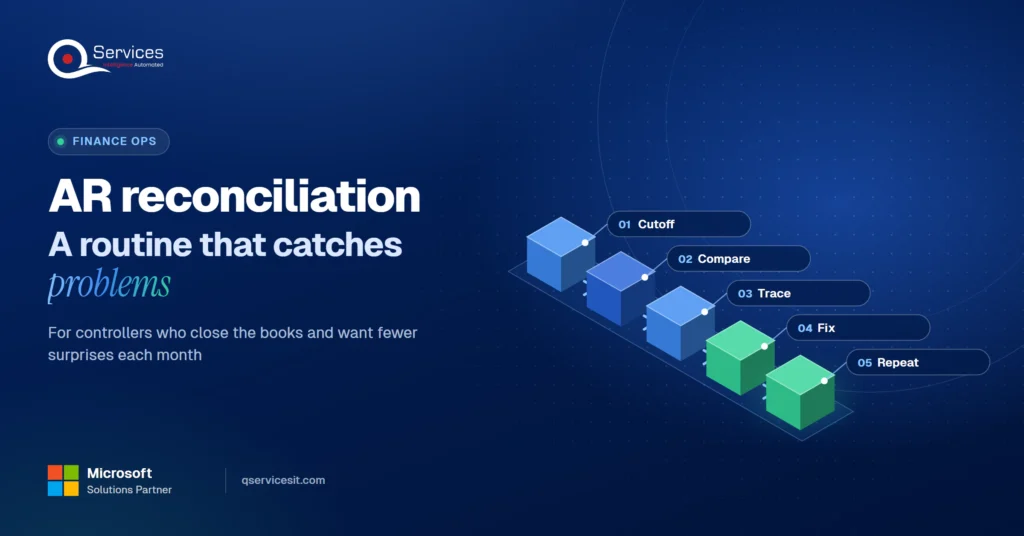
Isometric illustration of two ledger stacks connected by matching lines, with a magnifying glass highlighting a few mismatched entries. - accounts receivable reconciliation
Summarize in:
Get an instant AI summary of this article

Introduction

To do accounts receivable reconciliation each month, pull the AR aging and the GL control account at the same cutoff date, compare totals, and trace every difference to a transaction. Fix each one at its source, get it approved, and file the support.

If you’re a US controller, you know the pain. The subledger says one number, the ledger says another, and close slips while someone hunts. Our accounts receivable services team sees the same few causes again and again, so this post gives you the routine and the five differences you’ll meet most.

In This Article, You'll Learn
  • What the AR subledger and the GL control account each hold, and why they should agree
  • A five-stage routine you can run every month-end
  • The 5 most common reconciliation differences and what causes each
  • How to fix them at the source so they stop coming back
  • How to turn a monthly scramble into a weekly habit

How many AR differences are you carrying forward?

Walk through your subledger-to-GL differences with us and see where an agent could match payments and flag exceptions for your team to approve.

Book the AR Cash Assessment →

Quick Answer Accounts receivable reconciliation is the check that your customer-level AR subledger agrees with the AR control account in the general ledger. Run it monthly at a shared cutoff date, explain every difference, and clear it at the source. Weekly checks on unapplied cash and direct journals keep the month-end number clean.

What Is Accounts Receivable Reconciliation, and Who Owns It?

Accounts receivable reconciliation confirms that the detail by customer (the subledger or aging) adds up to the AR balance on the balance sheet. Accounts receivable postings normally update the control account automatically. So a difference usually means something reached the GL outside the subledger, or the two reports were run on different dates.

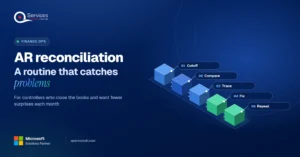
We use one model throughout this post, and we reuse its stage names below.

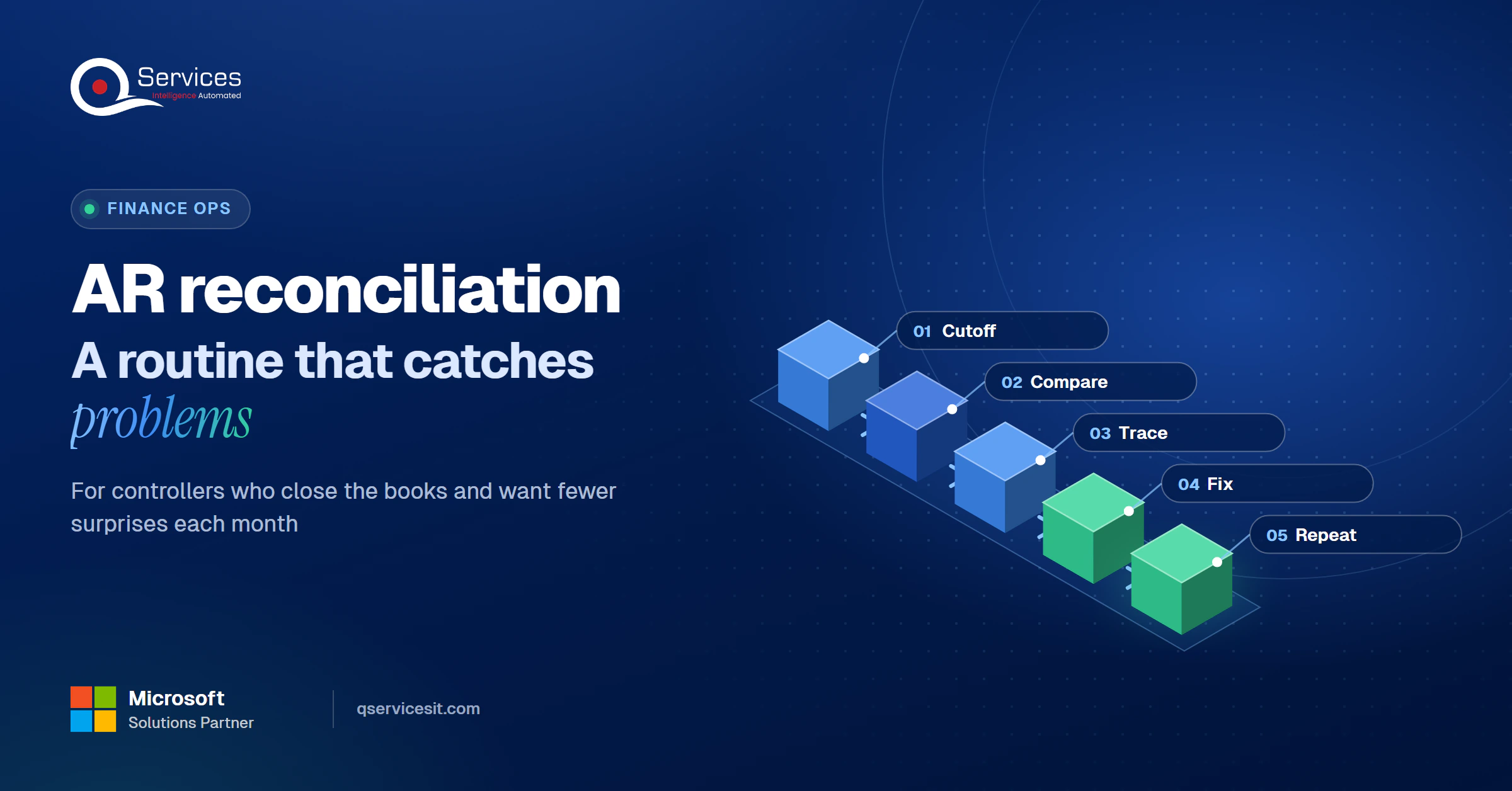
The QServices Framework Reconcile = Cutoff → Compare → Trace → Fix → Repeat

Order matters: if the cutoff differs, every later stage chases differences that aren’t real.
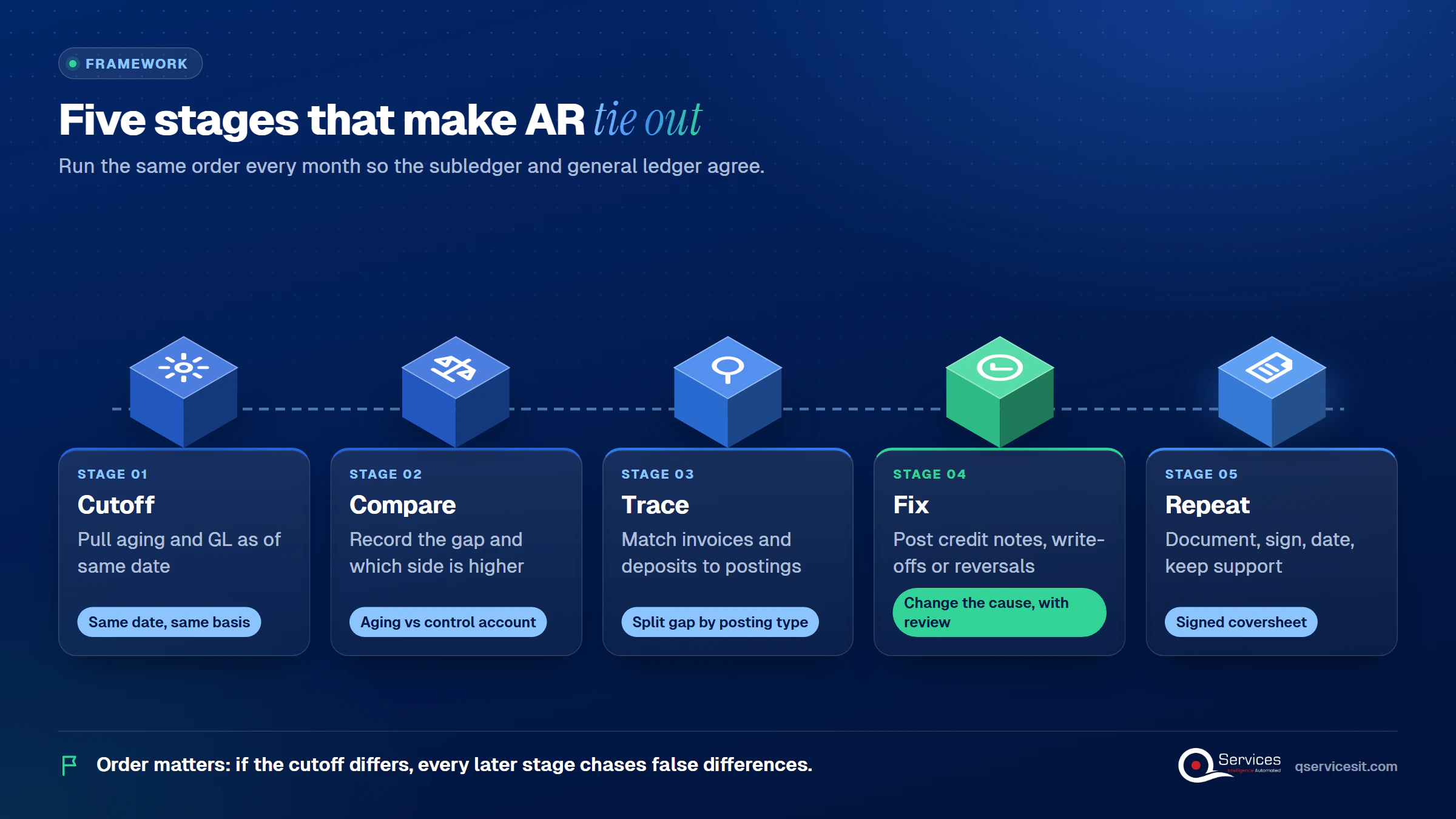
QServices Reconcile framework: Cutoff → Compare → Trace → Fix → Repeat - accounts receivable reconciliation

Who is responsible for accounts receivable reconciliation?

A preparer, usually in AR or general accounting, does the work. A reviewer, usually the controller or an accounting manager, approves it. One university policy (UA Little Rock, LR 303.8) sets a good pattern: reconcile monthly by the 15th, and have preparer and approver sign within 7 days.

How to Reconcile the AR Subledger to the General Ledger

This is the accounts receivable reconciliation process in its plainest form. It’s also the heart of month-end AR reconciliation.

How to reconcile accounts receivable subledger to general ledger

Start with the Cutoff stage. Run both reports as of the same date, on the same basis, and combine balances if you have more than one AR account (domestic, foreign, affiliates). To reconcile AR aging report to general ledger, compare the aging total with the control account balance, and write down the amount and direction of the gap.

Business Central has a built-in check for this: the Reconcile Cust. and Vend. Accs. report, which totals net change in the GL and in customer ledgers and splits entries by posting group.

Accounts receivable reconciliation steps for controllers

  1. Cutoff: pull the aging and GL balance as of the same date.
  2. Compare: record the difference and which side is higher.
  3. Trace: check invoices against revenue in the right period, and bank deposits against applied payments.
  4. Fix: post credit notes, write-offs or reversals, with review.
  5. Repeat: document, sign and date, and keep support until items clear.

Key Insight A signature and date no longer satisfies auditors on its own. CFGI recommends a coversheet per balance sheet account that shows the evidence, starting with your most material accounts.

Standards & References

  • PCAOB AS 2201: auditing internal control over financial reporting
  • COSO internal control guidance: the framework most US control programs follow

The 5 Usual Differences You'll Find

These are the common accounts receivable reconciliation differences. They come from our reading of vendor and documentation sources, not a ranked study, so treat the order as a rule of thumb.

1. Timing and cutoff

A transaction lands in the subledger in one period and the GL in another, or a batch sits unposted. This is also the biggest source of AR reconciliation differences in ERP systems, because reports often run on document date in one place and posting date in another.

2. Unapplied cash

The bank deposit is in the GL, but there’s no remittance detail, so invoices still look open. Unapplied payments reconciliation is its own task because these items rarely clear on their own. See why unapplied cash piles up.

3. Manual journals to the control account

Someone posts straight to the AR control account. The GL moves and the subledger never knows.

4. Credit memos, write-offs and reversals

They’re entered in the wrong period or left unapplied. Sage Intacct’s documentation also lists advances or overpayments mapped to non-AR accounts and payments dated before the invoice.

5. Keying and application errors

Duplicates, wrong-customer applications, and short-pays or deductions nobody approved. Our guide to tracking each short pay covers the last one.

Real-World Scenario A typical case we see: a controller’s GL shows AR of $2,396,200 while the aging totals $2,418,500, a $22,300 gap. Trace finds $18,000 of unapplied cash credited to the control account and a $4,300 manual journal that never reached a customer. Both lower the GL only. Naive hunting through 400 invoices takes days. The Trace stage splits the gap by posting type first and finds both items in under an hour.

Where do your differences start piling up?

Bring your last month-end subledger-to-GL gap. We’ll trace which differences come from unapplied payments, timing or posting errors, and what could be fixed upstream.

Book the AR Cash Assessment →

How to Fix Differences at the Source

A fix in the Fix stage should change the cause, not just the balance. For AR aging reconciliation, a few settings matter most:

  • Require payment dates on or after invoice dates.
  • Map advances and overpayments into the AR account group.
  • Hold unidentified cash in a suspense account until the customer sends a reference.
  • Review balances over 120 days past due for write-off or allowance, and keep a written write-off policy.
  • Require remittance data, and tag exceptions with standard codes.

How to fix unapplied cash in accounts receivable

Get remittance detail first, apply the payment, then clear the suspense entry. If the detail never arrives, escalate by customer after a set number of days. Our cash application services take this on directly, and the cash application process shows where it usually breaks.

Making It a Weekly Habit

A weekly accounts receivable reconciliation routine moves the Trace stage out of close week. Review unapplied cash daily or weekly, then check unposted batches and direct GL journals before the period ends. Teams that wait often spend close week on reconciliation: in Ledge’s 2025 vendor survey (n=100), 27% needed more than 7 business days to close, and account reconciliation was the most time-consuming activity. That’s a vendor survey, so read it as directional. Our month end close checklist shows why unapplied cash slows it, and the AR aging buckets guide helps you read what’s left.

Weekly vs month-end only

Month-end only Weekly routine
Differences found After they’ve aged While still fresh
Close-week workload Heavy Lighter
Audit evidence One big file Dated trail
Calendar cost One crunch A recurring slot each week (the downside)
Best for Very low volume Most US controller teams

How QServices Approaches Accounts Receivable Reconciliation

We start at Cutoff, because a shared date removes the false differences. Then we run these steps:

  1. A written reconciliation map of your AR control accounts and subledgers.
  2. Matching agents that run in your own Azure tenant, built for accounts receivable automation.
  3. An approval queue: human-approved AR matching agents propose, and your team approves before anything posts.
  4. A weekly difference report grouped by the five causes above.
  5. A signed coversheet per account for audit.

The same team builds and runs it, and we start with a two-week fixed-price assessment.
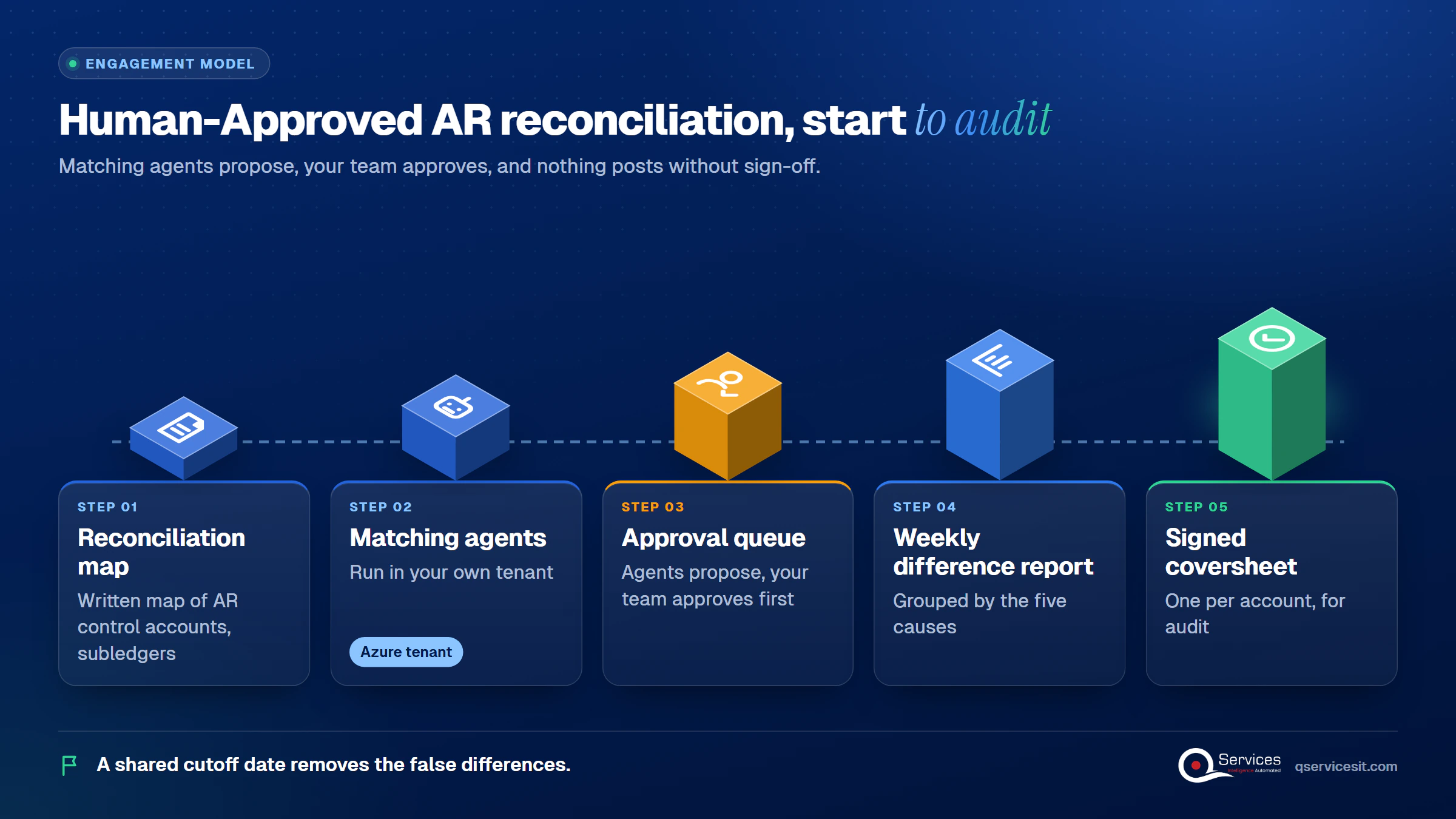
How QServices delivers AR reconciliation: control account map → matching agents → approval queue → weekly difference report - accounts receivable reconciliation

Implementation Checklist

  • Aging and GL pulled as of the same cutoff date
  • All AR control accounts combined in the comparison
  • Difference amount and direction recorded
  • Unapplied cash listed by deposit date
  • Manual journals to the control account reviewed
  • Preparer and approver signed and dated within 7 days

Conclusion

Pilot weekly accounts receivable reconciliation on one entity’s AR control account for a month, and measure days to complete the reconciliation, open unapplied cash, and unexplained differences at month-end. Your team approves every item that posts. Book the AR Cash Assessment and we’ll review your current routine with you.

Rohit Dabra

Written by Rohit Dabra

Co-Founder and CTO, QServices IT Solutions Pvt Ltd

Rohit Dabra is the Co-Founder and Chief Technology Officer at QServices, a software development company focused on building practical digital solutions for businesses. At QServices, Rohit works closely with startups and growing businesses to design and develop web platforms, mobile applications, and scalable cloud systems. He is particularly interested in automation and artificial intelligence, building systems that automate routine tasks for teams and organizations.

Accounts receivableCash applicationERP integrationFinance automation
Talk to Our Experts

Frequently Asked Questions

Accounts receivable reconciliation is the check that the AR subledger (customer-level detail or aging) agrees with the AR control account in the general ledger. Any difference is investigated, corrected with approval, and documented.

Monthly at minimum, as part of the month-end close. Accounts receivable reconciliation frequency works best weekly for unapplied cash and direct journals, so month-end holds fewer surprises.

Usually one of five causes: timing and cutoff, unapplied cash, manual journals posted straight to the control account, credit memos or write-offs in the wrong period, or application errors. Start by confirming both reports use the same date.

Start by running one entity’s aging and GL balance at the same cutoff date and recording the gap. We begin with a two-week fixed-price assessment that maps your control accounts and sets up the weekly routine.

The AR subledger holds invoices and payments by customer. The general ledger holds the AR control account total. AR subledger vs general ledger should agree at every cutoff date.

Related Topics

Next step

Ready to stop chasing the same variances?

We’ll review your reconciliation routine, show where the repeat differences start, and outline how agents prepare matches while your team approves every one.

Book the AR Cash Assessment →

Recent Articles

Globally Esteemed on Leading Rating Platforms

Earning Global Recognition: A Testament to Quality Work and Client Satisfaction. Our Business Thrives on Customer Partnership

5.0

5.0

5.0

5.0

What clients say

Rated 5.0 by the
people we've built for.

Every quote comes from a published review on GoodFirms, Clutch or our own site. Click a source to read the full review.

★★★★★
“QServices was highly professional, knowledgeable, and approachable. We continue to work with them on other projects.”
NHNicholas HoareCEO, Nextgen ClearingGoodFirms
★★★★★
“Quality assurance is often overlooked, but these guys take that very seriously. … their team of experienced, dedicated developers and highly skilled engineers quickly dissected and decomposed every problem and presented solutions and options that directly met my needs”

Erik BrownBusiness owner and software engineerClient review
★★★★★
“The supplier delivered the application on time and was responsive to our needs. He was also flexible, which allowed us to make changes on the fly.”

Zoltan BodnarCFO, Yusen LogisticsGoodFirms
★★★★★
“Thank you Sahil and team for wonderful collaboration right from day 0. … Highly recommend the developers.”

Ranbeer MakinClientClient review
★★★★★
“They are always looking for new ways to improve their products and services and to deliver value to their customers.”
OFOluwatosin FalolaSenior .NET Developer, POOLCORPClutch
★★★★★
“I have had an excellent experience working with QServices. We have a highly collaborative relationship and I value them not just as contractors but as partners.”

Alex VanderElsClientClient review
★★★★★
“Sahil undertakes every project with a high degree of professionalism. His communication style is unmatched and he is always available to resolve issues or just discuss the project.”

Philmore J.ClientClient review
★★★★★
“Responsive, patient and professional. Consistent weekly attention to our project, and new ideas we hadn't asked for.”

Michael WilliamsonPresident and CEO, United Way of Southeast LouisianaGoodFirms
★★★★★
“I have been working with them on a project for a year now … They have been able to solve problems that come up with bugs or development and able to communicate well with me.”

Steven LewisClientClient review
★★★★★
“We had been working on the app for two years. QServices built it in two months.”

Brian WallerPresident, Technology Association of IowaGoodFirms
★★★★★
“All projects were delivered on time and were fully completed upon delivery.”
RBRaine Marie BuenvendiaSr. Support Specialist, Arc.DevClutch
★★★★★
“They had excellent quality. The hypercare they provided after the project went live is exceptional.”

KKKrish KishorePresident, Zero Hour ConsultantsClutch
Book Appointment
Sahil kataria (1)
Sahil Kataria

Founder and CEO

amit Kumar
Amit Kumar

Chief Sales Officer

Talk To Sales

USA

+1 270-550-1166

flag

+1 270-550-1166

Phil J.
Phil J.Head of Engineering & Technology​
QServices Inc. undertakes every project with a high degree of professionalism. Their communication style is unmatched and they are always available to resolve issues or just discuss the project.​
Assured

Thank You

Thanks, we’ve got your details. A named member of our team will reply within one business day.