

SYSPRO integration options: bank, CRM and e-commerce
Compare SYSPRO integration options for bank files, CRM and e-commerce, and learn how to connect them without touching your ERP core. Built for IT Directors.
Home » SYSPRO integration options: bank, CRM and e-commerce
SYSPRO integration options come down to three routes: e.net business objects for reads and writes, flat-file imports for bank data, and connectors or middleware for CRM, e-commerce and EDI. Use supported interfaces and never write to the database directly.
If you run syspro erp, you probably have a bank file, a CRM and a storefront all asking for the same customer and order data. Each one can be connected in a way that survives your next SYSPRO upgrade, or in a way that breaks it. This guide shows which route fits which system.
Which SYSPRO connection is costing you the most time?
Book a process assessment and we’ll map your bank, CRM and e-commerce hand-offs to the integration approach that fits each one.
Book a process assessment →Quick Answer SYSPRO integration options are e.net business objects for reads and writes, a WCF or REST service for outside applications, OData for read-only reporting, flat-file imports for bank data, and middleware connectors for CRM, e-commerce and EDI. Pick the supported interface, post through business objects, and never write to the database directly.
SYSPRO ERP integration starts with one question: does the other system need to read data, write data, or both? The answer decides the interface. Reads are cheap and low risk. Writes are where upgrades break things.
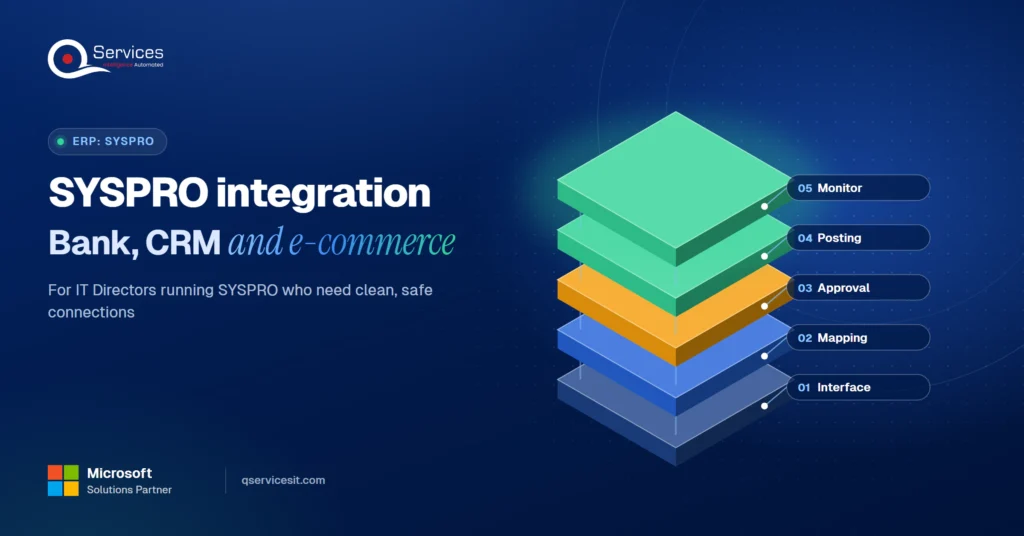
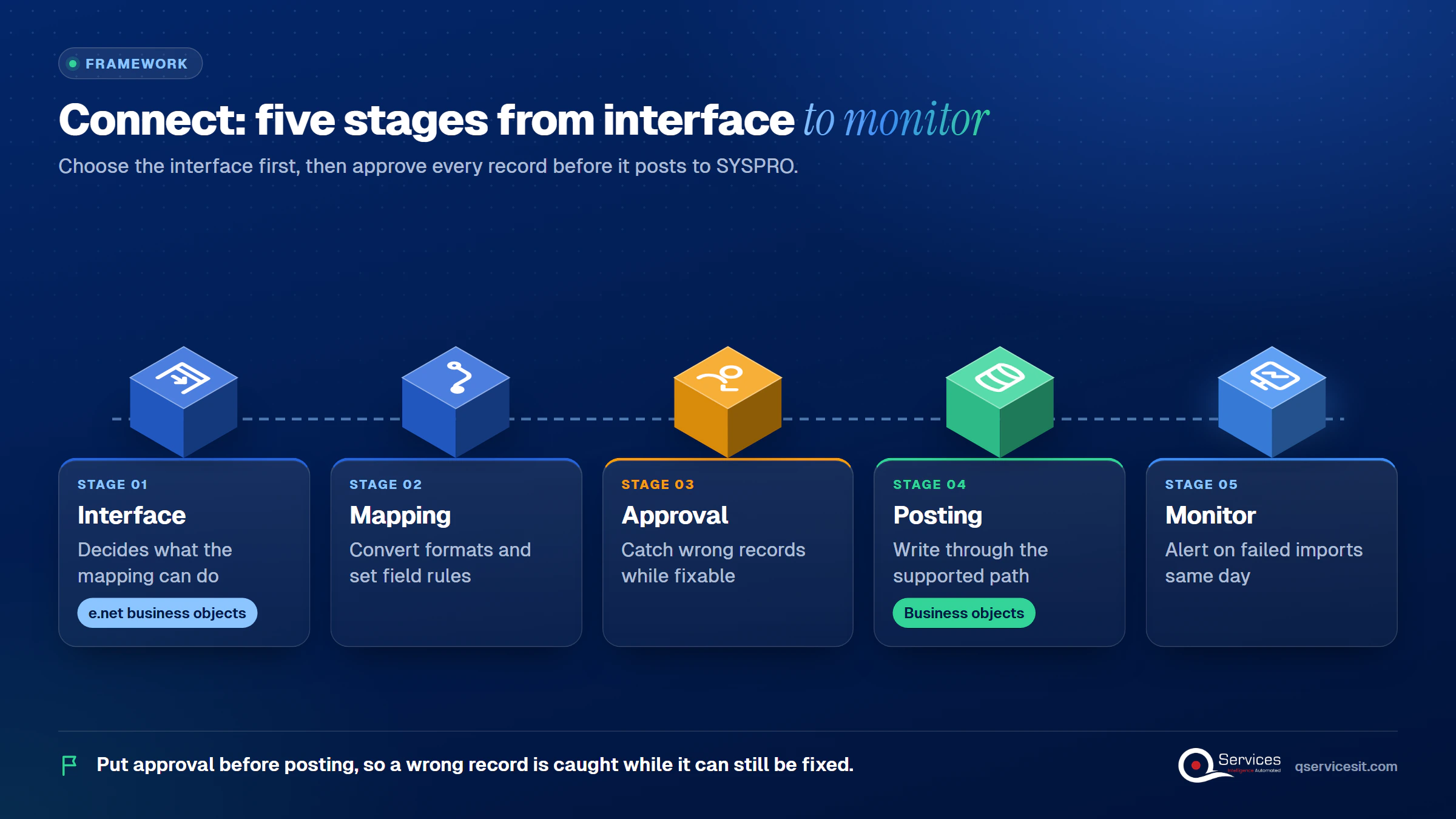
The QServices Framework Connect = Interface → Mapping → Approval → Posting → Monitor
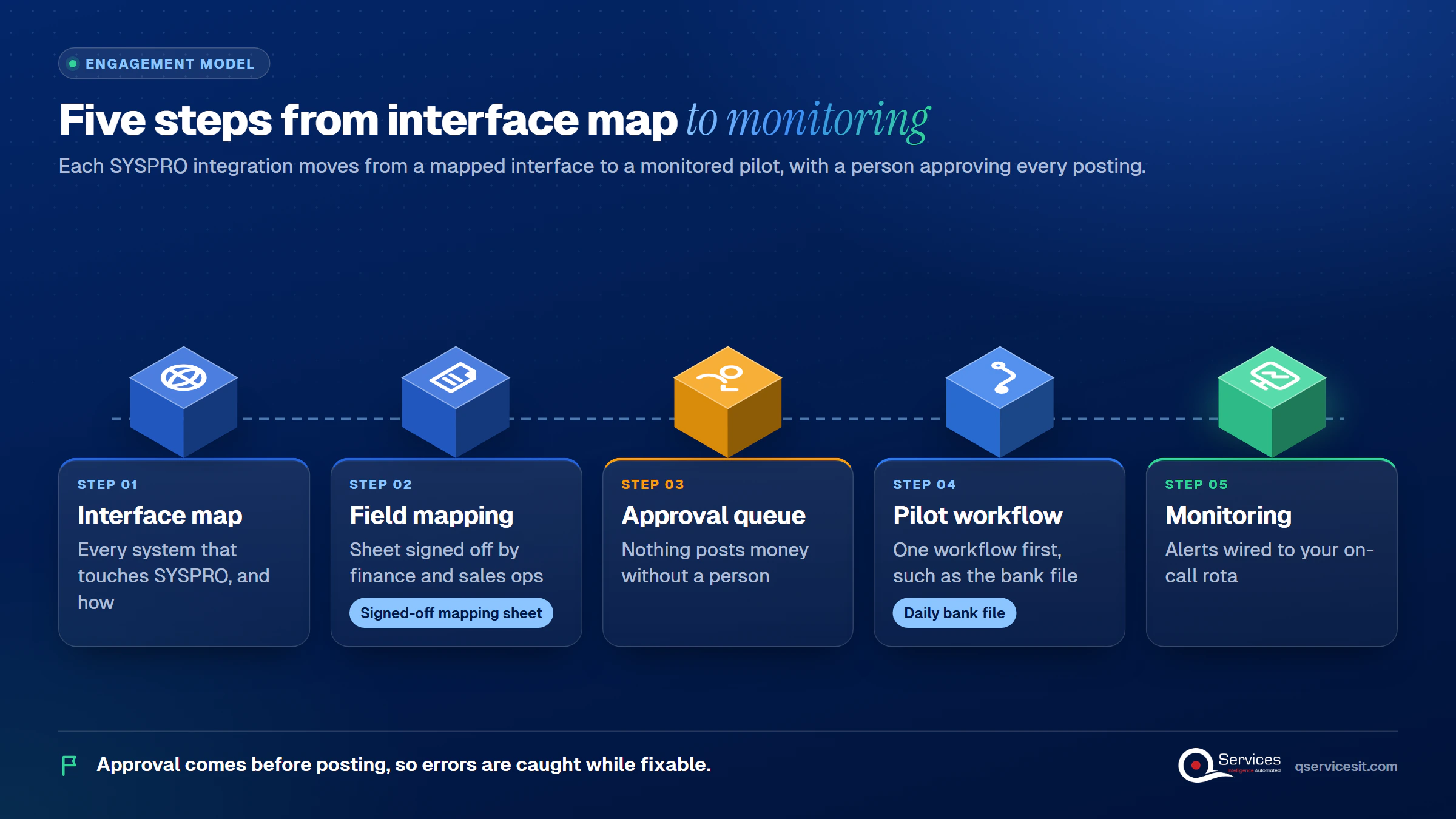
Choose the interface first, because it limits what the mapping can do. Put approval before posting, so a wrong record is caught while it can still be fixed.
Yes. SYSPRO e-SOLUTIONS is the family of interfaces, and e.net business objects are its core. In our projects, business objects take XML instructions and return XML. Outside applications reach them through a WCF service, and some versions also offer a REST API and an OData service. Confirm what your version exposes before you design anything.
Licensing catches teams out. Integration users need licences, and the business-object functional areas you call need to be licensed too.
| Option | Best for | Catch |
|---|---|---|
| e.net business objects | Writing orders, customers, receipts | Needs XML skill and licences for each area |
| OData service | Read-only reporting | No writes, so it is no use for order entry |
| Flat-file import | Bank statements, batch loads | All-or-nothing validation, rigid layouts |
| Middleware connector | CRM, e-commerce, EDI | Extra subscription and another system to monitor |
| Direct SQL writes | Nothing we recommend | Skips validation and is unsafe on upgrade |
The honest downside of our preferred route is effort. Business objects take longer to build than a SQL shortcut. They are the supported write path, so the work pays back at upgrade time.
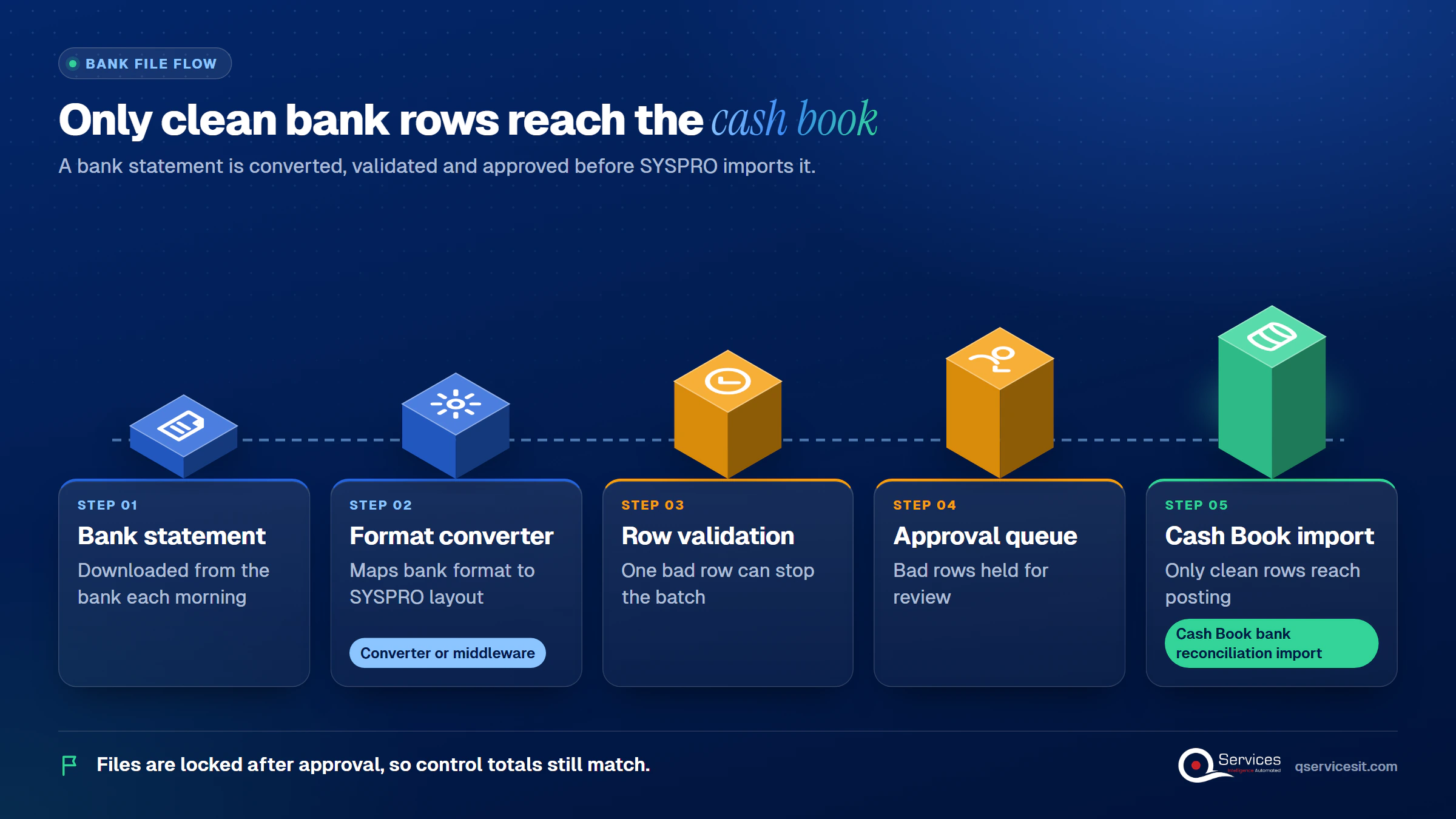
SYSPRO bank integration is mostly a file problem, not an API problem. The documented route is the Cash Book automatic bank reconciliation import.
In the SYSPRO 7 layout, the import reads a fixed-width file that starts with the header ;SYSPRO IMPORT - Version=001 - CSHPRC. Each record carries a type, a 15-character bank ID that must match on every record, a deposit or withdrawal flag, an amount, a date in YYYYMMDD form and a reference. Check your own version’s layout before you build to it.
Entries are validated, then matched against Cash Book detail. An import can be set to run only if every row is valid, so one bad row stops the batch.
We found no SYSPRO page covering camt.053 or ISO 20022 import, or ACH positive-pay file generation. Treat both as unconfirmed and plan for a converter or middleware. For outbound ACH, a Nacha file uses 94-character fixed-width records with control totals. A file edited after approval will fail those totals, so file handling is a control issue, not just a technical one.
Real-World Scenario A typical case we see: a US distributor’s treasury analyst downloads the bank statement each morning and hand-edits it so SYSPRO accepts it. One malformed row rejects all 400 lines, and the team posts cash by hand for the day. Under the Connect framework, the Mapping stage converts the bank format automatically, and the Approval stage holds bad rows for review. Only clean rows reach Posting.
Remittance data matters as much as the cash. See our guide to posting an EDI 820 payment file to your ERP for the matching side.
SYSPRO CRM integration usually runs through a connector or middleware, not a SYSPRO-built component. We found no official SYSPRO CRM connector. Several third-party vendors and integration platforms offer one.
To connect SYSPRO to Salesforce or HubSpot, decide which system owns each record. A common split: the CRM owns contacts and opportunities, SYSPRO owns customers, price lists and orders. A won opportunity can create a sales order, but only after someone approves the customer and credit terms.
We would not let a CRM create SYSPRO customers unattended. Duplicate customers are hard to merge once invoices exist. If you are comparing platforms first, our Dynamics 365 vs Salesforce comparison covers the CRM side.
SYSPRO e-commerce integration and EDI share one pattern: an outside system sends orders in, SYSPRO sends status, shipments and invoices out. For SYSPRO e-commerce and EDI connections, US manufacturers mostly buy a platform connector rather than build one.
Several vendors list SYSPRO connectors for Shopify and similar storefronts. They typically sync orders, customers, products, stock and pricing. A custom build gives you control over rules such as holding risky orders, but it costs more engineering time and ongoing support.
SYSPRO EDI for trading partners follows the X12 flow: an 850 purchase order, an 855 acknowledgment, an 856 advance ship notice before pickup, then an 810 invoice. Late or mismatched ship notices can trigger retailer chargebacks, so validate documents before they import.
Key Insight Most EDI chargebacks start as a data mismatch between the ship notice and the order. Validate before import, not after the retailer complains.
Still re-keying bank files into SYSPRO by hand?
We’ll review how payments reach your ledger today and show where an integration can match them while your team approves each posting.
Book a process assessment →We found no official SYSPRO connector for Power Apps or Power Automate, so the question is how to build one. SYSPRO Power Apps connector work means a custom connector or a small service layer in front of SYSPRO.
Our pattern is Power Apps screens on a.NET layer that calls SYSPRO’s own interfaces. The app never touches SYSPRO directly. That keeps credentials, validation and logging in one place. Our post on custom connectors for Power Apps covers the build.
Standards & References
- Microsoft Power Platform connectors overview: what standard and premium connectors exist
- Custom connectors for Power Platform: how to wrap any REST API for Power Apps
To integrate SYSPRO without customizing the core, write only through business objects and keep logic outside the ERP. Business objects are the supported write path. Direct SQL is upgrade-unsafe.
On a Hyspan group manufacturer’s project, the SYSPRO core was left exactly as it was. Read the Hyspan group manufacturer case study for the detail. For wider patterns, see our ERP integration services and our post on legacy system integration.
We start at the Interface stage, because it decides what is possible and what an upgrade will break. Everything after that follows the Connect framework. This is part of our wider ERP modernization work. The same team builds and runs it.
Agents run in your own Azure tenant, not ours.
Implementation Checklist
- Every integration user has a SYSPRO licence for the functional areas it calls
- No system writes to SYSPRO tables with SQL
- Bank file layout is checked against your SYSPRO version
- A person approves each batch before it posts
- Files are locked after approval, so control totals still match
- Failed imports alert someone the same day

Choosing among SYSPRO integration options is easier once you map each system to a supported interface and put an approval step before posting. Start with one pilot, such as the daily bank file, and measure the manual minutes and rejected rows before and after. Book a process assessment and we will map your SYSPRO connections with you.

Written by Rohit Dabra
Co-Founder and CTO, QServices IT Solutions Pvt Ltd
Rohit Dabra is the Co-Founder and Chief Technology Officer at QServices, a software development company focused on building practical digital solutions for businesses. At QServices, Rohit works closely with startups and growing businesses to design and develop web platforms, mobile applications, and scalable cloud systems. He is particularly interested in automation and artificial intelligence, building systems that automate routine tasks for teams and organizations.
Yes. SYSPRO e-SOLUTIONS includes e.net business objects, which take XML and return XML, reached through a WCF service. Some versions also offer REST and OData services. OData is read-only. Check which interfaces your version exposes and which functional areas you are licensed for.
Yes, through a file. SYSPRO’s Cash Book bank reconciliation import reads a fixed-width bank file. Formats such as camt.053 or ACH positive pay were not confirmed in SYSPRO’s documentation, so plan on a converter or middleware for those.
Use a third-party connector or integration platform, since we found no official SYSPRO CRM connector. Decide which system owns each record, map fields, and have a person approve new customers and orders before they post.
Yes, but not with an official connector. Build a service layer or custom connector that calls SYSPRO’s interfaces, and have Power Apps call that layer. This keeps credentials and validation in one place.
List every system that touches SYSPRO and note whether it reads or writes. Then pilot one workflow, such as the daily bank file. We run a two-week fixed-price process assessment that produces that interface map.

Compare SYSPRO integration options for bank files, CRM and e-commerce, and learn how to connect them without touching your ERP core. Built for IT Directors.
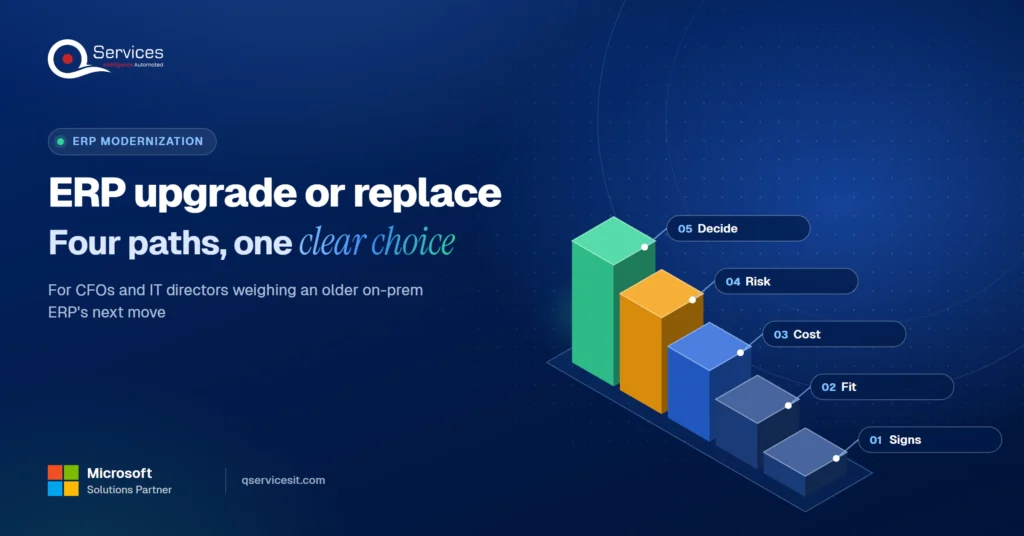
ERP upgrade, cloud move, Power Apps extension or replacement? Compare costs and risks in one decision table and pick the right path for your on-prem ERP.
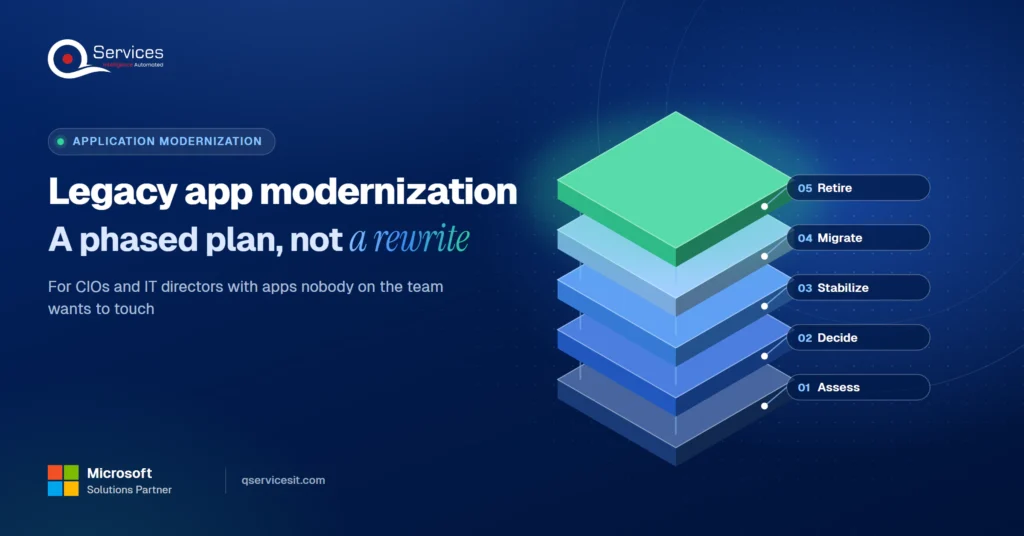
Legacy application modernization works best in phases. Learn how to decide rebuild, replace or retire for each app and move to .NET 8 and Azure safely.
ERP implementation guide for CFOs and controllers: what to demand on AR requirements, data migration, testing and cutover so receivables work on day one.
UAE e-invoicing deadline plan for finance managers: what to do each month from Nov 2026 to 1 July 2027, and what late filers risk. Start with your data.
Follow one deal through the quote to cash process, from CRM to ERP order, invoice and payment. See where data gets retyped and where cash slips.
Next step
Ready to connect SYSPRO without touching the core?
Walk through your integration list with our team and leave with a clear order of work, from bank files to e-commerce orders.
Book a process assessment →
Compare SYSPRO integration options for bank files, CRM and e-commerce, and learn how to connect them without touching your ERP core. Built for IT Directors.

ERP upgrade, cloud move, Power Apps extension or replacement? Compare costs and risks in one decision table and pick the right path for your on-prem ERP.
Legacy application modernization works best in phases. Learn how to decide rebuild, replace or retire for each app and move to .NET 8 and Azure safely.

ERP implementation guide for CFOs and controllers: what to demand on AR requirements, data migration, testing and cutover so receivables work on day one.

UAE e-invoicing deadline plan for finance managers: what to do each month from Nov 2026 to 1 July 2027, and what late filers risk. Start with your data.

Follow one deal through the quote to cash process, from CRM to ERP order, invoice and payment. See where data gets retyped and where cash slips.

Every quote comes from a published review on GoodFirms, Clutch or our own site. Click a source to read the full review.

Trustpilot5.0★★★★★See reviewsGoodFirms5.0★★★★★45 verified reviews

G25.0★★★★★See reviewsClutch5.0★★★★★Quality 5.0 · Schedule 4.8

Google4.7★★★★★Mohali office“QServices was highly professional, knowledgeable, and approachable. We continue to work with them on other projects.”
“Quality assurance is often overlooked, but these guys take that very seriously. … their team of experienced, dedicated developers and highly skilled engineers quickly dissected and decomposed every problem and presented solutions and options that directly met my needs”

Erik BrownBusiness owner and software engineerClient review“The supplier delivered the application on time and was responsive to our needs. He was also flexible, which allowed us to make changes on the fly.”

Zoltan BodnarCFO, Yusen LogisticsGoodFirms“Thank you Sahil and team for wonderful collaboration right from day 0. … Highly recommend the developers.”

Ranbeer MakinClientClient review“They are always looking for new ways to improve their products and services and to deliver value to their customers.”
“I have had an excellent experience working with QServices. We have a highly collaborative relationship and I value them not just as contractors but as partners.”

Alex VanderElsClientClient review“Sahil undertakes every project with a high degree of professionalism. His communication style is unmatched and he is always available to resolve issues or just discuss the project.”

Philmore J.ClientClient review“Responsive, patient and professional. Consistent weekly attention to our project, and new ideas we hadn't asked for.”

Michael WilliamsonPresident and CEO, United Way of Southeast LouisianaGoodFirms“I have been working with them on a project for a year now … They have been able to solve problems that come up with bugs or development and able to communicate well with me.”

Steven LewisClientClient review“We had been working on the app for two years. QServices built it in two months.”

Brian WallerPresident, Technology Association of IowaGoodFirms“All projects were delivered on time and were fully completed upon delivery.”
“They had excellent quality. The hypercare they provided after the project went live is exceptional.”

Founder and CEO

Chief Sales Officer