

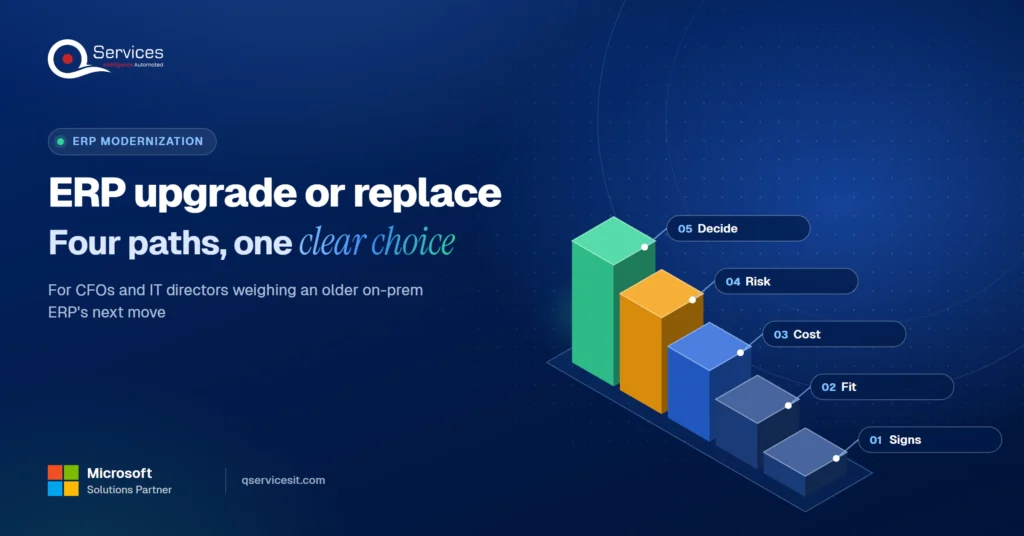
ERP upgrade or replace? A guide for older on-prem ERPs
ERP upgrade, cloud move, Power Apps extension or replacement? Compare costs and risks in one decision table and pick the right path for your on-prem ERP.
Home » ERP upgrade or replace? A guide for older on-prem ERPs
Should you do an ERP upgrade or replace the system? Upgrade when the core still fits how you work and the vendor still supports it. Replace when the gaps are structural, such as missing industry features or a parent company running a different system.
Everything between those two is an erp modernization choice: move to the vendor’s cloud, or extend what you already own. If you’re a CFO or IT director with an aging on-prem system, this guide compares all four paths with the cost and risk of each, so you can decide on facts from your own shop.
Is your ERP worth upgrading, or time to move on?
Walk through your current ERP with us and leave with a clear read on upgrade, cloud, extend or replace. A person on your team signs off on every step.
Plan your ERP move →Quick Answer An ERP upgrade is the right call when your legacy ERP still fits your processes and the vendor supports it. Move to the vendor’s cloud when hosting is the pain, extend with Power Apps when specific gaps hurt, and replace the ERP system only when the core design no longer fits how you operate.
Most teams feel the problem long before they name it. Consultancies and vendors list the same symptoms again and again, and they’re worth checking against your own month end.
The signs your ERP is outdated:
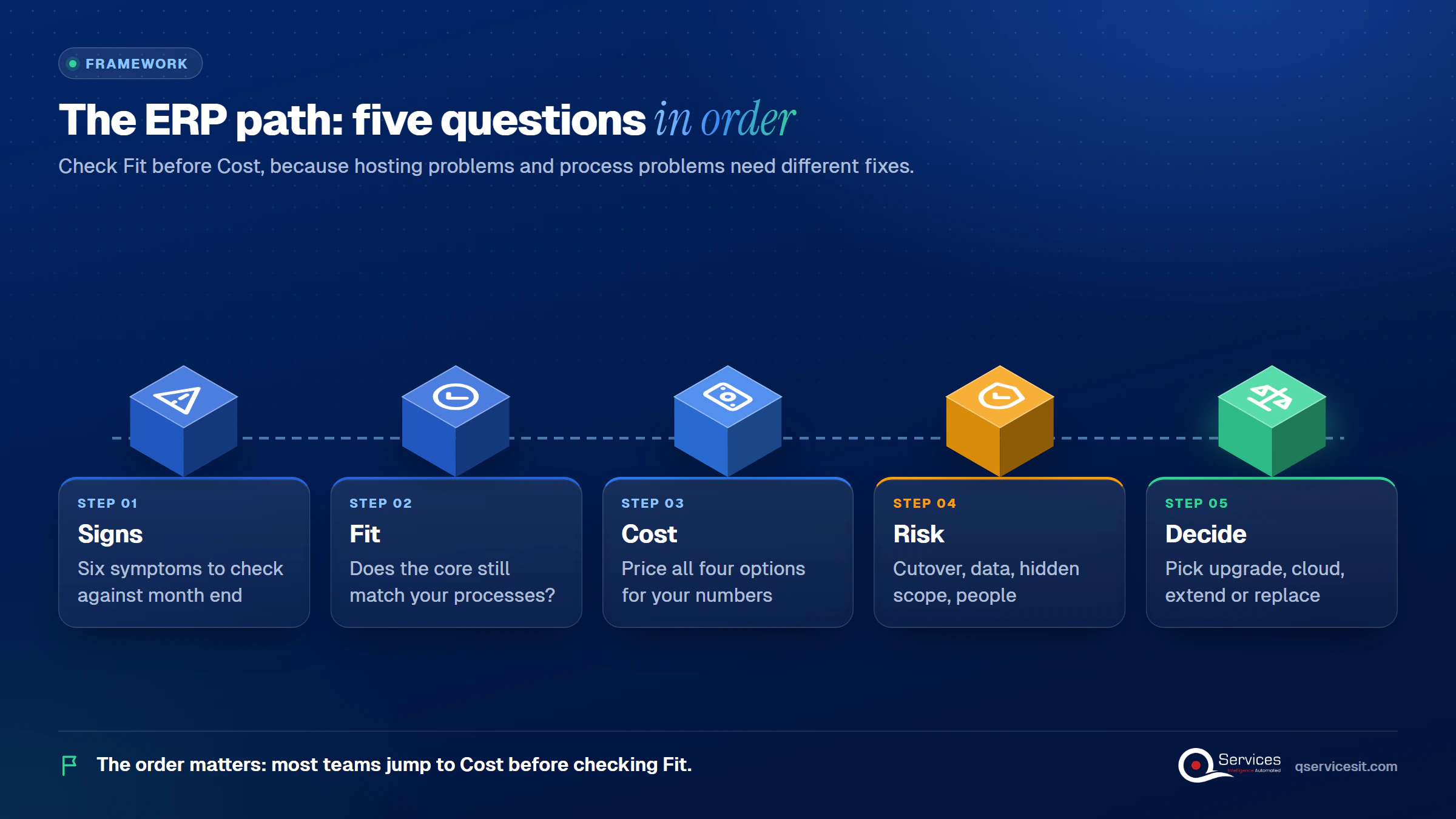
The QServices Framework ERP Path = Signs → Fit → Cost → Risk → Decide
The order matters because most teams jump to Cost before they’ve checked Fit. A system with a hosting problem and a system with a process problem need different fixes.
Several sources that list these signs add the same caveat: they don’t automatically mean replacement. Three of the six, patches, remote access and integration, are often fixable without touching the core. Count the signs that trace back to the core design. Those are the ones that point toward replacement.
Two dates are firm enough to plan around. Microsoft Dynamics GP reaches the end of its support window in 2029, and Epicor on-prem Kinetic and Prophet 21 reach theirs in 2029 too. Check the exact day on each vendor’s lifecycle page before you set a budget. We cover the finance side in what Dynamics GP end of life means for your finance team and Prophet 21 accounts receivable and the 2029 dates.
An on-premise ERP upgrade moves you to the vendor’s current version on your own servers. It’s the least disruptive option because your data model, reports and users stay familiar.
TechTarget’s guidance is a useful test. Upgrade when the vendor is ending support, the operating system no longer runs the old version, or an add-on closes a specific gap. Replace after a merger where the parent already runs another ERP, when you’ve outgrown the system, or when industry features are missing.
Upgrade licences are generally cheaper than a new system. The honest downside: you carry every old customization forward, and each one can break during the upgrade.
Key Insight An in-place upgrade fixes the version, not the design. If your workarounds come from how the system was built, you’ll have the same workarounds on a newer release.
The vendor’s cloud takes hosting, patching and upgrades off your IT team. For Dynamics GP customers, Microsoft’s recommended destination is Dynamics 365 Business Central. Our Dynamics GP to Business Central AR migration guide covers how to keep receivables running through the move.
An ERP upgrade changes the version. A cloud migration changes who runs it, and often how you license and customize it. Microsoft’s migration tooling doesn’t move every dataset or customization, so expect manual rework on some reports and integrations. Cloud also changes your cost shape, from capital spend to a monthly bill that grows with users. Be skeptical of claims that cloud cuts total cost by a fixed percentage; the ones we found cite no underlying study.
Standards & References
- Microsoft product lifecycle: official support end dates for Microsoft ERP products
- Dynamics 365 Business Central documentation: what the cloud product does and how to extend it
Sometimes the core is fine and three gaps hurt: approvals, a mobile screen, a report. Extending the legacy ERP fixes those gaps without a migration.
Microsoft’s documentation says Business Central can be tailored and extended with little or no code. It’s a data source in Power Apps, its connector feeds Power Automate, and approval workflow templates built in Power Automate appear in Business Central. That’s capability, not proof of outcomes, so pilot one workflow first. For older systems, the same pattern works through an integration layer; see our ERP integration services and legacy system integration approach.
The downside is real. Low-code layers can get complex to manage, and they’re exposed to vendor updates. You’re adding a second thing to maintain.
Real-World Scenario A typical case we see: a CFO at a distributor with a 15-year-old on-prem ERP wants to replace it because purchase approvals take four days and the warehouse still uses paper. The ERP’s financials and inventory logic fit the business well. At the Fit stage, the team finds that only approvals and a mobile pick screen are failing. A Power Apps approval flow and a mobile app close both gaps in weeks, and the replacement budget goes to the support-date upgrade instead.
Not sure which option fits your ERP?
The signs are easy to spot and hard to weigh. Talk through your system with our team and see which path fits before you commit budget.
Plan your ERP move →To replace an ERP system is to start over: new design, new data model, new cutover. It’s the right answer when the core can’t do what the business now needs, and the most expensive answer when it isn’t.
The risks are well documented, if dated. A Panorama Consulting survey of 1,600 organizations, reported by Computerworld in 2010, found more than half over budget and many getting well under their expected benefits. Treat that as historical. Newer figures we found are summaries of gated reports, so we won’t quote them.
The risks we’d plan for today:
A full replacement is also where ERP migration cost and timeline are hardest to predict. Our Dynamics 365 migration risks and roadmap lays out the sequence.
Use this ERP upgrade decision framework for a CFO in the order of the QServices Framework: Signs, Fit, Cost, Risk, Decide. Score each option on Fit first, because it’s cheapest to answer.
| Option | Best when | Cost and risk |
|---|---|---|
| Upgrade in place | Core fits, vendor support is ending | Lower licence cost than a new system; old customizations can break |
| Vendor cloud | Hosting and patching are the pain | Migration tool misses some data; monthly cost grows with users |
| Extend with Power Apps | Two or three gaps, sound core | Fastest and least disruptive; adds a layer to maintain and a dependency on vendor updates |
| Replace | Merger, outgrown system, missing industry features | Longest, costliest, hardest cutover; the right call only for structural gaps |
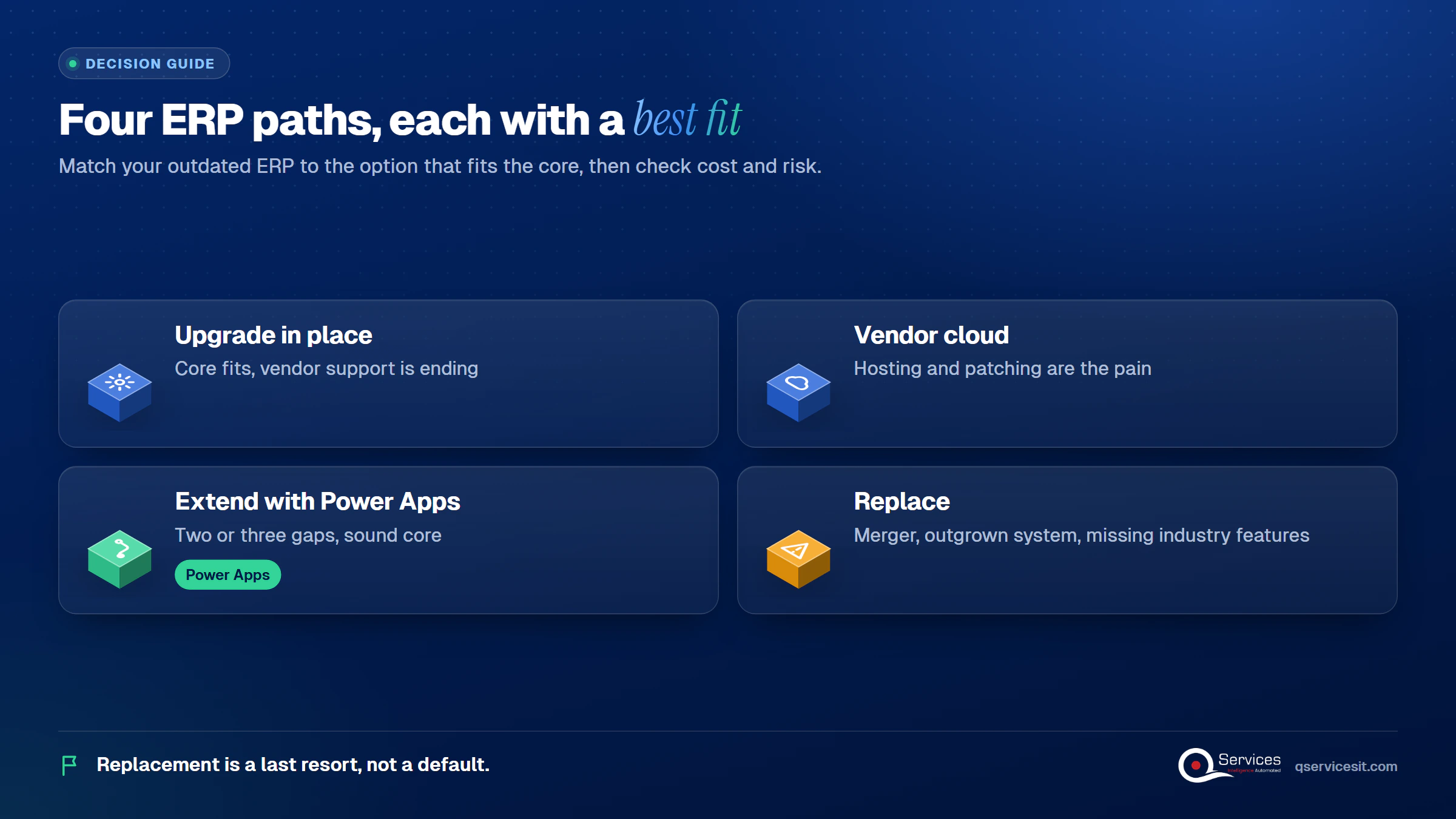
Key Insight Replacement is a last resort, not a default. If fewer than half your outdated-ERP signs trace to the core design, one of the first three options is almost always cheaper and faster.
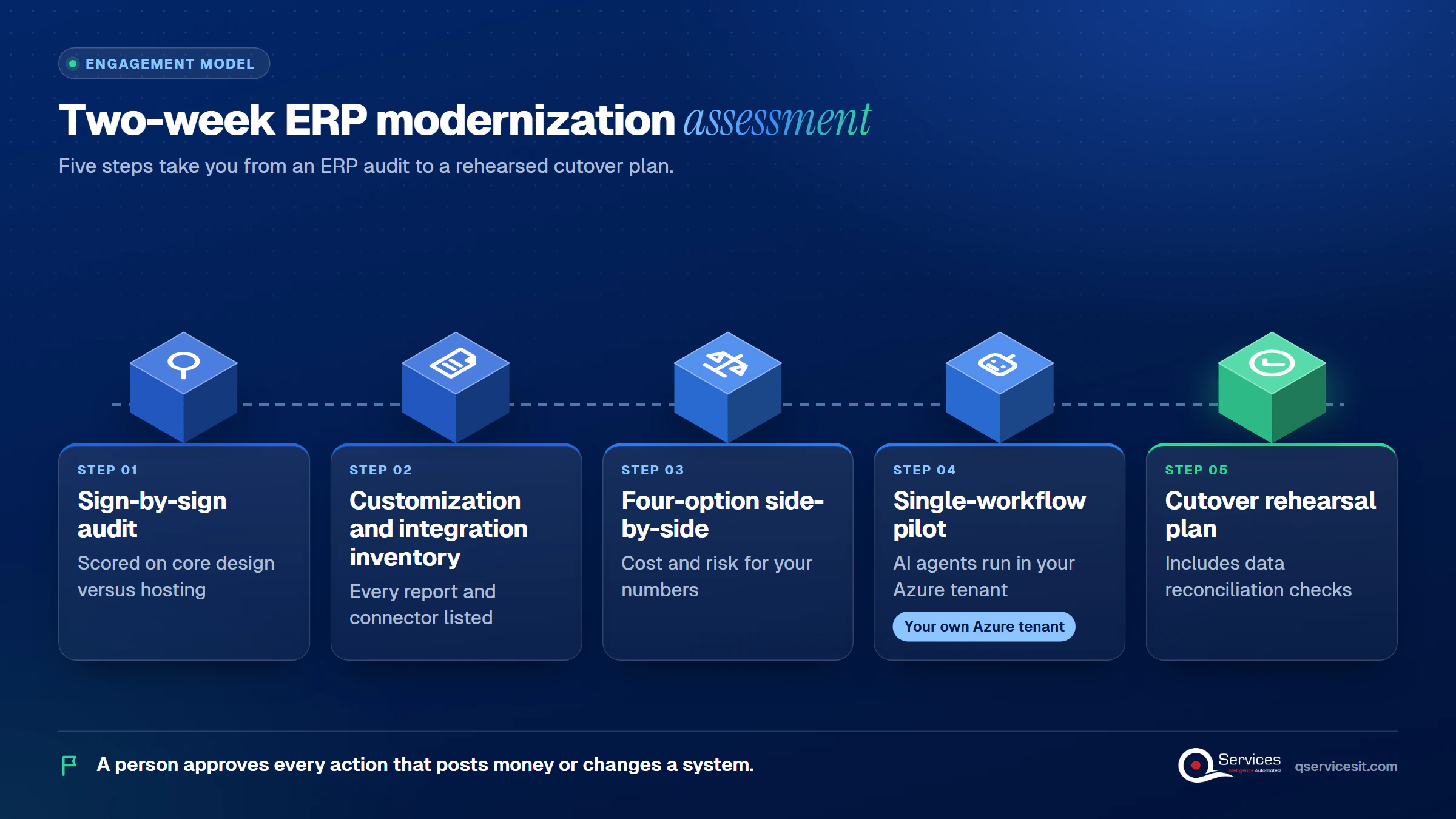
We start at the Signs and Fit stages, because that’s where most budgets get misdirected. Our two-week fixed-price assessment runs these steps, and the same team that assesses builds and runs the result:
A person approves every action that posts money or changes a system. You can see the full scope on our ERP modernization service page.
Implementation Checklist
- Vendor support end date confirmed on the vendor’s own lifecycle page
- Every customization and integration listed with an owner
- Each outdated-ERP sign marked as core design or fixable around the core
- Cost and risk written down for all four options
- One pilot workflow chosen with a named business owner
- Cutover rehearsal and data reconciliation planned before any go-live date

Pilot one workflow before you commit to an ERP upgrade or a replacement, such as purchase approvals, and measure time to approve, error rate and hours of manual re-keying per week. Plan your ERP move with our team and you’ll see which of the four paths your numbers support.

Written by Rohit Dabra
Co-Founder and CTO, QServices IT Solutions Pvt Ltd
Rohit Dabra is the Co-Founder and Chief Technology Officer at QServices, a software development company focused on building practical digital solutions for businesses. At QServices, Rohit works closely with startups and growing businesses to design and develop web platforms, mobile applications, and scalable cloud systems. He is particularly interested in automation and artificial intelligence, building systems that automate routine tasks for teams and organizations.
Upgrade when your core processes still fit the system and the vendor still supports it. Replace when the gaps are structural: missing industry features, a parent company on another ERP, or a system you’ve outgrown. If only a few workflows are failing, extending the ERP is often cheaper than either.
Look for six signs: spreadsheet-dependent reporting, poor CRM and accounting integration, growing workarounds, no secure remote access, missing patches or an approaching support date, and rising maintenance cost. Then check which signs trace to the core design. Those point toward replacement; the rest can usually be fixed around the core.
An upgrade is generally cheaper than a new system, because licences and data model carry over. It isn’t always cheaper in total if old customizations break. Replacement costs more and takes longer, so we treat it as a last resort. Get cost and risk written down for each option before deciding.
Yes, for specific gaps such as approvals, mobile screens and reports. Microsoft documents Power Apps and Power Automate working with Business Central, and older ERPs can connect through an integration layer. The trade-off is one more layer to maintain, so pilot one workflow first.
In our experience, an in-place upgrade runs weeks to a few months, a cloud move longer, and a replacement the longest, depending on customizations and data. To start, list your customizations and integrations, confirm the vendor’s support date, and run a short assessment such as our two-week fixed-price one.

ERP upgrade, cloud move, Power Apps extension or replacement? Compare costs and risks in one decision table and pick the right path for your on-prem ERP.
Legacy application modernization works best in phases. Learn how to decide rebuild, replace or retire for each app and move to .NET 8 and Azure safely.
ERP implementation guide for CFOs and controllers: what to demand on AR requirements, data migration, testing and cutover so receivables work on day one.
UAE e-invoicing deadline plan for finance managers: what to do each month from Nov 2026 to 1 July 2027, and what late filers risk. Start with your data.
Follow one deal through the quote to cash process, from CRM to ERP order, invoice and payment. See where data gets retyped and where cash slips.
Accounts receivable management explained for finance teams: credit, invoicing, collections and KPIs, plus where AI agents help and people approve.
Next step
Ready to choose your next ERP step?
Bring your version, your customizations and your constraints. We’ll map the four options against them so your next ERP decision rests on facts.
Plan your ERP move →
ERP upgrade, cloud move, Power Apps extension or replacement? Compare costs and risks in one decision table and pick the right path for your on-prem ERP.
Legacy application modernization works best in phases. Learn how to decide rebuild, replace or retire for each app and move to .NET 8 and Azure safely.
ERP implementation guide for CFOs and controllers: what to demand on AR requirements, data migration, testing and cutover so receivables work on day one.
UAE e-invoicing deadline plan for finance managers: what to do each month from Nov 2026 to 1 July 2027, and what late filers risk. Start with your data.
Follow one deal through the quote to cash process, from CRM to ERP order, invoice and payment. See where data gets retyped and where cash slips.
Accounts receivable management explained for finance teams: credit, invoicing, collections and KPIs, plus where AI agents help and people approve.

Every quote comes from a published review on GoodFirms, Clutch or our own site. Click a source to read the full review.

Trustpilot5.0★★★★★See reviewsGoodFirms5.0★★★★★45 verified reviews

G25.0★★★★★See reviewsClutch5.0★★★★★Quality 5.0 · Schedule 4.8

Google4.7★★★★★Mohali office“QServices was highly professional, knowledgeable, and approachable. We continue to work with them on other projects.”
“Quality assurance is often overlooked, but these guys take that very seriously. … their team of experienced, dedicated developers and highly skilled engineers quickly dissected and decomposed every problem and presented solutions and options that directly met my needs”

Erik BrownBusiness owner and software engineerClient review“The supplier delivered the application on time and was responsive to our needs. He was also flexible, which allowed us to make changes on the fly.”

Zoltan BodnarCFO, Yusen LogisticsGoodFirms“Thank you Sahil and team for wonderful collaboration right from day 0. … Highly recommend the developers.”

Ranbeer MakinClientClient review“They are always looking for new ways to improve their products and services and to deliver value to their customers.”
“I have had an excellent experience working with QServices. We have a highly collaborative relationship and I value them not just as contractors but as partners.”

Alex VanderElsClientClient review“Sahil undertakes every project with a high degree of professionalism. His communication style is unmatched and he is always available to resolve issues or just discuss the project.”

Philmore J.ClientClient review“Responsive, patient and professional. Consistent weekly attention to our project, and new ideas we hadn't asked for.”

Michael WilliamsonPresident and CEO, United Way of Southeast LouisianaGoodFirms“I have been working with them on a project for a year now … They have been able to solve problems that come up with bugs or development and able to communicate well with me.”

Steven LewisClientClient review“We had been working on the app for two years. QServices built it in two months.”

Brian WallerPresident, Technology Association of IowaGoodFirms“All projects were delivered on time and were fully completed upon delivery.”
“They had excellent quality. The hypercare they provided after the project went live is exceptional.”

Founder and CEO

Chief Sales Officer