


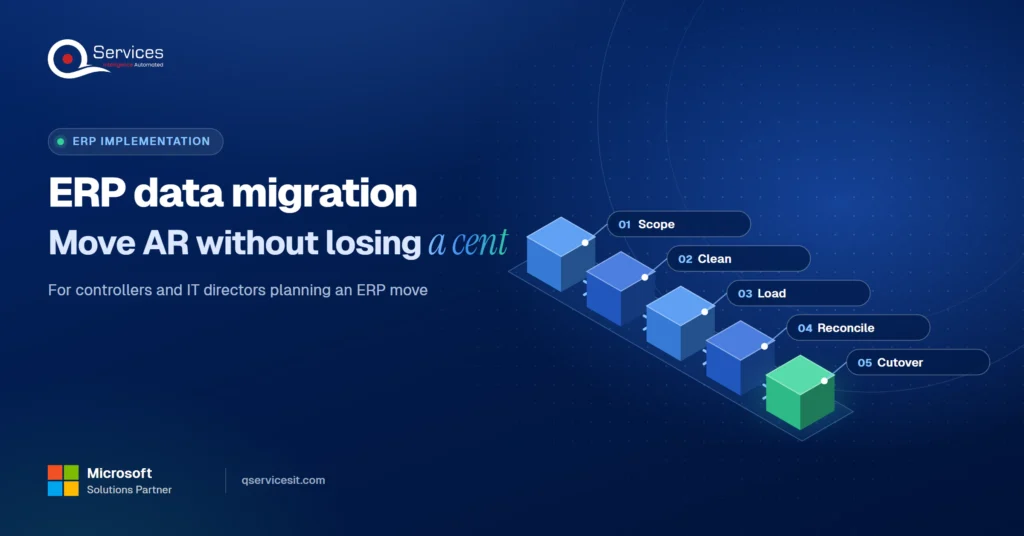
ERP data migration: move open invoices and balances intact
ERP data migration done right: clean customer records, move open invoices and unapplied cash, and prove every AR balance ties out before cutover.
Home » ERP data migration: move open invoices and balances intact
ERP data migration should move two things: master data (customers, items) and open transactions (open invoices, credit memos, unapplied receipts, balances). History stays in a read-only archive. That scope gets you a clean first close without dragging years of old errors into the new system.
For a controller, accounts receivable is where migrations get judged. Customers notice a wrong balance within days, and your auditors will ask you to prove it ties out. This guide is the AR-first checklist we use on erp modernization projects: what to clean, what to move, and how to show every balance matches.
Can you prove your AR balances will tie out?
Walk through your customer records, open invoices and unapplied cash with us, and leave with a clear list of what to clean and what to move.
Plan your ERP move →Quick Answer ERP data migration for AR means cleaning customer records, loading each open invoice, credit memo and unapplied receipt as its own record, then proving the aged AR report, customer ledger and GL control account agree. Archive older history read-only. Rehearse the load twice before cutover.
Microsoft Learn’s Dynamics 365 data migration guidance splits the load into master data (customers, products, vendors) and open transactions (open orders, stock on hand, open balances). That split is a good default for any ERP.
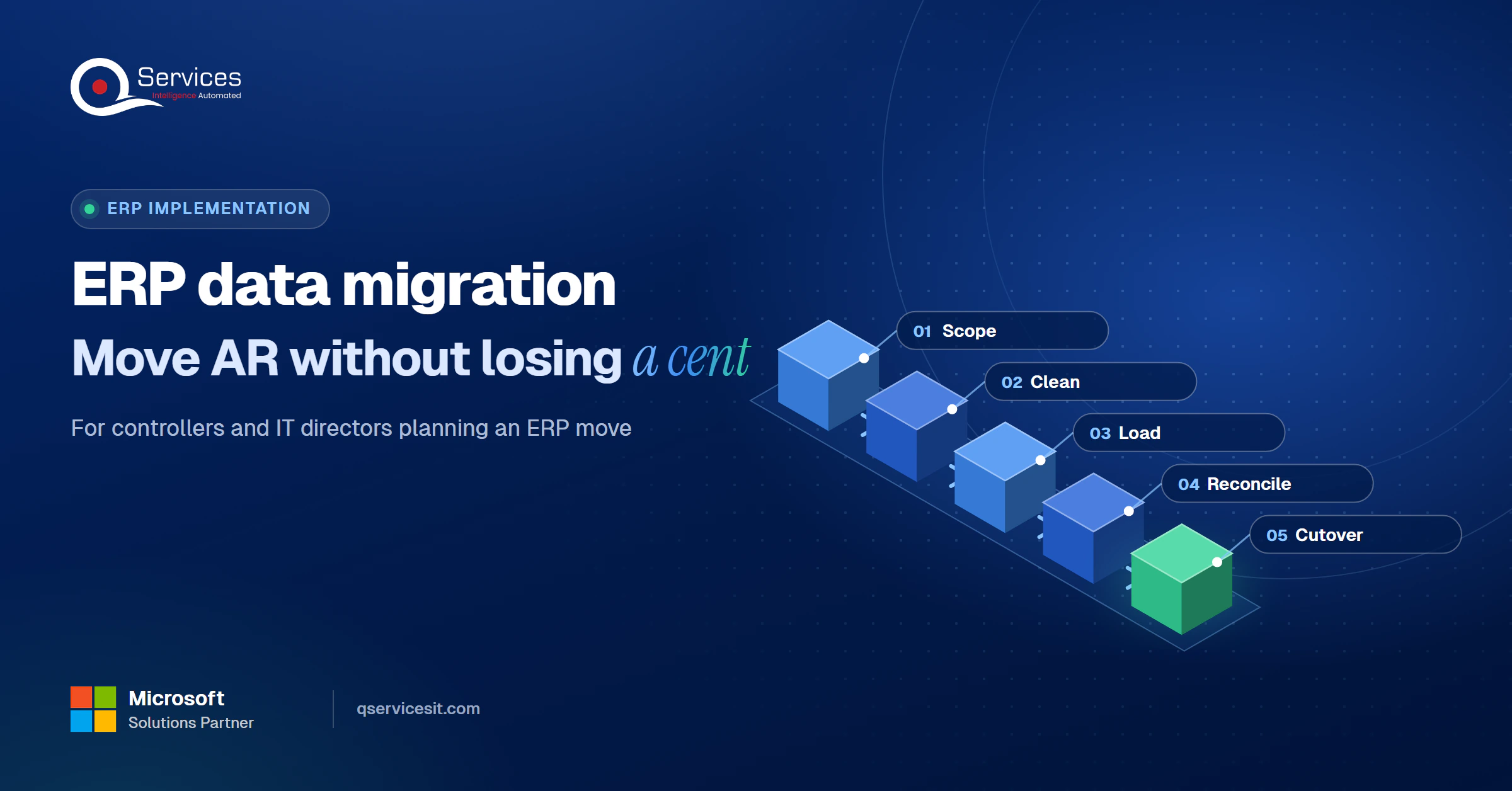
We treat every migration as five stages, and we reuse the names throughout this post.
The QServices Framework Clean Cutover = Scope → Clean → Load → Reconcile → Cutover
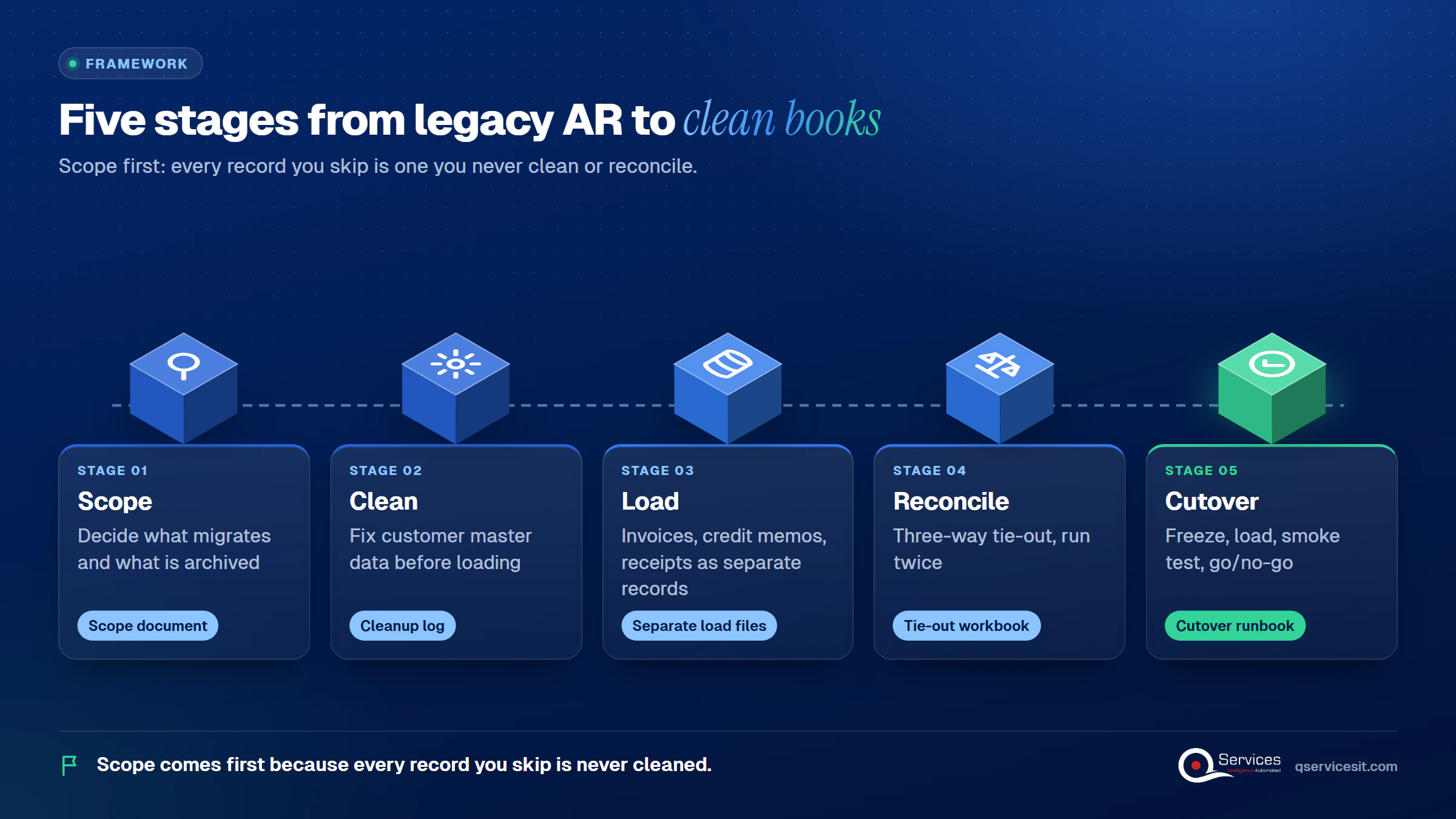
Scope comes first because every record you decide not to move is one you never have to clean or reconcile.
For AR, always migrate open invoices, open credit memos, unapplied receipts and customer master records. Write off tiny leftover balances from short pays before cutover rather than carrying them over for years.
Usually not in detail. Consultancies mostly recommend open items plus summarized history, such as monthly trial balances. One migration vendor suggests 2 to 3 years of detail as a rule of thumb, and that is a rule of thumb, not a standard.
Retention law is not a reason to load history. The IRS record retention guidance says 3 years by default, with longer periods in some cases. You can meet that with a read-only archive.
| Factor | Migrate detail | Archive read-only |
|---|---|---|
| Load effort | High, every record mapped | Low, one export |
| Cleanup burden | Old errors come along | Errors stay behind |
| Reconciliation scope | Large | Small, open items only |
| Day-to-day lookup | Inside the ERP | A second system (the downside) |
| Audit evidence | Same system | Frozen legacy data, kept intact |
Key Insight Retention rules tell you how long to keep records. They do not tell you where to keep them. A frozen archive satisfies most auditors and removes thousands of rows from your tie-out.
Customers must exist before customer transactions can load, so customer master data cleanup is the first real task. Do it as a formal activity with data-owner approval, not a weekend scramble.
ERP data cleansing before migration comes down to five fixes:
That last one bites. Our Dynamics GP to Business Central guide warns that the Business Central migration tool excludes inactive customers by default, so a customer with a balance can silently stay behind.
Don’t use customer names as matching keys. Use external IDs and upsert. If you want a second pair of eyes on a GP source system, a dynamics gp consultant can profile the data before you commit to a plan.
Load each open invoice, credit memo and unapplied receipt as its own record. That keeps aging and later payment application correct.
Opening balances in Business Central go in through journals, not directly into ledger entries, per Microsoft Learn. Invoices should carry their remaining amount: a $1,000 invoice with $400 paid arrives as $600.
Keep original invoice dates. Otherwise your aging buckets reset on day one and your AR aging report tells you nothing.
Migrating unapplied cash during ERP migration is where double counting happens. The ERPNext documentation gives the example: customers owe $10,000 and hold a $2,000 unallocated receipt, so AR is $8,000. Load the invoices and the receipt separately. Do not also post an $8,000 AR line in the opening journal.
Real-World Scenario A typical case we see: a controller at a distributor has 3,400 open invoices and 210 unapplied receipts. The migration tool brings the invoices but drops undeposited receipts. The new aged AR report overstates what customers owe by the receipt total, and collectors chase people who already paid. The Load stage catches it, because receipts get their own load file and their own test. Our guide on clearing unapplied cash covers the backlog side.
Test how your tool treats customer credit balances too. The GP documentation we reviewed describes no handling for either one.
Unapplied cash tripping up your open invoices?
Unapplied payments and credit memos are where tie-outs break. Talk through how to move them cleanly and keep a person approving each posting.
Plan your ERP move →A correct total can hide a wrong subledger. Offsetting errors across customers cancel out, so tie the numbers at three levels.
Run this three-way tie-out, twice, in a test tenant:
Also compare the trial balance period by period. A total-only check can hide a transaction posted to the wrong month.
Set a materiality threshold and document every break above it. Ramp notes that unapplied cash and cut-off timing cause most AR breaks, so look there first. In week one, reconcile daily, then weekly. Treat the first clean month end close as your exit test.
Standards & References
- PCAOB AS 2201: governs the audit of internal control over financial reporting
- IRS record retention: sets minimum periods for keeping tax records
Auditors want frozen legacy data, mapping documents, before-and-after cleansing records and signed go-live approvals. Keep all four in one folder.
An ERP cutover is a sequence, not an event. Every step needs an owner, a backup and a validation check.
One common pattern, which is an example and not a standard:
Pick a period-boundary date and name one go/no-go owner. Never re-pull exports after the freeze. Treat post-freeze transactions as reconciling items. Avoid quarter-end and year-end go-lives.
Rehearse twice: once for sequencing, once for real timing. Go/no-go criteria should include conversion reconciliation within tolerance.
Key Insight Panorama Consulting’s 2026 report, as cited by migration vendors, puts median full ERP project length at 9 months. The cutover weekend is a small slice of that, and the rehearsals are what protect it.
We start at Scope, because it sets the size of everything after it. Our ERP implementation finance guide covers the AR side of day one. If Business Central is your target, a business central partner can run these stages with you. Our AI agents handle matching and data entry, and your team approves anything that posts money or changes a system.
Implementation Checklist
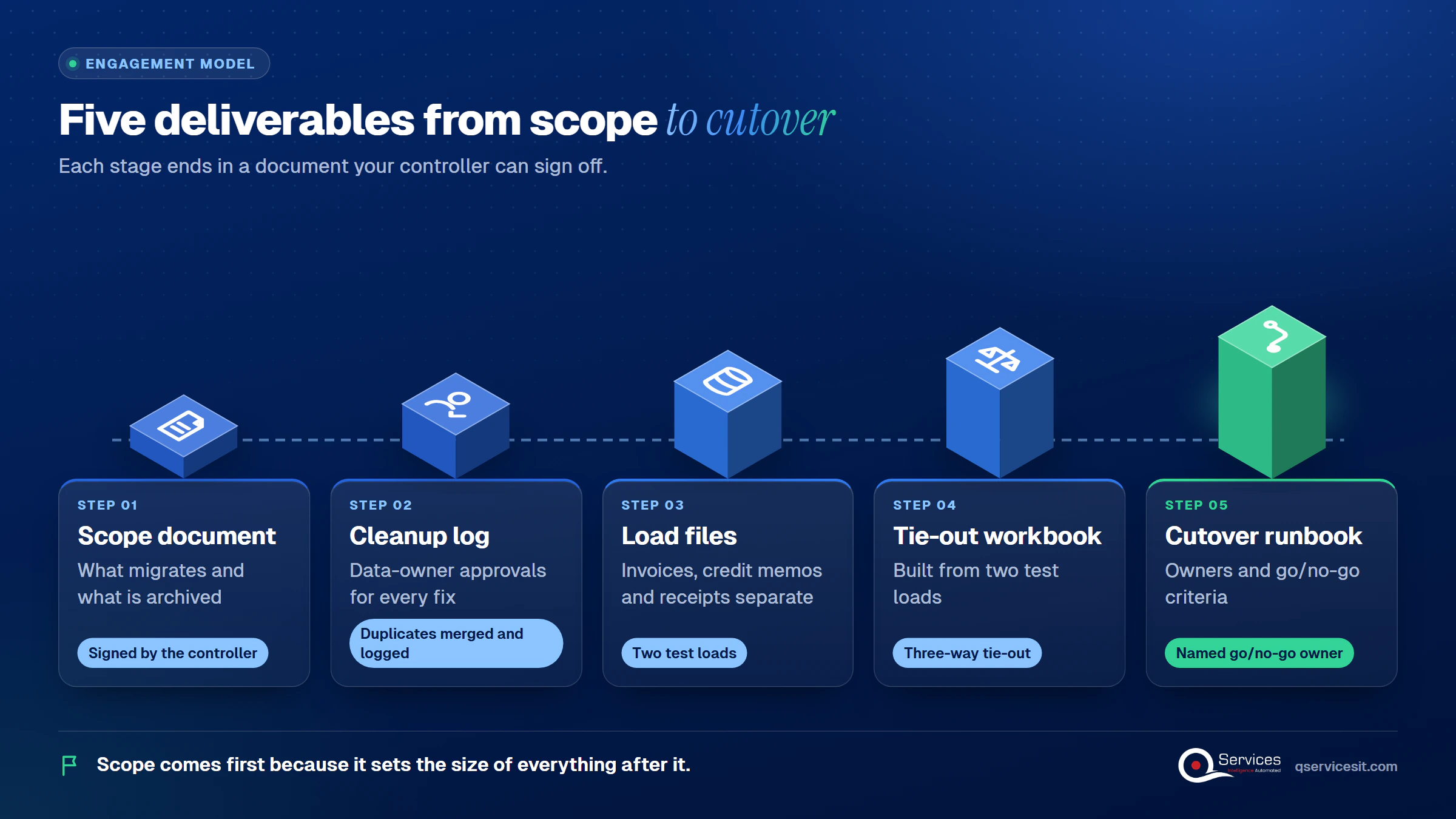
- Scope document signed by the controller
- Duplicate customers merged and logged
- Inactive customers with open items identified
- Invoices, credit memos and receipts in separate load files
- No opening journal line duplicating loaded AR
- Three-way tie-out passed in two test loads
- Go/no-go owner named and freeze hour set
- Legacy data frozen and archived read-only

ERP data migration succeeds when you scope tightly, clean first and prove every balance before opening the books. Pilot it on one entity or one customer segment, and measure break count at tie-out, hours spent on reconciliation and aged AR variance after week one.

Written by Rohit Dabra
Co-Founder and CTO, QServices IT Solutions Pvt Ltd
Rohit Dabra is the Co-Founder and Chief Technology Officer at QServices, a software development company focused on building practical digital solutions for businesses. At QServices, Rohit works closely with startups and growing businesses to design and develop web platforms, mobile applications, and scalable cloud systems. He is particularly interested in automation and artificial intelligence, building systems that automate routine tasks for teams and organizations.
Migrate master data (customers, vendors, items) and open transactions: open invoices, credit memos, unapplied receipts and balances. Archive older history read-only. For ERP data migration for finance teams in the US, this keeps the tie-out small and the first close clean.
Load each open invoice at its remaining amount with its original date, as its own record. Load credit memos and unapplied receipts separately. Do not also post the net AR total in an opening journal, or you will double count.
Run an accounts receivable balance tie-out in three ways: aged AR report to the GL control account, customer ledger to the control account, and each customer balance legacy to new. Compare the trial balance by period and document any break above your materiality threshold.
If you don’t load it as its own record, AR is usually overstated and customer balances are wrong. Load unapplied receipts separately from invoices, and test how your migration tool handles undeposited receipts and customer credits, because some tools skip them.
It depends on data quality and scope. Panorama Consulting’s 2026 report, as cited by migration vendors, gives a median of 9 months for a full ERP project. We found no public data on how long post-cutover AR cleanup takes, so plan two test loads and daily reconciliation in week one.

ERP data migration done right: clean customer records, move open invoices and unapplied cash, and prove every AR balance ties out before cutover.
Accessorial charges drive most 3PL billing disputes. See the common fees, the proof that settles each one, and how to track disputes through to payment.
Dynamics GP migration planning for CFOs and IT directors: what Microsoft’s 2029 end of support means, your three options, and a quarter-by-quarter 2027 plan.
CRM ERP integration shows your sales team credit limits, holds and open invoices before they quote. See what data to sync and who should own it.
Accounts receivable reconciliation made simple: follow a step-by-step monthly routine, spot the five most common differences and fix them at the source.
Collection effectiveness index shows what DSO hides. See the CEI formula, a worked example and how to use it to manage collectors in your AR team.
Next step
Ready to cut over with balances you can trust?
Bring your current ERP, your cutover date and your AR aging. We’ll help you map the migration and the reconciliation steps around it.
Plan your ERP move →
ERP data migration done right: clean customer records, move open invoices and unapplied cash, and prove every AR balance ties out before cutover.

Accessorial charges drive most 3PL billing disputes. See the common fees, the proof that settles each one, and how to track disputes through to payment.
Dynamics GP migration planning for CFOs and IT directors: what Microsoft’s 2029 end of support means, your three options, and a quarter-by-quarter 2027 plan.
CRM ERP integration shows your sales team credit limits, holds and open invoices before they quote. See what data to sync and who should own it.
Accounts receivable reconciliation made simple: follow a step-by-step monthly routine, spot the five most common differences and fix them at the source.
Collection effectiveness index shows what DSO hides. See the CEI formula, a worked example and how to use it to manage collectors in your AR team.

Every quote comes from a published review on GoodFirms, Clutch or our own site. Click a source to read the full review.

Trustpilot5.0★★★★★See reviewsGoodFirms5.0★★★★★45 verified reviews

G25.0★★★★★See reviewsClutch5.0★★★★★Quality 5.0 · Schedule 4.8

Google4.7★★★★★Mohali office“QServices was highly professional, knowledgeable, and approachable. We continue to work with them on other projects.”
“Quality assurance is often overlooked, but these guys take that very seriously. … their team of experienced, dedicated developers and highly skilled engineers quickly dissected and decomposed every problem and presented solutions and options that directly met my needs”

Erik BrownBusiness owner and software engineerClient review“The supplier delivered the application on time and was responsive to our needs. He was also flexible, which allowed us to make changes on the fly.”

Zoltan BodnarCFO, Yusen LogisticsGoodFirms“Thank you Sahil and team for wonderful collaboration right from day 0. … Highly recommend the developers.”

Ranbeer MakinClientClient review“They are always looking for new ways to improve their products and services and to deliver value to their customers.”
“I have had an excellent experience working with QServices. We have a highly collaborative relationship and I value them not just as contractors but as partners.”

Alex VanderElsClientClient review“Sahil undertakes every project with a high degree of professionalism. His communication style is unmatched and he is always available to resolve issues or just discuss the project.”

Philmore J.ClientClient review“Responsive, patient and professional. Consistent weekly attention to our project, and new ideas we hadn't asked for.”

Michael WilliamsonPresident and CEO, United Way of Southeast LouisianaGoodFirms“I have been working with them on a project for a year now … They have been able to solve problems that come up with bugs or development and able to communicate well with me.”

Steven LewisClientClient review“We had been working on the app for two years. QServices built it in two months.”

Brian WallerPresident, Technology Association of IowaGoodFirms“All projects were delivered on time and were fully completed upon delivery.”
“They had excellent quality. The hypercare they provided after the project went live is exceptional.”

Founder and CEO

Chief Sales Officer

Thanks, we’ve got your details. A named member of our team will reply within one business day.