

Dynamics GP Migration: What to Do Before Support Ends in 2029
Dynamics GP migration planning for CFOs and IT directors: what Microsoft’s 2029 end of support means, your three options, and a quarter-by-quarter 2027 plan.
Home » Dynamics GP Migration: What to Do Before Support Ends in 2029
Dynamics GP migration should be decided in 2027, because Microsoft ends GP enhancements, tax updates and technical support on 31 December 2029, with security fixes only until 30 April 2031 (as of November 2026). US finance teams should pick a path and start planning this year.
If you’re a CFO, Controller or IT Director running GP today, this guide gives you the dates, the three real options and a quarter-by-quarter plan. We’re a Dynamics GP consultant team, so we’ll also say where each path costs you something.
The short version: you aren’t out of time, but a move takes planning, and nobody wants a cutover near year-end.
Is your GP cutover plan ready for 2027?
Walk through your GP setup, your options and a realistic 2027 timeline with our ERP modernization team, so the decision isn’t made under deadline pressure.
Book a 30-min call →Quick Answer Dynamics GP migration means moving off GP before Microsoft ends support on 31 December 2029. Microsoft points GP customers to Business Central online, and security fixes continue only until 30 April 2031. Choose your path in 2027 and avoid year-end cutovers.
The Dynamics GP end of support date is 31 December 2029. That comes from the Microsoft Learn Dynamics GP lifecycle page, last updated 7 May 2025, which places GP 18.x under the Modern Lifecycle Policy. Here is the Dynamics GP 2029 countdown in plain terms, so your team can plan against it.
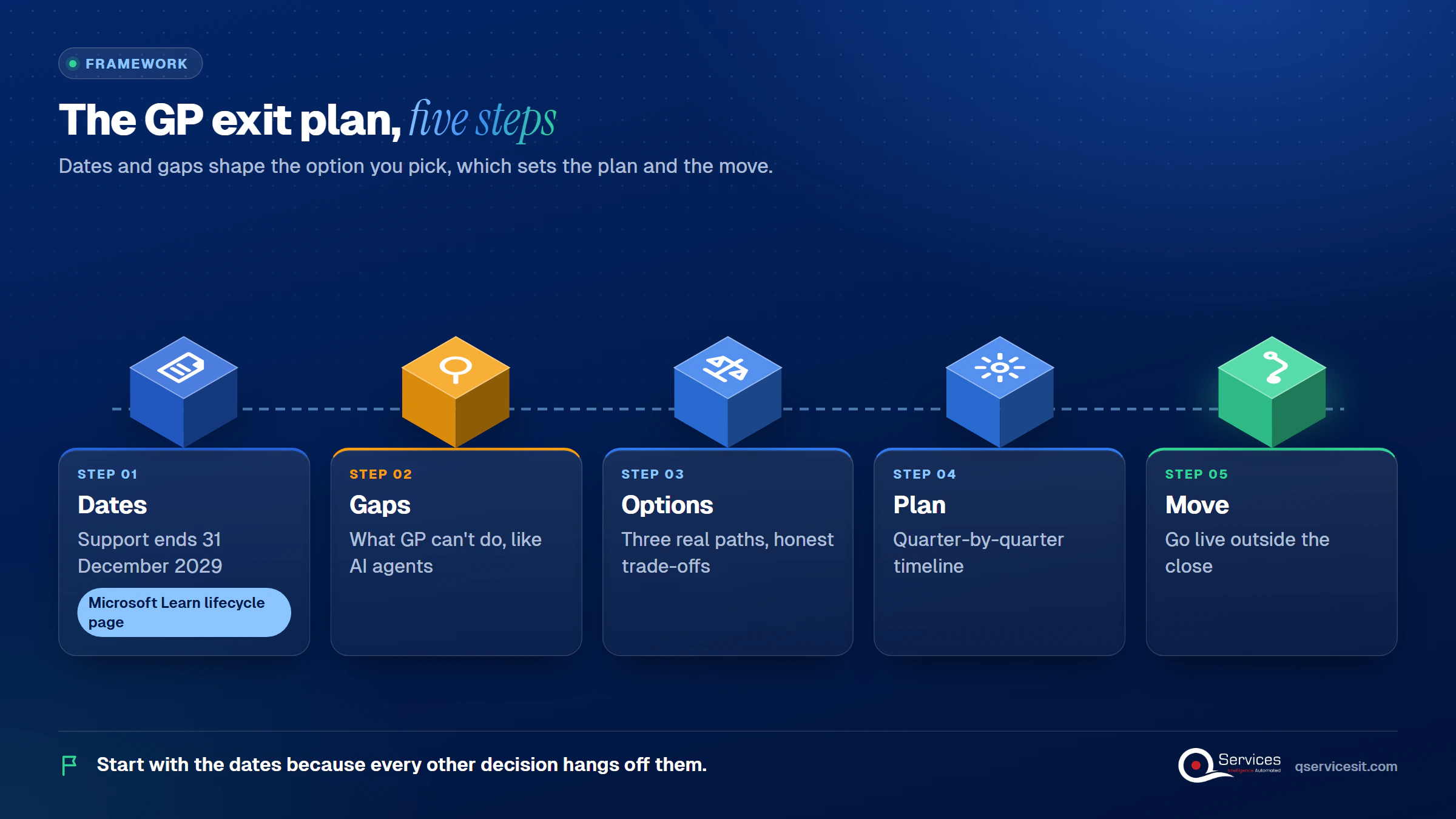
The QServices Framework GP Exit Plan = Dates → Gaps → Options → Plan → Move
Start with the dates because every other decision hangs off them. Gaps come before options, since what GP can’t do (like run AI agents) should shape which option you pick.
This is the Dynamics GP end of life 2029 picture, as of November 2026:
Dynamics Communities reports the extension came on 15 January 2025, so customers would receive 2029 year-end tax updates needed for January 2030 payroll in the US and Canada.
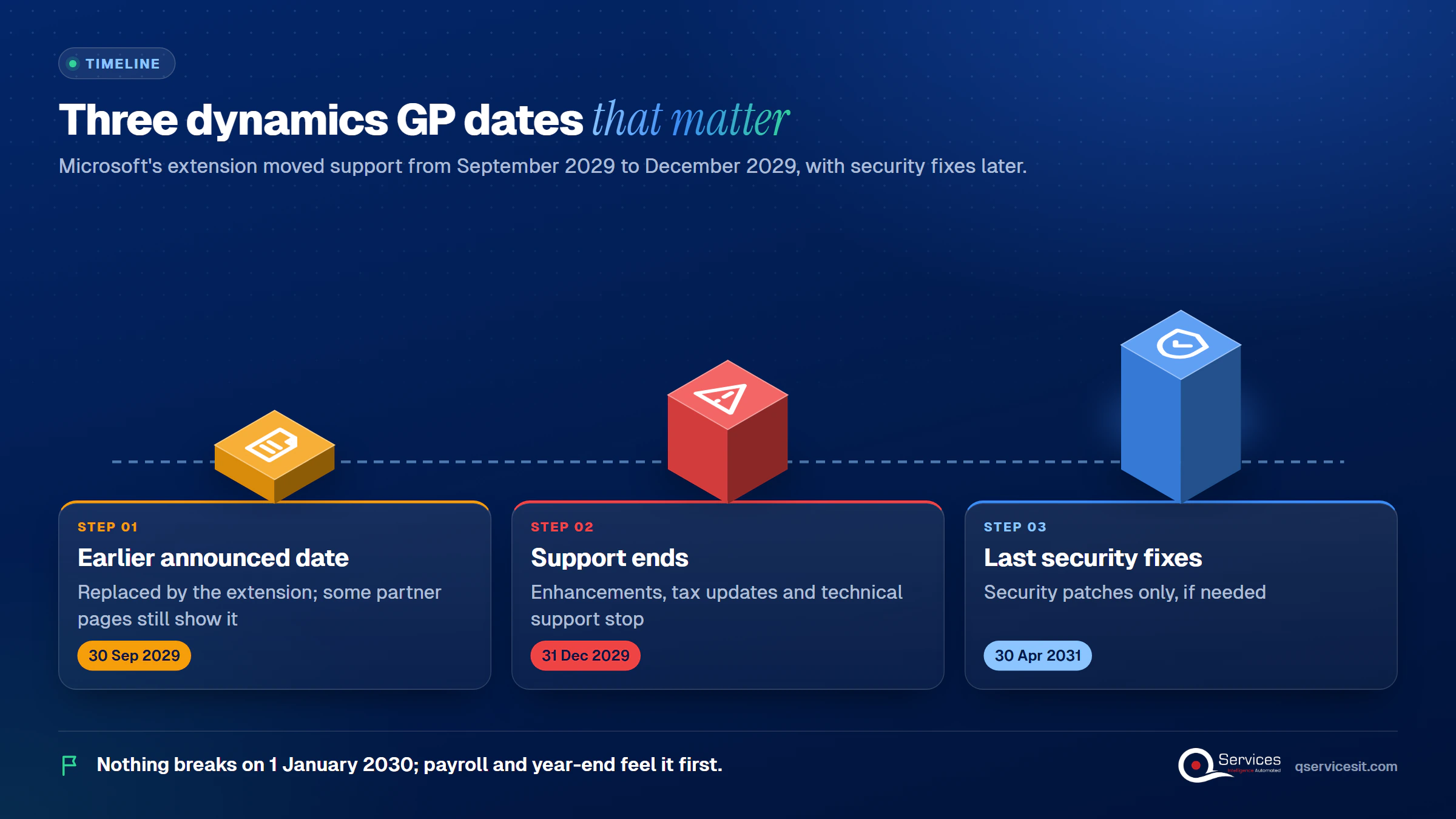
Microsoft Learn lists GP 2016 and 2016 R2 extended support ending 14 July 2026, so those versions are already past it. GP 2018 and 2018 R2 extended support ends 11 January 2028, though installing a compatible tax release moves them to 18.5 or later, which is on the Modern policy. If you’re on an older build, your clock is shorter than 2029.
Per Microsoft, enhancements, tax updates and technical support stop on 31 December 2029. Microsoft doesn’t say the software stops working. Partner sources say it keeps running, unpatched, after April 2031.
So nothing breaks on 1 January 2030. The pressure builds at the first payroll and the first year-end.
Dynamics GP security fixes until 2031 are conditional: Microsoft says patches will be made available if needed, until 30 April 2031. Partner sources add that they cover security threats only, not general bugs or tax changes. Treat the 16 months after support ends as a grace period, not a plan.
Microsoft’s payroll year-end guidance says the payroll tax update must be installed before the first payroll of the year. With no tax updates after 2029, US teams would be handling payroll and 1099/W-2 changes by hand. Third-party support doesn’t restore tax updates, per a partner source.
Key Insight Microsoft’s published dates leave a 16-month gap between the end of tax updates (31 December 2029) and the last possible security fix (30 April 2031). Payroll and year-end work feel the gap first.
Standards & References
- Microsoft Learn: Dynamics GP lifecycle: official GP support and security-fix dates
- Microsoft Learn: Business Central documentation: official Business Central features, migration and agent guidance
Microsoft ships its Business Central agents for the online version only. The Sales Order Agent and Payables Agent run in Business Central online, and on-premises or partner-hosted deployments don’t get agent features, as quoted from Microsoft’s wave 1 overview by partner Tigunia (as of November 2026).
GP’s published 18.8 roadmap lists items like TLS 1.3 and usability work, with no AI features named. Microsoft’s lifecycle page encourages GP customers to move to Business Central for AI tools.
We haven’t found a Microsoft statement that GP will never get agents. Our ERP gap workbook (9 November 2026) concludes none are planned, so on GP the gap is permanent. That’s our reading of the evidence, not a Microsoft claim.
According to Microsoft Learn (updated November 2026), the Payables Agent reads PDF invoices from a mailbox and drafts purchase invoices or credit memos for supervisor review. It doesn’t post, doesn’t support approval flows or anomaly detection, processes at most 100 emails and 500 invoices a day, and bills with Copilot Credits. It’s useful. It’s also narrower than the marketing suggests.
Real-World Scenario Picture a controller at a company running GP across four entities who gets about 1,200 vendor invoices a month by email and keys most of them by hand (an illustrative example, not a client). Waiting for a migration to automate that costs another year or two of manual entry. At the Gaps stage, she sees that Microsoft’s agents can’t run on her GP system, so any agent she wants has to sit outside GP, read the invoices, and queue drafts for her team to approve before anything posts.
Dynamics GP replacement isn’t one decision. There are three real paths, and none is free of cost. Partners commonly name NetSuite, Sage Intacct, Acumatica and Dynamics 365 Finance as alternatives, but those sources sell the products, so treat that list as a starting point, not a comparison.
Is Business Central the replacement for Dynamics GP? It’s the one Microsoft points to. Dynamics GP to Business Central is the most direct path, and it’s the only one that gets Microsoft’s native agents.
This fits if GP no longer matches how you operate. You’ll rebuild more, since there’s no Microsoft migration tool, and our ERP upgrade or replace guide covers how to judge that.
You can keep using GP after support ends, but without Microsoft tax updates and with security patches only until 30 April 2031. Staying is a risk decision, and the honest case for it is a short runway before another planned change, such as a sale.
| Option | What you gain | Honest downside |
|---|---|---|
| Business Central online | Microsoft migration tool, native agents, ongoing updates | No payroll module (third-party add-on needed), and ISV add-ons need Business Central equivalents |
| Another ERP | Fresh fit for how you work today | Most rebuild effort, and no Microsoft migration tool |
| Stay on GP | No project, no cutover risk now | No tax updates after 2029, security patches only to 30 April 2031, no agents |
Key Insight Business Central has no payroll module, so US teams moving from GP need a third-party payroll option in the plan. This is the item people forget until Q3.
Worried about the AI gap on GP?
See how agents can start on your GP data now, with your team approving every action, and move with you to Business Central later.
Book a 30-min call →Dynamics GP migration timeline planning starts with a hard constraint: finance teams avoid cutovers near year-end. Partners quote durations from 60 days to 18 months, so we won’t give you a general number. Your length depends on entities, history and add-ons.
The Dynamics GP to Business Central migration steps below follow Microsoft’s migration tool behavior (as of November 2026):
Avoid cutover during audit or tax windows. Partners recommend a mock close first, which is practitioner consensus, not a standard. A Business Central migration that lands in October or early November leaves time to fix issues before year-end.
The point of this section is simple: you don’t have to wait for a migration to benefit from agents. At QServices, agents work inside your ERP and CRM from the first lead to the last payment, handling data entry, matching and follow-ups, and your team approves every action.
Agents can start on GP today and move with you to Business Central. They run in your own Azure tenant, an approval queue sits in front of anything that posts money or changes a system, and the integration layer is rebuilt for the new ERP rather than the agent logic. That’s different from Microsoft’s agents, which stay tied to Business Central online.
For finance teams, AR is the usual first workflow. Our posts on month end close and unapplied cash show where the hours go.
We start at the Dates and Gaps stages, because they decide everything after. Our ERP modernization work follows a fixed order, and the same team builds and runs it.
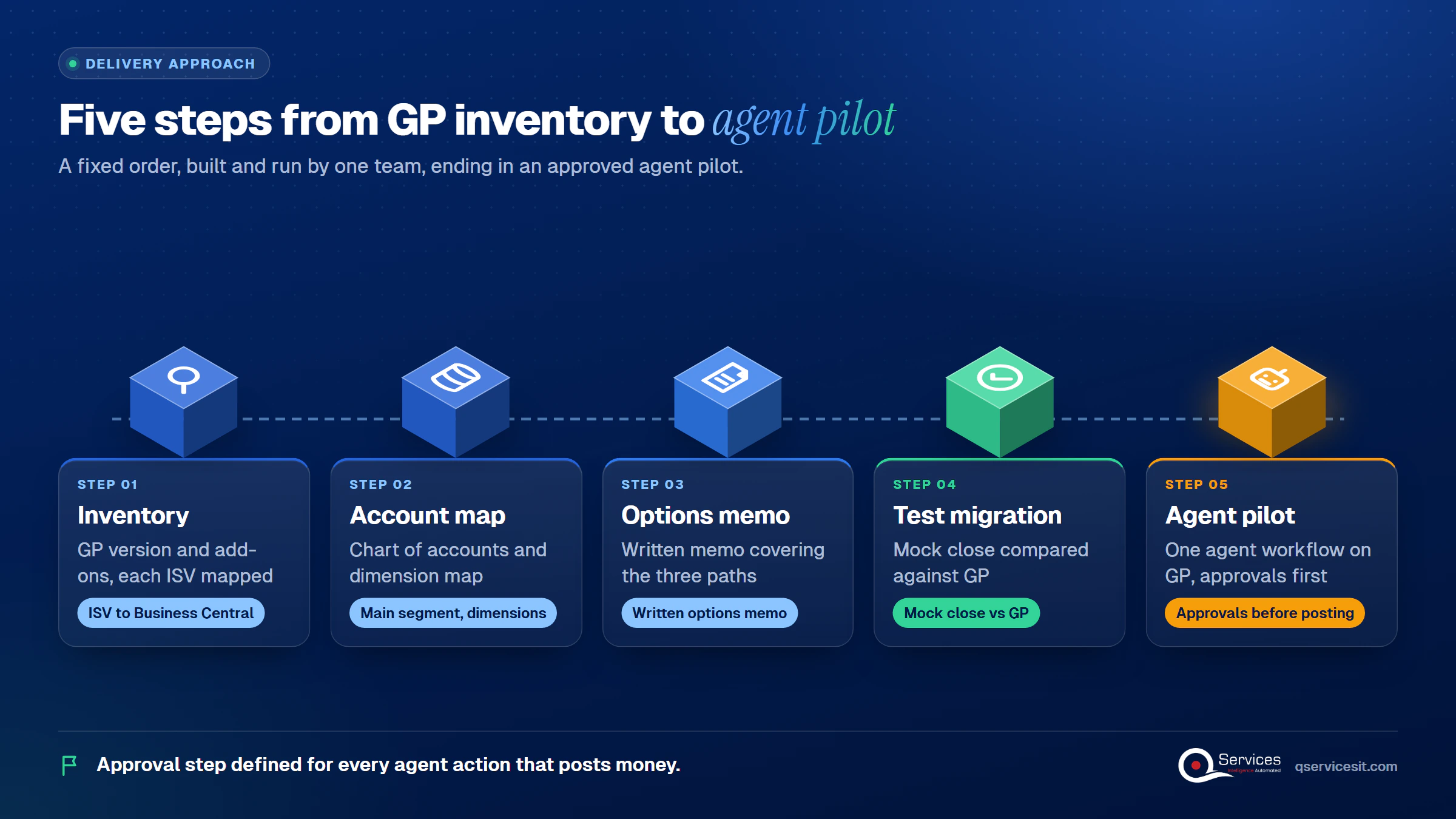
Implementation Checklist
- GP version and tax release level confirmed in writing
- Every ISV add-on mapped to an equivalent or a retirement date
- Payroll replacement named for the Business Central path
- Undeposited receipts deposited before the test migration
- Mock close signed off by the Controller
- Cutover date set outside audit and tax windows
- Approval step defined for every agent action that posts money

Your Dynamics GP migration decision belongs in 2027, while you still have time to choose and test rather than react. If you want a second opinion on your options and timing, book a 30-min call.

Written by Rohit Dabra
Co-Founder and CTO, QServices IT Solutions Pvt Ltd
Rohit Dabra is the Co-Founder and Chief Technology Officer at QServices, a software development company focused on building practical digital solutions for businesses. At QServices, Rohit works closely with startups and growing businesses to design and develop web platforms, mobile applications, and scalable cloud systems. He is particularly interested in automation and artificial intelligence, building systems that automate routine tasks for teams and organizations.
The dynamics gp end of support date is 31 December 2029, when Microsoft ends product enhancements, regulatory (tax) updates and technical support, per the Microsoft Learn lifecycle page (as of November 2026). Dynamics gp support end 2029 replaced the earlier 30 September 2029 date. Security patches, if needed, continue until 30 April 2031.
Yes. Microsoft doesn’t say GP stops working, and partner sources say it keeps running. But there are no tax updates or technical support after 31 December 2029, and dynamics gp security updates 2031 are available only until 30 April 2031 and only if needed. US payroll and year-end work become manual.
It’s the dynamics gp replacement Microsoft recommends, and it’s the only path with Microsoft’s native Sales Order and Payables agents, which run in Business Central online only. Other ERPs are viable alternatives, but you won’t get Microsoft’s migration tool with them.
It depends on entities, history, add-ons and payroll. Partner estimates range from 60 days to 18 months, so there’s no reliable general figure. Plan on scoping in Q1 2027, testing mid-year, and going live before the year-end close window.
No. Microsoft’s agents are tied to Business Central online, and GP’s published 18.8 roadmap lists no AI features. We found no Microsoft statement ruling it out forever; the conclusion that none are planned comes from the QServices ERP gap workbook (9 November 2026). AI agents for Dynamics GP can still be built outside the ERP, with a person approving every action.

Dynamics GP migration planning for CFOs and IT directors: what Microsoft’s 2029 end of support means, your three options, and a quarter-by-quarter 2027 plan.
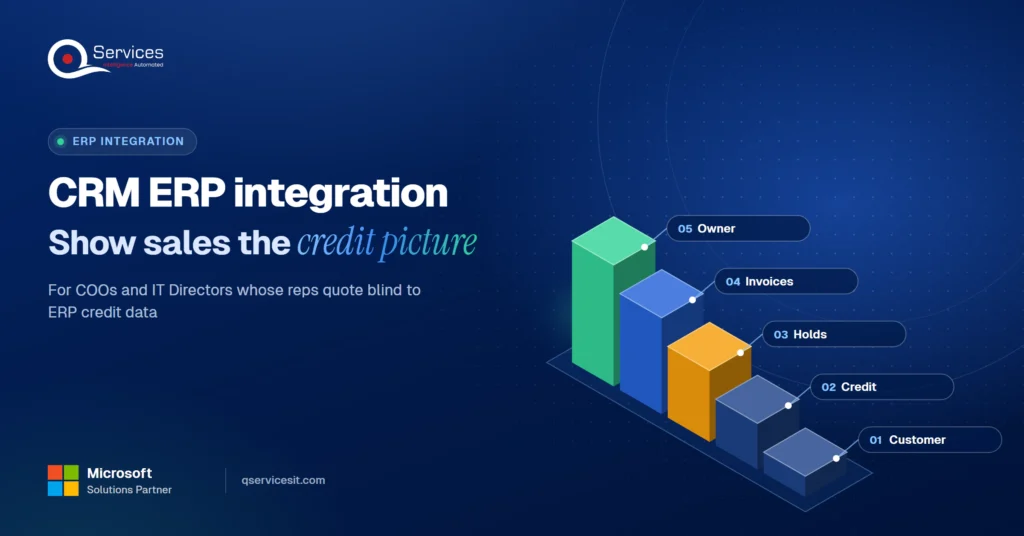
CRM ERP integration shows your sales team credit limits, holds and open invoices before they quote. See what data to sync and who should own it.
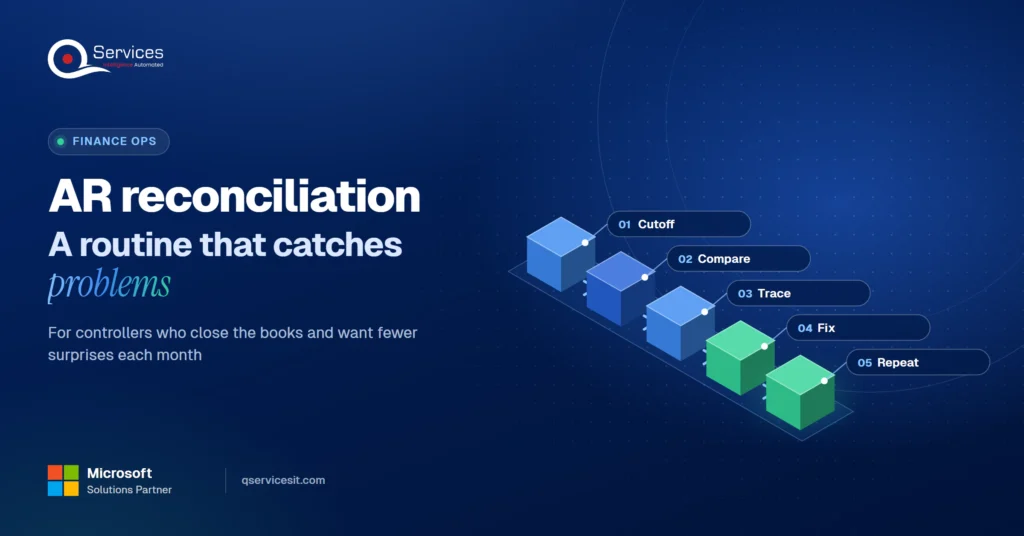
Accounts receivable reconciliation made simple: follow a step-by-step monthly routine, spot the five most common differences and fix them at the source.
Collection effectiveness index shows what DSO hides. See the CEI formula, a worked example and how to use it to manage collectors in your AR team.
Process mining vs process discovery: see what each needs and delivers, and how your ERP and CRM logs can pick your first automation in two weeks.
Use this dunning letter sequence with templates for day 1, 7, 15, 30 and 45 to collect overdue invoices faster and keep the customer relationship intact.
Next step
Which option fits your finance team?
Bring your current GP modules and integrations. We’ll map the trade-offs of each path and what your team can start doing this year.
Book a 30-min call →
Dynamics GP migration planning for CFOs and IT directors: what Microsoft’s 2029 end of support means, your three options, and a quarter-by-quarter 2027 plan.
CRM ERP integration shows your sales team credit limits, holds and open invoices before they quote. See what data to sync and who should own it.
Accounts receivable reconciliation made simple: follow a step-by-step monthly routine, spot the five most common differences and fix them at the source.
Collection effectiveness index shows what DSO hides. See the CEI formula, a worked example and how to use it to manage collectors in your AR team.
Process mining vs process discovery: see what each needs and delivers, and how your ERP and CRM logs can pick your first automation in two weeks.
Use this dunning letter sequence with templates for day 1, 7, 15, 30 and 45 to collect overdue invoices faster and keep the customer relationship intact.

Every quote comes from a published review on GoodFirms, Clutch or our own site. Click a source to read the full review.

Trustpilot5.0★★★★★See reviewsGoodFirms5.0★★★★★45 verified reviews

G25.0★★★★★See reviewsClutch5.0★★★★★Quality 5.0 · Schedule 4.8

Google4.7★★★★★Mohali office“QServices was highly professional, knowledgeable, and approachable. We continue to work with them on other projects.”
“Quality assurance is often overlooked, but these guys take that very seriously. … their team of experienced, dedicated developers and highly skilled engineers quickly dissected and decomposed every problem and presented solutions and options that directly met my needs”

Erik BrownBusiness owner and software engineerClient review“The supplier delivered the application on time and was responsive to our needs. He was also flexible, which allowed us to make changes on the fly.”

Zoltan BodnarCFO, Yusen LogisticsGoodFirms“Thank you Sahil and team for wonderful collaboration right from day 0. … Highly recommend the developers.”

Ranbeer MakinClientClient review“They are always looking for new ways to improve their products and services and to deliver value to their customers.”
“I have had an excellent experience working with QServices. We have a highly collaborative relationship and I value them not just as contractors but as partners.”

Alex VanderElsClientClient review“Sahil undertakes every project with a high degree of professionalism. His communication style is unmatched and he is always available to resolve issues or just discuss the project.”

Philmore J.ClientClient review“Responsive, patient and professional. Consistent weekly attention to our project, and new ideas we hadn't asked for.”

Michael WilliamsonPresident and CEO, United Way of Southeast LouisianaGoodFirms“I have been working with them on a project for a year now … They have been able to solve problems that come up with bugs or development and able to communicate well with me.”

Steven LewisClientClient review“We had been working on the app for two years. QServices built it in two months.”

Brian WallerPresident, Technology Association of IowaGoodFirms“All projects were delivered on time and were fully completed upon delivery.”
“They had excellent quality. The hypercare they provided after the project went live is exceptional.”

Founder and CEO

Chief Sales Officer

Thanks, we’ve got your details. A named member of our team will reply within one business day.