

Multi entity accounting: cash application across companies
Multi entity accounting breaks when payments land in the wrong company. See the rules a seven-company group uses to sort, match and approve cash.
Home » Multi entity accounting: cash application across companies
To handle multi entity accounting cash application with one AR team, sort every payment to a legal entity first, then match it to open invoices inside that entity. A person approves each posting before it hits the ledger.
That order sounds obvious. Most teams do it backwards, and the wrong-company payments pile up at month end. Our cash application automation work for a seven-company services group is built on sorting first.
Below are the rules that decide which entity a payment belongs to, and how the rest of the process follows.
Which company does each payment belong to?
We review how payments reach your entities and map the rules that sort and match them, so your team sees where cash gets stuck.
Book a 30-min call →Quick Answer Multi entity accounting means keeping the books of several legal entities in one group, each compliant locally, with consolidated reporting on top. For receivables, that means every incoming payment must be assigned to the right company before matching. Entity routing rules, not invoice matching, decide whether cash lands correctly.
In single-company AR, a payment arrives and you look for its invoices. In multi entity accounts receivable, you first have to know whose books the payment belongs in. One customer payment can cover invoices from several subsidiaries, and intercompany transfers can share bank accounts with customer receipts.
ERPs make this harder than it looks. In SAP S/4HANA, one document belongs to exactly one company code, so cross-company activity creates one document per company and clearing accounts balance them. Lockbox files can also be limited to one business unit in some systems, so a single transmission cannot always span entities (worth verifying for your release).
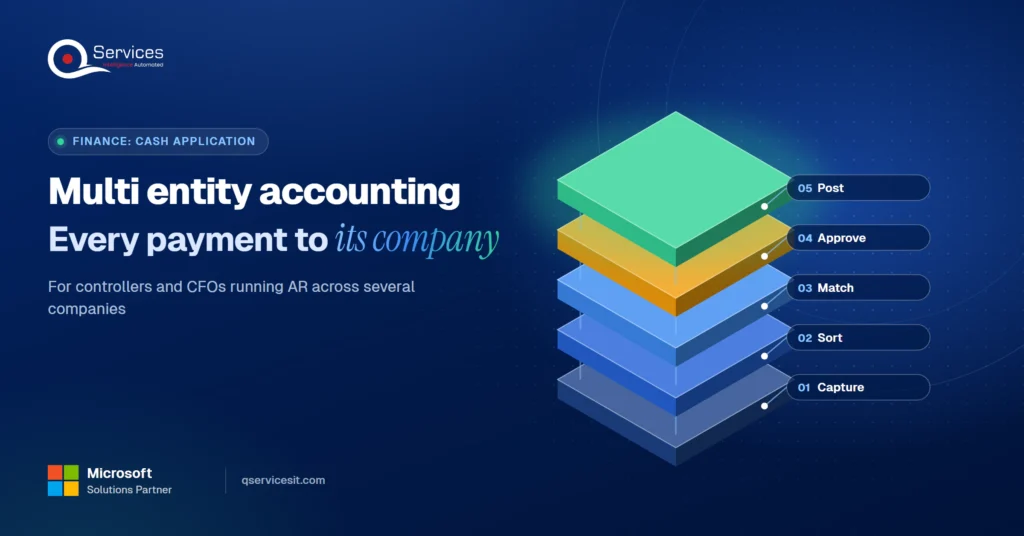
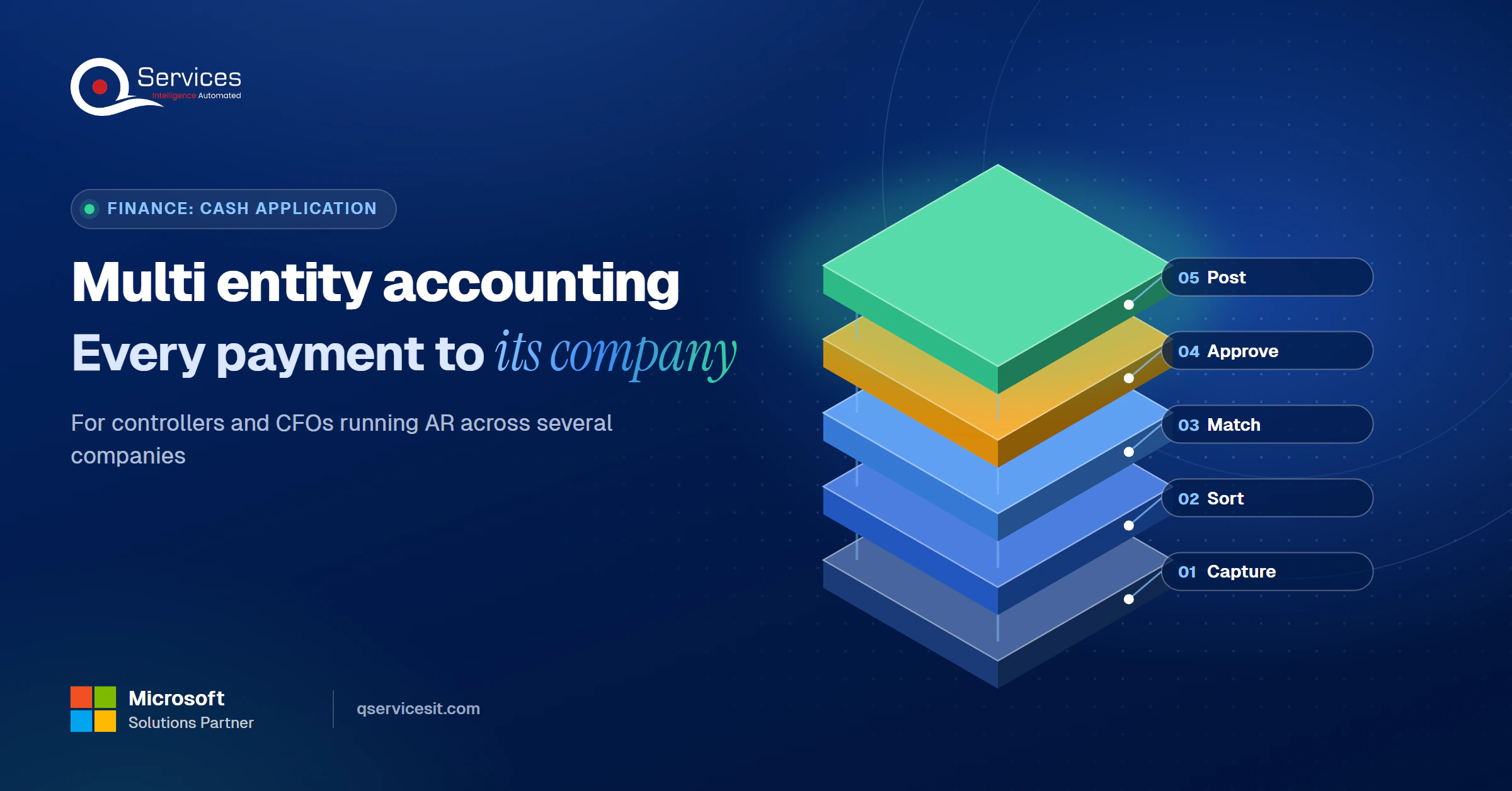
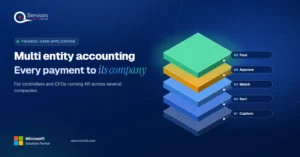
The QServices Framework Sort First Cash = Capture → Sort → Match → Approve → Post
Sorting must come before matching, because an amount match inside the wrong entity looks right and is still wrong.
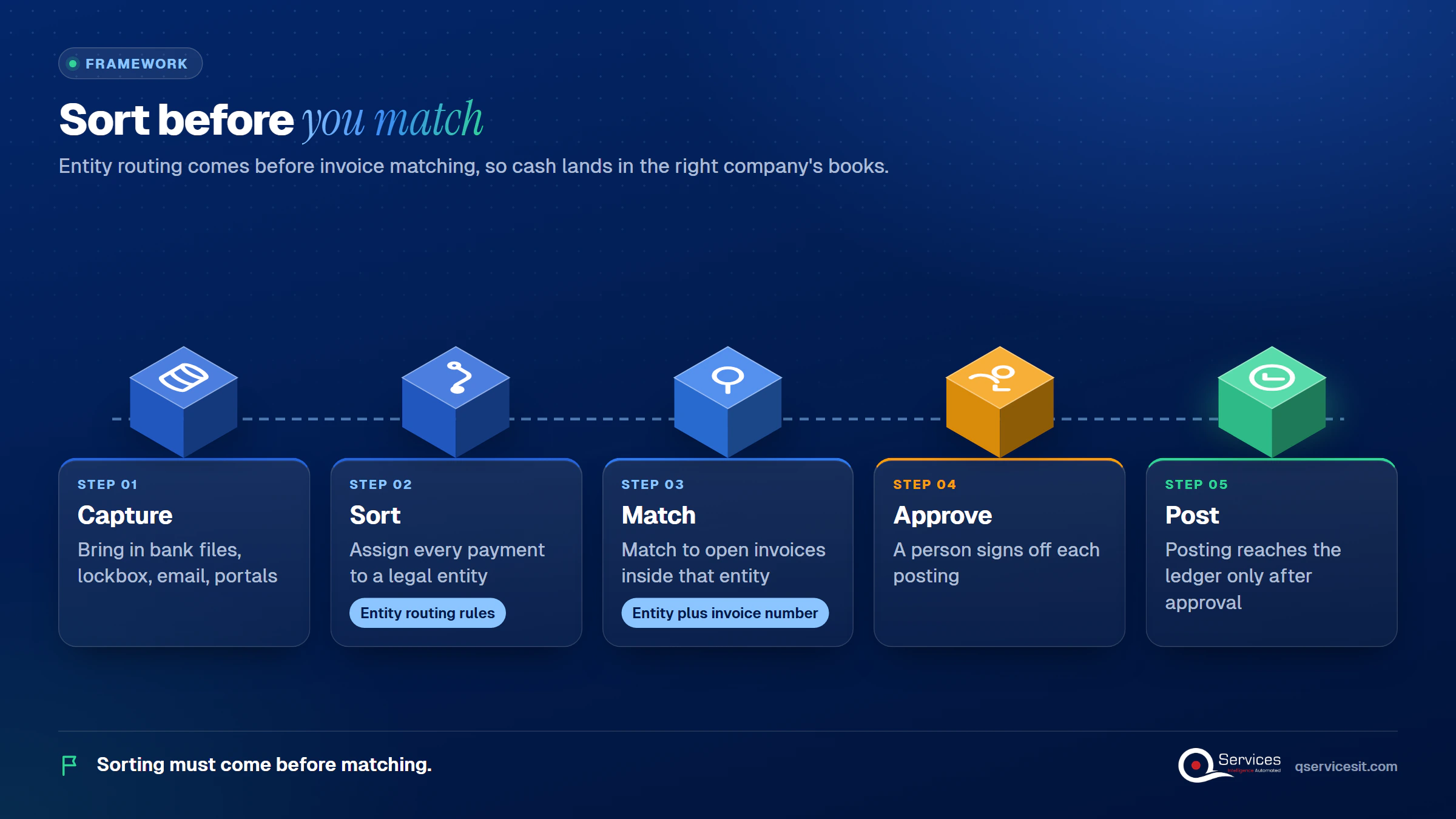
We reuse these five stage names below. Most wrong-company postings start in Sort, not in Match.
Our guide to the cash application process covers the single-entity version of these steps.
This is the Sort stage. Payments come in from four channels (bank files, lockbox, email remittances and portals), and each needs an entity before anyone looks at open items.
We run the rules in a fixed order and stop at the first confident answer. This order is our own synthesis, not a standard.
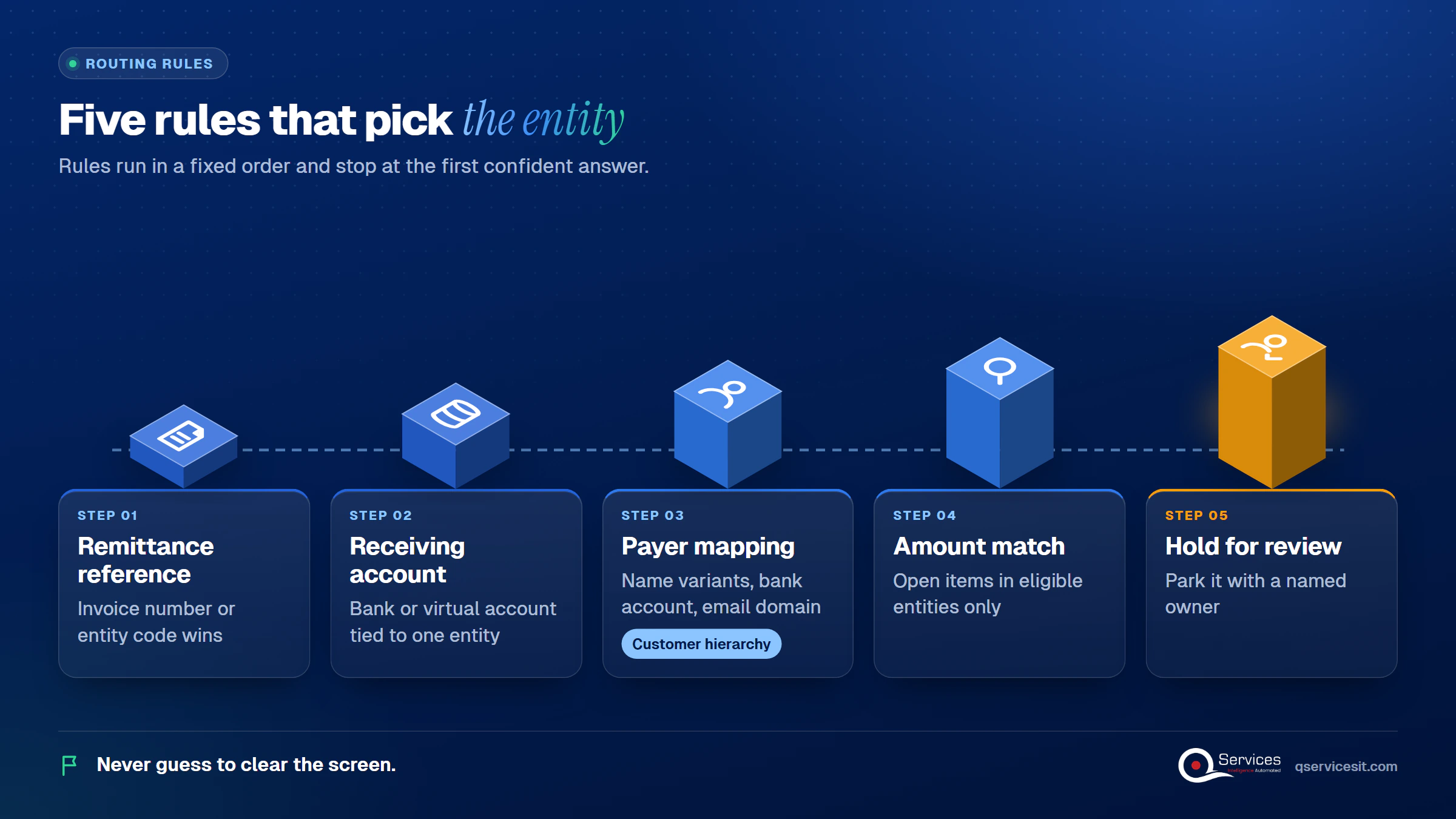
Use a composite key of entity plus invoice number. Never guess to clear the screen. A parked payment is cheaper than a misposted one, and our post on unapplied cash explains why the backlog grows when holds have no owner.
A virtual account number per entity can act as a reconciliation reference. Banks and treasury groups note that identifying the customer alone is not enough for automated reconciliation, so you still need remittance data. Our remittance advice guide lists what a usable one contains.
With centralized payments in Dynamics 365 Finance, a payment entered in one legal entity can settle an invoice held in another. Microsoft Learn documents the prerequisites, including a shared address book ID for the customer and matching posting profile and payment method IDs in both entities. The system then generates due-to and due-from entries. NetSuite OneWorld lets you pick the subsidiary on the payment, but we treat cross-subsidiary application there as unconfirmed.
Standards & References
- Dynamics 365 Finance documentation on Microsoft Learn: centralized payments and settlement across legal entities
| Match first (single-entity habit) | Sort first (entity routing rules) | |
|---|---|---|
| Wrong-company postings | Common, found at month end | Caught before matching |
| Repeated invoice numbers | Collide across entities | Resolved by entity plus number |
| Ambiguous payments | Forced to a best guess | Held with a named owner |
| Setup effort | Low | Higher: customer hierarchy and account maps to build |
| Ongoing upkeep | Little | Someone must maintain the mappings |
The honest downside is the setup. Rules and mappings take real work before the first payment flows.
Customers who buy from multiple subsidiaries are where routing rules earn their keep. The customer pays once, from one account, for invoices owned by different companies.
The ERP setup decides how clean this is. Dynamics needs the same address book ID across entities. NetSuite lets one customer record be shared across subsidiaries. SAP and Oracle lean on related-customer and shared-service setups. Credit exposure stays per entity by default, so build a group view on top.
Real-World Scenario A typical case we see: a group controller has one customer paying $84,000 from a single bank account, with a remittance listing three invoice numbers. Two invoices belong to Entity A and one to Entity C, and invoice 1042 exists in both. A match-first process applies the whole amount to the first 1042 it finds. In the Sort stage, the entity-plus-number key splits the payment into two entity-level applications, and the Approve stage shows both for sign-off.
For the real-world version, see our multi channel cash application case study. Groups in facility services often look like this, with several operating companies serving the same clients.
Seeing payments land in the wrong entity?
Bring a sample of misrouted receipts. We’ll show which sorting rules would have caught them and where a person should approve.
Book a 30-min call →Some cash simply lands in the wrong entity’s bank account. Common fixes are an intercompany due-to and due-from reclass, a real bank transfer mirrored in both books, or reversal and reapplication. Dynamics creates the due-to and due-from entries automatically.
Keep intercompany payment matching rules separate from customer rules. Intercompany versus customer payment is the first question: if the payer is a sister company, it never enters customer matching. For consolidation, PwC Viewpoint cites ASC 810-10-45-1 on eliminating intra-entity profit or loss, and intercompany balances must eliminate in full.
Detecting duplicate payments across entities means checking payer, amount, date and reference across the whole group, not one ledger. A customer who pays Entity A and then pays the same invoice again into Entity B passes every single-entity check. We did not find a credible AR-specific duplicate rate, so we will not quote one.
Unapplied cash across subsidiaries delays close in every entity at once. Track it by entity and age, and read it next to match rate, because a high match rate can hide a growing parked pile. Our note on the month end close process shows where it bites.
A single team can serve every company if one queue holds every proposed posting. That is the idea behind one approval queue for multiple companies: the agent proposes, a person approves, and only then does anything post.
This matches a broader accounts receivable management approach: controls first, speed second.
We start at Sort, because that is where multi-entity groups lose the most time. Our AI agents run inside your ERP and in your own Azure tenant, and nothing posts until your team approves it. This is part of our wider accounts receivable automation work.
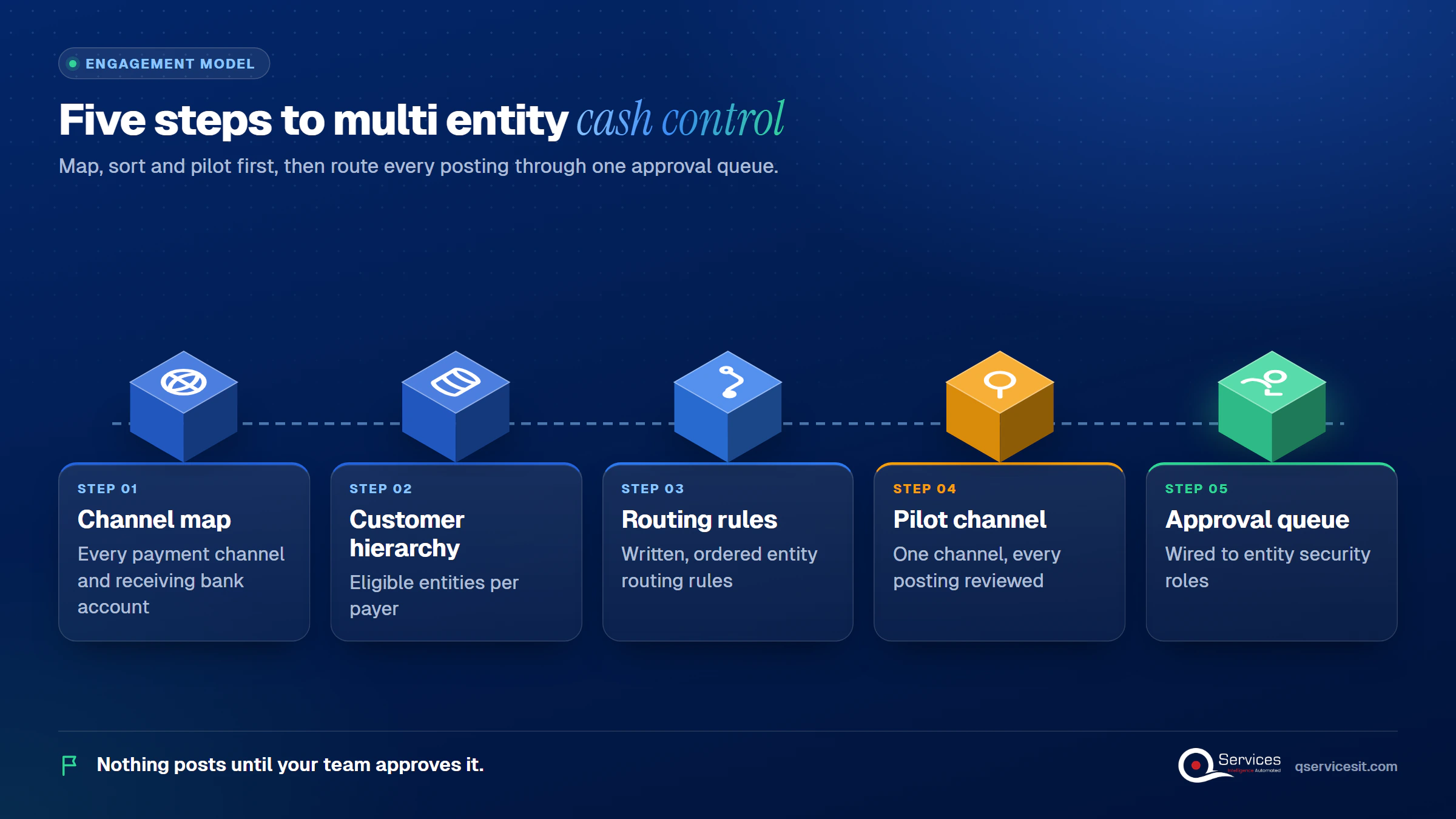
Our two-week fixed-price assessment produces the first three. The same team builds and runs the rest.
Implementation Checklist
- Every receiving bank account is mapped to one entity or marked shared
- Invoice keys combine entity and invoice number
- Routing rules are written down in a fixed order
- Payer name variants are mapped to a customer hierarchy
- Held payments have a named owner and an age limit
- Duplicate checks run across all entities, not one ledger
- The person who approves cash does not reconcile the bank

Multi entity accounting gets easier when each payment is sorted to its company before anything is matched, and when one queue puts a person’s approval ahead of every posting. Pilot it on one channel and measure the share of payments routed to the right entity without rework, the number of held items older than five days, and the time to approve. Book a 30-min call and we will review your current routing with you.

Written by Rohit Dabra
Co-Founder and CTO, QServices IT Solutions Pvt Ltd
Rohit Dabra is the Co-Founder and Chief Technology Officer at QServices, a software development company focused on building practical digital solutions for businesses. At QServices, Rohit works closely with startups and growing businesses to design and develop web platforms, mobile applications, and scalable cloud systems. He is particularly interested in automation and artificial intelligence, building systems that automate routine tasks for teams and organizations.
Multi entity accounting is managing the books of several legal entities inside one organization. Each entity stays compliant locally, while the group reports consolidated results. For receivables, the hard part is assigning each payment to the right entity before matching it to invoices.
Run entity routing rules in a fixed order: remittance reference first, then the receiving bank or virtual account, then the payer-to-customer mapping, then an amount match across eligible entities. If none is confident, hold the payment with a named owner instead of guessing.
Yes, but each ERP handles it differently. Dynamics 365 Finance needs the same address book ID in each entity. NetSuite allows one customer record shared across subsidiaries. SAP and Oracle rely on related-customer and shared-service setups.
Compare payer, amount, date and reference across every entity, not one ledger at a time. A customer who pays the same invoice into two entities passes single-entity checks, so the duplicate check has to run at group level.
Start with a two-week fixed-price assessment that maps your payment channels, bank accounts and customer hierarchy, and drafts your routing rules. Then pilot one channel with every posting approved by a person before expanding.

Multi entity accounting breaks when payments land in the wrong company. See the rules a seven-company group uses to sort, match and approve cash.
ERP data migration done right: clean customer records, move open invoices and unapplied cash, and prove every AR balance ties out before cutover.
Accessorial charges drive most 3PL billing disputes. See the common fees, the proof that settles each one, and how to track disputes through to payment.
Dynamics GP migration planning for CFOs and IT directors: what Microsoft’s 2029 end of support means, your three options, and a quarter-by-quarter 2027 plan.
CRM ERP integration shows your sales team credit limits, holds and open invoices before they quote. See what data to sync and who should own it.
Accounts receivable reconciliation made simple: follow a step-by-step monthly routine, spot the five most common differences and fix them at the source.
Next step
Ready to stop re-sorting payments by hand?
Walk through your entities, channels and customer overlap with us. An agent proposes each match and your team approves it before anything posts.
Book a 30-min call →
Multi entity accounting breaks when payments land in the wrong company. See the rules a seven-company group uses to sort, match and approve cash.

ERP data migration done right: clean customer records, move open invoices and unapplied cash, and prove every AR balance ties out before cutover.

Accessorial charges drive most 3PL billing disputes. See the common fees, the proof that settles each one, and how to track disputes through to payment.

Dynamics GP migration planning for CFOs and IT directors: what Microsoft’s 2029 end of support means, your three options, and a quarter-by-quarter 2027 plan.

CRM ERP integration shows your sales team credit limits, holds and open invoices before they quote. See what data to sync and who should own it.
Accounts receivable reconciliation made simple: follow a step-by-step monthly routine, spot the five most common differences and fix them at the source.

Every quote comes from a published review on GoodFirms, Clutch or our own site. Click a source to read the full review.

Trustpilot5.0★★★★★See reviewsGoodFirms5.0★★★★★45 verified reviews

G25.0★★★★★See reviewsClutch5.0★★★★★Quality 5.0 · Schedule 4.8

Google4.7★★★★★Mohali office“QServices was highly professional, knowledgeable, and approachable. We continue to work with them on other projects.”
“Quality assurance is often overlooked, but these guys take that very seriously. … their team of experienced, dedicated developers and highly skilled engineers quickly dissected and decomposed every problem and presented solutions and options that directly met my needs”

Erik BrownBusiness owner and software engineerClient review“The supplier delivered the application on time and was responsive to our needs. He was also flexible, which allowed us to make changes on the fly.”

Zoltan BodnarCFO, Yusen LogisticsGoodFirms“Thank you Sahil and team for wonderful collaboration right from day 0. … Highly recommend the developers.”

Ranbeer MakinClientClient review“They are always looking for new ways to improve their products and services and to deliver value to their customers.”
“I have had an excellent experience working with QServices. We have a highly collaborative relationship and I value them not just as contractors but as partners.”

Alex VanderElsClientClient review“Sahil undertakes every project with a high degree of professionalism. His communication style is unmatched and he is always available to resolve issues or just discuss the project.”

Philmore J.ClientClient review“Responsive, patient and professional. Consistent weekly attention to our project, and new ideas we hadn't asked for.”

Michael WilliamsonPresident and CEO, United Way of Southeast LouisianaGoodFirms“I have been working with them on a project for a year now … They have been able to solve problems that come up with bugs or development and able to communicate well with me.”

Steven LewisClientClient review“We had been working on the app for two years. QServices built it in two months.”

Brian WallerPresident, Technology Association of IowaGoodFirms“All projects were delivered on time and were fully completed upon delivery.”
“They had excellent quality. The hypercare they provided after the project went live is exceptional.”

Founder and CEO

Chief Sales Officer

Thanks, we’ve got your details. A named member of our team will reply within one business day.