What should a past due invoice email say to a B2B customer?
A past due invoice email template should name the invoice number, amount, due date and days overdue up front. Then it asks for one action by a set date, with a payment link and a named contact.
Most guides stop at bracketed placeholders. This one fills in all five stages for a single invoice, and it ties them to accounts receivable collections run from your system of record, so every reminder matches the ledger.
One caveat first: these five stages are one reasonable design, not a standard. Vendor guides disagree on day counts, and no regulator sets them. The table below is the single timeline we use in every template, the Business Central setup and the FAQ.
| Stage |
Days past due |
Tone |
Sender and recipient |
Channel |
Goal |
Next action |
| 1. Remind |
3 to 7 days before due |
Courtesy |
Collector to AP clerk |
Email |
Confirm receipt and payment route |
Wait for due date |
| 2. Follow up |
1 to 7 |
Friendly |
Collector to AP clerk |
Email |
Find out if it is scheduled |
Check for a dispute |
| 3. Request a date |
15 to 21 |
Firm |
Credit manager to AP manager |
Email, then call |
Get a dated promise to pay |
Log promise-to-pay |
| 4. Formal notice |
30 to 45 |
Formal |
Credit manager to AP manager and finance lead |
Email plus letter |
State terms, fees and the order-hold date |
Hold new orders if unpaid |
| 5. Final notice |
60+ |
Direct |
Controller or CFO to finance lead |
Email, letter, call |
Last chance before referral |
Refer to collections or counsel |
Still drafting every collection email by hand?
Book a short call to see how an approval-first agent drafts each reminder from your open items while a collector approves before anything is sent.
Quick Answer A past due invoice email template works best as a five-stage sequence: a courtesy note 3 to 7 days before the due date, then emails at 1 to 7, 15 to 21, 30 to 45 and 60-plus days past due. Each stage raises the tone, changes the sender and asks for one dated action.
When should the first payment reminder email go out?
Send the first payment reminder email before the due date, 3 to 7 days ahead, tuned to the customer’s payment terms and AP cycle. In our review of vendor collections guides, the pre-due window ranged from about 3 days to 15 days, so treat 3 to 7 as a defensible default, not a rule.
The point of stage 1 is not to chase. It confirms the invoice arrived at the right inbox and tells AP how to pay.
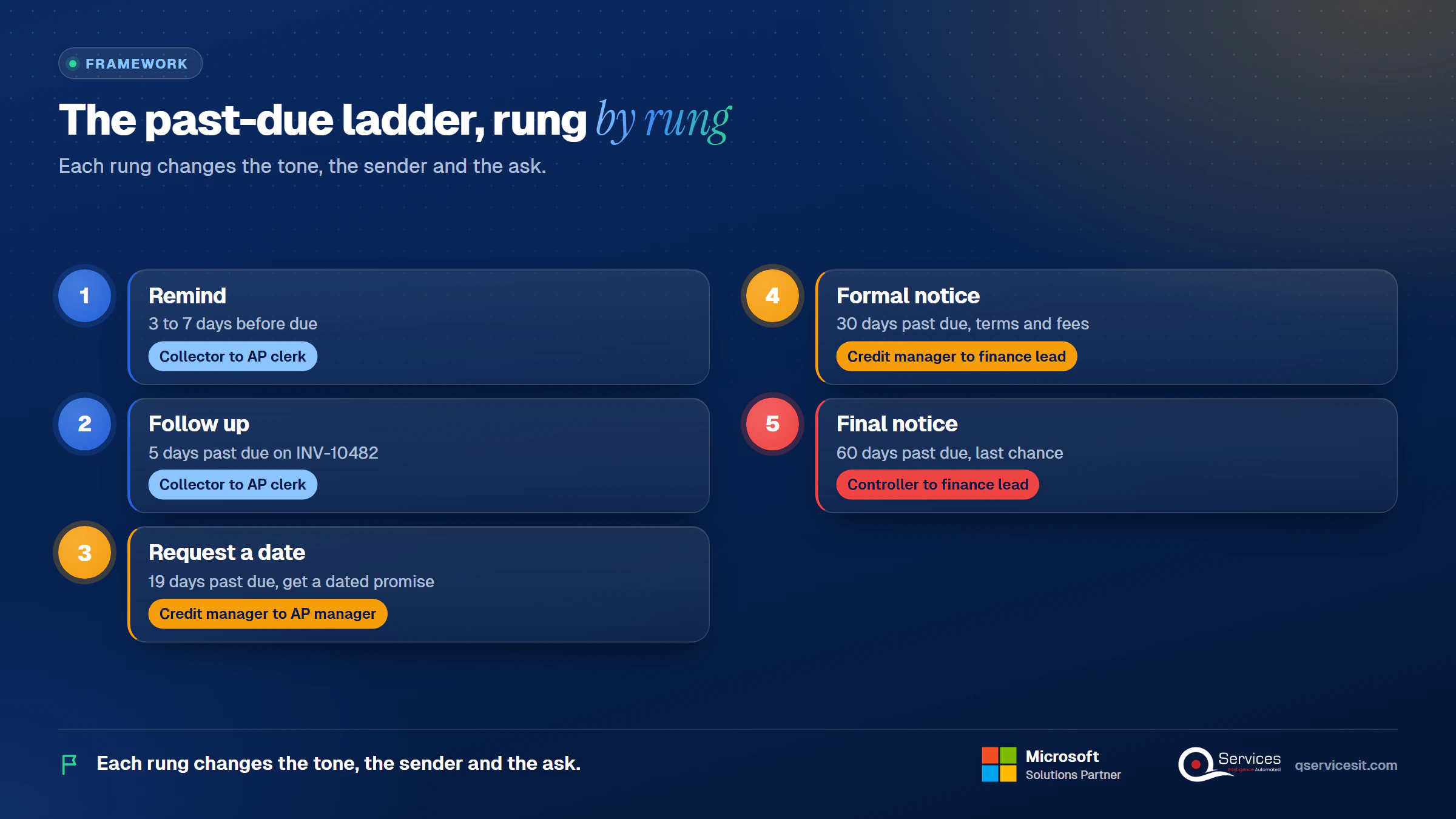
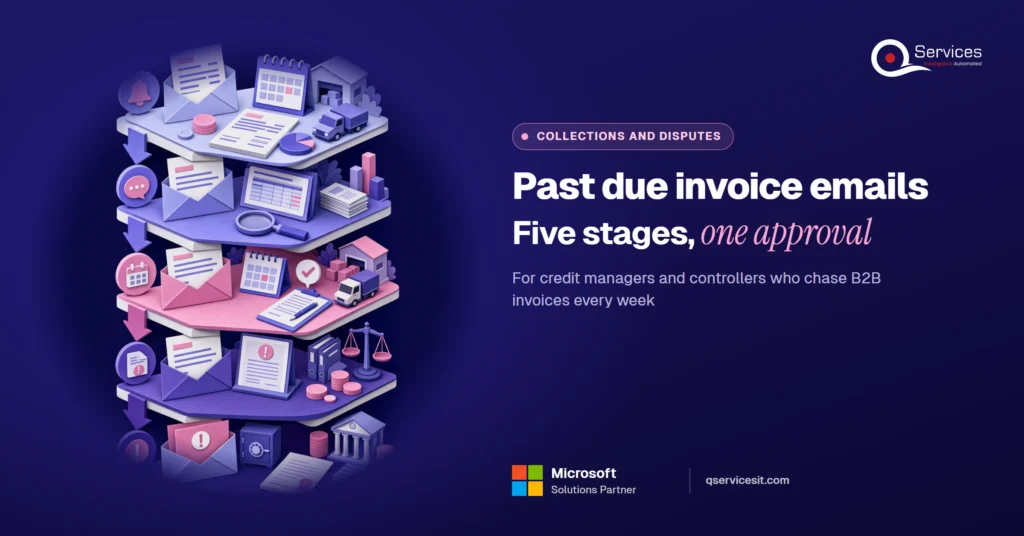
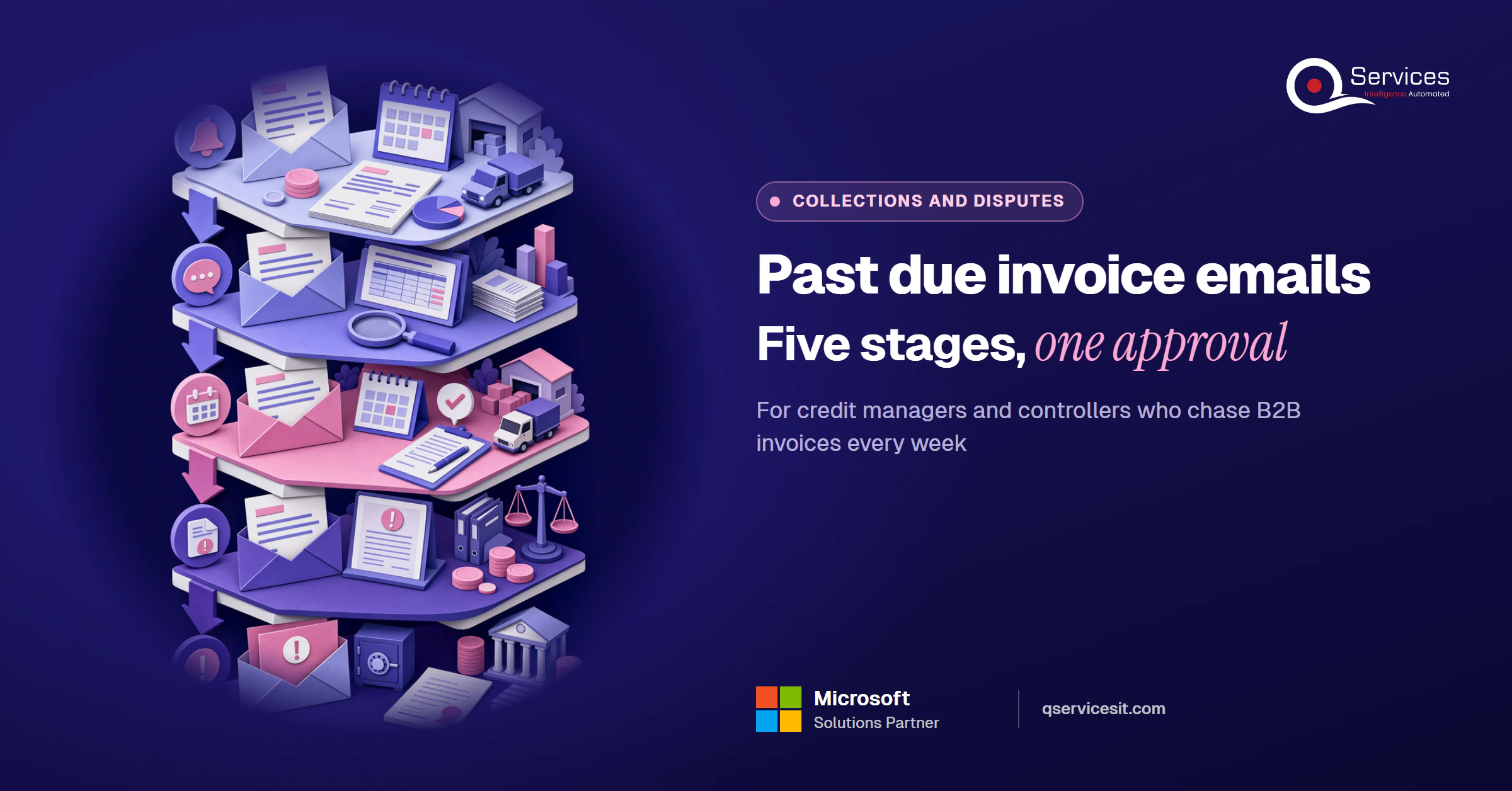
The QServices Framework Past-due ladder = Remind → Follow up → Request a date → Formal notice → Final notice
Each rung changes the tone, the sender and the ask, so a customer never gets a final notice from someone they have not heard from yet.
Why do sources disagree on first payment reminder email timing?
Because nobody has a standard to follow. Most published schedules come from software vendors, and they reflect each vendor’s own workflow. Some start 10 to 15 days before due, others 3 to 5, and some wait for the due date itself.
Pick one schedule, write it down, and apply it by customer segment. A customer on net 60 with a monthly AP run needs a different lead time than one that pays weekly.
What does one consistent timeline look like?
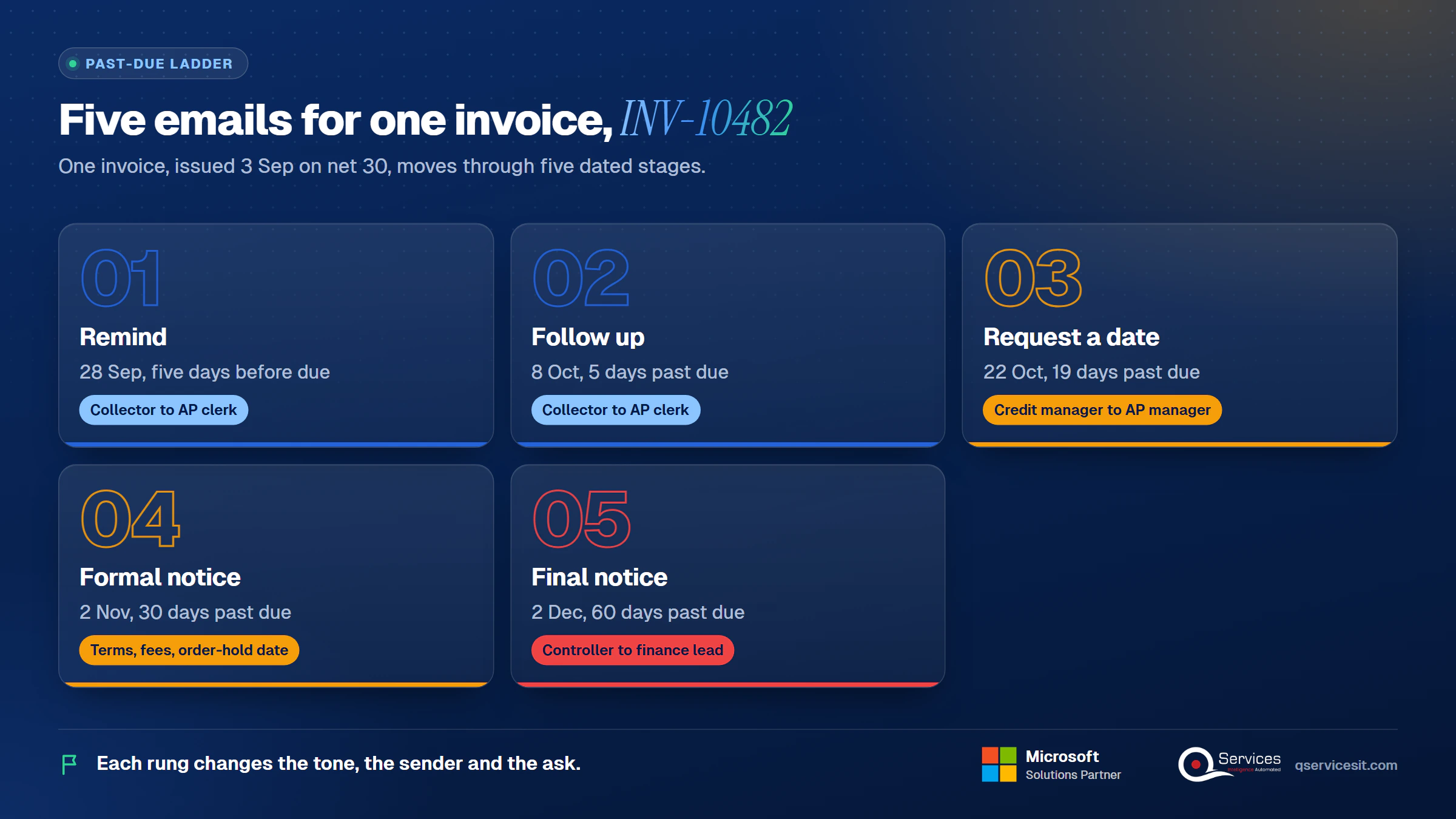
Here is the timeline for INV-10482, issued 3 Sep on net 30 terms and due 3 Oct:
- 28 Sep: stage 1, five days before due
- 8 Oct: stage 2, 5 days past due
- 22 Oct: stage 3, 19 days past due
- 2 Nov: stage 4, 30 days past due
- 2 Dec: stage 5, 60 days past due
What does a good past due invoice email template include?
A good past due invoice email template carries the facts a clerk needs to pay without asking you anything. It also asks for exactly one thing.
How do you write one in 6 parts?
- Subject line: invoice number, amount and due date, under 60 characters.
- Opening: the invoice, amount and days overdue in the first two sentences.
- Payment path: a payment link and remittance options (ACH, card, check).
- One clear ask: pay, confirm a date, or tell us what is blocking payment.
- A dated next step: what happens on which day if nothing arrives.
- A named contact: a person with a direct line, not a shared mailbox.
What should a pre-send checklist cover?
- Invoice was received (delivery confirmed, right contact)
- No open dispute in CRM notes or the ledger
- Contact verified in the last 90 days
- Terms cited and match the signed contract
- Tone matches the stage
Key Insight Every email in a sequence should survive being forwarded to the customer’s finance lead. If a line would embarrass you there, rewrite it.
Which past due invoice email template works as a friendly reminder before the due date?
This is Template 1, the courtesy note. It goes from the collector to the AP clerk, with the invoice PDF attached. Add the PO number if the customer’s AP team matches on POs.
What does the stage 1 reminder look like for INV-10482?
Subject lines (pick one):
- Invoice INV-10482: $18,400 due 3 Oct
- Reminder: INV-10482 is due 3 Oct
- INV-10482 payment details for 3 Oct
Body: Hi Priya, a quick reminder that invoice INV-10482 for $18,400 is due on 3 Oct under net 30 terms. A copy is attached, with our remittance details (ACH, card or check) and a payment link: [link]. If payment is already scheduled, no action is needed. If anything on the invoice looks wrong, reply before 3 Oct and I will fix it. Dana Reyes, Collections, [direct line].
When not to send: the invoice is under dispute, or the customer confirmed payment in writing.
Mistake to avoid: sending it to a generic AP inbox with no invoice number in the subject. Clerks route by invoice number.
What does a 1 to 7 days past due invoice email look like?
A 1 to 7 days past due invoice email assumes good intent. Most overdue invoice email cases at this point are a missed approval or a lost PDF, not a refusal to pay.
What does the stage 2 follow-up say?
Subject lines:
- INV-10482 ($18,400) was due 3 Oct
- Payment check: INV-10482, 5 days past due
- Did INV-10482 reach you?
Body: Hi Priya, our records show invoice INV-10482 for $18,400 was due on 3 Oct and is now 5 days past due. If payment has already gone out, please disregard this note and send the remittance details so we can match it. Otherwise, could you confirm it will be paid by 12 Oct? The invoice and payment link are below. If there is a problem with the invoice, tell me and I will resolve it. Dana Reyes.
When not to send: a remittance for this invoice is sitting unapplied, or the customer is on the stage 3 track after a broken promise.
Mistake to avoid: an accusing tone. This past due invoice reminder should read like a colleague checking in.
How do you write a 30 days past due invoice email B2B?
Stage 3 and stage 4 are where most sequences go soft or go nuclear. Keep them factual: what you sent, what you need, by when.
What does the stage 3 email request?
On 22 Oct, 19 days past due, the credit manager writes to the AP manager and copies the clerk.
Subject lines:
- INV-10482: 19 days past due, payment date needed
- Second follow-up: $18,400 outstanding since 3 Oct
- Please confirm a payment date for INV-10482
Body: Hi Marcus, invoice INV-10482 for $18,400 has been past due since 3 Oct, 19 days. We emailed on 28 Sep and 8 Oct and have no payment date yet. Please reply by 24 Oct with the date we should expect payment, or the reason it is held. If a dispute or a missing PO is the cause, tell me today so we can resolve it. Without a reply we will review the account’s terms. Invoice, statement and PO attached. Lena Park, Credit Manager.
When not to send: a promise-to-pay date is already logged and has not passed.
Mistake to avoid: asking for payment instead of a date. A date gives you something to hold them to.
What goes in the stage 4 formal notice?
The 30 days past due invoice email for B2B customers is a formal notice. It states terms, fees and the order-hold date. Treat it as the final notice before order hold, because it is the last email that warns instead of acts.
Subject lines:
- Formal notice: INV-10482, 30 days past due
- INV-10482: late fee applied, hold on new orders 10 Nov
- Action needed by 9 Nov: INV-10482 ($18,676)
Body: Dear Marcus and Tom, invoice INV-10482 for $18,400, due 3 Oct, is 30 days past due. Under [clause] of our terms, a late fee of 1.5% a month applies: $276, bringing the balance to $18,676. Unless we receive payment or a signed payment plan by 9 Nov, new orders will be held from 10 Nov. Please pay through the link or call me to agree a plan. Invoice, statement, PO and proof of delivery attached. Lena Park.
When not to send: the contract has no late-fee clause (drop the fee line), or the customer has an open dispute.
Mistake to avoid: threatening a hold your sales team will not honour. Agree the hold policy with sales first.
What goes in a 60 day dunning letter template?
A dunning letter tells a customer a receivable is overdue and escalates as time passes. Our 60 day dunning letter template is the controller’s final notice letter: short, dated, and clear about what happens next. Early letters protect goodwill, and later ones stop being effective, so this one has to move the account toward a person-to-person call or a referral.
What does the stage 5 final notice say?
On 2 Dec, 60 days past due, the controller writes to the finance lead.
Subject lines:
- Final notice before collections: INV-10482 ($18,952)
- INV-10482: 60 days past due, response needed by 9 Dec
- Final notice: $18,952 outstanding, order hold in place
Body: Dear Tom, this is the final notice for invoice INV-10482. The balance of $18,400 plus $552 in late fees under [clause], $18,952 in total, is 60 days past due. New orders have been on hold since 10 Nov. If we do not receive payment or a signed payment plan by 9 Dec, we will refer the account to collections. If something is preventing payment, please call me this week on [number]. Invoice, statement, PO and proof of delivery attached. Alex Moreno, Controller.
When not to send: the account is a strategic one and the relationship owner has not been told, or the wording has not been reviewed by counsel.
Mistake to avoid: naming legal action you will not take. Have counsel review any final-notice wording that mentions it.
Key Insight Late fees on INV-10482 total $552 after two months, but a collection agency taking 25% to 50% would cost $4,600 to $9,200. The reminder sequence is the cheap recovery route, so finish it before you pay anyone else.
What subject lines for overdue invoice emails get replies?
Subject lines for overdue invoice emails work when they let AP route the message without opening it. Put the invoice number and amount first, keep it under 60 characters, and skip ALL CAPS and symbols.
Should you attach the invoice to a past due email?
Yes, attach the invoice PDF, plus the statement, PO and proof of delivery as the stages escalate. But summarise the key facts in the body too. Some mail filters treat attachments with suspicion, so authenticate your sending domain with SPF, DKIM and DMARC, and do not rely on the PDF alone.
| Stage |
Attach |
| 1 to 2 |
Invoice PDF |
| 3 |
Invoice and statement |
| 4 to 5 |
Invoice, statement, PO, proof of delivery |
We would not cite open-rate claims from single vendor blogs, since none state a method. Test your own subject lines and compare days-to-pay, which is the number that counts.
What if the invoice is disputed, part-paid or the check is in the mail?
Competitor templates assume a clean path. Real accounts branch, and the sequence has to pause or reroute.
- Disputed invoice: stop the sequence, log the dispute with a reason code, and move it to the dispute owner. Resume only when it is resolved.
- Partial payment: apply it, then send stage 2 or 3 for the remaining balance, naming the amount received.
- "Check is in the mail": ask for the check number and mailing date, and set a follow-up for five business days.
- Customer on credit hold: check the hold reason first. It may be your own issue, such as an unapplied payment.
- Strategic account: route to the relationship owner before stage 3. They decide the tone.
- Broken promise-to-pay: jump to stage 3 wording, quote the missed date, and ask for a new one in writing.
Real-World Scenario A typical case we see: a credit manager has 60 invoices past 30 days and sends one blanket overdue email to all of them. Nine are disputed pricing items noted in CRM, and one goes to a strategic account whose relationship owner has not been told. The Request a date stage catches this, because a collector checks for open disputes and the owner before the credit manager’s name goes on anything.
Which overdue accounts need a different tone?
Past 30 days the right wording depends on the account history. Book a call to see how an agent drafts it and a collector decides.
Can you charge a late fee or interest on an overdue invoice?
Only if your contract or terms say so. The fee has to be agreed in advance, and the clause should be cited in stage 4 and 5.
What are typical late-fee ranges?
Common contract terms are 1% to 1.5% a month or a flat fee. QuickBooks cites 1.5% to 3% a month and flat fees of $25 to $50. On INV-10482, 1.5% a month on $18,400 is $276 at day 30 and $552 at day 60 (simple, not compounded).
Does the law change this?
Yes, by jurisdiction. In the UK, for example, statutory interest on B2B late payment and fixed recovery charges apply unless the contract sets its own terms. In the US, state law, contract law and the UCC apply, and sole proprietors or personal guarantees can bring consumer rules back into play. This is not legal advice, so have counsel review your terms.
Standards & References
Which numbers show whether your reminders work?
Track three, and compute them the same way every month.
- DSO: receivables divided by credit sales, times days in the period. With $2.4M open and $6.0M of credit sales in 90 days, DSO is 36 days. See our days sales outstanding formula post for benchmarks.
- Average days beyond terms: for paid invoices, average payment date minus due date.
- Percent past due by bucket: past-due balance in each age band divided by total AR. Our AR aging report guide shows how to act on each bucket.
Collection odds fall as invoices age past 90 days, so the sequence should finish well before that. Your own data matters more than any published average, and the accounts receivable management guide covers the wider routine.
How do you run these stages from Business Central?
Run them from the system of record, so the amounts and dates in each email come from customer ledger entries and not a spreadsheet.
How do Reminder Terms and Reminder Levels map to the stages?
In Business Central, you set up Reminder Terms and then Reminder Levels for each term. Each level controls when a reminder is issued, the fee, optional interest, and a grace period so customers who already paid are not chased. The first reminder uses level 1, and if more reminders are created than levels exist, the highest level repeats. Check Microsoft Learn for the current create, issue and send automation behaviour before you build it.
| Level |
Days after due date |
Fee |
Reminder text |
| 1 (stage 2) |
5 |
None |
Friendly follow-up |
| 2 (stage 3) |
19 |
None |
Request a payment date |
| 3 (stage 4) |
30 |
Per contract |
Formal notice with hold date |
| 4 (stage 5) |
60 |
Per contract |
Final notice |
Stage 1 sits outside this table. Reminders work on overdue entries, so we send the courtesy note from outside the reminder run.
Where do Create Reminders, Issue Reminders and Finance Charge Memos fit?
Use Create Reminders to build drafts from open customer ledger entries, review them, then Issue Reminders to post fees and interest per the terms. Finance Charge Memos are a separate route for interest on overdue balances, so pick one route per customer to avoid double charging.
How does an agent draft each stage, and what stays with a person?
An approval-first collections agent reads the aging report, drafts the stage-appropriate email from the ledger and contact history, and flags disputes it finds in CRM notes. It then queues the send for a collector. This is drafting reminders from open items, and nothing goes out until a person approves it.
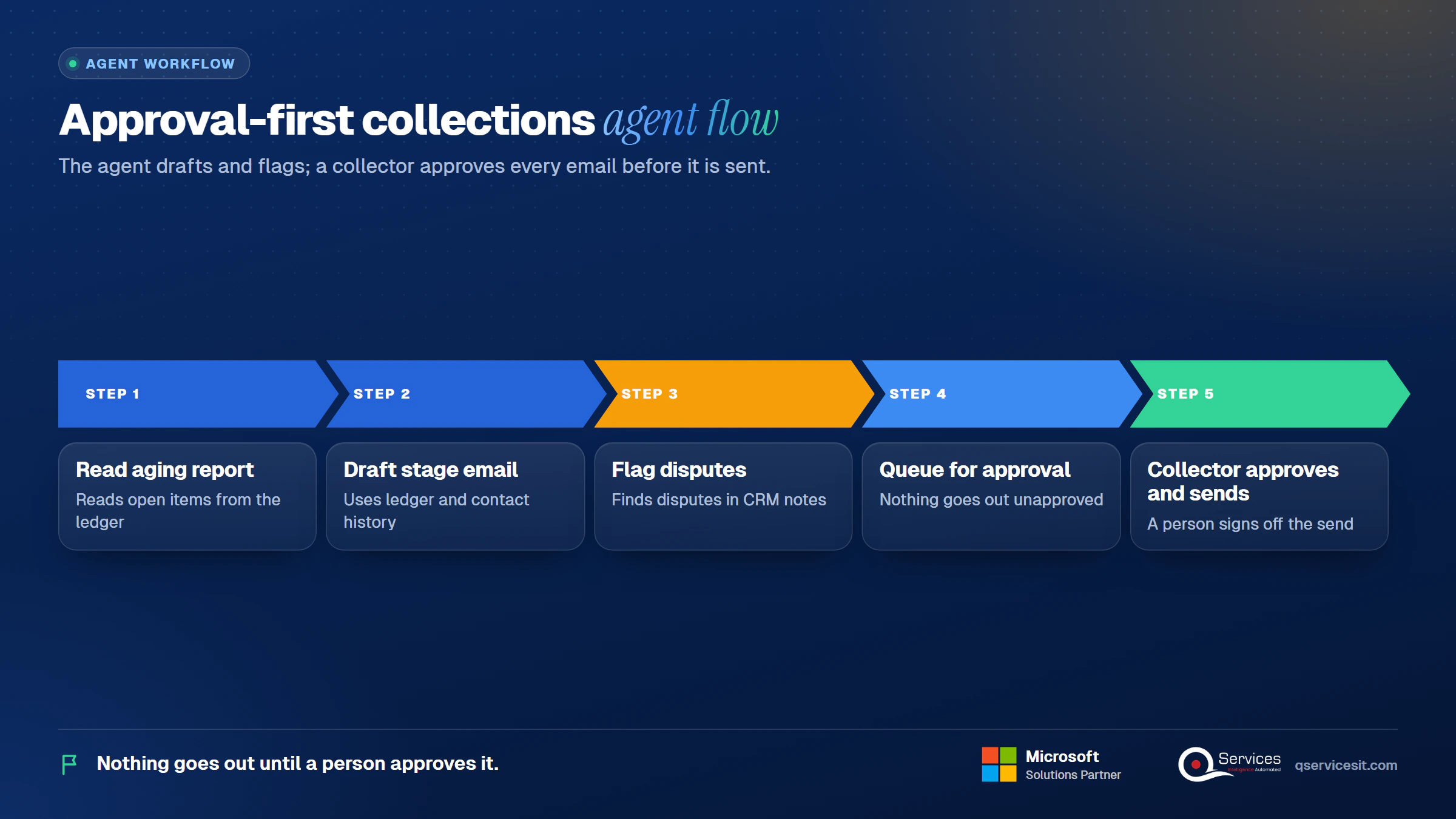
A person keeps stage 4 and 5 sign-off, dispute decisions and strategic accounts. That is how B2B collections email stages stay human where it counts.
How does a collector's week compare, manual vs agent-drafted?
| Task |
Manual |
Agent-drafted, collector approves |
| Pulling overdue items |
Export aging, filter in Excel |
Agent reads open items daily |
| Writing each email |
Copy template, retype amounts |
Draft arrives filled in |
| Spotting disputes |
Search CRM by hand |
Flagged from notes |
| Approval |
Collector sends directly |
Collector reviews, edits, sends |
| Setup effort |
Low, just templates |
Higher: contact roles, dispute flags and templates must be cleaned first |
The honest trade-off is the setup row. The agent is only as good as the ledger and contact data behind it.
How does QServices approach past due invoice emails?
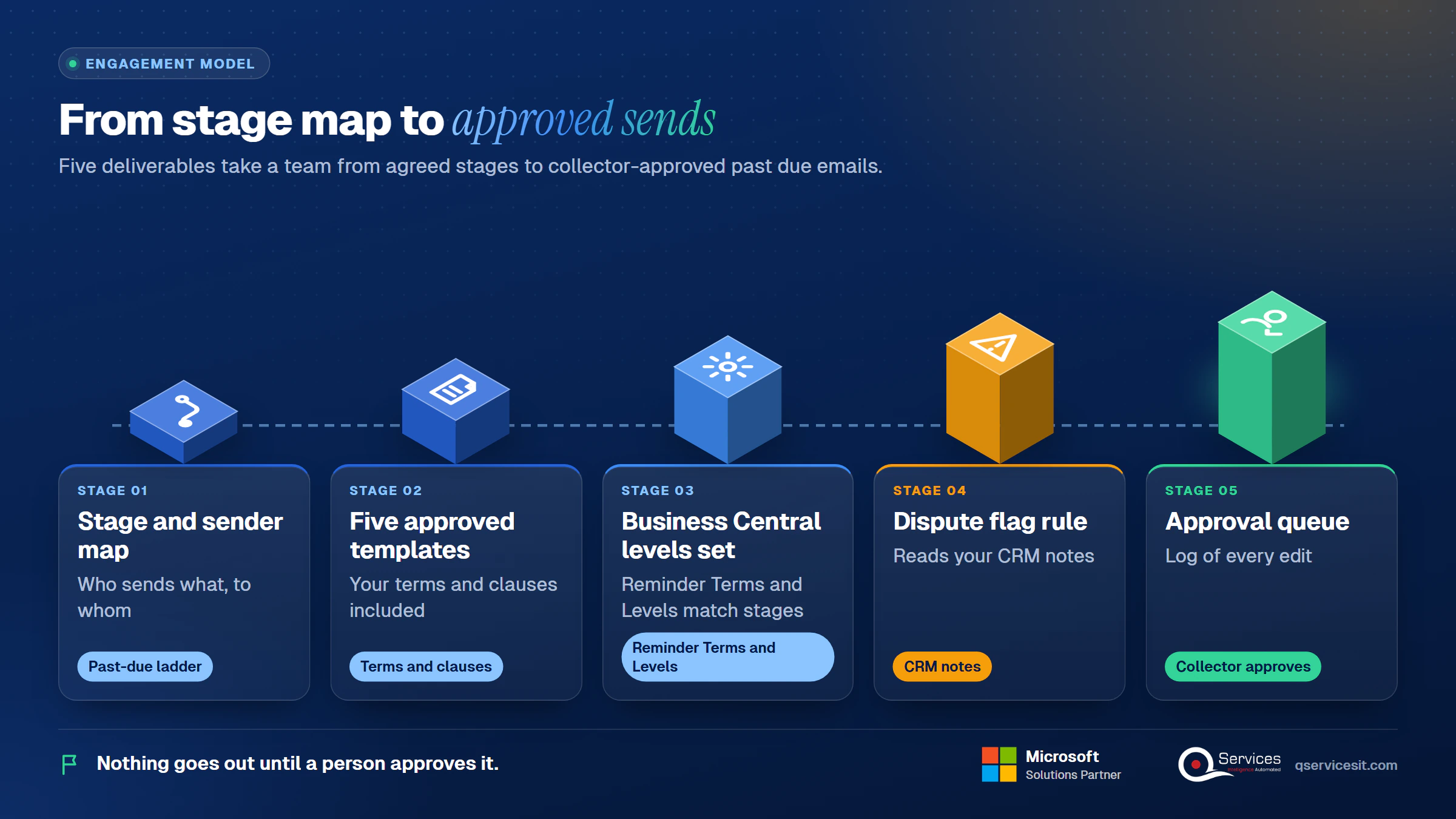
We start with the Past-due ladder: agree the five stages and owners, then wire the agent to your open items. The agent runs in your own Azure tenant, and an approval queue sits in front of every send. We build on a human in the loop model, and the same team builds and runs it.
- A stage and sender map (who sends what, to whom)
- Five approved templates with your terms and clauses
- Business Central Reminder Terms and Levels configured to match
- A dispute flag rule that reads your CRM notes
- An approval queue with a log of every edit
Implementation Checklist
- Five stages and day counts written down and signed off by credit
- Late-fee clause confirmed in the customer contract
- Contacts verified for AP clerk, AP manager and finance lead
- Open disputes excluded from the sequence
- Reminder Levels in Business Central match the stage table
- SPF, DKIM and DMARC set on the sending domain
- Stage 4 and 5 require controller or credit manager approval
- Counsel reviewed the final notice wording
What should you do first with your past due invoice email template?
Pilot stage 2 on one customer segment for 30 days and measure days-to-pay after the reminder, the share of drafts a collector edits, and disputes caught before sending. and we will map your five stages to your ledger.

Written by Rohit Dabra
Co-Founder and CTO, QServices IT Solutions Pvt Ltd
Rohit Dabra is the Co-Founder and Chief Technology Officer at QServices, a software development company focused on building practical digital solutions for businesses. At QServices, Rohit works closely with startups and growing businesses to design and develop web platforms, mobile applications, and scalable cloud systems. He is particularly interested in automation and artificial intelligence, building systems that automate routine tasks for teams and organizations.
Accounts receivableCollections automationERP integrationFinance automation
Talk to Our Experts
Frequently Asked Questions
Related Topics
Next step
Ready to cut the time spent on dunning emails?
Talk with our team about drafting stage-by-stage collection emails from your ERP and CRM data, with your collector approving every send.














 Trustpilot5.0★★★★★See reviewsGoodFirms5.0★★★★★45 verified reviews
 G25.0★★★★★See reviewsClutch5.0★★★★★Quality 5.0 · Schedule 4.8
 Google4.7★★★★★Mohali office
 Erik BrownBusiness owner and software engineerClient review
 Zoltan BodnarCFO, Yusen LogisticsGoodFirms
 Ranbeer MakinClientClient review
 Alex VanderElsClientClient review
 Philmore J.ClientClient review
 Michael WilliamsonPresident and CEO, United Way of Southeast LouisianaGoodFirms
 Steven LewisClientClient review
 Brian WallerPresident, Technology Association of IowaGoodFirms





