Home » Bridging the Gap Between Developers and AI with Copilot Studio
Probably every organization nowadays uses AI chatbots to handle their customer queries as it is the current most efficient way to do so. With the growing demand of this AI-assisting technology, Microsoft introduced Copilot Studio, which turned out to be a game-changing solution for developers and organizations. This powerful platform enables the creation of custom AI chatbots and virtual agents with minimal coding requirements.
In this comprehensive guide, we’ll explore how Copilot Studio is easing AI development with its key features. We’ll also share some of the best proven strategies to streamline your development process and enhance your organization’s AI capabilities.
Copilot Studio (Microsoft’s Copilot for Developers) is a tool that allows to build custom AI chatbots and virtual agents with little or no-code. It helps businesses create their own virtual assistants that resolve complex customer queries in a fraction of seconds with its intelligence. Copilot Studio is an efficient solution for businesses who doesn’t have enough resources to hire developers.
Both Microsoft Azure Copilot and its studio version serve different purposes. Copilot for 365 is simply an AI-powered assistant that integrates with Microsoft 365 applications to help in business operations. It is more common like Chatgpt, and helps in boosting efficiency and productivity by generating information with a prompt.
On the other hand, Copilot Studio streamlines building custom AI solutions for developers and organizations without writing any code. It’s agents or chatbots can be easily integrated with Microsoft as well as third-party apps to boost communication and drive collaboration.
In short, Copilot is a user-friendly platform whereas the studio version is leaner towards developers.

Microsoft Copilot Studio offers a number of features for businesses to develop and deploy unique AI solutions without requiring a lot of technical expertise. Here are a few of its key strengths:
Build Custom Intelligent AI-Powered Solutions: One of the core functions of Copilot Studio is its ability to let developers create specialized AI assistants that can handle tasks according to business requirements. Developers can train these models using their organization’s unique data, documents, and workflows. Based on it, the platform itself will understand and process both text and voice interactions.
Microsoft Ecosystem Integration: The studio version connects seamlessly with Microsoft 365 applications and services. Developers can integrate their Copilot solutions with Teams, SharePoint, Power Platform, and other Microsoft tools. This integration enables the AI assistants to access and work with data across different Microsoft applications.
Built-in Templates: Copilot Studio provides easy-to-use templates for creating chatbots. These templates include customer service responses, IT helpdesk support, and employee onboarding processes. Developers can modify these templates to match their specific needs or use them as starting points for their custom solutions.
Natural Responses: Copilot’s AI assistants communicate in a conversational manner, more like a human. They understand context, remember previous interactions within a conversation (30 days default retention period), and provide relevant responses. The platform includes tools to fine-tune these responses and ensure they align with the organization’s communication style and requirements.
Testing and Debugging Tools: Copilot Studio offers robust testing and debugging tools. Developers can simulate various user inputs and AI responses to test workflows and customizations before deployment. The platform provides detailed logs and error-tracing features, making it easier for developers to identify and fix issues, ensuring that Copilot performs reliably in production environments.
By leveraging Microsoft Copilot Studio, developers can create AI solutions that seamlessly integrate into business ecosystems. These solutions can help in enhancing customer support, automating workflows, and providing real-time insights.
Get free Consultation and let us know your project idea to turn into an amazing digital product.
Microsoft Copilot Studio’s removes the barriers between developers and AI technology with its collaborative solutions. Its ability to provide coding suggestions and corrections help developers in several ways including:
To use AI Builder, create an AI model in the AI Builder portal, train the model with your data, and then integrate the model into your Power Apps using the AI Builder controls.
Common use cases include automating approval processes, sending notifications, synchronizing data between systems, and creating scheduled tasks.
Monitoring and management can be done using the Power Platform admin center, where you can view analytics, manage environments, and configure settings for your applications.
The CoE is a set of best practices, tools, and templates designed to help organizations govern and manage their Power Platform environments effectively.
Data integration can be handled using connectors, custom connectors, and dataflows. Dataflows allow you to extract, transform, and load data from various sources into Dataverse.
Dataflows are ETL (extract, transform, load) processes that allow you to bring data from various sources into Dataverse or other destinations. They are used for data integration and preparation.
To create a dataflow, go to the Power Apps or Power BI portal, select Dataflows, and follow the steps to connect to data sources, transform the data, and load it into the destination.
Deployment can be done using solutions, which package your app, flows, and other components. Solutions can be exported from one environment and imported into another.
Solutions are containers for components like apps, flows, and entities. They allow you to package and manage your Power Platform applications for deployment and versioning.
Version control can be managed using solutions and environments. You can create different versions of your solutions and deploy them to different environments for testing and production.
Advanced features include data modeling with DAX (Data Analysis Expressions), creating custom visuals, using Power BI Embedded for integration, and leveraging AI insights.
Applications can be shared with users by assigning them appropriate roles and permissions in the Power Platform admin center. You can also share apps directly from the Power Apps portal.
Common challenges include managing data security, handling complex integrations, and ensuring performance. These can be addressed by following best practices, using the CoE toolkit, and leveraging Microsoft’s support resources.

Follow one deal through the quote to cash process, from CRM to ERP order, invoice and payment. See where data gets retyped and where cash slips.

Build a Power BI accounts receivable dashboard CFOs actually open: the six visuals that matter, the data model under them and how to feed it from your ERP.

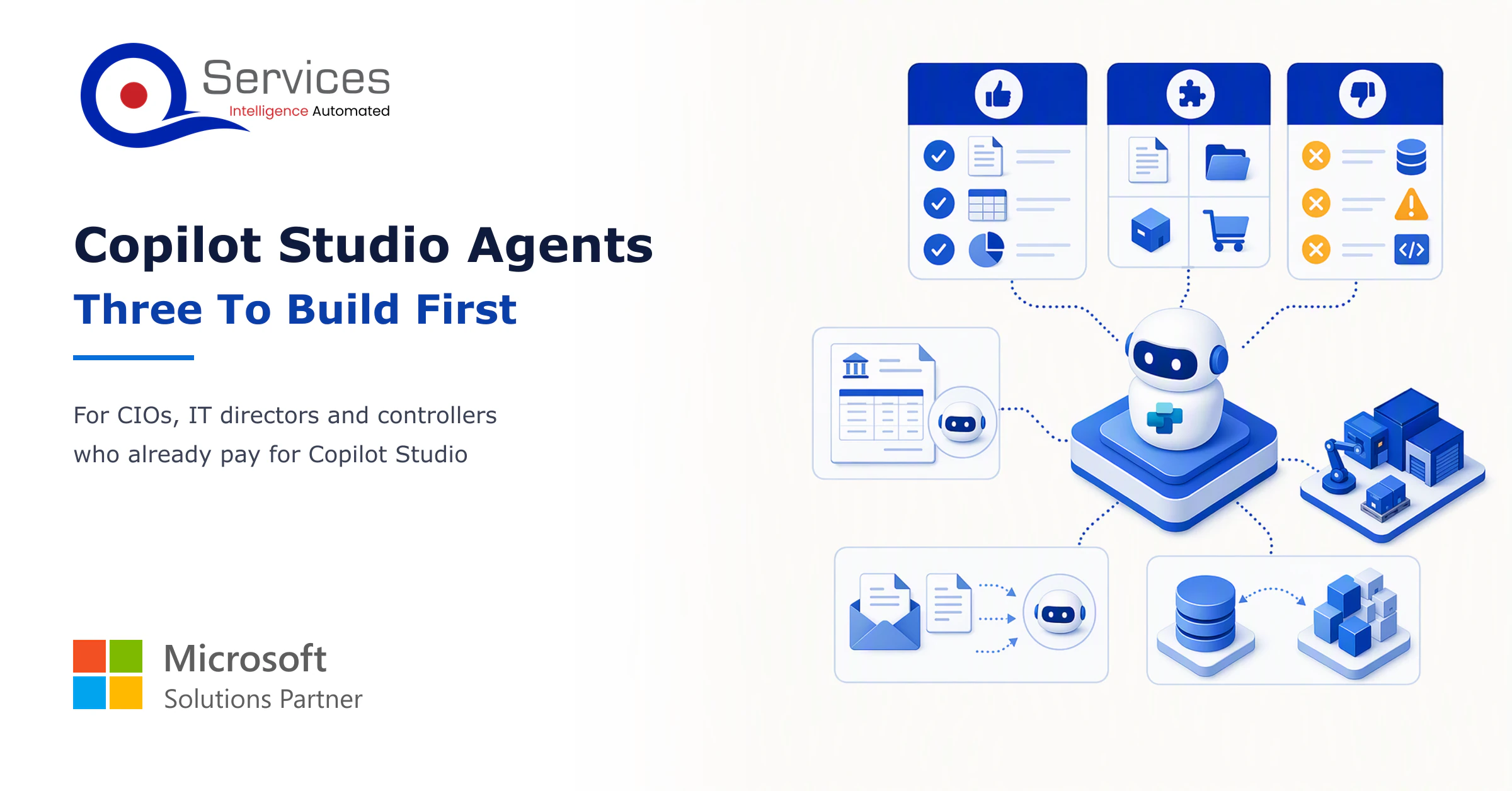
Copilot Studio agents can read remittances, take orders from email and triage tickets. See what each needs from your ERP and where a person approves.
Every quote comes from a published review on GoodFirms, Clutch or our own site. Click a source to read the full review.
Trustpilot5.0★★★★★See reviewsGoodFirms5.0★★★★★45 verified reviews
G25.0★★★★★See reviewsClutch5.0★★★★★Quality 5.0 · Schedule 4.8
Google4.7★★★★★Mohali office“QServices was highly professional, knowledgeable, and approachable. We continue to work with them on other projects.”
“Quality assurance is often overlooked, but these guys take that very seriously. … their team of experienced, dedicated developers and highly skilled engineers quickly dissected and decomposed every problem and presented solutions and options that directly met my needs”
Erik BrownBusiness owner and software engineerClient review“The supplier delivered the application on time and was responsive to our needs. He was also flexible, which allowed us to make changes on the fly.”
Zoltan BodnarCFO, Yusen LogisticsGoodFirms“Thank you Sahil and team for wonderful collaboration right from day 0. … Highly recommend the developers.”
Ranbeer MakinClientClient review“They are always looking for new ways to improve their products and services and to deliver value to their customers.”
“I have had an excellent experience working with QServices. We have a highly collaborative relationship and I value them not just as contractors but as partners.”
Alex VanderElsClientClient review“Sahil undertakes every project with a high degree of professionalism. His communication style is unmatched and he is always available to resolve issues or just discuss the project.”
Philmore J.ClientClient review“Responsive, patient and professional. Consistent weekly attention to our project, and new ideas we hadn't asked for.”
Michael WilliamsonPresident and CEO, United Way of Southeast LouisianaGoodFirms“I have been working with them on a project for a year now … They have been able to solve problems that come up with bugs or development and able to communicate well with me.”
Steven LewisClientClient review“We had been working on the app for two years. QServices built it in two months.”
Brian WallerPresident, Technology Association of IowaGoodFirms“All projects were delivered on time and were fully completed upon delivery.”
“They had excellent quality. The hypercare they provided after the project went live is exceptional.”

Founder and CEO

Chief Sales Officer
Thanks, we’ve got your details. A named member of our team will reply within one business day.