Mongoose is the standard ODM library for connecting MongoDB with Node.js. It adds schemas, validation, and structured query methods on top of MongoDB’s flexible document model, which makes database operations faster to write and easier to maintain in production. This guide covers everything from initial setup to CRUD operations, REST API integration, and best practices for production Node.js applications.
Node.js, with its characteristics as asynchronous, non-blocking code, is excellent for building applications for real-time communication, APIs, and microservices, andMongoDB stores data as flexible, schema-less documents, which makes it fast and adaptable for applications with changing data structures.
But working directly with MongoDB can sometimes be challenging. Enter Mongoose.Mongoose is the ODM library for MongoDB and Node.js, offering a higher-level abstraction that makes it easier to deal with data and work with MongoDB using JavaScript.
What Is Mongoose? The ODM Library for MongoDB Node.js Integration
Mongoose is an ODM, or Object Data Modeling library, for MongoDB and Node.js. It’s designed to provide a powerful set of tools to interact with the MongoDB database in a much more structured and efficient way. While MongoDB natively stores data in a flexible, schema-less form, it allows you to define strict schemas that structure and validate your data before saving it to the database.
Mongoose provides several benefits:
Data Validation: Save data only if it is valid in the database.
Schema Definitions: Define a structured data model with types, default values, and validation.
Middleware: Before and after saves, perform stuff like hashing passwords, or logging changes.
Query Building: Issue database queries via a simple yet powerful API.
Defining Mongoose Schema and Models for Node.js MongoDB Applications
Mongoose uses schemas to define the structure of documents within a collection. After a schema is defined, Mongoose produces a model from the schema that’s used to communicate with the database.
Using Mongoose to manage data schemas in Node.js applications
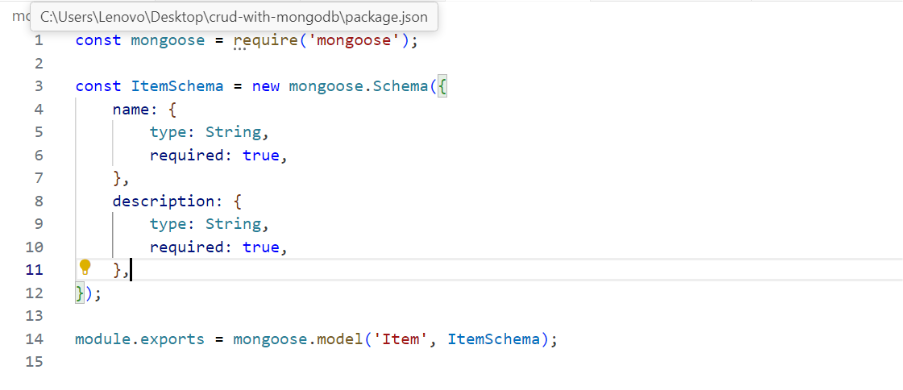
Let us define a schema for a “Item” collection with three fields: name and Description.
Here, we’ve defined the schema for the Item model, specifying that the name and description fields are required.
Using the Model
Now that we have defined the schema, we can create instances of the Item model and interact with MongoDB.
Implementing CRUD operations in Node.js using Mongoose and MongoDB
Mongoose simplifies performing CRUD operations on MongoDB. Let’s see how to perform each of these.
Create
It’s easy to create a new document using Mongoose. You only need to create an instance of the model and call the save method.
Read
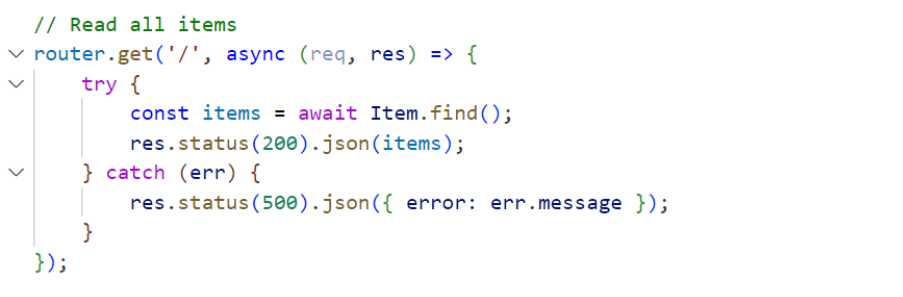
You can query the database using methods like find(), findOne(), or findById().
Update
To update a document, you can use methods like updateOne(), updateMany(), or findOneAndUpdate().
Delete
To delete a document, you can use either the deleteOne() or deleteMany().
Data Validation in Mongoose
Mongoose validates data before saving it to the database. Mongoose comes with built-in and custom validators to ensure your data meets all your requirements.
Built-in Validators
Here’s an example of using built-in validators like required, unique and minLength:
const userSchema = new mongoose.Schema({
name: { type: String, required: true },
email: {
type: String,
required: true,
unique: true,
validate: {
validator: function(v)
return /@/.test(v); // Simples check for ‘@’ symbol in email
},
message: props => `${props.value} is not a valid email!`
} }
}); Custom Validation
You can also implement custom validation logic using the validate property on schema fields:
Errors should be handled in the most graceful way, especially for database connections and operations. Mongoose handles some errors for you, like database connection errors, validation errors, and so on.
mongoose.connection.on(‘error’, (err) => {
console.error(‘Database connection error:’, err);
});
Building a Node.js application with MongoDB and need a team to handle the database architecture?
QServices has delivered 500+ projects across FinTech, Logistics, and enterprise software using Node.js, MongoDB, and Azure. We can review your current setup or build it from scratch.
Best Practices When Using Mongoose with MongoDB in Node.js
Mongoose MongoDB Best Practices for Production Node.js Applications
To get the most out of Mongoose and MongoDB in your applications, here are some best practices that can be taken:
Use Schema Validation: Always define schemas and validation rules for your data to keep it consistent and in good integrity.
Use Mongoose Middleware: User pre- and post-hooks to perform tasks such as logging, alteration of the data before saving, or hashing of sensitive data like passwords.
Optimize Queries: Use .lean() when you do not require full Mongoose documents. It returns plain JavaScript objects for better performance.
Error Handling: It processes all connection, query, and validation errors to ensure the performance of this application.
Step-by-step guide to integrating MongoDB with Node.js using Mongoose
How to Integrate MongoDB with Node.js Using Mongoose: Step-by-Step Setup
Before we begin writing code, let’s ensure you have the tools installed that you are going to need.
Step 1: Install Node.js and MongoDB
1.Install Node.js: If you do not currently have it installed on your system, you can download and install it from here.
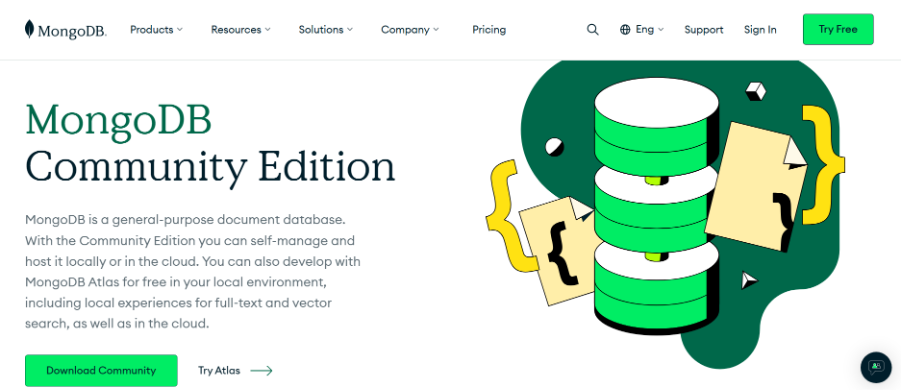
2.Install MongoDB: You can install MongoDB locally or opt to using a cloud solution such as MongoDB Atlas.
Step 2: Initialize a Node.js Project
Run the commands below in your project folder to get started with the initialization of a Node.js project.
This will create a package.json file in your project directory.
Step 3: Installing Mongoose
Now you will install Mongoose with npm using the following command:
Step 4: Connecting to MongoDB
We will use Mongoose’s connect function, which will create a connection to the MongoDB database. In this example, we will use a local MongoDB database called myapp.
Step 5: Define a Mongoose Schema and Model
Create a new file models/User.js to define a User schema.
Mongoose makes MongoDB usable at production scale in Node.js applications. Schemas enforce consistency. Validation catches bad data before it hits the database. Middleware hooks handle cross-cutting concerns like logging and authentication cleanly. And the query API keeps complex database operations readable across a team. If you’re building a Node.js MongoDB application and want it architected correctly from the start, or if you’re inheriting a codebase that needs a Mongoose schema audit before it scales, QServices has delivered 500+ projects on this stack. We build on Node.js, MongoDB, and Azure for enterprise clients across FinTech, Logistics, and custom software. Start with a free scoping call and we’ll tell you exactly what your build needs.
Mongoose is an ODM (Object Data Modeling) library that adds schemas, validation, and a structured query API on top of MongoDB for Node.js applications. It makes data management more consistent and maintainable in team environments. With over 9 million weekly npm downloads as of 2025, it’s the most widely adopted approach to MongoDB integration in Node.js projects. QServices uses Mongoose across enterprise Node.js and MongoDB builds for FinTech and Logistics clients.
Use mongoose.connect() with your MongoDB connection string. For local development, connect to mongodb://localhost:27017/yourdb. For production, use a MongoDB Atlas connection string stored in an environment variable. Always handle the connection promise with .then()and .catch() or async/await, and implement mongoose.connection.on(‘error’) for runtime error handling.
A Schema defines the structure and validation rules for documents in a MongoDB collection. A Model is compiled from that Schema and is the object you use to actually read and write data. Think of the Schema as the blueprint and the Model as the builder. You define a Schema once and create a Model from it with mongoose.model(‘ModelName‘, schema).
Create with new Model(data).save(), Read with Model.find() or Model.findById(), Update with Model.findByIdAndUpdate() or Model.updateOne(), and Delete with Model.deleteOne() or Model.findByIdAndDelete(). Each method returns a promise, so use async/await for clean, readable code. Mongoose’s CRUD API wraps the native MongoDB driver methods with schema validation on write operations.
A basic REST API with Mongoose MongoDB integration takes 1 to 2 weeks for an experienced Node.js team. A full enterprise application with authentication, role-based access, complex schemas, and Azure deployment typically runs 6 to 16 weeks depending on scope. QServices scopes Node.js MongoDB builds with a detailed technical discovery session before any development begins, so timelines are based on your actual requirements.
Use Mongoose when your application needs consistent data validation, schema enforcement, and middleware hooks for operations like logging or password hashing. Use the native MongoDB driver when you need maximum query flexibility or are building a high-throughput system where the ODM overhead matters. For most enterprise Node.js applications, Mongoose is the right default because data integrity and team maintainability outweigh the small performance difference.
The cost of a Node.js MongoDB development engagement depends on project scope, timeline, and the seniority of the team. QServices offers fixed-scope engagements and time-and-materials models for Node.js MongoDB projects, with clients across FinTech, Logistics, and enterprise software in the US, Canada, and UK. Contact QServices for a scoping call and we’ll provide a detailed estimate based on your specific requirements.
Yes. Node.js applications using Mongoose connect to MongoDB Atlas or Azure Cosmos DB for MongoDB API on Azure App Service, Azure Container Apps, or Azure Kubernetes Service. QServices deploys Node.js MongoDB applications on Azure for enterprise clients, with CI/CD pipelines through Azure DevOps and connection management handled via Azure Key Vault for production secrets.
Selecting the right software platform should never be a technical choice. For businesses, it is a risk decision that affects speed to market, cloud costs, team productivity, and long-term system stability.
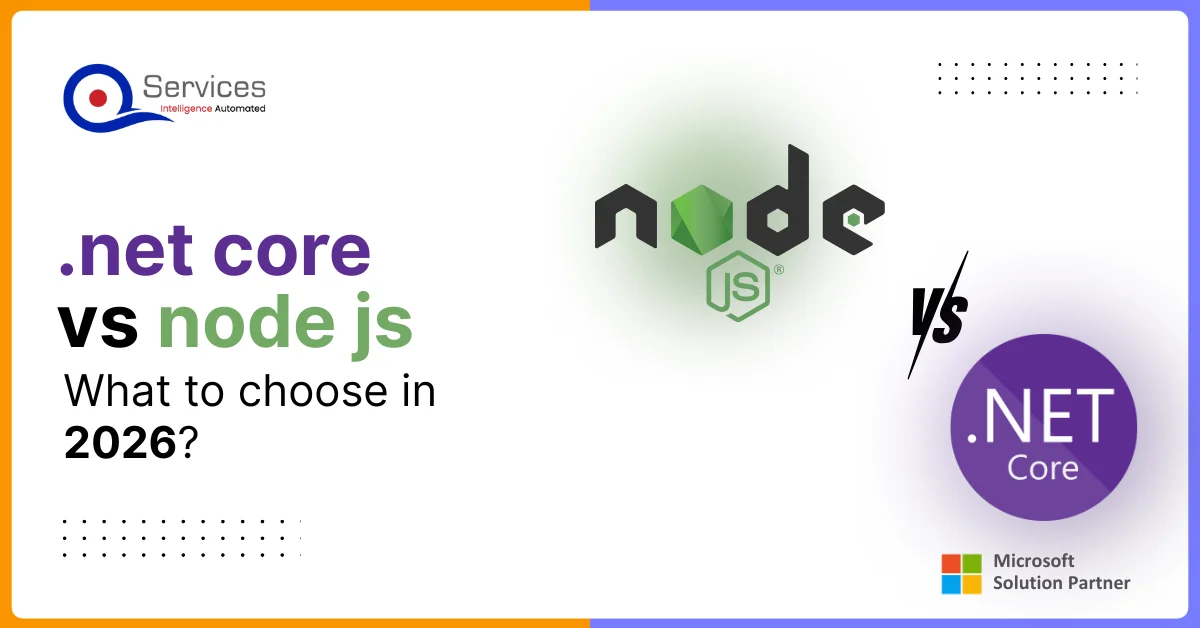
In the .NET Core vs Node.js debate, the focus should be less on which technology is “better” and more on which one fits business needs in 2026. Companies now balance rapid product delivery and remote development with stricter regulations, data protection requirements, and uptime expectations.
This guide will walk you through the process of creating a full-stack React app, integrating a Node.js with React backend, and setting up a robust project structure. Whether you’re wondering what is React JS and Node JS or how to implement a React Node stack, this blog has you covered with practical steps, best practices, and insights
Redis (Remote Dictionary Server) is an open source, in-memory key-value data store that supports a variety of data structures including strings, hashes, lists, sets, sorted sets, etc. It is commonly used for use cases such as caching, session storage, real-time analytics, and message passing.
“Quality assurance is often overlooked, but these guys take that very seriously. … their team of experienced, dedicated developers and highly skilled engineers quickly dissected and decomposed every problem and presented solutions and options that directly met my needs”
Erik BrownBusiness owner and software engineerClient review
★★★★★
“The supplier delivered the application on time and was responsive to our needs. He was also flexible, which allowed us to make changes on the fly.”
“I have had an excellent experience working with QServices. We have a highly collaborative relationship and I value them not just as contractors but as partners.”
Alex VanderElsClientClient review
★★★★★
“Sahil undertakes every project with a high degree of professionalism. His communication style is unmatched and he is always available to resolve issues or just discuss the project.”
Philmore J.ClientClient review
★★★★★
“Responsive, patient and professional. Consistent weekly attention to our project, and new ideas we hadn't asked for.”
Michael WilliamsonPresident and CEO, United Way of Southeast LouisianaGoodFirms
★★★★★
“I have been working with them on a project for a year now … They have been able to solve problems that come up with bugs or development and able to communicate well with me.”
Steven LewisClientClient review
★★★★★
“We had been working on the app for two years. QServices built it in two months.”
Brian WallerPresident, Technology Association of IowaGoodFirms
★★★★★
“All projects were delivered on time and were fully completed upon delivery.”
RBRaine Marie BuenvendiaSr. Support Specialist, Arc.DevClutch
★★★★★
“They had excellent quality. The hypercare they provided after the project went live is exceptional.”
KKKrish KishorePresident, Zero Hour ConsultantsClutch
QServices Inc. undertakes every project with a high degree of professionalism. Their communication style is unmatched and they are always available to resolve issues or just discuss the project.
Thank You
Your details has been submitted successfully. We will Contact you soon!














 Trustpilot
 G2
G2 Google