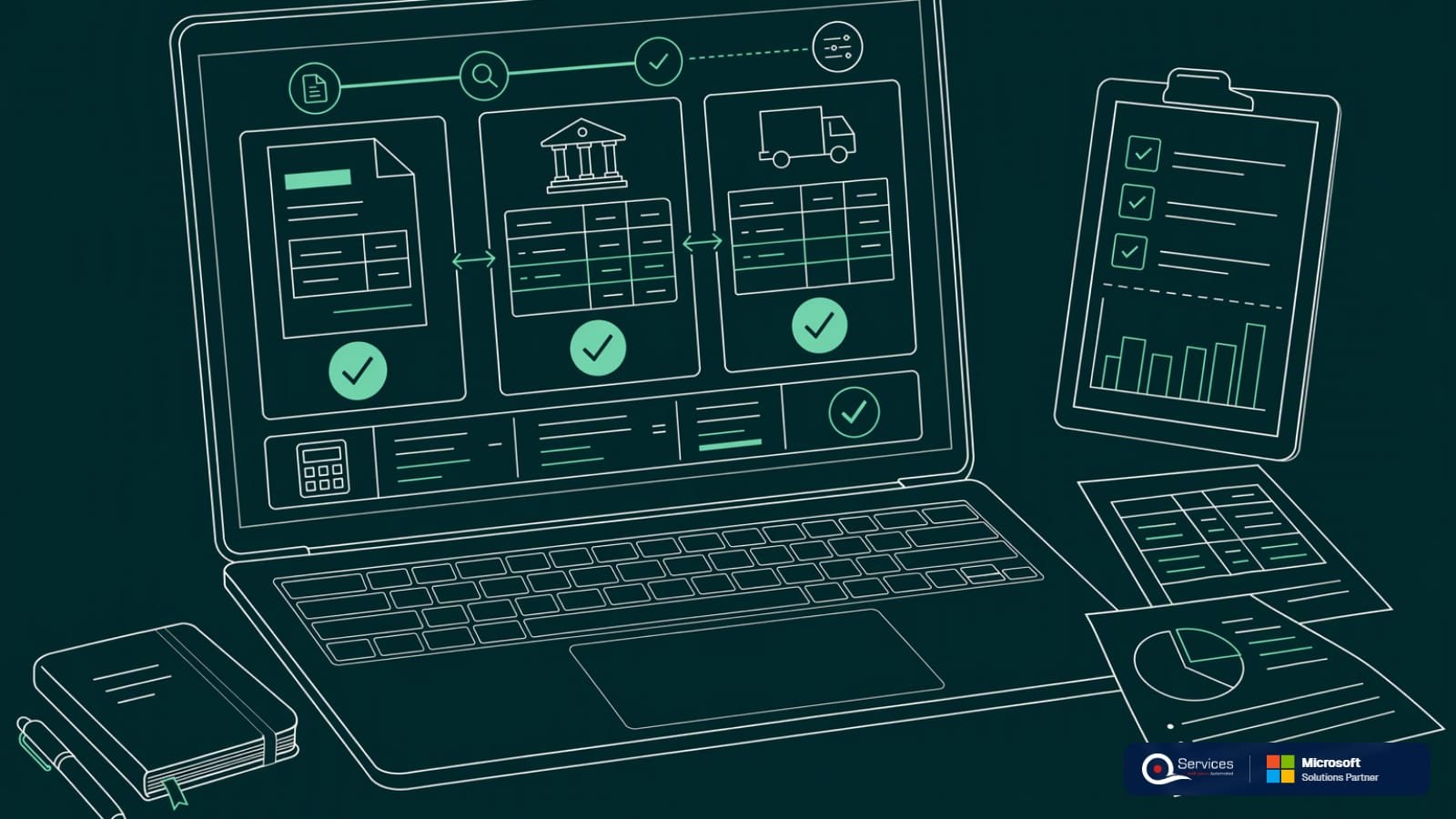
What is payment matching?
Payment matching is linking each incoming payment to the open invoice or invoices it settles. Done right, the bank, the customer account and the general ledger all agree on who paid what. Done late, cash sits unapplied and your receivables look bigger than they are.
Payment matching is the step where a received payment is tied to the specific open items it pays, by invoice number, customer, amount or remittance detail. The result is closed invoices, an accurate customer balance and a posted bank entry. Whatever can't be tied to an invoice is held as unapplied cash or a customer credit until someone resolves it.
Microsoft describes the same idea as applying payments to open entries: per Microsoft Learn.
The top search results blur these four. They answer different questions.
| Term | Question it answers | Compares | Who owns it |
|---|---|---|---|
| Payment matching | Which invoices did this payment settle? | Payment vs open invoices | AR team |
| Cash application | How is the whole cash-in process run? | Matching plus posting, exceptions and deductions | AR team |
| Bank reconciliation | Does the ledger cash balance equal the bank? | Bank statement vs bank ledger | Accounting |
| Three-way matching | Should we pay this supplier invoice? | PO vs receipt vs vendor invoice | AP team |
Matching is one step inside cash application. Bank reconciliation checks the result afterward. Three-way matching is an AP control and has nothing to do with incoming cash.
Late matching inflates receivables. Cash is in the bank, but the invoice still shows open, so collectors chase customers who already paid.
Here's the DSO effect, using illustrative numbers. True AR is $4,500,000 on $36,000,000 of annual credit sales, so DSO is 4.5 / 36 × 365 = 45.6 days. If $400,000 of receipts sit unapplied, the ledger shows $4,900,000 and DSO reads 49.7 days. That's four days of phantom delay.
It's also an audit and fraud point. Unapplied balances and manual overrides are where errors and misdirected cash hide, so auditors ask about them. The ACFE's Report to the Nations tracks occupational fraud, and weak reconciliation and review controls are a recurring theme there.
Finally, it drives customer experience. A customer who paid and still gets a dunning email stops trusting your statements. See how unapplied cash backlogs get cleared.
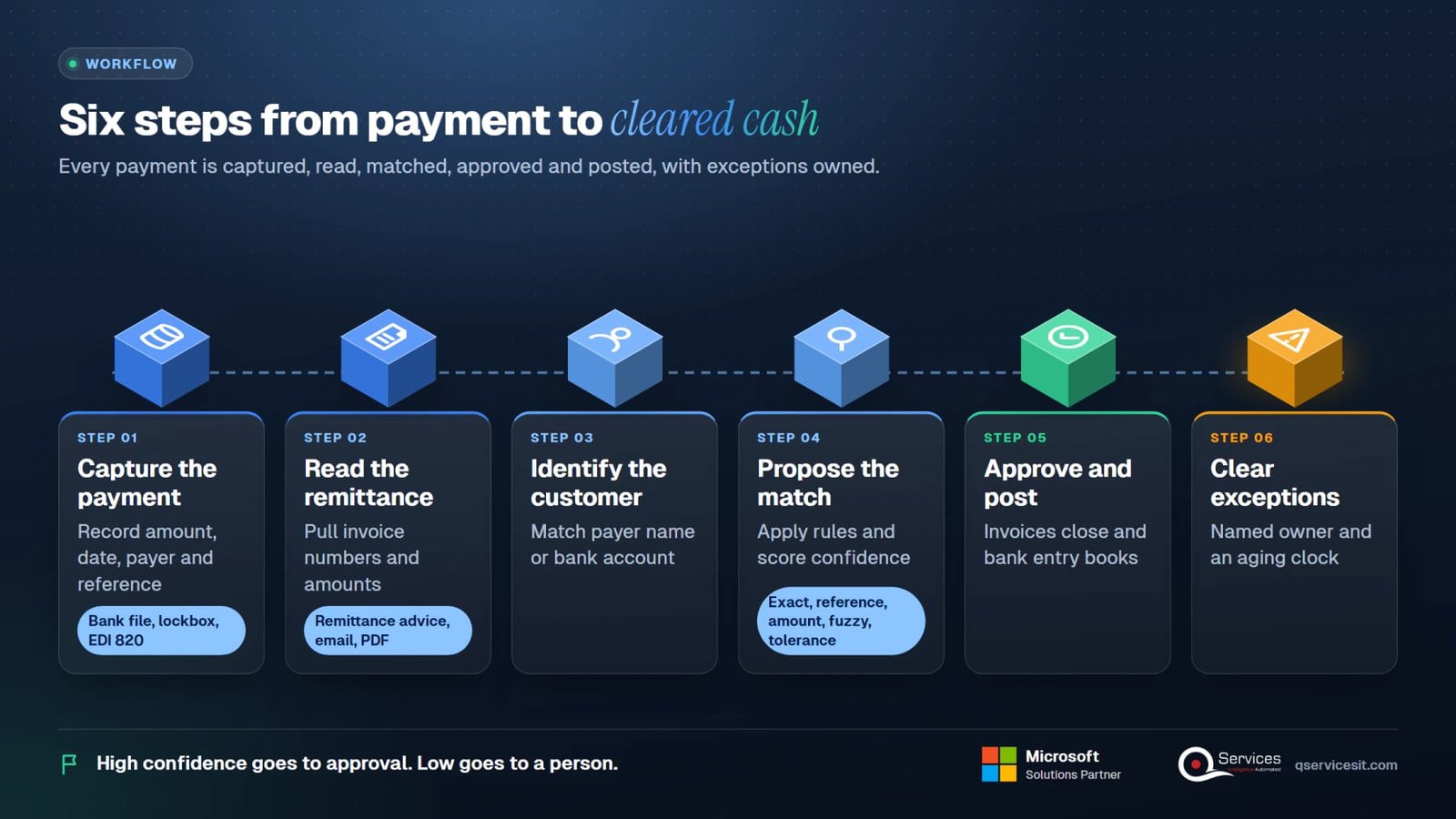
Whatever the ERP, the flow is the same six steps.
Collect it from the bank file, lockbox, card processor or an EDI 820. Record amount, date, payer and reference.
Pull invoice numbers and amounts from the remittance advice, email or PDF. No remittance? Move to step 3 with less evidence.
Match the payer name or bank account to a customer record. Parent and subsidiary payers are a common trap.
Apply the rules below: exact, reference, amount, fuzzy, tolerance. Score confidence. High confidence goes to approval. Low goes to a person.
Post the application so invoices close and the bank entry is booked. Document any write-off or credit memo.
Short pays, overpayments and unidentified cash get a named owner and an aging clock.

Most engines run these in order, strongest evidence first.
| Rule | How it works | Example | Fails when |
|---|---|---|---|
| Exact | Amount and invoice number both match | $4,820.00 for INV-10443 | Customer bundles invoices |
| Reference | Invoice or PO number in the memo | Memo: 'INV 10443 10451' | Typos or truncated memos |
| Amount | Payment equals one open invoice | $7,150.00 equals one item | Two invoices share an amount |
| Fuzzy | Similar payer name, near-match reference | 'ACME HOLDNGS' to Acme Holdings | Similar names, wrong customer |
| Tolerance | Allows a small variance | $3.00 on $2,400.00 | Tolerance hides real shortages |
Keep tolerances small and written down. A $5 write-off limit is a policy, not a default.
Five scenarios, all illustrative.
| Scenario | Payment | Open items | Outcome |
|---|---|---|---|
| Exact | $4,820 | INV-10443 for $4,820 | Closed. Nothing left. |
| One to many | $10,000 | $5,000, $3,500 and $1,500 | All three closed. Balance zero. |
| Partial | $6,000 | INV-10460 for $9,000 | $3,000 stays open. Don't close the invoice. |
| Short pay with deduction | $11,500 | INV-10477 for $12,000 | $500 held as a deduction pending the claim |
| Overpayment | $8,400 | INV-10482 for $8,000 | $400 left as a customer credit |
| Unidentified | $6,250 | None identified | Held unapplied until the payer is found |
The short pay is not a write-off yet. If the $500 is a valid damage claim, issue a credit memo. If it's an invalid deduction, dispute it. See deductions and short pays.
Illustrative amounts. Your chart of accounts will use different names.
| Case | Debit | Credit | Note |
|---|---|---|---|
| Applied cash $10,000 | Bank 10,000 | Accounts receivable 10,000 | Customer ledger entries close |
| Unapplied cash $6,250 | Bank 6,250 | Unapplied cash or customer credit 6,250 | Reclass to AR when identified |
| Early-pay discount $240 on $12,000 | Bank 11,760; Sales discounts 240 | Accounts receivable 12,000 | Only if the terms allowed it |
| Small write-off $3 on $2,400 | Bank 2,397; Write-off expense 3 | Accounts receivable 2,400 | Within written tolerance |
| Overpayment $400 | Bank 8,400 | Accounts receivable 8,000; Customer credit 400 | Refund or apply to next invoice |
Uncollectible balances go to bad debt expense or the allowance, per your policy and your auditor. Don't use the discount account as a dumping ground.
Business Central gives you three routes. In a cash receipt journal you pick the customer, choose Apply Entries and use Set Applies-to ID to select the invoices. The payment can also go against posted entries later. Per Microsoft Learn, you can't apply entries with the same sign as the payment, and a payment applied to the wrong customer must be unapplied first.
The second route is the Payment Reconciliation Journal. You import a bank statement, and Apply Automatically matches each line against open customer, vendor and G/L entries. Each match gets a confidence rating from Low to High, and you can override any proposal (Microsoft Learn). Text-to-account mapping lets you map recurring statement text, such as a bank fee description, straight to a G/L account.
Third, a customer card can use the Apply to Oldest method, so receipts hit the oldest invoice automatically. That's fine for balance-forward customers and wrong for anyone who disputes invoices.
Where it stops: the rules match what's on the bank line. They don't read a remittance PDF in someone's inbox, split a bundled payment against a customer's own spreadsheet, or decide whether a deduction is valid. Those still need a person or an agent working beside the journal.
In Dynamics GP, you enter the receipt in Cash Receipts Entry and use the Apply button, which opens the Apply Sales Documents window. Microsoft's glossary describes auto-apply as applying receipts to a customer's oldest documents, with setup choosing due date or document date for 'oldest' (Microsoft Learn). Multicurrency documents must be applied in the same originating currency or the functional currency. GP has no built-in remittance reading, so anything past oldest-first is manual.
In NetSuite, Oracle's help says auto-create rules can create and match customer payments to imported bank lines, but you must still reconcile them and apply them to invoices manually (NetSuite Help). So the bank-side match is automated while the invoice-side match often isn't.
The pattern is the same across all three. Native tools match clean, single-invoice payments well. Messy payments are where the hours go. Our Dynamics GP and Business Central practices work on exactly that gap.
Neither wins everywhere. Use each where it fits.
| Factor | Manual | Rules-based automation | Agent with approval |
|---|---|---|---|
| Clean single invoice | Slow but accurate | Fast and accurate | Fast and accurate |
| Bundled payment | Accurate, hours per batch | Often unmatched | Proposes a split for review |
| Remittance in email or PDF | Read by hand | Not read | Read, then proposed |
| Audit trail | Depends on the person | System log | Log plus named approver |
| Scales at month end | Needs overtime | Yes | Yes, exceptions queue grows |
Automation moves effort to exceptions. It doesn't remove the need for a person to own them.
Four measures cover most of what a controller needs. Numbers are illustrative.
| KPI | Formula | Worked example |
|---|---|---|
| Auto-match rate | Auto-matched payments / total payments | 8,400 / 10,000 = 84% |
| Unapplied cash aging | Unapplied older than 30 days / total unapplied | $62,000 / $186,000 = 33% |
| Days to apply | Application date minus receipt date, averaged | Receipts applied in 3.2 days on average |
| DSO impact | (AR / annual credit sales) × 365 | 4.9M / 36M × 365 = 49.7 days vs 45.6 |
Report auto-match rate with the exception rate beside it. A high rate with many reversals means the rules are too loose.
Every exception needs an owner, a next action and an age limit.
| Exception | Typical cause | Action | Owner |
|---|---|---|---|
| Short pay | Deduction, discount, damage claim | Hold the difference, validate, then credit or dispute | AR and collections |
| Overpayment | Duplicate payment, wrong amount | Hold as credit, refund or apply next | AR |
| Unidentified cash | No remittance, third-party payer | Search by amount and bank detail, ask the bank | AR lead |
| Wrong customer | Similar names | Unapply, reapply, check why it matched | AR with approver |
| Foreign currency difference | Rate moved between invoice and receipt | Post the exchange gain or loss per policy | Accounting |
Anything unresolved past 30 days should reach the controller's weekly review.
These show up in almost every cash application review.
It does the reading and proposing. A person approves every action before it posts.
The agent pulls bank lines, emails and remittance files, then extracts invoice references and amounts.
It queries open items in the ERP and proposes each application with a confidence score and the evidence behind it.
An AR specialist reviews the queue, fixes or rejects proposals and signs off.
Only approved items post to Business Central, Dynamics GP, NetSuite or another ERP, and each is logged with the approver.
We review rejected proposals with your team and adjust the logic.
It's linking each incoming payment to the open invoice or invoices it pays, so the invoices close and the customer balance is correct. Payments that can't be linked are held as unapplied cash.
Payment matching works at the customer level and asks which invoices a payment settled. Bank reconciliation works at the account level and checks that the ledger cash balance agrees with the bank statement.
Use the remittance advice to split the payment across the listed invoices. For example, a $10,000 payment can close invoices of $5,000, $3,500 and $1,500. Without a remittance, apply to the oldest invoices only if the customer has no open disputes.
There's no universal benchmark, so measure your own over time. An illustrative case is 8,400 of 10,000 payments matched automatically, or 84%. Track reversals alongside it, because a high rate with many corrections isn't a good rate.
Partly. The Payment Reconciliation Journal's Apply Automatically function matches bank statement lines to open entries with a confidence rating, and you can override each one. It doesn't read emailed remittances or decide whether a deduction is valid.
They're booked to the bank and held as unapplied cash or a customer credit, with an owner and an aging date. Once the payer is identified, the entry is reapplied to the right invoices.
Bring a week of receipts. We'll show how an approval-first agent would match them, with every action waiting for your sign-off. #PaymentMatching #CashApplication #AccountsReceivable #BusinessCentral
Facts on this page checked on 17 November 2026.

Founder and CEO

Chief Sales Officer
Thanks, we’ve got your details. A named member of our team will reply within one business day.
Talk to a QServices solutions architect about your ERP. You'll leave with two or three automation ideas you can act on, even if you never work with us.