What is a bank reconciliation template you can use today?
This bank reconciliation template is an Excel workbook that adjusts your bank balance and your ledger balance to the same true cash figure. A difference check turns green at 0.00, so you know the account agrees before you sign. It also includes a filled-in example and a short how-to, so you can see a finished reconciliation first.
Enter your work email and the Excel file arrives in your inbox: the ready-to-use sheet, the filled-in example and the how-to.
Excel workbook · 3 sheets · works in Excel and Google Sheets
Not there in a few minutes? Check spam, or .
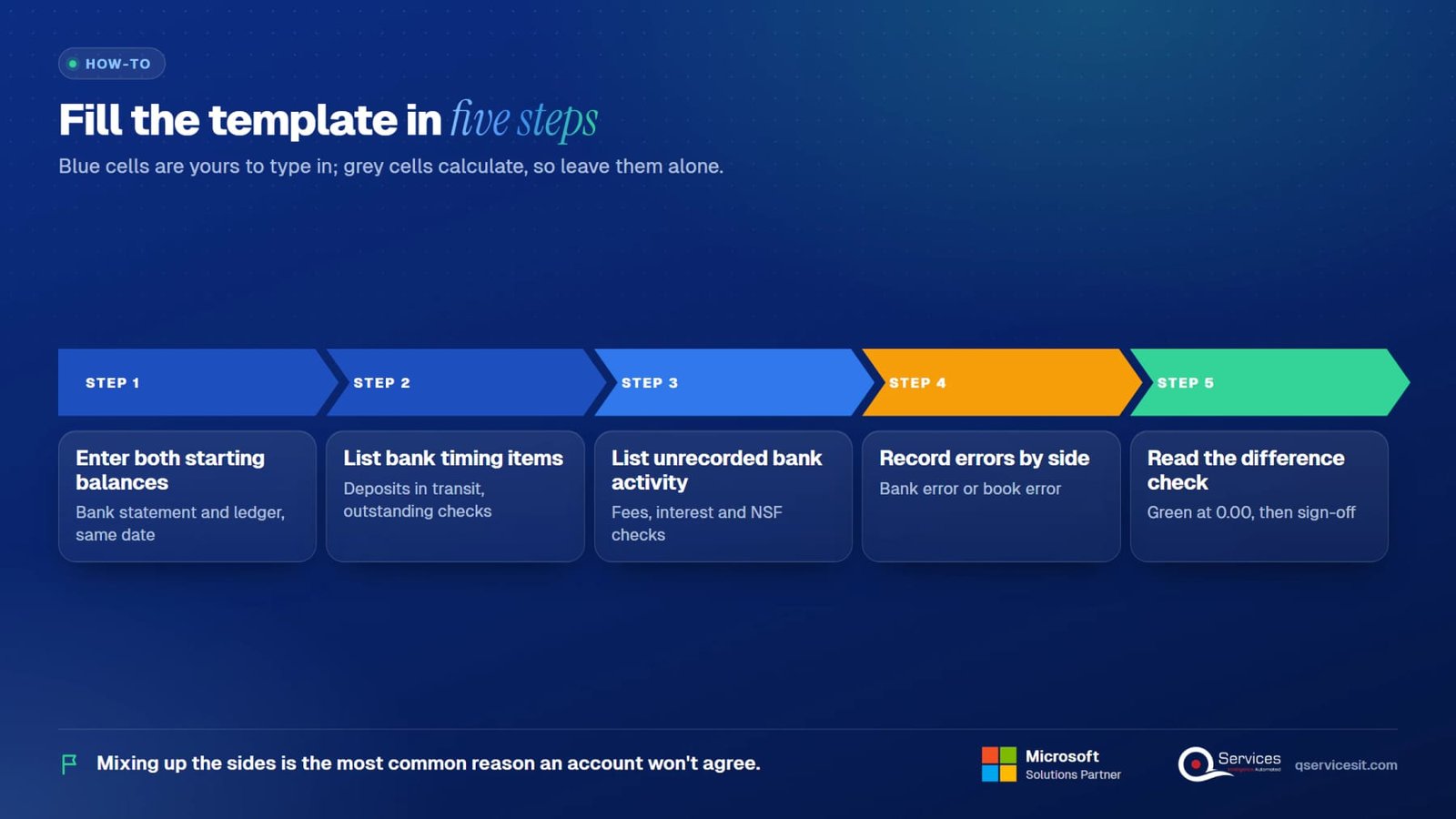
Five steps. Blue cells are yours to type in. Grey cells calculate, so leave them alone.
Type the closing balance from the bank statement on the bank side. Type the general ledger cash balance for the same date on the book side. Both must be as of the statement date.
Add deposits in transit, then outstanding checks and payments. These are items your books recorded that the bank has not processed yet. The totals calculate, and the adjusted bank balance follows.
Add bank fees, interest earned and NSF checks to the book side. Each one needs a journal entry later, because the bank knows about it and your ledger doesn't.
A bank error goes on the bank side. A mistake in your own books goes on the book side. Mixing these up is the most common reason an account won't agree.
At 0.00 the status turns green and you move to journal entries and sign-off. If it's red, something is still missing, and the checklist further down tells you where to look.

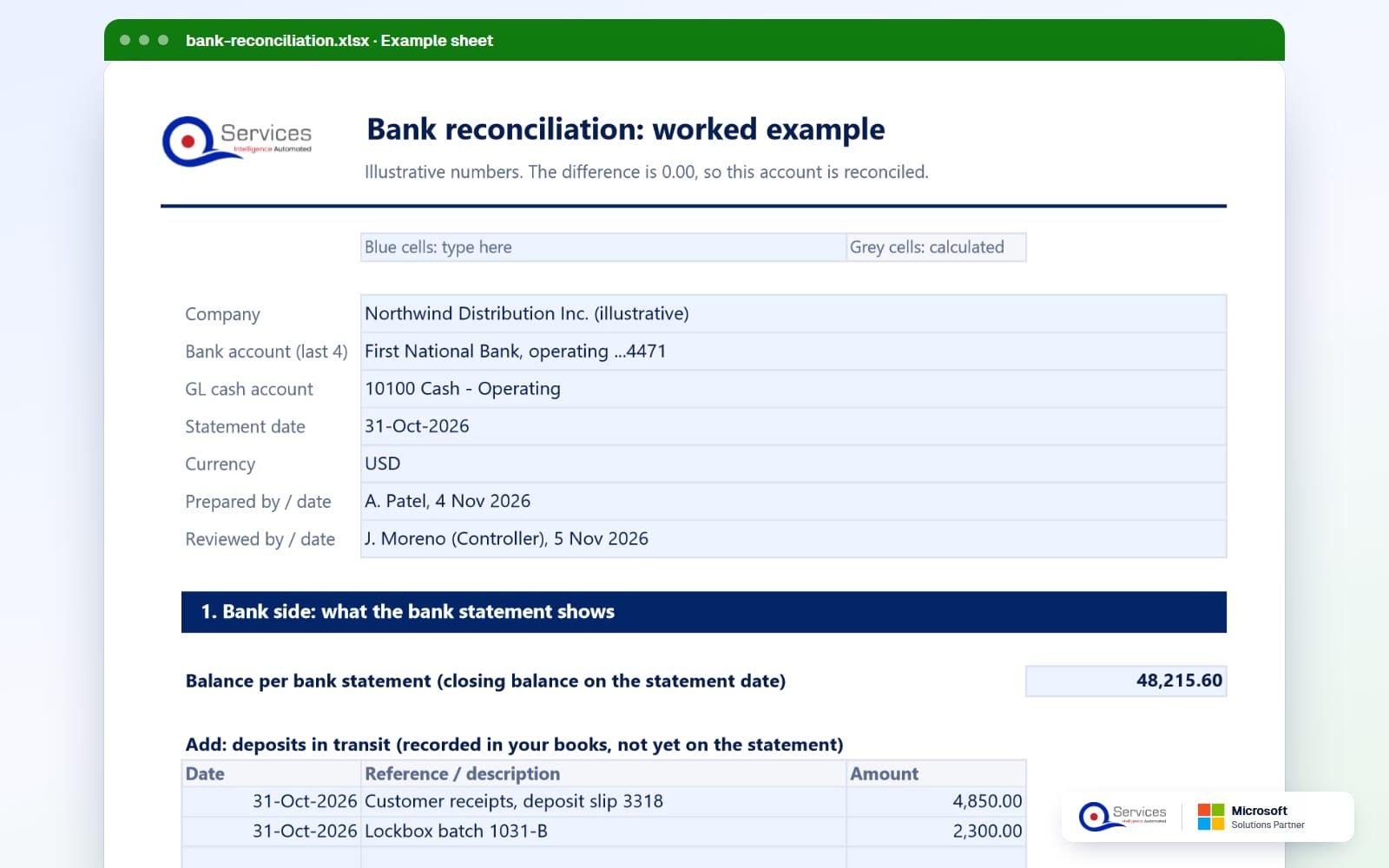
This is the filled-in example inside the template. Northwind Distribution Inc. (illustrative), operating account ...4471, statement date 31 Oct 2026.
| Line | Amount | What it is |
|---|---|---|
| Balance per bank statement | 48,215.60 | Bank side starting point |
| Add: deposit in transit, slip 3318 | 4,850.00 | Customer receipts not yet credited by the bank |
| Add: deposit in transit, lockbox batch 1031-B | 2,300.00 | Total deposits in transit: 7,150.00 |
| Less: check 10452 Acme Freight | 1,240.00 | Outstanding check |
| Less: check 10457 Delta Packaging | 3,615.25 | Outstanding check |
| Less: check 10461 City Utilities | 860.00 | Outstanding check |
| Less: ACH 1031-07 Contoso Supplies | 2,100.00 | Outstanding payment. Total outstanding: 7,815.25 |
| Adjusted bank balance | 47,550.35 | No bank errors |
| Balance per general ledger | 47,822.10 | Book side starting point |
| Add: interest earned | 12.40 | Bank credited it, books didn't |
| Less: monthly account fee | 45.00 | Fee charged by the bank |
| Less: outgoing wire fee | 18.15 | Total fees: 63.15 |
| Less: returned NSF check, customer C-2207 | 275.00 | Customer's check bounced |
| Add: book error, check 10449 | 54.00 | Booked as 1,482.00, cleared at 1,428.00 |
| Adjusted book balance | 47,550.35 | Matches the adjusted bank balance |
| Difference | 0.00 | Reconciled |
Bank side: 48,215.60 + 7,150.00 - 7,815.25 = 47,550.35. Book side: 47,822.10 + 12.40 - 63.15 - 275.00 + 54.00 = 47,550.35. The example covers timing items, fees, interest, an NSF return and a book error, which is what a real month usually contains.
Only the book side needs entries. Timing items on the bank side clear by themselves when the bank processes them. Here are the five entries from the example, as debit and credit lines.
Work through these in order. Most differences are one of the first four.
The template has preparer and reviewer sign-off fields. These practices are our suggestions, so adjust them to your own close policy.
The template works on any ledger. If your ERP has its own reconciliation screen, use it to do the matching, and keep the template as your proof and review sheet. Check the exact screens against your version, since vendors change them.
Open Bank Acc. Reconciliations, enter the statement date and ending balance, and use Suggest Lines. Choose Match Automatically to pair statement lines with bank ledger entries, then Post once every line is matched. Microsoft also documents a Copilot-assisted option for matching.
Go to Transactions, Financial, Reconcile Bank Statements. Select the checkbook and enter the statement ending balance. Then open Select Bank Transactions to mark what cleared. Enter fees and interest in the Reconcile Bank Adjustments window. Microsoft also describes reconciling the checkbook to the GL cash account.
Oracle's current flow is Transactions, Bank, Match Bank Data to match imported lines against transactions. You then finish on Reconcile Account Statement. The older Reconcile Bank Statement page is documented as being retired, so check which one your account uses.
Take the adjusted balances from your system and drop them into the template. If the difference check isn't green, the ERP reconciliation has a gap, and the checklist above shows where to look.
We build AI agents that work inside your ERP and CRM. A person approves every action. For bank reconciliation, the agent prepares the work and your controller decides.
The agent reads the bank statement lines and the cash ledger entries for the period, inside Business Central, Dynamics GP, NAV, Epicor, SYSPRO, NetSuite or Sage.
It proposes matches, then groups what's left into timing items, fees, interest, NSF returns and unexplained differences, with the evidence for each.
For book-side items it drafts the entries and leaves them unposted, so you see the debit and credit lines first.
The preparer reviews the proposals and approves what's right. Nothing posts without that click. The reviewer signs off as usual.
We configure the approval rules, thresholds and audit trail with your finance team, and we maintain the agent after go-live.
Yes. Enter your work email in the form on this page and the Excel file arrives in your inbox.
A ready-to-use reconciliation with a bank side and a book side, lists for deposits in transit, outstanding checks, bank fees, interest, NSF checks and errors, a difference check, a filled-in example, journal entry guidance and preparer and reviewer sign-off.
Blue cells are for you to fill in. Grey cells calculate. The status turns green when the account agrees at 0.00 and red when something is still missing.
Timing items explain part of it: deposits in transit and outstanding checks. The rest is activity the bank recorded first, such as fees, interest and NSF returns, plus any errors on either side.
At least monthly, as part of the close. Accounts with heavy volume are often reconciled more often, because small differences are easier to trace while they're fresh.
Not without approval. Our agents draft the matches and journal entries, and a person approves each action before anything posts in your ERP.
Download it today. If you'd like the matching and entry drafting handled by an approval-first agent, we'll walk through your close with you in 30 minutes. See also the month-end close automation page and our month end close process checklist.
Facts on this page checked on 19 November 2026.

Founder and CEO

Chief Sales Officer
Thanks, we’ve got your details. A named member of our team will reply within one business day.
Talk to a QServices solutions architect about your ERP. You'll leave with two or three automation ideas you can act on, even if you never work with us.