Choosing the right platform for your intranet portal is one of those decisions that haunts IT leaders for years. Pick wrong, and you end up with a half-adopted SharePoint site, a sprawl of Power Apps nobody owns, or a custom .NET project that ate two budgets and still isn't finished. This guide walks through how custom power apps development compares with SharePoint and custom .NET for intranet portals, when each option wins, and how to avoid the governance traps that sink most projects. We work with healthcare, logistics, financial services, and SaaS companies every week on this exact decision, so the recommendations here are grounded in what actually ships.
In This Article, You'll Learn
Why the Intranet Platform Decision Is Harder Than It Looks
SharePoint Online: When It Wins and When It Hurts
When Power Apps and the Power Platform Are the Right Choice
When Custom .NET Is Still the Right Answer
How to Choose: A Practical Decision Framework
Eager to discuss about your project?
Share your project idea with us. Together, we’ll transform your vision into an exceptional digital product!
Why the Intranet Platform Decision Is Harder Than It Looks
Intranet portals look simple on paper. A home page, some news, document libraries, a few forms, maybe a directory. But the moment you scratch the surface, the requirements multiply: single sign-on, mobile access, workflow approvals, integrations with HRIS and ERP, audit trails for compliance, and a way for non-developers to extend the thing without breaking it.
The wrong platform turns each of those requirements into a six-month project. The right one turns them into a two-week sprint.
The three platforms most teams actually consider
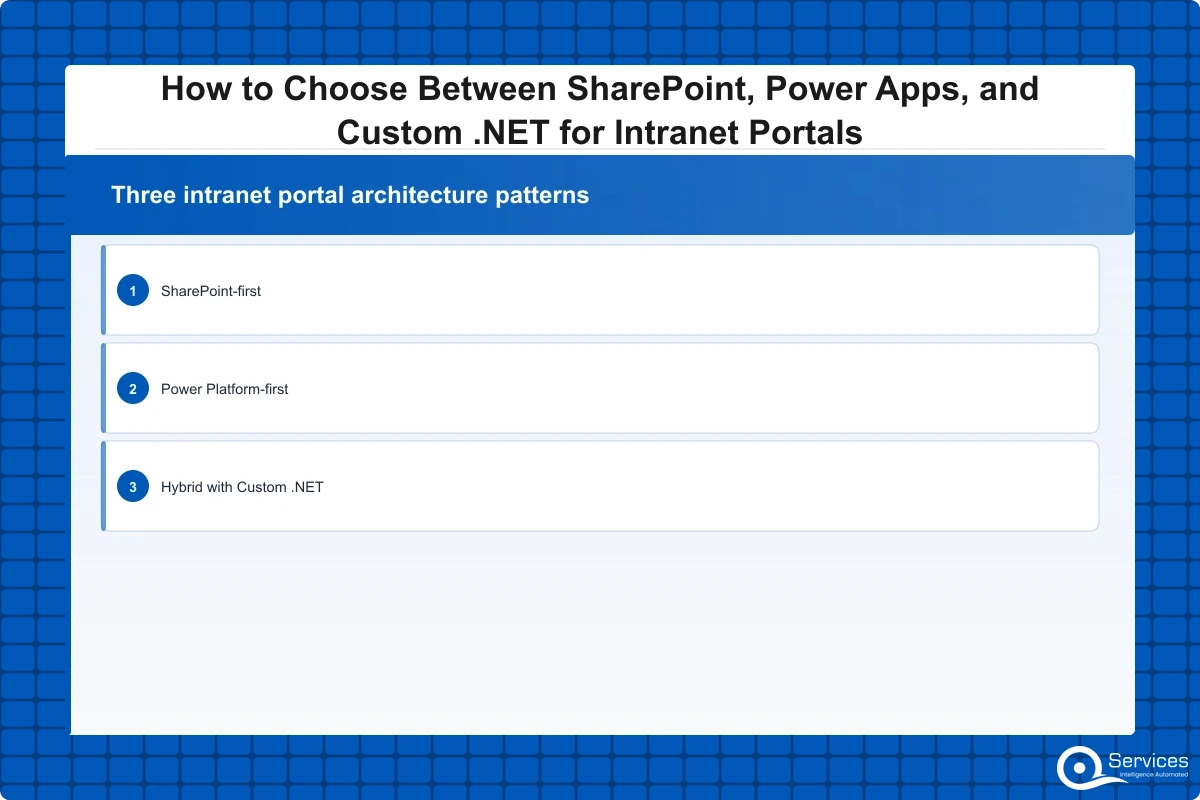
For Microsoft-aligned organizations, the realistic shortlist is SharePoint Online, the Power Platform (Power Apps, Power Automate, Power Pages, Dataverse), and custom .NET on Azure. We see other options floated, like Confluence or a SaaS intranet product, but for companies already on Microsoft 365 the question almost always narrows to these three.
What "intranet" really means in 2026
The old definition, a static internal website, is dead. A modern intranet is a workflow hub: leave requests, expense approvals, onboarding checklists, policy attestations, vendor portals, and increasingly AI-assisted search across SharePoint, Teams, and line-of-business systems. That shift is why the platform choice matters more than it used to.
SharePoint Online: When It Wins and When It Hurts
SharePoint is the default intranet for a reason. If you have Microsoft 365, you already own it, and modern SharePoint Online with communication sites and hub sites covers 70% of what most companies call an intranet.
Key Insight If you have Microsoft 365, you already own it, and modern SharePoint Online with communication sites and hub sites covers 70% of what most companies call an intranet.
Where SharePoint is the right answer
SharePoint wins when the portal is content-first: news, policy libraries, departmental sites, document collaboration, and search. The modern experience is responsive, integrates natively with Teams, and supports decent branding through SPFx extensions. For a 500-person company that needs a news hub and a place to find HR policies, SharePoint is hard to beat on time-to-value.
Where SharePoint starts to break
The pain begins when you need real applications inside the portal. SharePoint lists are not a database. Once you push past 5,000 items, view performance degrades, and complex relational data becomes painful. Custom workflows beyond simple approvals require Power Automate anyway, and heavy JavaScript customization through SPFx is a maintenance burden few teams sustain.
If your intranet vision includes a CAPA tracker, a fleet maintenance log, or a loan-application workflow, SharePoint alone will frustrate you within a year.
SharePoint plus Power Platform: the most common winning pattern
In practice, the answer for most mid-market clients is SharePoint for content plus Power Apps for the workflow layer. We covered the security side of this combination in our Power Platform Security guide, and the same architectural pattern applies to intranets: SharePoint hosts the surface, Power Apps and Dataverse hold the data, and Power Automate moves things between systems.
When Power Apps and the Power Platform Are the Right Choice
Power Apps shines when the portal is application-first rather than content-first. Think of scenarios like a logistics dispatcher dashboard, a clinical-trial enrollment form, a compliance attestation workflow, or a credit-memo approval queue. These are interactive, data-heavy, role-based experiences that SharePoint cannot deliver cleanly.
Custom power apps development for line-of-business workflows
Custom power apps development gives you a low-code surface that connects to Dataverse, SQL, SAP, Salesforce, and roughly 1,000 other connectors out of the box. For a regulated industry client we recently helped, a Power Apps canvas app replaced a 12-year-old Access database for vendor onboarding. The build took six weeks; the equivalent .NET rewrite quoted by another vendor was eight months.
Power apps canvas vs model driven: choosing the right type
The power apps canvas vs model driven question trips up nearly every new buyer. Canvas apps give you pixel-level control over the UI and work well for mobile-first, task-specific tools. Model-driven apps auto-generate the UI from your Dataverse schema and shine for data-heavy CRUD applications with consistent forms, views, and dashboards.
A rough rule we use: if the app is a structured record system (cases, accounts, inspections), pick model-driven. If it is a focused experience with custom branding or unusual layout (a shop-floor tablet app, a field inspection tool), pick canvas.
Power pages development for external-facing portals
Power pages development extends the same Dataverse backbone to external users such as vendors, patients, or partners. This matters for intranet projects that need an extranet companion, like a supplier portal sitting alongside an internal procurement workflow. Power pages handles the authentication, throttling, and external-user licensing in a way that SharePoint external sharing simply cannot.
Power automate consulting and workflow examples
Most portal projects underestimate the workflow layer. Power automate consulting engagements typically uncover dozens of manual handoffs that should be automated: approval routing, SLA escalations, ERP sync, Teams notifications, and document generation. Our roundup of power automate workflow examples covers ten patterns we deploy repeatedly.
When Custom .NET Is Still the Right Answer
Low-code is not always the answer, and pretending otherwise leads to expensive rework. Custom .NET on Azure still wins for a specific set of intranet scenarios.
Scale, performance, and complex domain logic
If your portal needs to handle 50,000 concurrent users, process millions of transactions per day, or run computation-heavy logic like rating engines, claims adjudication, or real-time fraud scoring, Power Platform will hit governance and throughput limits. A well-architected .NET solution with proper microservices boundaries handles this gracefully. Our .NET microservices architecture guide covers the patterns we use for portals at this scale.
Deep integrations and unusual protocols
When the portal must integrate with HL7 feeds, SWIFT messaging, EDI, mainframe systems, or custom hardware, .NET gives you the libraries and control you need. Power Platform connectors cover the common cases, but the edge cases are where projects die.
Long-lived systems where IP ownership matters
If the portal is a competitive differentiator, like a proprietary trading desk or a patented logistics optimization engine, you want full source ownership and the ability to run anywhere. Power Platform locks you into Microsoft's runtime, pricing, and roadmap. That is fine for internal HR tools, less fine for the platform your business depends on.
Modernizing from legacy .NET
Many of our clients arrive with a 10-year-old WebForms or older MVC intranet. The right move there is usually not a rewrite in Power Apps but a phased modernization to .NET 8 or 9. We documented the approach in our legacy .NET migration checklist and the .NET 9 migration guide.
How to Choose: A Practical Decision Framework
Here is the framework we walk clients through in the first discovery workshop. It cuts through the marketing noise and gets to a defensible recommendation in about two hours.
Step 1: Classify the portal by primary purpose
Primary Purpose
Best Fit
News, policies, document collaboration
SharePoint Online
Workflow apps, forms, role-based dashboards
Power Apps + Dataverse
High-scale, complex domain logic, deep integrations
Custom .NET on Azure
External vendor or partner access
Power Pages
Hybrid (content + workflows)
SharePoint + Power Platform
Step 2: Score on governance maturity
Power Platform without governance becomes shadow IT power platform sprawl within 18 months. If your IT team cannot commit to environment strategy, DLP policies, and a power platform center of excellence, scale back the citizen-developer ambition or pick SharePoint plus a few centrally-owned apps instead.
Step 3: Map the total cost honestly
Power Apps per-app and per-user licensing adds up faster than buyers expect. Custom .NET has higher upfront cost but predictable Azure consumption. SharePoint is essentially free if you already have Microsoft 365 E3 or E5. Our custom Power Apps cost guide breaks down the licensing math.
Power Platform Governance: The Make-or-Break Layer
The single biggest reason Power Platform intranet projects fail is not technical, it is governance. Power Platform governance prevents shadow IT through DLP policies, environment strategies, and approval workflows. Skip this layer and you will be cleaning up orphaned apps and data leaks for years.
Building a power platform center of excellence
QServices implements Power Platform Center of Excellence using Microsoft's CoE toolkit, then layers on the policies and review boards that the toolkit alone does not provide. The five-phase CoE buildout covers environment design, DLP, ALM, citizen developer enablement, and metrics.
Citizen developer governance done right
Citizen developer programs need governance guardrails to prevent data silos and compliance gaps. The goal is not to block business users from building, it is to give them safe sandboxes, approved connectors, and a clear path to promote successful apps into managed environments. Our governance framework article walks through the six pillars.
Power platform ALM for production-grade apps
Power platform ALM is the practice of moving solutions from development to test to production using managed solutions, pipelines, and source control. Without it, you have no rollback, no environments, and no audit trail, which is unacceptable in regulated industries. This is also where we wire in API security best practices for any custom connectors.
DLP policies and shadow IT prevention
Data loss prevention policies in Power Platform separate connectors into business, non-business, and blocked groups. A well-designed DLP strategy stops a citizen developer from accidentally piping HR data into a personal OneDrive or a third-party SaaS. Microsoft's Power Platform admin documentation is the canonical reference for setup.
Dataverse Consulting and the Data Layer Decision
The platform choice cascades into a data layer choice. Dataverse consulting engagements often reveal that the data model is the real bottleneck, not the UI.
When Dataverse is the right backbone
Dataverse gives you a managed, relational, secure data platform with row-level security, auditing, and built-in connectors. For most Power Apps-centric intranets, Dataverse is the default. It is the right answer when you have multiple apps sharing data, need role-based security at the row level, or want to leverage Microsoft Copilot features.
When SharePoint lists or SQL win instead
For simple list-based scenarios under 5,000 items per list, SharePoint lists are free and adequate. For high-volume transactional data or when you already have an Azure SQL estate, SQL with a Power Apps front end gives you better performance and lower per-record cost. The tradeoff is more developer work and less out-of-the-box security.
Real-World Examples From Regulated Industries
Abstract frameworks are useful, but concrete examples are clearer. Here are three patterns we have shipped in the last year.
Healthcare: clinical operations portal
A mid-size hospital network needed a single portal for shift scheduling, credential tracking, and incident reporting. We built SharePoint communication sites for policies and news, Power Apps model-driven for credential tracking, and Power Automate flows for incident escalations. Total build: 14 weeks. The HITL governance approach ensured every AI-suggested workflow had human approval before going live.
Logistics: dispatcher and driver portal
A regional carrier needed real-time order visibility for dispatchers and a driver app for proof of delivery. SharePoint was wrong for the dispatcher view (too data-heavy), so we used Power Apps model-driven for dispatch and a canvas app for drivers, all backed by Dataverse with Azure SQL for the high-volume telemetry. The logistics platform rebuild story covers the architecture.
Banking: vendor onboarding and KYC portal
A community bank needed an internal portal for vendor onboarding with KYC workflows. The KYC engine itself ran on custom .NET on Azure because of the complex rule engine, but the portal UI sat in Power Apps with Power Pages for vendor self-service. Power Automate handled the orchestration. See our KYC automation case study for the throughput numbers.
Power BI and the Reporting Layer
No intranet conversation is complete without analytics. Power BI consulting services almost always become part of the project scope, because every department wants dashboards embedded in the portal.
Embedded Power BI in SharePoint and Power Apps
Power BI dashboard development for intranets typically means embedded reports inside SharePoint pages or Power Apps screens, with row-level security tied to Azure AD. For the comparison against Tableau, our Power BI vs Tableau guide covers the decision factors for Microsoft-aligned shops.
Avoiding the dashboard sprawl trap
The biggest Power BI mistake we see is letting every team build their own version of the same metric. A governed semantic model in Power BI, owned by a small data team, prevents the "three versions of revenue" problem that erodes trust in the portal.
A Power Platform Development Company Versus a .NET Shop: Who to Hire
The platform choice also determines the partner profile. A power platform development company brings low-code architects, Dataverse modelers, and CoE specialists. A traditional .NET shop brings backend engineers, DevOps, and Azure architects. Some firms, ours included, do both, which matters because hybrid portals are now the norm.
What to look for in a partner
Ask for a CoE deployment they have run end-to-end, not just a Power App they have built. Ask about power platform ALM pipelines, environment strategy, and how they prevent shadow IT power platform sprawl. For the .NET side, the .NET buyer's guide covers the evaluation criteria.
Red flags during vendor evaluation
Vendors who recommend a single platform before understanding your requirements are selling, not consulting. Vendors who cannot show their delivery metrics openly are hiding something. We wrote about why we publish our delivery metrics and why every vendor should.
Key Takeaways
Intranet portals look simple on paper.
SharePoint is the default intranet for a reason.
Power Apps shines when the portal is application-first rather than content-first.
Low-code is not always the answer, and pretending otherwise leads to expensive rework.
Here is the framework we walk clients through in the first discovery workshop.
Conclusion
The SharePoint vs Power Apps vs custom .NET decision for intranet portals comes down to three honest questions: Is this portal content-first or workflow-first? How mature is your governance? And how unique is the domain logic? For most mid-market companies, the answer is a hybrid: SharePoint for content, custom power apps development for workflows, and custom .NET reserved for the high-scale or deeply integrated components. Get the governance layer right with a power platform center of excellence, invest in power platform ALM from day one, and treat citizen developer governance as a feature, not a bureaucratic obstacle.
If you are about to start an intranet project and want a second opinion on the platform mix, our team runs a free two-hour discovery workshop that produces a defensible recommendation, a rough cost range, and a 90-day delivery plan. Reach out and we will get you on the calendar this week.
Co-Founder and CTO, QServices IT Solutions Pvt Ltd
Rohit Dabra is the Co-Founder and Chief Technology Officer at QServices, a software development company focused on building practical digital solutions for businesses. At QServices, Rohit works closely with startups and growing businesses to design and develop web platforms, mobile applications, and scalable cloud systems. He is particularly interested in automation and artificial intelligence, building systems that automate routine tasks for teams and organizations.
Choose SharePoint for content-first portals (news, policies, documents), Power Apps for workflow and form-driven apps, and custom .NET for high-scale or deeply integrated systems. Most mid-market intranets land on a hybrid of SharePoint plus custom power apps development, with .NET reserved for specific high-complexity components.
Power Platform governance is the set of policies, environments, DLP rules, and review processes that prevent shadow IT, data leaks, and orphaned apps. For intranet projects it matters because Power Apps without governance turns into hundreds of unmanaged apps within 18 months, creating compliance and security risk.
Use a canvas app when you need custom UI, mobile-first design, or task-specific flows like a shop-floor tablet tool. Use a model-driven app for structured record management like case tracking, vendor onboarding, or any Dataverse-heavy CRUD workload where consistent forms and views matter.
A focused Power Apps intranet workflow typically ranges from 25,000 to 150,000 USD for the build, plus per-user or per-app licensing. Hybrid SharePoint plus Power Platform projects usually run 75,000 to 300,000 USD depending on integration complexity, governance setup, and number of workflows automated.
Prevent shadow IT through a tenant-wide DLP policy that classifies connectors, a default environment locked to approved makers, a personal-productivity environment for citizen developers, and a power platform center of excellence that reviews and promotes apps into managed environments with ALM pipelines.
SharePoint can replace most content-first intranets, but it cannot replace .NET portals that require complex domain logic, high transaction throughput, or deep integrations with HL7, SWIFT, or mainframe systems. For those cases the right pattern is SharePoint for content plus targeted .NET services for the heavy lifting.
A Power Platform Center of Excellence is a team, toolkit, and set of policies that govern how Power Apps, Power Automate, and Dataverse are used across the organization. You need one as soon as you have more than a handful of business-critical apps or any regulated data flowing through the platform.
Business intelligence consulting services should give a mid-market company a governed way to make decisions. Attractive dashboards are only the visible part. The useful outcome is a system in which source data, metric definitions, access, releases, ownership, and support still work after the consultants leave.
In a Microsoft Solutions Partner vs Microsoft Partner comparison, the difference is validation. A company can participate in the Microsoft AI Cloud Partner Program without holding a customer-facing Solutions Partner designation. A designated Solutions Partner has met Microsoft’s current threshold in a specific solution pathway: at least 70 out of 100 partner capability points, with more than zero points in every required metric, based on performance, skilling, and customer success data recorded in Partner Center.
How do you build a legacy application modernization strategy for Azure? A legacy application modernization strategy assigns the right treatment to each workload, then sequences the work around business value, technical evidence, and operational risk. For Azure, that means choosing among retire, retain, rehost, replatform, refactor, rearchitect, rebuild, and replace instead of treating cloud migration as a blanket mandate. Direct Answer A legacy application modernization strategy for Azure should classify
Eager to discuss about your project?
Share your project idea with us. Together, we’ll transform your vision into an exceptional digital product!
Business intelligence consulting services should give a mid-market company a governed way to make decisions. Attractive dashboards are only the visible part. The useful outcome is a system in which source data, metric definitions, access, releases, ownership, and support still work after the consultants leave.
In a Microsoft Solutions Partner vs Microsoft Partner comparison, the difference is validation. A company can participate in the Microsoft AI Cloud Partner Program without holding a customer-facing Solutions Partner designation. A designated Solutions Partner has met Microsoft’s current threshold in a specific solution pathway: at least 70 out of 100 partner capability points, with more than zero points in every required metric, based on performance, skilling, and customer success data recorded in Partner Center.