Secure access today is a fundamental requirement for organizations managing digital identities. With rising numbers of users and growing volumes of data, enabling access control is essential. Two key approaches to managing access to resources are Customer Identity and Access Management (CIAM) and traditional Identity and Access Management (IAM).
While both focus on securing user identities, they differ in several functionalities and target different users.
This article provides a clear overview of CIAM and IAM, outlines their differences, and highlights factors that influence the choice between these identity management systems.
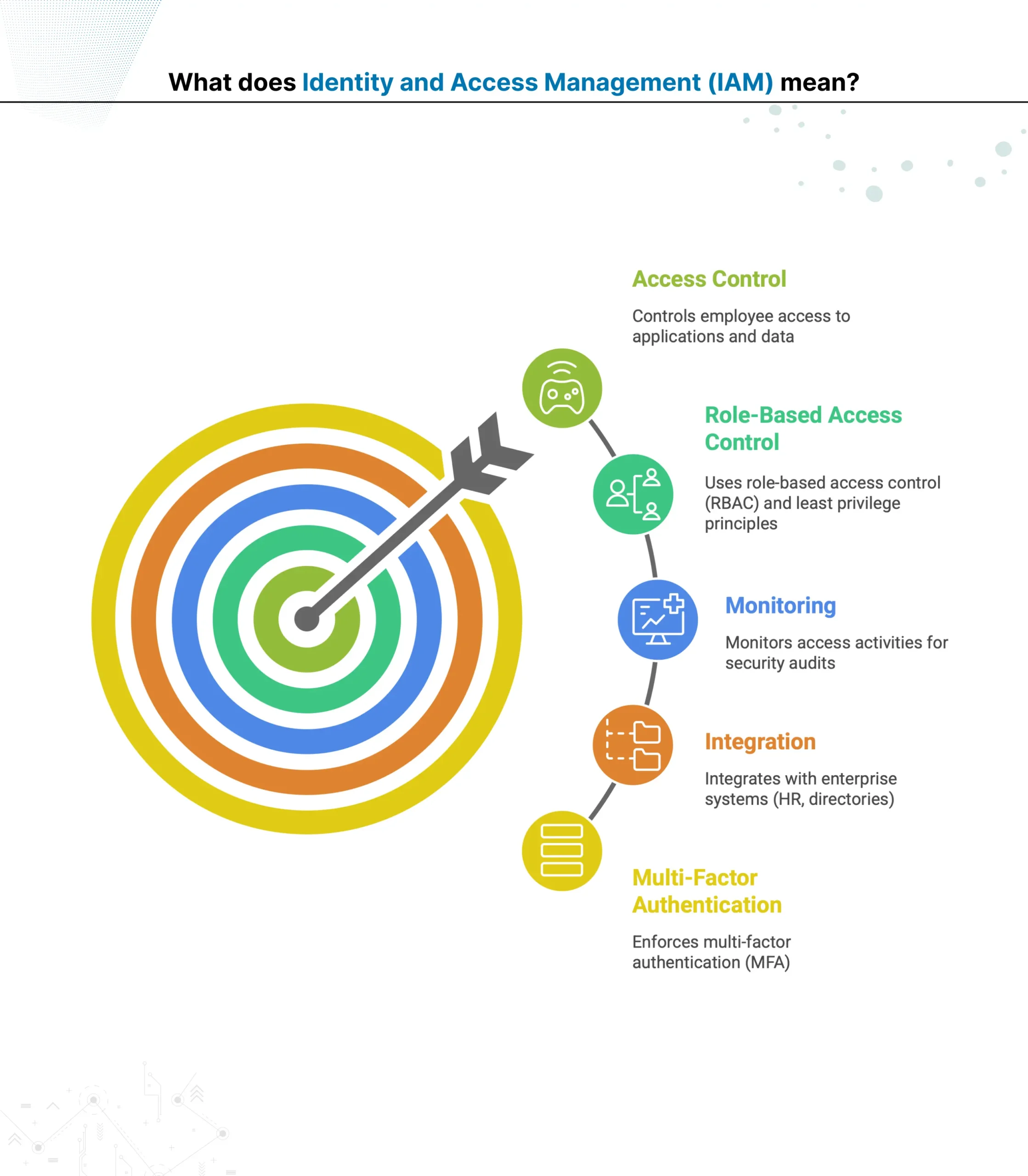
What does Identity and Access Management (IAM) mean?
Identity and Access Management (IAM) is a framework used to manage internal users’ digital identities and regulate their access to company resources. It focuses on securing employee access, managing roles, and ensuring compliance within the organization.
Controls employee access to applications and data
Uses role-based access control (RBAC) and least privilege principles
Monitors access activities for security audits
Integrates with enterprise systems (HR, directories)
Enforces multi-factor authentication (MFA)
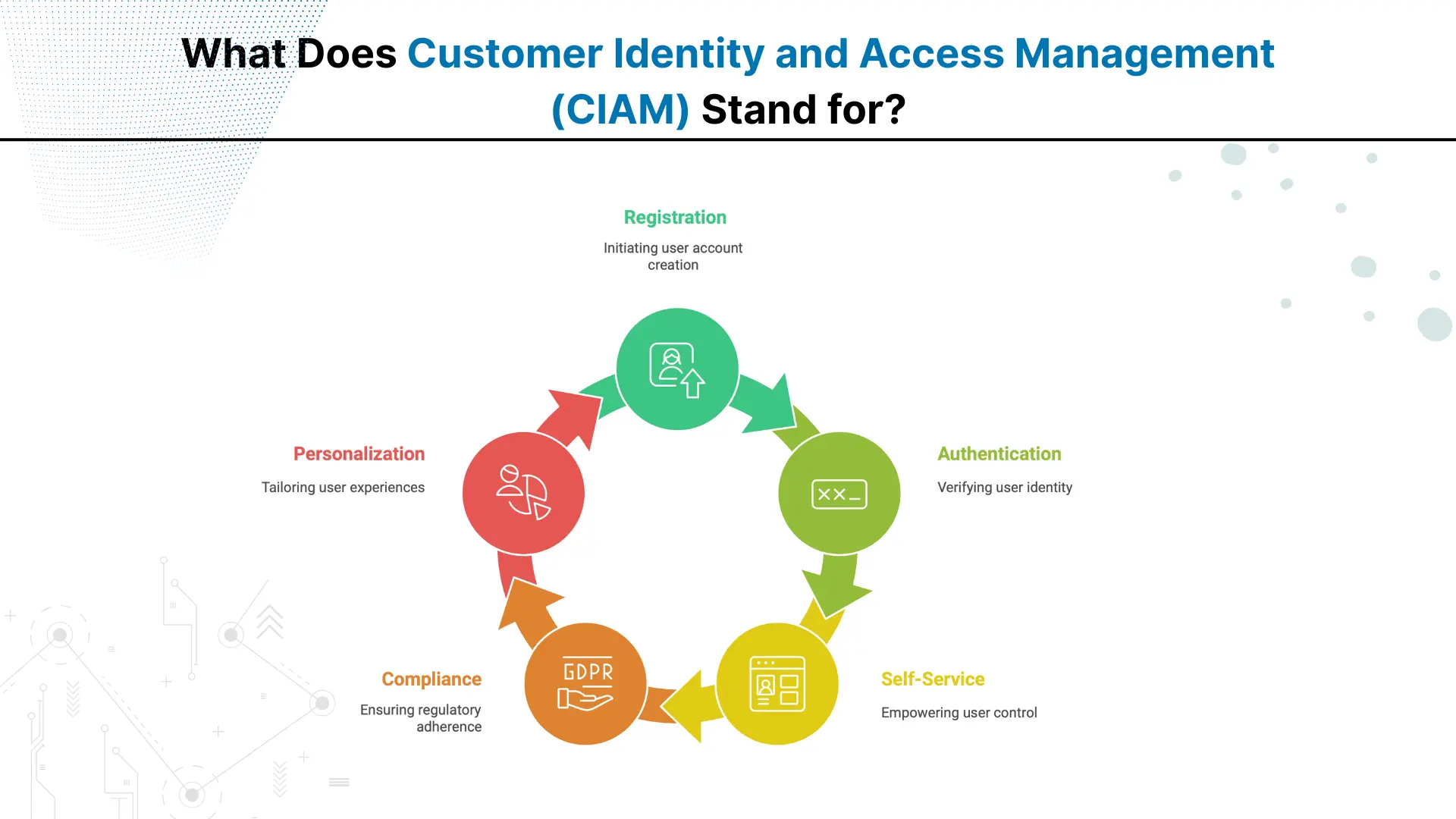
What Does Customer Identity and Access Management (CIAM) Stand for?
Customer Identity and Access Management (CIAM) is a specialized system designed to manage and secure the digital identities of external users, mainly customers. It focuses on providing secure and seamless login access, ultimately improving user experience and protecting personal data across multiple platforms.
Handles consumer identity lifecycle from registration to authentication
Supports social login and single sign-on (SSO)
Provides self-service features like password reset
Ensures compliance with privacy regulations (e.g., GDPR)
Enables personalized customer experiences through data insights
Let's Discuss Your Project
Get free Consultation and let us know your project idea to turn into an amazing digital product.
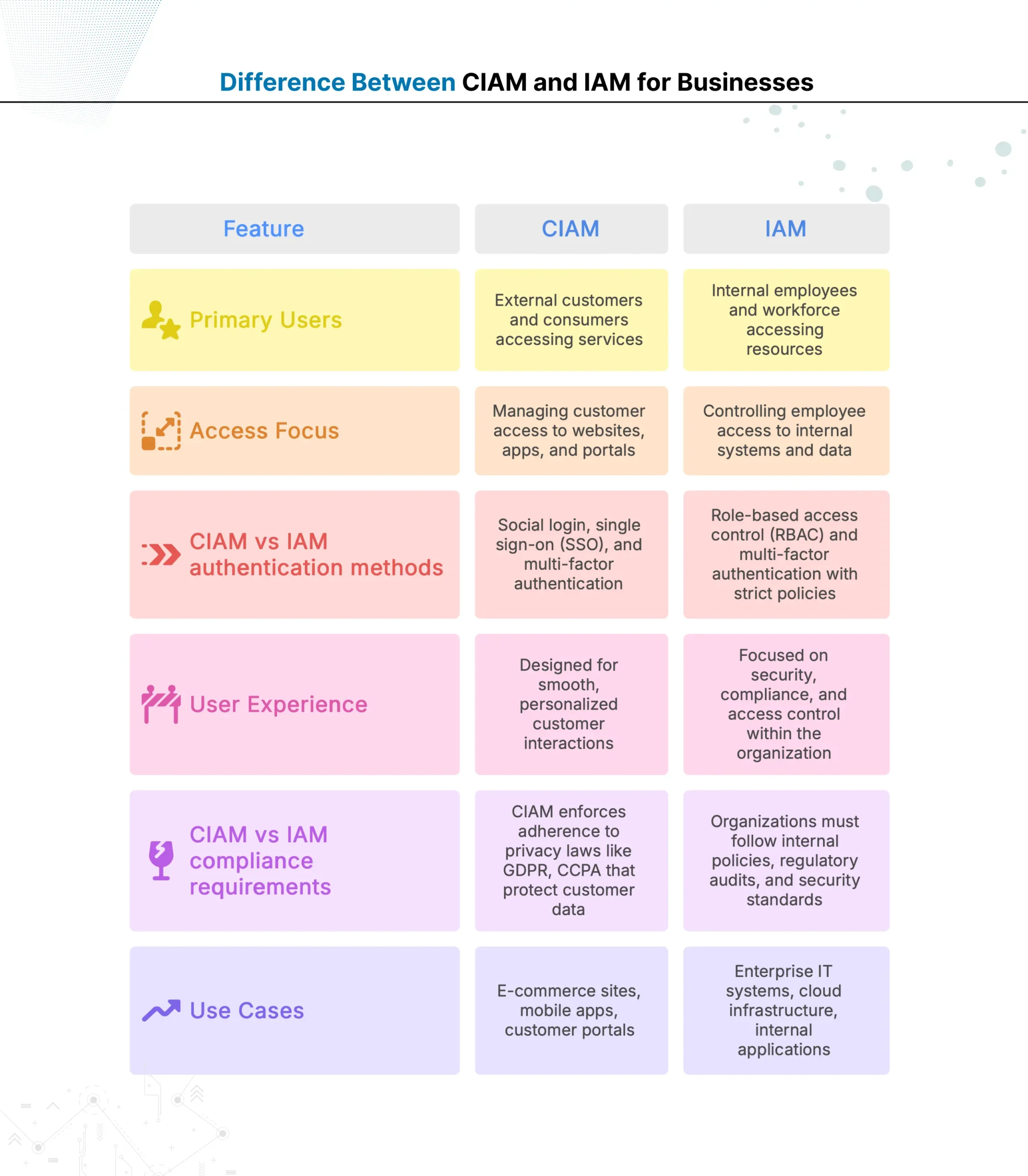
Both customer-based identity management and internal user access control systems focus on protecting digital resources. However, there are distinct differences between them, as outlined in the table below.
CIAM vs IAM: Which is More Secure?
The purpose and compliance requirements of CIAM and IAM differ, so their security features also vary. IAM is designed for securing internal organizational access, while CIAM is for safeguarding a large external customer base. Here is a descriptive CIAM vs IAM security feature comparison.
Security Approach of IAM
IAM (Identity and Access Management) is designed to protect internal users such as employees and contractors. It enforces strict access controls like multi-factor authentication (MFA), role-based permissions, and continuous monitoring. These features help prevent insider threats and unauthorized access to sensitive company resources.
Security Approach of CIAM
Customer Identity and Access Management (CIAM) manages millions of external users, including customers and visitors. It combines security with convenience to maintain a positive customer experience. It includes MFA, data encryption, fraud detection, and compliance with privacy regulations such as GDPR and CCPA. CIAM also supports smooth login options like social logins and single sign-on (SSO) to reduce barriers for users. Verdict:Both IAM and CIAM offer robust security, but focus on different user groups and risks. IAM applies tighter controls for fewer trusted users with high privileges. CIAM secures a large and diverse user base by combining security with user-friendly access.
CIAM vs IAM: Which Improves Customer Experience?
CIAM focuses specifically on customer identity management, prioritizing seamless and personalized experiences. In contrast, IAM primarily addresses internal access needs, making CIAM the better choice for improving customer experience. Here are some benefits of CIAM over traditional IAM:
1. Streamlined Customer Onboarding: CIAM offers easy registration options like social login and single sign-on (SSO). This reduces friction for customers signing up or logging in, improving satisfaction from the start.
2. Personalized Interactions: CIAM collects and analyses customer data securely, enabling businesses to tailor content, offers, and communications. This personalized approach enhances engagement and loyalty.
3. Enhanced Security Without Sacrificing Usability: CIAM balances strong security features like multi-factor authentication (MFA) with user-friendly processes. Customers experience safety without complicated steps that deter usage.
4. Easy Customer Access Management: CIAM supports self-service options such as password resets and profile updates, empowering customers to manage their accounts independently and conveniently.
Eager to discuss about your project ?
Share your project idea with us. Together, we’ll transform your vision into an exceptional digital product!
CIAM vs IAM: Which has Better Scalability and Integration
Scalability and integration complexity are two main factors organizations consider before deploying any identity solution. CIAM and IAM differ greatly in how they manage large user volumes and connect with systems.
Scalability for Large Organizations
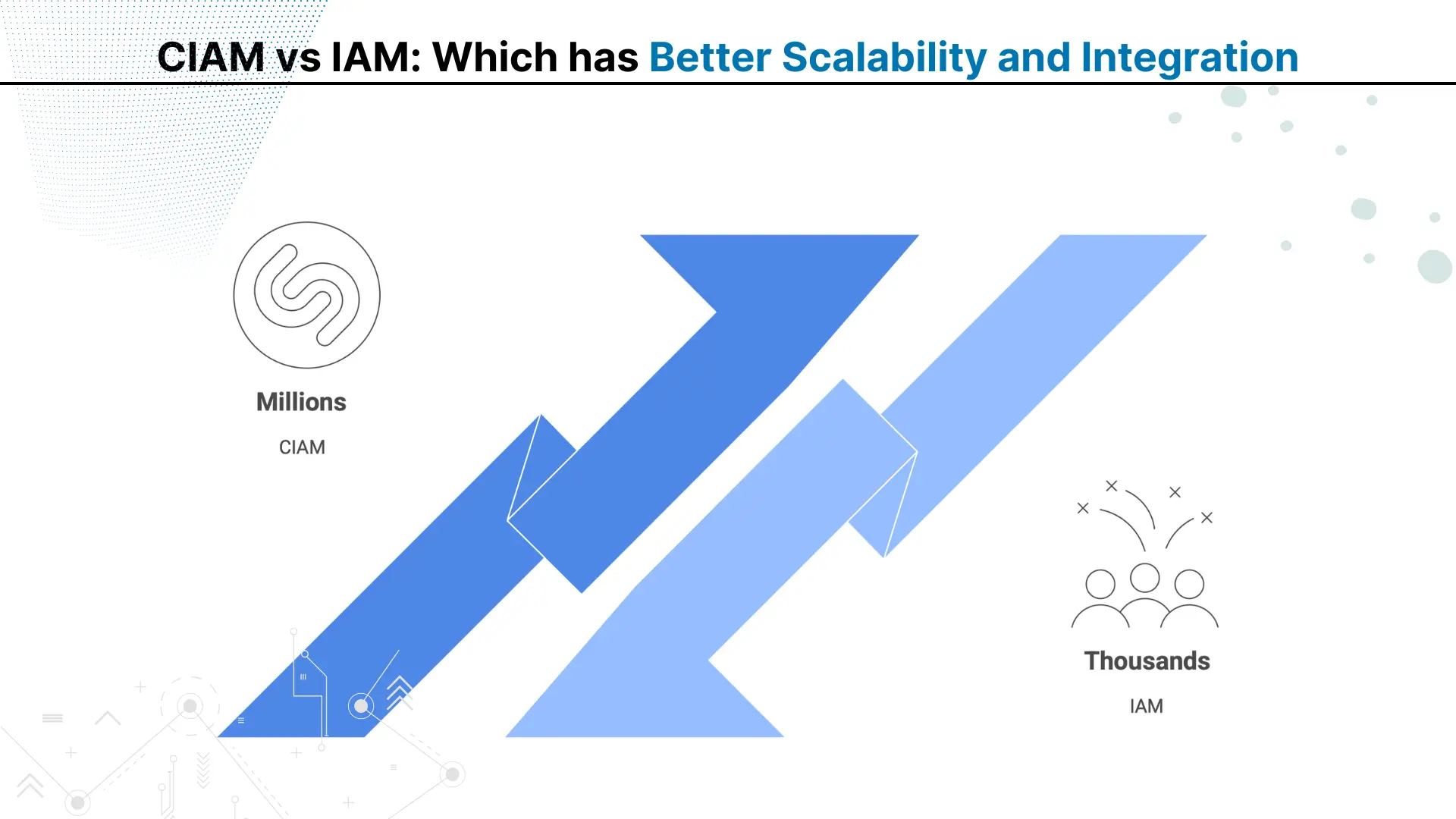
CIAM vs IAM scalability for large organizations highlights a clear gap. IAM handles internal identities, generally in the hundreds or thousands, focusing on secure role-based access for trusted employees. In contrast, CIAM supports millions of external users across regions. Its architecture uses elastic infrastructure, distributed databases, and global load balancing to maintain performance during peak demand.
Integration with Cloud Applications
CIAM vs IAM integration with cloud applications also shows different priorities. IAM connects mainly with internal enterprise systems and selected cloud services. CIAM integrates widely with SaaS platforms, mobile apps, e-commerce systems, and public cloud environments, using APIs, SDKs, and identity federation standards like OAuth 2.0 and SAML for unified access. Verdict: IAM scales for internal teams; CIAM scales globally and integrates broadly, making it ideal for high-volume, customer-facing environments.
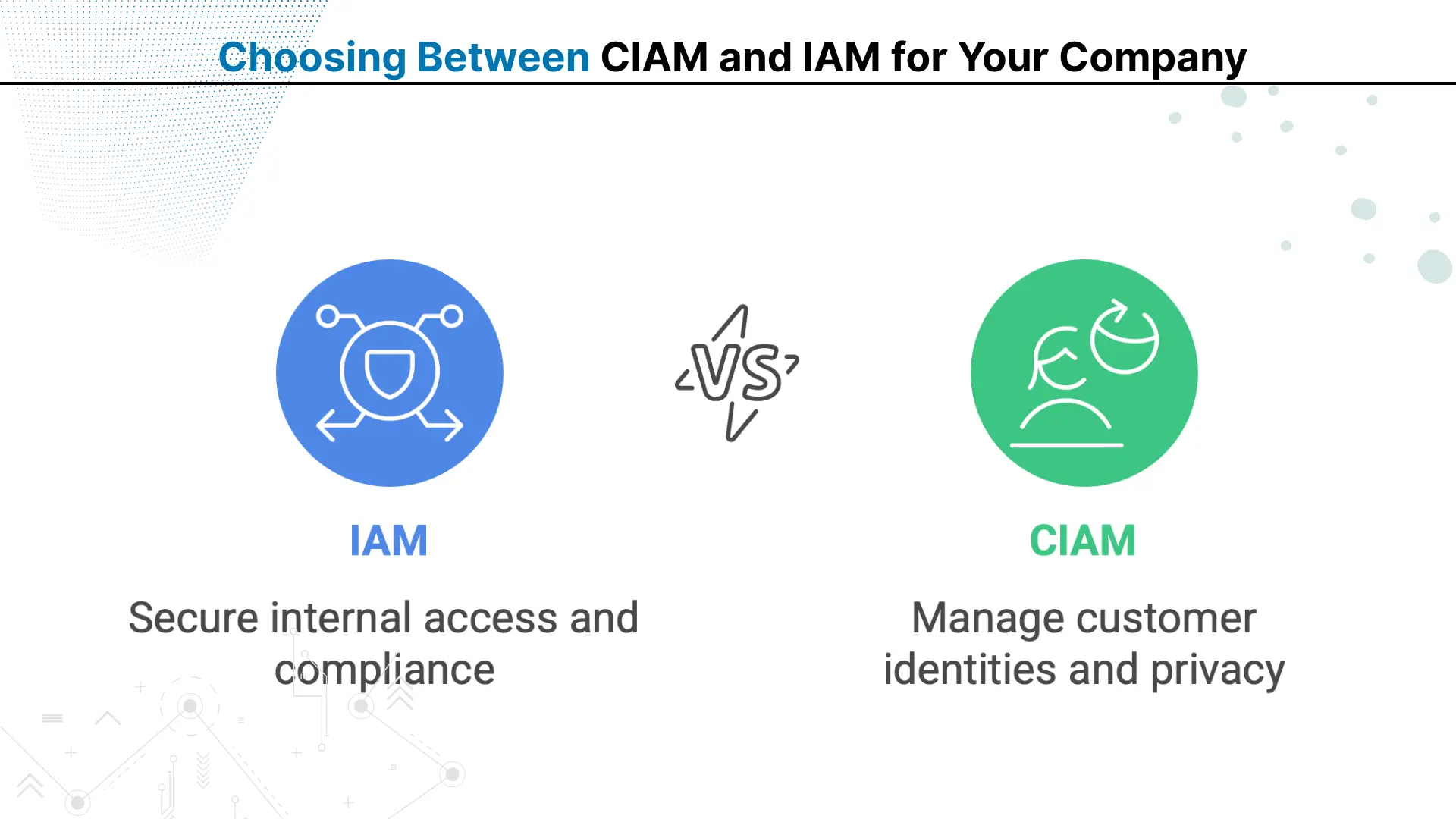
Choosing Between CIAM and IAM for Your Company
Customer Identity and Access Management (CIAM) and traditional Identity and Access Management (IAM) are essential, but the right choice depends on your organization’s users, infrastructure, and security objectives. Here are some of its varied use cases:
Only IAM
If a company with no customer-facing applications wants to implement secure access control, it should choose IAM to:
Manage workforce identities with role-based access control (RBAC)
Protect sensitive internal systems and data from unauthorized access
Meet internal compliance and audit requirements
Only CIAM
Although rare, some companies require only CIAM when their operations are fully customer-centric. In such cases, CIAM helps to:
Handle millions of customer identities across platforms
Ensure compliance with privacy laws like GDPR and CCPA
Deliver seamless, personalized digital experiences
Both IAM and CIAM
Almost all large banks and multinational enterprises implement both solutions to:
Secure internal workforce access and external customer portals
Maintain compliance across multiple jurisdictions and regulations
Integrate authentication systems across diverse applications and services
Conclusion
The differences between CIAM and IAM highlight the importance of aligning identity management with business goals. IAM is purpose-built for securing internal workforce access, typically managing hundreds or thousands of trusted users through strict role-based controls.
CIAM, on the other hand, is designed to handle millions of external identities, combining strong security with user-friendly features for customers, partners, and application users.
Both solutions protect digital resources, but their scope, target audience, and integration capabilities vary. The right choice depends on whether your priority is internal workforce management, large-scale customer engagement, or both.
By aligning the solution with your user base and operational needs, organizations can enhance security while ensuring a seamless, compliant, and scalable access experience. Regulatory Compliance Automation
What is the main difference between CIAM and traditional IAM systems?
CIAM manages external customer identities for millions of users, while IAM controls internal employee access to company resources and applications.
Can small businesses use CIAM or is it only for large enterprises?
Small businesses with customer-facing applications can use CIAM solutions, though many start with basic authentication before scaling to full CIAM platforms.
Does CIAM replace IAM completely or do companies need both systems?
Most organizations need both systems – IAM for internal workforce management and CIAM for customer-facing applications and external user access control.
How does CIAM handle social login integration compared to traditional IAM?
CIAM natively supports social logins from Google, Facebook, and LinkedIn, while traditional IAM typically focuses on enterprise directory integrations.
What are the main compliance requirements CIAM must meet for customer data?
CIAM must comply with privacy regulations like GDPR, CCPA, and regional data protection laws governing customer personal information and consent.
Is CIAM more expensive than IAM due to higher user volumes?
CIAM costs vary by user volume and features, but per-user pricing often decreases at scale compared to IAM’s fixed licensing.
How does password management differ between CIAM and IAM systems?
CIAM offers self-service password resets and social login alternatives, while IAM typically requires IT support for password management and recovery.
Can CIAM integrate with existing CRM and marketing automation platforms?
Yes, CIAM platforms offer APIs and integrations with popular CRM, marketing automation, and customer experience management tools for data synchronization.
What authentication methods work best for customer-facing CIAM applications?
Social login, passwordless authentication, SMS OTP, and biometric authentication provide the best user experience while maintaining security in CIAM.
How does user provisioning work differently in CIAM versus IAM?
CIAM allows self-registration and automatic provisioning, while IAM requires manual admin provisioning or HR system integration for employee onboarding.
Every bank today is trying to do more with the same teams. Customer emails are increasing, compliance checks are getting stricter, and service expectations are becoming instant. Yet most internal processes still depend on manual steps. Employees move data from one screen to another, verify documents by hand, and follow long approval chains.
For decades, traditional banking systems handled only basic transactions. The digital era exposed their limitations in speed and adaptability. Evolved core banking now powers seamless, future-ready financial services.
As digital expectations grow, customers now demand speed, ease of use, and 24/7 availability. To meet these demands at scale, digital-only banks choose business process automation in the banking industry to deliver consistent, responsive, and personalized service.
QServices Inc. undertakes every project with a high degree of professionalism. Their communication style is unmatched and they are always available to resolve issues or just discuss the project.
Turn the Microsoft Licenses
You Already Own Into an AI Workplace
Join our live webinar on Sept 24 and see five ways to automate meetings, approvals, and