Creating animated, good‑looking app screens indeed helps improve customer experience, but in real market cases, strong visuals don’t guarantee success on their own.
While companies invest in flutter app development for interactive user interfaces, an app’s performance often becomes the deciding factor in whether users stay or leave. Users may not consciously notice a well‑designed interface, but they immediately feel when an app becomes laggy, slow, or unresponsive.
Google’s research shows that nearly 70% of users will abandon a purchase if it takes too long to load, and delays as small as a few seconds can significantly reduce engagement and retention. Building high‑performance UI with Flutter means designing screens that remain smooth as data changes and features increase.
This article explains how teams can move beyond attractive layouts and be more user-centric by building Flutter UI that delivers consistent speed, stability, and long‑term performance.
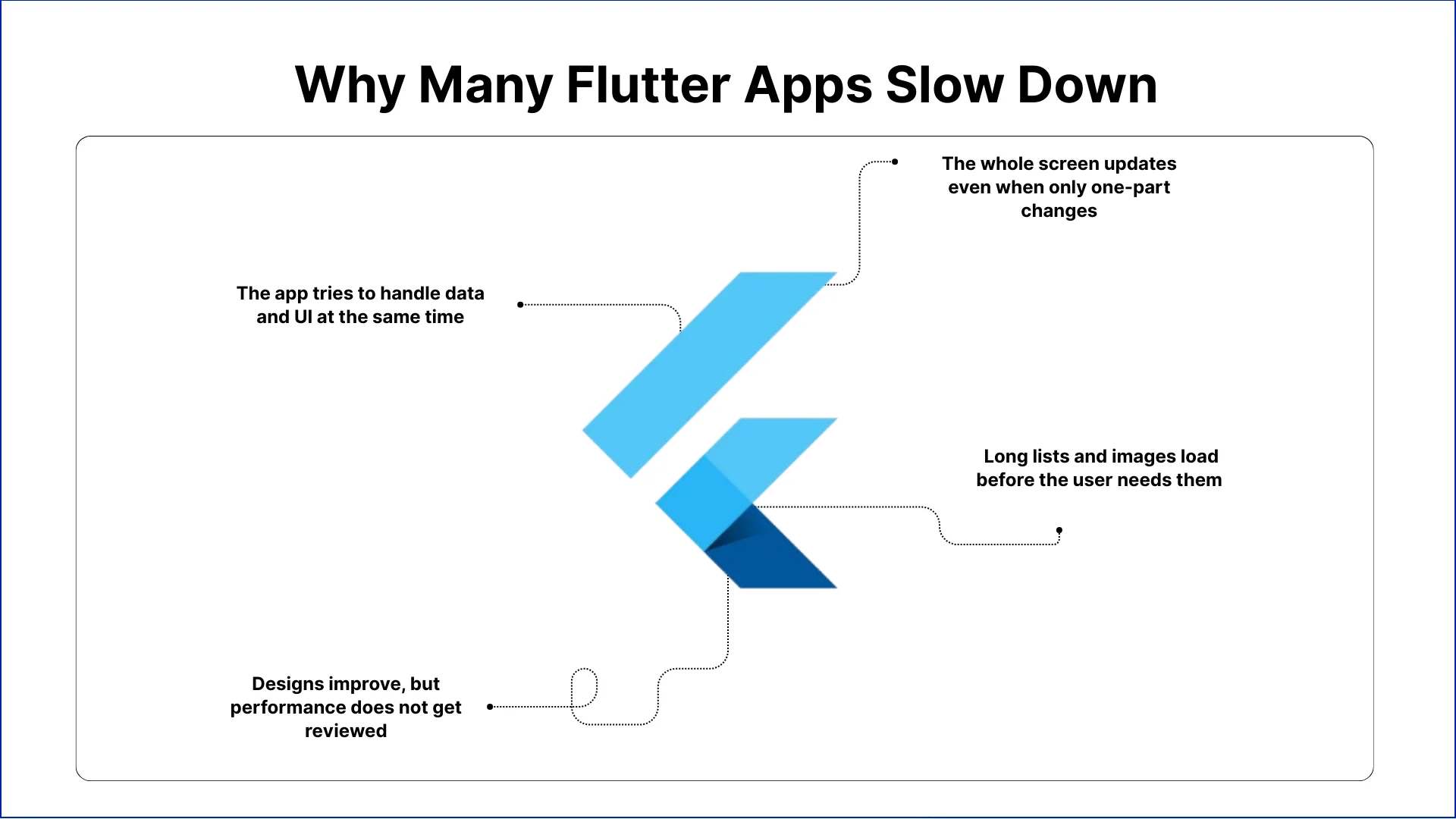
Why Many Flutter Apps Slow Down
After the first few months of release, many product teams start noticing UI performance issues. Even company engineers discuss Flutter UI design performance challenges across GitHub and Reddit once apps grow in features and data volume.
Here’s what usually causes Flutter UI to slow down in real organizations:
1. The whole screen updates even when only one-part changes-Teams often connect multiple UI elements to the same data updates. When one value changes, large sections of the screen refresh together. This increases rendering work and makes scrolling and transitions feel heavy as the product grows.
2.The app tries to handle data and UI at the same time-When screens process data while also trying torender visuals, the interface must wait before showing the next frame. Users then experience delayed taps, frozen animations, or slow screen changes, especially on data-driven pages.
3. Long lists and images load before the user needs them-Many screens build full lists and media elements duringinitial load, even though users only see a few items at first. This increases layout work and slows down how quickly the screen becomes usable.
4. Designs improve, but performance does not get reviewed-Teams add richer visuals and smoother animations over time, but they often skip performance checks after design updates. Each change adds small costs that eventually become visible slowdowns on real devices.
The Hidden Costs of Ignoring Flutter UI Performance
Ignoring Flutter UI performance may seem harmless early on, but it quickly results into financial losses and decreased customer trust. Here’s what companies face when they performance:
Users spend less time in the app: Slow or unresponsive screens frustrate customers. Even small delays in scrolling, taps, or screen transitions make users abandon tasks or stop using the app. Over time, this reduces overall engagement and lowers retention rates.
Bad reviews hurt your brand: When an app feels laggy or freezes, users leave negative reviews. These reviews are public and can reduce trust in your product. A lower rating also makes it harder to attract new customers or retain existing ones.
Support and fixes take more time: Performance issues generate more customer complaints and bug reports. Teams end up spending significant time troubleshooting UI lag instead of building new features or improving the product. This slows the roadmap and increases operational costs.
Revenue opportunities are lost: A laggy interface affects how users interact with the app. Customers may abandon purchases, skip sign-ups, or leave before completing tasks. Ensuring smooth Flutter UI performance helps users complete actions quickly, improving conversion rates and revenue.
Adding new features becomes harder: As the app grows, poorly performing screens make it difficult to add new features without slowing the interface further. Every additional element or screen increases rendering work, which can create technical bottlenecks and delay product innovation.
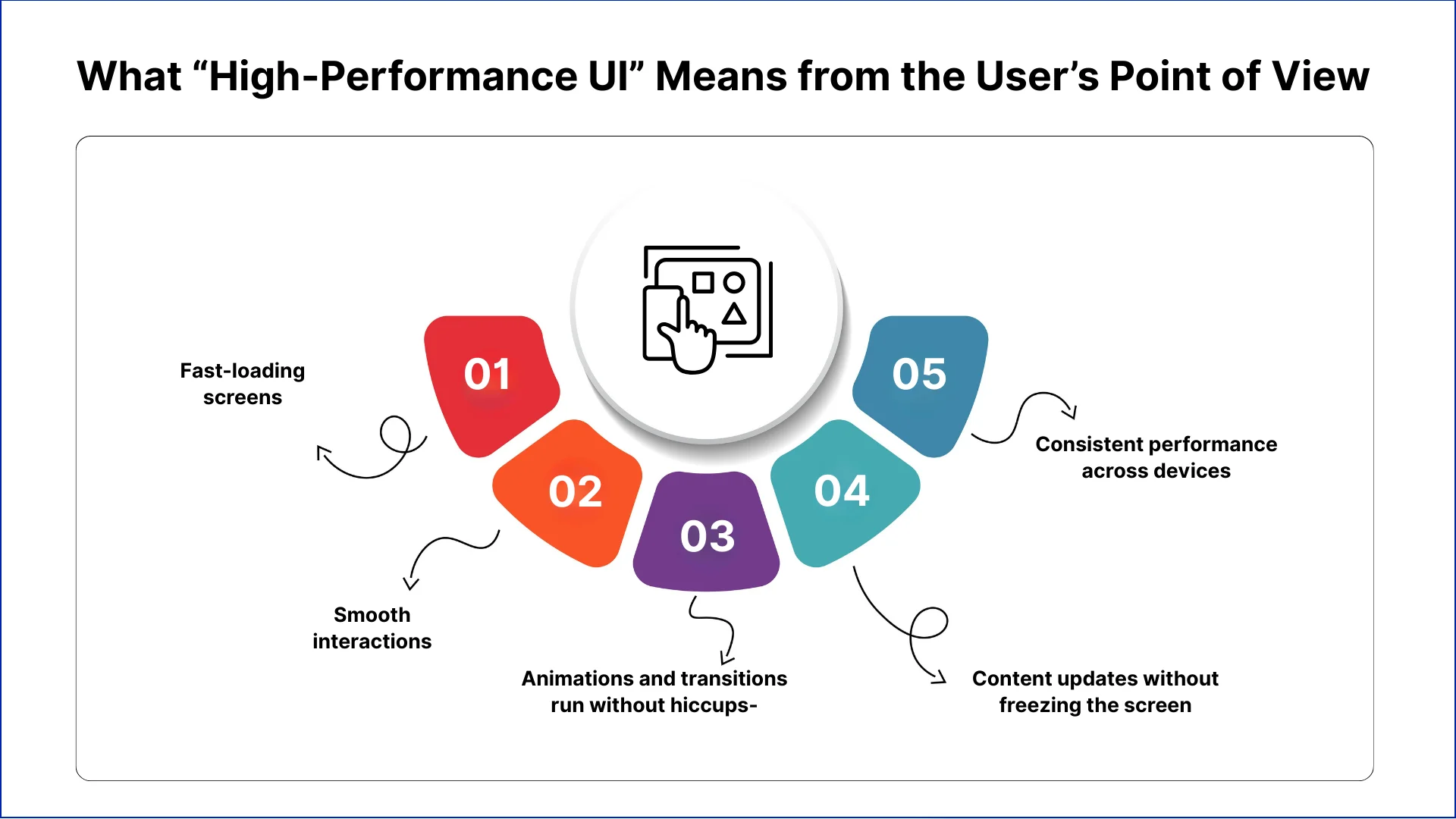
What “High-Performance UI” Means from the User’s Point of View
Users rarely notice individual design details, but they immediately detect delays or sluggish behaviour. High-performance UI ensures screens respond quickly, gestures are fluid, and interactions remain consistent. For companies, here’s a checklist:
1. Fast-loading screens- Users expect content to appear without waiting. Dashboards, product pages, and lists that load instantly make the app feel reliable. Delays, even a few seconds, reduce satisfaction and can drive users to competing products.
2. Smooth interactions- Scrolling, swiping, and tapping must respond immediately. Any lag interrupts user flow and signals inefficiency. A responsive interface helps customers complete tasks efficiently and strengthens their perception of the app’s quality.
3. Animations and transitions run without hiccups- Transitions, pop-ups, and visual effects enhance experience only if they run smoothly. Stuttering or delayed animations make screens feel heavy, lowering the perceived quality of the interface.
4. Content updates without freezing the screen- When live data or notifications appear, the UI must remain responsive. Freezing or delayed updates reduce trust, frustrate users, and may cause them to abandon important tasks.
5. Consistent performance across devices- High-performance UI maintains responsiveness on all devices, including older or lower-end models. Consistency in speed and interaction builds user confidence and encourages continued use.
Let's Discuss Your Project
Get free Consultation and let us know your project idea to turn into an amazing digital product.
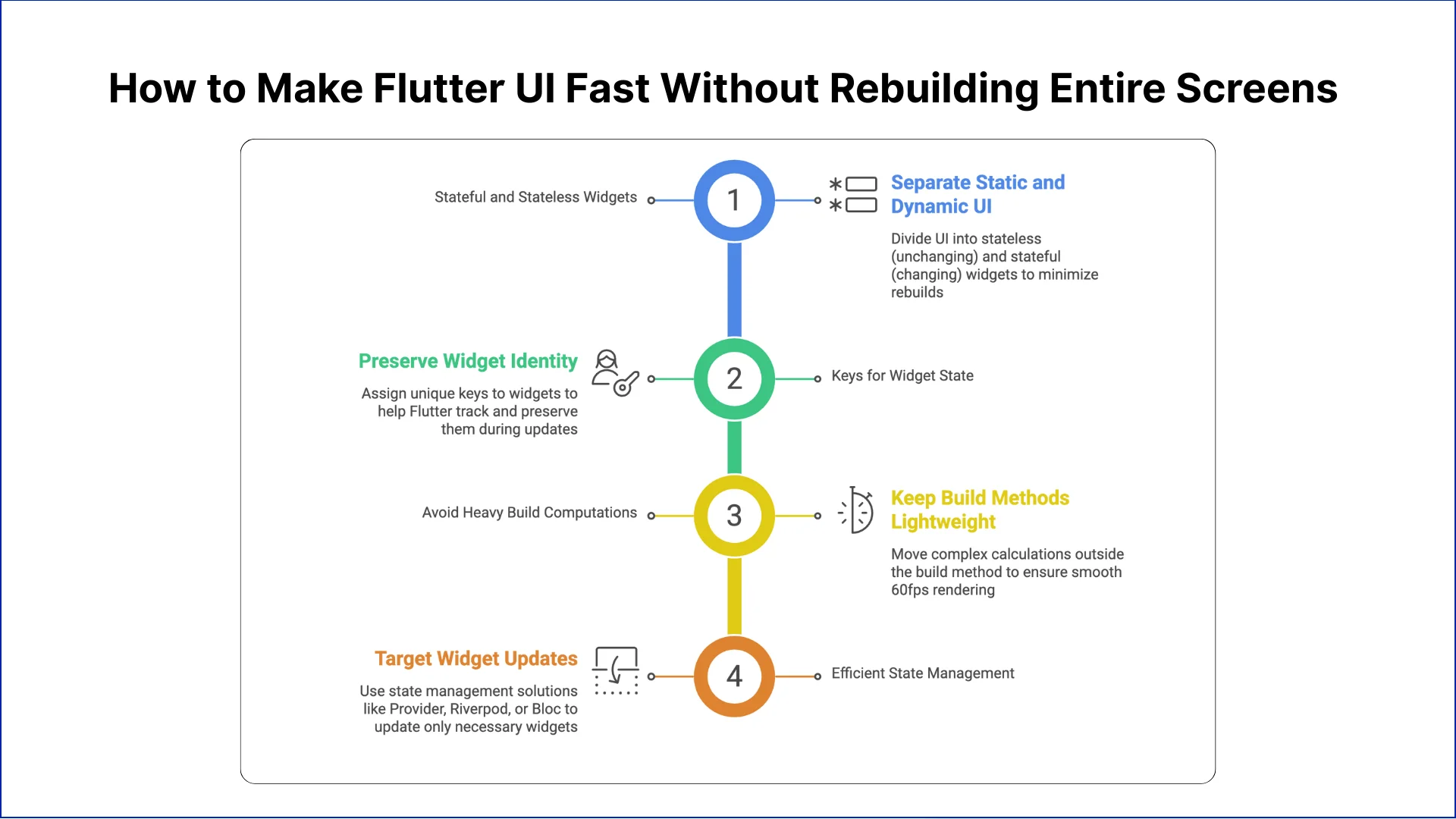
How to Make Flutter UI Fast Without Rebuilding Entire Screens
High-performance Flutter UI relies on updating only the components that change, instead of rebuilding entire screens. Teams can isolate widgets, manage state efficiently, and reduce unnecessary rendering to keep the interface smooth and responsive under real-world workloads.
#1 Use Stateful and Stateless Widgets Strategically
Separating static and dynamic parts of the UI helps reduce rebuilds. Stateless widgets handle content that doesn’t change, while stateful widgets manage elements that update frequently. This approach minimizes unnecessary processing, keeps screens responsive, and ensures users experience smooth interactions even as apps scale.
#2 Leverage Keys to Preserve Widget State
Assigning unique keys to widgets allows Flutter to understand which elements remain unchanged during updates. This prevents destruction and reconstruction of existing widgets, reducing frame processing time. Proper use of keys ensures smoother scrolling, faster rendering, and an overall more stable UI for users.
#3 Avoid Heavy Computation in Build Methods
Performing calculations or data processing inside the build method slows down frame rendering. Moving heavy computations outside the build process or using asynchronous methods keeps the UI lightweight. This ensures each frame renders within the 16ms target, maintaining smooth 60fps performance for all screens.
#4 Use Efficient State Management Solutions
Managing state at the component level prevents full-screen redraws. Using solutions like Provider, Riverpod, or Bloc lets teams target only the widgets that need updates. Efficient state management reduces unnecessary rendering, keeps interactions smooth, and maintains consistent performance as the app grows and gains more features.
Common Flutter UI Challenges That Hurt App Performance
Even with a well-designed interface, several factors can degrade Flutter performance over time. Recognizing these challenges early helps teams maintain a fast, reliable experience.
1. Long Scrolling Lists or Dynamic Feeds
Rendering hundreds of items at once strains the UI thread. Lazy loading and ListView.builder reduce memory usage and rendering time, keeping scrolling smooth and responsive on all devices.
2. Handling Live Data Without Freezing Screens
Frequent updates from APIs or databases can block UI rendering if not handled asynchronously. Separating data processing from UI updates ensures screens remain interactive while content refreshes.
3. Balancing Visual Design with Performance
High-quality animations, shadows, and gradients improve aesthetics but can slow down performance if overused. Teams must evaluate each effect against its impact on speed and responsiveness.
4. Complex Layouts Affect Rendering Time
Deeply nested widgets or excessive layout calculations increase rendering workload. Simplifying layouts and splitting large components into smaller widgets improves frame rendering and app responsiveness.
5. Heavy Asset Usage Slows Interfaces
High-resolution images, unoptimized icons, and large animations can overload the UI thread. Compressing assets, caching frequently used resources, and resizing images reduce lag and memory pressure.
How to Prevent Performance Slowdowns as Your App Grows
Performance issues often emerge not at launch but as apps scale. Following flutter best practices and monitoring performance continuously ensures the UI remains fast as features and data volumes increase.
1. Monitor Performance Continuously
Teams must track UI behaviour in real time to catch issues before users notice, then:
Measure frame rendering times to ensure screens stay smooth at 60fps.
Track memory usage to prevent crashes or slowdowns on lower-end devices.
Analyse widget rebuilds to identify components that cause unnecessary UI updates.
2. OptimizeWidget Rebuilds
Updating only what is necessary keeps screens fast, then:
Isolate dynamic widgets so changes don’t refresh the entire screen.
Split large widgets into smaller components to reduce rendering workload.
Reuse widgets with keys to prevent unnecessary destruction and reconstruction.
3. Consider Expert UI Optimization
Bringing in specialists can address hidden performance bottlenecks, then:
Audit rendering patterns to identify slow or redundant operations.
Refactor complex layouts for faster frame rendering.
Implement best practices for state management, caching, and lazy loading.
4. Prioritize Performance in Feature Planning
Evaluate the impact of new features on speed before launch, then:
Test performance implications of each new UI element or animation.
Set performance budgets for rendering, frame times, and memory usage.
Balance visuals with efficiency to maintain responsiveness across screens.
5. Test Across Devices Regularly
Performance must be consistent on all devices to retain users, then:
Run tests on low- and mid-range devices to detect bottlenecks early.
Compare frame times across devices to ensure uniform responsiveness.
Adjust assets and animations to maintain smooth performance for all users.
Eager to discuss about your project ?
Share your project idea with us. Together, we’ll transform your vision into an exceptional digital product!
In Flutter app development, slow screens or unresponsive interactions frustrate customers, lower retention, and reduce conversions. Building High-Performance UI with Flutter requires clear design, efficient state management, and fast handling of live data.
Focusing on performance early is the best way to prevent slowdowns as the app grows. It also ensures smooth interactions across all devices and lowers long-term maintenance costs.
Prioritizing Flutter UI speed and responsiveness creates a reliable, consistent experience. This helps organizations keep user trust, improve engagement, and get the most value from their mobile applications over time.
Flutter apps should consistently achieve 60fps, meaning each frame renders within 16 milliseconds. Dropping below this threshold creates visible stuttering, delayed interactions, and poor user experience across all screen types.
Can poor Flutter performance hurt conversion rates?
Yes, laggy interfaces cause users to abandon checkout flows, registration forms, and subscription purchases. Even 100-millisecond delays impact completion rates, directly affecting revenue metrics and customer lifetime value in commercial apps.
Which state management approach improves Flutter speed?
Provider, Riverpod, and Bloc isolate state changes to specific widgets rather than rebuilding entire widget trees. This targeted approach reduces CPU usage, maintains smooth animations, and prevents unnecessary rendering operations.
How do I optimize image loading in Flutter?
Use cached_network_image for remote assets, compress images to appropriate resolutions, and implement lazy loading for galleries. Precaching critical images during splash screens prevents jarring delays when users navigate between screens.
Does Flutter perform well on budget Android devices?
Flutter compiles to native code but requires optimization for low-end hardware. Test on devices with 2GB RAM and older processors, reduce shader complexity, and minimize overdraw to ensure acceptable performance.
What causes jank in Flutter scroll performance?
Heavy build methods, synchronous API calls during scrolls, and large widget trees create frame drops. Use const constructors, separate business logic from UI, and profile with Flutter DevTools to identify bottlenecks.
How often should I profile Flutter app performance?
Profile after every major feature addition and before each release. Use Flutter’s performance overlay during development, track metrics in production with Firebase Performance Monitoring, and address regressions immediately.
Can animations slow down Flutter apps significantly?
Complex animations with many simultaneous transitions strain the GPU. Use AnimatedBuilder for efficiency, avoid animating expensive properties like shadows, and test animation performance on target devices before shipping.
What's the difference between StatefulWidget and StatelessWidget for performance?
StatelessWidgets rebuild faster since they don’tmaintain internal state. Use them for static content to reduce memory overhead. Reserve StatefulWidgets only for components requiring user interaction or dynamic data updates.
Which tools help with Angular performance tuning?
StatelessWidgets rebuild faster since they don’tmaintain internal state. Use them for static content to reduce memory overhead. Reserve StatefulWidgets only for components requiring user interaction or dynamic data updates.
How does Flutter handle background tasks without blocking UI?
Use Isolates for CPU-intensive operations like JSON parsing or image processing. They run on separate threads, preventing main thread blocking. Compute function simplifies spawning isolates for one-time heavy computations.
Business intelligence consulting services should give a mid-market company a governed way to make decisions. Attractive dashboards are only the visible part. The useful outcome is a system in which source data, metric definitions, access, releases, ownership, and support still work after the consultants leave.
In a Microsoft Solutions Partner vs Microsoft Partner comparison, the difference is validation. A company can participate in the Microsoft AI Cloud Partner Program without holding a customer-facing Solutions Partner designation. A designated Solutions Partner has met Microsoft’s current threshold in a specific solution pathway: at least 70 out of 100 partner capability points, with more than zero points in every required metric, based on performance, skilling, and customer success data recorded in Partner Center.
How do you build a legacy application modernization strategy for Azure? A legacy application modernization strategy assigns the right treatment to each workload, then sequences the work around business value, technical evidence, and operational risk. For Azure, that means choosing among retire, retain, rehost, replatform,
QServices Inc. undertakes every project with a high degree of professionalism. Their communication style is unmatched and they are always available to resolve issues or just discuss the project.
Turn the Microsoft Licenses
You Already Own Into an AI Workplace
Join our live webinar on Sept 24 and see five ways to automate meetings, approvals, and