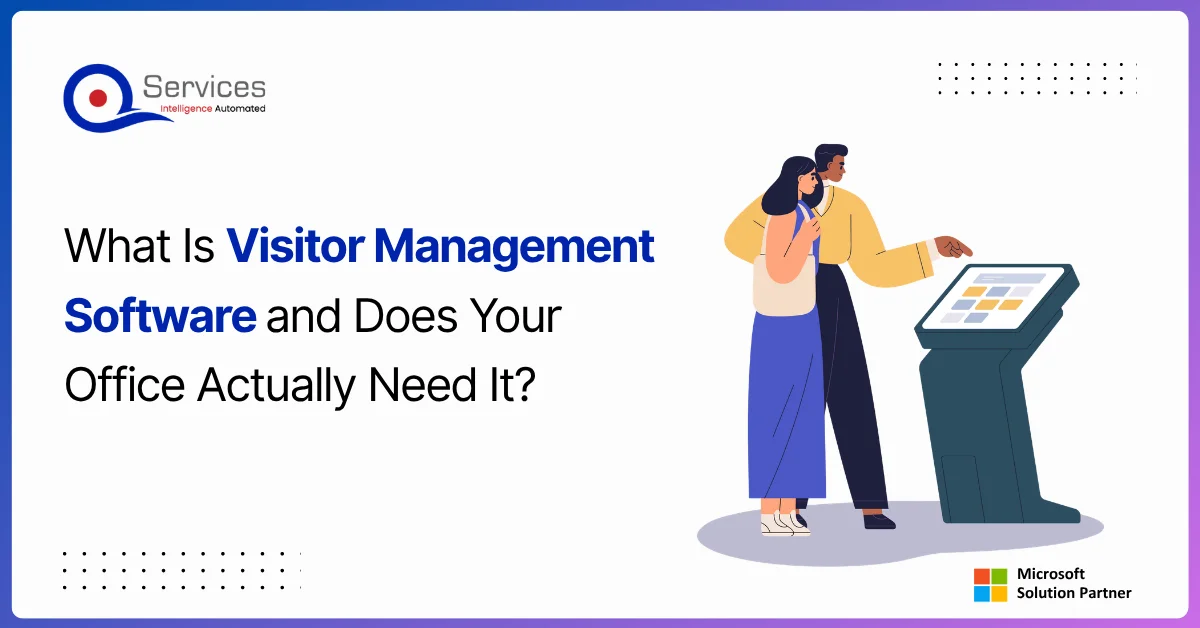
Visitor management software is the difference between a paper sign-in book nobody trusts and a digital audit trail that holds up when it matters. If your reception desk still runs on a clipboard, the issue isn't just efficiency. The real problem surfaces when a compliance inspector, an insurance auditor, or your own legal team asks for a visitor log from three months ago and you're handed a manila folder full of barely-legible signatures.
Key Insight If your reception desk still runs on a clipboard, the issue isn't just efficiency.
That scenario plays out regularly in healthcare clinics, financial services offices, and real estate operations across the UAE. The cost isn't just embarrassment. Depending on your sector, a missing or incomplete visitor log can mean failed audits, fines, or voided insurance claims. One UAE-based financial firm we worked with estimated that recreating a single month's visitor records for a regulator took two full working days of admin time.
This post covers what visitor management software actually does, which features matter for compliance-heavy environments, and whether your office genuinely needs it. We'll also look at how CloudCheckIn, built natively on Azure and available directly on the Azure Marketplace, gives compliance-sensitive teams a modern alternative to paper without the enterprise complexity.
In This Article, You'll Learn
What Is Visitor Management Software?
The Real Cost of a Paper Visitor Log in a Compliance Audit
Core Features Every Visitor Management System Should Have
Why Compliance-Sensitive Industries Can't Afford Paper Sign-In Books
How CloudCheckIn Brings Visitor Management to Azure Marketplace
Eager to discuss about your project?
Share your project idea with us. Together, we’ll transform your vision into an exceptional digital product!
Visitor management software is a digital system that records, tracks, and manages everyone who enters a workplace. It replaces paper sign-in books with structured digital check-ins, captures visitor details, timestamps every entry and exit, and generates compliance-ready reports on demand. Most platforms store data in the cloud and integrate with existing identity tools like Azure Active Directory.
The category covers everything from simple iPad-based kiosks to platforms that handle contractor vetting, NDA signing, and multi-site reporting. For most mid-size offices, the core value proposition is simpler: replace an unreliable paper process with one that produces a verifiable, searchable record.
The shift from paper to digital also changes what "visitor data" means operationally. A paper log tells you someone visited. A digital system tells you who, when, which host they met, how long they stayed, and whether they signed any required documents before entry. That difference matters enormously when an auditor is in the room.
The Real Cost of a Paper Visitor Log in a Compliance Audit
The DIFC (Dubai International Financial Centre) and ADGM (Abu Dhabi Global Market) both maintain workplace security standards that include visitor tracking requirements. UAE Federal Law No. 45 of 2021 on Personal Data Protection also creates obligations around how visitor data is collected, stored, and retained. A paper sign-in book fails on several of these dimensions at once.
What Auditors Actually Look For
When a compliance inspector reviews visitor records, they check four things: completeness (no gaps in the log), accuracy (names and times are verifiable), tamper-evidence (the record cannot be retroactively altered), and retention (records are stored for the required period, typically 12 to 24 months depending on sector).
Paper logs fail the tamper-evidence test by definition. They also fail retention in practice because books get lost, damaged, or simply discarded after a year. A digital system with cloud storage and an immutable audit trail addresses all four requirements automatically.
How Much Does a Compliance Failure Actually Cost?
The direct cost varies by sector and jurisdiction. In healthcare, a single breach of patient privacy linked to uncontrolled facility access can trigger fines under UAE health authority regulations. In financial services, a failed DFSA audit can delay a license renewal by months. These are not edge cases. They happen to organizations that assumed a paper log was adequate.
The indirect costs are harder to quantify but often larger: staff time spent reconstructing records, senior leadership pulled into regulatory conversations, and the reputational damage with enterprise clients who audit their vendors' physical security practices.
Core Features Every Visitor Management System Should Have
Not all visitor management software is equal. For compliance-sensitive environments, some features are non-negotiable and others are convenient extras.
Digital Check-In With a Verifiable Audit Trail
The check-in process needs to capture name, company, contact number, purpose of visit, host name, and timestamp. The system should log this data in a way that cannot be edited after the fact. CloudCheckIn stores all check-in records on Microsoft Azure with role-based access controls, so only authorized users can view records and no one can delete or alter historical entries.
Host Notifications and Visitor Pre-Registration
Manual reception processes create bottlenecks. A visitor arrives, the receptionist calls the host, the host is in a meeting, the visitor waits. Digital systems fix this with instant notifications to the host via email, Teams message, or SMS the moment a visitor checks in. Pre-registration goes further, letting hosts register expected visitors in advance so check-in takes under 30 seconds.
Reporting and Export for Compliance Teams
The compliance use case lives and dies on reporting. You need to pull a visitor log for any date range, filter by visitor type or host, and export it in a format your auditor accepts. If you're also tracking employee attendance, those records should consolidate with visitor data in a single report. For teams already using Power Automate approvals and multi-stage sign-off workflows, this reporting can be automated further with zero custom development.
Key Insight If you're also tracking employee attendance, those records should consolidate with visitor data in a single report.
Why Compliance-Sensitive Industries Can't Afford Paper Sign-In Books
Healthcare, financial services, and real estate are not the only sectors where visitor records matter, but they are the three where the consequences of poor record-keeping are most immediate.
Healthcare: Infection Control and Patient Privacy
Healthcare facilities need to know who entered a ward, when, and why. During the COVID-19 period, many UAE clinics scrambled to implement digital check-ins because paper logs couldn't produce the contact-tracing data health authorities needed within hours. A digital visitor management system with timestamped records and host attribution solves this. It also supports international facilities treating foreign patients under specific privacy frameworks.
Financial Services: Audit Readiness and Access Control
DFSA and CBUAE-regulated entities must demonstrate that access to sensitive areas is controlled and logged. A reception clipboard doesn't satisfy this. For offices where an azure security assessment has flagged physical access logging as a gap in their overall security posture, digital visitor management closes that gap directly. The azure architecture review process often surfaces visitor tracking as a quick win that improves compliance without infrastructure changes.
Real Estate: Multi-Site Property Access
Real estate developers and property managers deal with contractors, surveyors, and buyers visiting properties under construction or occupied buildings. Tracking who accessed which property on which date is both a security and liability issue. A cloud-based system covering multiple sites from a single dashboard is significantly easier to manage than separate paper logs at each location.
How CloudCheckIn Brings Visitor Management to Azure Marketplace
CloudCheckIn is QServices' cloud-native visitor and employee check-in product, built for compliance-sensitive workplaces in the UAE and wider region. It's available directly on the Azure Marketplace, which means procurement, billing, and provisioning all happen through your existing Microsoft relationship.
Built on Azure, Designed for Compliance
CloudCheckIn stores all data on Azure infrastructure, which means data residency, encryption at rest, and backup are handled at the platform level. For organizations that already rely on azure managed services or have recently completed an azure infrastructure assessment, adding CloudCheckIn doesn't introduce new infrastructure complexity. Everything runs in the same environment your IT team already manages.
The product integrates with Azure Active Directory out of the box. Employees sign in with their existing Microsoft credentials, so there's no separate username and password to manage. Visitor data is tied to host accounts in Azure AD, which means reporting is accurate and attribution is automatic from day one.
Pricing That Makes Sense for Mid-Size Teams
CloudCheckIn costs USD 3 per user per month. There is no enterprise pricing floor, no minimum seat count, and no credit card required to start. The free trial on the Azure Marketplace gives you full functionality before you commit. For a 50-person office, that's USD 150 per month for a fully compliant, cloud-hosted visitor management system.
Compare that to the cost of two days of admin time recreating records for a regulator, or the potential cost of a compliance failure in a regulated sector. The math is straightforward.
What Does Visitor Management Software Cost?
Visitor management software pricing varies widely. Enterprise platforms with on-premise options, hardware kiosks, and multi-site support can cost thousands of dollars per month. Mid-tier SaaS platforms typically run USD 50 to 200 per month for a single location.
Key Insight Mid-tier SaaS platforms typically run USD 50 to 200 per month for a single location.
CloudCheckIn's USD 3 per user per month model targets teams that want compliance-grade features without enterprise pricing. Because it's provisioned through the Azure Marketplace, it also consolidates billing with your existing Microsoft subscriptions, which simplifies procurement for IT teams already managing azure cost optimization consulting engagements or consolidated Microsoft agreements.
When evaluating total cost, factor in:
Time saved at reception per week (typically 30 to 60 minutes per day for a busy office)
Risk reduction from audit-ready records
IT overhead eliminated by Azure AD integration and cloud hosting
Subscription consolidation through Azure Marketplace
Elimination of physical sign-in materials, storage, and manual archiving
How Visitor Management Connects to Your Broader Microsoft Stack
One genuine advantage of a platform built on Azure is that it connects naturally to the tools most mid-size businesses already use. Visitor management software doesn't need to be a standalone island.
Azure AD Integration and Single Sign-On
When CloudCheckIn integrates with Azure Active Directory, employees don't need separate credentials. Visitor hosts are pulled from your existing directory, which means the system stays accurate as people join or leave your organization. IT teams familiar with microsoft azure consulting company engagements will recognize this as a standard identity federation pattern that requires no custom configuration.
Automating Visitor Workflows With Power Platform
CloudCheckIn check-in events can trigger workflows in Power Automate. A visitor arrival can automatically notify a host in Teams, log the visit to a SharePoint list, or trigger an approval workflow if the visitor needs access to a restricted area. Teams already using Power Apps and Power Automate can extend these automations without custom development. Power platform governance policies can also be applied to ensure visitor data flows only to approved systems.
For broader automation thinking, our post on Power Platform governance frameworks covers how to structure these integrations so they scale as your team grows.
Visitor Management as a Stepping Stone to Digital Transformation
For teams thinking about broader digital transformation, visitor management is often a useful starting point. It's a contained problem with a clear compliance need, and a well-implemented solution demonstrates the value of cloud-native tools to stakeholders who are still skeptical about moving away from manual processes. This is a pattern QServices sees often in organizations at the beginning of their legacy app modernization journey, where a single visible quick win builds internal confidence for larger projects.
Does Your Office Actually Need Visitor Management Software?
The honest answer is: it depends on your sector and your compliance obligations.
If you run a small creative agency sharing a serviced office with five people, a paper log is probably fine. But if any of the following applies to your organization, digital visitor management is not optional:
You operate in healthcare, financial services, real estate, or legal services
You have regulatory obligations under DFSA, CBUAE, UAE PDPL, or sector-specific health authority rules
You host contractors, vendors, or external consultants regularly
You manage more than one physical location
You have completed or are planning azure cloud migration services work and want your workplace tools to match your cloud infrastructure
You've already run an azure infrastructure assessment and physical access logging appeared as a gap
For most mid-size organizations in compliance-sensitive sectors, the question isn't whether to move to digital visitor management. It's which platform to choose and how to connect it to existing systems. QServices has completed 500+ Azure and Microsoft platform projects since 2014. CloudCheckIn is the product we built because we kept seeing the same gap in client workplaces: sophisticated cloud infrastructure above the reception desk, and a paper clipboard at the front door.
Key Takeaways
Visitor management software is a digital system that records, tracks, and manages everyone who enters a workplace.
The DIFC (Dubai International Financial Centre) and ADGM (Abu Dhabi Global Market) both maintain workplace security standards that include visitor tracking requirements.
Not all visitor management software is equal.
Healthcare, financial services, and real estate are not the only sectors where visitor records matter, but they are the three where the consequences of poor record-keeping are most immediate.
CloudCheckIn is QServices' cloud-native visitor and employee check-in product, built for compliance-sensitive workplaces in the UAE and wider region.
Conclusion
Visitor management software closes a compliance gap that most organizations don't notice until a regulator does. The paper sign-in book isn't just inefficient. It's a liability in any sector where visitor records are subject to audit, retention requirements, or data protection rules.
CloudCheckIn gives compliance-sensitive teams a cloud-native option at USD 3 per user per month, with Azure AD integration, immutable audit trails, and full functionality available to try on the Azure Marketplace with no credit card required. If your office is in healthcare, financial services, or real estate and you're still running on paper, the fix is simpler than you think.
Start a free CloudCheckIn trial on Azure Marketplace with no credit card required, and replace your paper log with a system that holds up when it matters.
For teams looking to connect visitor management to broader Microsoft stack automation, explore how Power Automate approvals and Power Platform governance can extend what a simple check-in system does across your entire operation.
Co-Founder and CTO, QServices IT Solutions Pvt Ltd
Rohit Dabra is the Co-Founder and Chief Technology Officer at QServices, a software development company focused on building practical digital solutions for businesses. At QServices, Rohit works closely with startups and growing businesses to design and develop web platforms, mobile applications, and scalable cloud systems. He is particularly interested in automation and artificial intelligence, building systems that automate routine tasks for teams and organizations.
Visitor management software is a digital system that records and tracks everyone who enters a workplace. It replaces paper sign-in books with structured digital check-ins, captures visitor details and timestamps, notifies hosts automatically, and generates compliance-ready reports. Cloud-based platforms like CloudCheckIn also integrate with Azure Active Directory and store records with immutable audit trails.
Yes, directly. Compliance auditors check that visitor records are complete, tamper-evident, accurate, and retained for the required period (typically 12 to 24 months). Paper sign-in books fail the tamper-evidence test by definition and are often lost or discarded. A cloud-based visitor management system with immutable logs and on-demand reporting satisfies all four audit criteria automatically.
CloudCheckIn integrates with Azure AD out of the box, so employees sign in with their existing Microsoft credentials. Visitor hosts are pulled directly from the Azure AD directory, which keeps records accurate as people join or leave your organization. No separate username management is required, and visitor attribution is automatic.
CloudCheckIn costs USD 3 per user per month with no minimum seat count and no enterprise pricing floor. A free trial is available directly on the Azure Marketplace with no credit card required, giving you full functionality before you commit. For a 50-person office, the monthly cost is USD 150.
Yes. CloudCheckIn check-in events can trigger Power Automate workflows, such as notifying a host in Microsoft Teams when their visitor arrives, logging the visit to a SharePoint list, or initiating an approval workflow for restricted-area access. Teams already using Power Platform can extend these automations without custom development work.
When PDF text extraction drops the spaces between words, AI agents can’t find facts that are right there. How we found it in Azure AI Foundry and fixed it.
Pint AE explained for UAE finance teams with one sample invoice: see which fields come from your ERP, which go missing, and how to test before go-live.
Days sales outstanding explained for CFOs: the formula, worked examples, named industry benchmarks, and why seasonal sales distort DSO. See what moves it.
Eager to discuss about your project?
Share your project idea with us. Together, we’ll transform your vision into an exceptional digital product!
When PDF text extraction drops the spaces between words, AI agents can’t find facts that are right there. How we found it in Azure AI Foundry and fixed it.
Pint AE explained for UAE finance teams with one sample invoice: see which fields come from your ERP, which go missing, and how to test before go-live.
Days sales outstanding explained for CFOs: the formula, worked examples, named industry benchmarks, and why seasonal sales distort DSO. See what moves it.
QServices Inc. undertakes every project with a high degree of professionalism. Their communication style is unmatched and they are always available to resolve issues or just discuss the project.
Turn the Microsoft Licenses
You Already Own Into an AI Workplace
Join our live webinar on Sept 24 and see five ways to automate meetings, approvals, and