Banking regulatory compliance automation on Azure has moved from a 'nice to have' to a genuine operational necessity for banks, credit unions, and fintech startups trying to stay ahead of regulators without burning out their compliance teams.
The compliance burden in financial services is real. According to the Basel Committee on Banking Supervision, regulatory expectations across capital adequacy, AML, KYC, and reporting have grown significantly over the past decade. For smaller institutions and fintech companies, meeting those expectations with spreadsheets and manual review cycles is expensive, error-prone, and unsustainable.
This guide walks through how to use Microsoft Azure and Power Platform to automate your compliance workflows, reduce manual effort, and build the kind of audit-ready infrastructure that regulators expect.
Why Manual Compliance Processes Are Holding Financial Institutions Back
Compliance in financial services touches almost every transaction, customer interaction, and internal process. The problem with manual compliance is not just the time it takes; it is the compounding cost of human error, inconsistent documentation, and slow response times when regulators ask questions.
A typical community bank might have staff manually reviewing hundreds of customer onboarding files, checking transaction patterns against AML rules, and compiling regulatory reports in Excel. Each step introduces the chance of a missed flag or a documentation gap. When an audit happens, teams spend days pulling records together rather than running the bank.
For fintech startups, the challenge is different but equally pressing. They often lack the legacy processes of traditional banks, but they also lack the staff to build compliance frameworks from scratch. A startup processing payments or offering lending products needs to meet FinCEN requirements and state-level regulations before going live, not after a regulatory review finds gaps.
This is where banking regulatory compliance automation on Azure changes the equation. Azure provides the infrastructure to automate data collection, rule enforcement, alerting, and reporting in a way that scales with your business and your regulatory obligations.
Core Azure Services for Banking Regulatory Compliance Automation
Microsoft Azure offers several services that work together to cover the full compliance workflow. Understanding which service handles which function helps you design the right architecture for your institution.
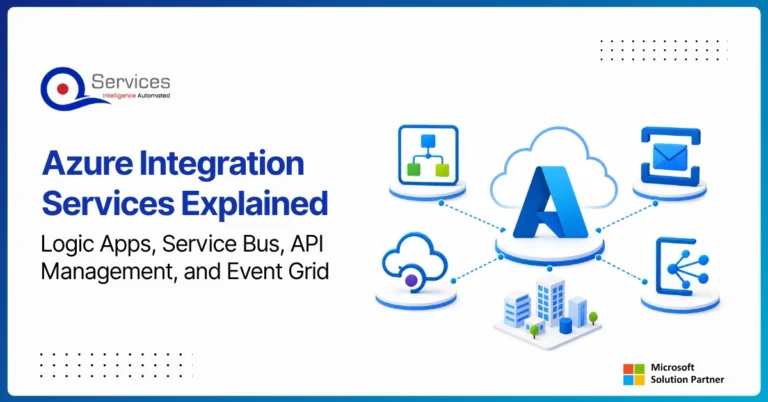
Azure Logic Apps is the backbone of automated workflow triggers. You can configure Logic Apps to fire whenever a new customer record is created, a transaction crosses a threshold, or a document is uploaded. It connects to hundreds of data sources, including core banking systems, CRMs, and document repositories.
Power Automate adds a low-code layer that lets compliance and operations staff build and modify workflows without writing code. This is especially useful for smaller institutions that want to automate processes without hiring a full development team.
Microsoft Purview provides data governance across your Azure environment. For financial services, this means classifying sensitive customer data, tracking data lineage, and generating audit logs that show exactly who accessed what and when.
Azure Monitor and Microsoft Sentinel handle real-time alerting and security compliance. Sentinel's built-in detection rules for financial services can flag suspicious activity patterns and feed alerts directly into your compliance reporting stack.
Microsoft Entra ID manages identity and access, which is a core requirement under most financial regulations. Role-based access control ensures that only authorized personnel can approve compliance decisions or access sensitive records.
If you are already using Azure for payment processing, our Azure PCI DSS Payment Automation: Essential Guide covers how to extend that infrastructure to meet PCI DSS requirements across your full payment stack.
How Power Platform Transforms Compliance Workflows for Banks
Power Platform (which includes Power Automate, Power Apps, and Power BI) gives financial institutions a practical path to compliance automation without large IT investments or complex custom development.
The typical use case starts with Power Apps, where you build a custom compliance intake form that frontline staff use to collect customer information during onboarding. The form validates data in real time, flagging missing fields or mismatched entries before the record is ever saved. This alone eliminates a significant amount of the re-work that compliance teams handle after the fact.
Power Automate then takes that validated data and routes it through a defined workflow. For a KYC check, that might mean:
- Verifying the customer's identity against a third-party ID verification service
- Screening the customer against OFAC and PEP watchlists
- Generating a compliance record and storing it in Azure SQL or SharePoint
- Alerting a compliance officer if any step fails or flags a risk
- Automatically scheduling a periodic review based on the customer's risk rating
Power BI closes the loop by turning all that workflow data into dashboards that compliance managers and executives can use to track open cases, overdue reviews, and upcoming regulatory deadlines in real time.
This kind of integrated workflow is exactly what we describe in The Future of Banking Workflows: Power Platform Meets Generative AI, which covers how generative AI is beginning to augment these automated compliance processes.
Eager to discuss about your project?
Share your project idea with us. Together, we’ll transform your vision into an exceptional digital product!
Book an Appointment now
Automating KYC and AML Compliance Checks with Azure and Power Platform
KYC (Know Your Customer) and AML (Anti-Money Laundering) are two of the most labor-intensive compliance areas in financial services. They are also the areas where automation delivers the clearest and most measurable return.
KYC automation on Azure typically involves connecting Power Automate to an identity verification API such as Jumio or Onfido. When a new customer submits an onboarding request, the workflow extracts document images and customer-provided data, sends them to the verification API for biometric matching and document validation, records the result in Azure SQL or Dataverse, and routes failed or high-risk verifications to a human reviewer via a Power Apps task queue.
AML transaction monitoring works differently. Instead of a single onboarding event, AML systems need to analyze patterns across many transactions over time. Azure Stream Analytics can process transaction data in near real time, applying rule-based filters around transaction amounts, frequency, and geography. Microsoft Sentinel adds behavioral analytics on top to catch patterns that simple threshold rules miss.
The FFIEC's BSA/AML examination procedures make clear that financial institutions are expected to have risk-based systems that are documented, tested, and auditable. Azure's logging and monitoring infrastructure makes meeting that documentation standard much more manageable for institutions of any size.
For a detailed look at specific KYC and AML workflow patterns, our post on Automating KYC and AML: Ensuring Compliance and Speed in Digital Banking covers the key implementation decisions in depth.
Building an Automated Audit Trail on Azure
Regulators do not just want you to be compliant; they want proof. An automated audit trail is one of the most valuable outputs of a well-designed compliance automation setup, and Azure makes building one straightforward.
Several Azure tools work together to create comprehensive audit records:
- Azure Monitor Logs capture every action taken within your Azure environment, including workflow executions, API calls, and data access events
- Microsoft Purview tracks data lineage, showing how customer data flows through your systems and who accessed it at each stage
- Azure SQL Auditing logs every query run against your compliance database, with configurable retention policies that satisfy multi-year regulatory requirements
- Power Automate run history provides a per-workflow log showing exactly what triggered each compliance check, what data was processed, and what the outcome was
When a regulator asks for evidence that your AML checks ran correctly for a specific customer or time period, you can pull that documentation in minutes rather than days. That kind of operational readiness matters at audit time.
We cover how automation supports broader operational resilience in Building Operational Resilience: Automation's Role in Meeting Regulatory Demands.
Eager to discuss about your project?
Share your project idea with us. Together, we’ll transform your vision into an exceptional digital product!
Book an Appointment now
Step-by-Step Banking Compliance Automation with Power Automate
Here is a practical framework for building your first automated compliance workflow on Azure.
Step 1: Define the compliance trigger
Identify the event that starts the workflow. Common triggers include a new customer record created in your CRM, a transaction flagged by your core banking system, or a scheduled regulatory reporting deadline.
Step 2: Connect your data sources
Use Power Automate's connector library to link your trigger to the relevant data sources. Azure SQL, SharePoint, Dynamics 365, and most major core banking platforms have pre-built connectors that require minimal configuration.
Step 3: Apply compliance rules
Use conditions and expressions within Power Automate to encode your compliance logic. A straightforward example: if a transaction amount exceeds $10,000, create a SAR draft and notify the compliance officer automatically.
Step 4: Route exceptions to human review
Not every case should be fully automated. Design your workflow to route ambiguous or high-risk cases to a Power Apps task management interface where a compliance officer can review, approve, or escalate with a documented decision trail.
Step 5: Generate and store compliance records
At the end of each workflow run, generate a structured compliance record in Azure SQL or SharePoint. Include timestamps, rule evaluation results, reviewer actions, and any supporting documents.
Step 6: Monitor and refine
Use Power BI to track workflow performance over time: how many cases are processed, how many exceptions are raised, and how long reviews take on average. Use that data to refine your rules and reduce false positives.
For teams new to building customer-facing compliance workflows, our Digital Onboarding Automation: A Community Bank Guide offers a practical starting point for the onboarding piece specifically.
Can Small Banks and Fintech Startups Afford Azure Compliance Automation?
This is one of the most common questions smaller institutions ask, and the answer is: yes, more easily than most people expect.
Power Automate licensing starts at a relatively low per-user monthly cost, and many of the Azure services used in compliance automation (Logic Apps, Azure Monitor, Azure SQL) follow a consumption-based pricing model. You pay for what you use rather than for a fixed infrastructure footprint.
For a small bank or fintech startup running a few hundred to a few thousand compliance checks per month, the total Azure cost for a well-designed compliance automation stack is often less than the cost of one part-time compliance staff member. When you factor in reduced regulatory risk and the potential cost of compliance failures, the case for investment is clear.
The key is designing the architecture with cost efficiency in mind from day one. Using consumption-based Logic Apps instead of the standard tier, caching watchlist data locally to reduce external API calls, and setting appropriate data retention policies all help keep monthly spending predictable and manageable.
Measuring the ROI of Banking Regulatory Compliance Automation on Azure
Quantifying the return from banking regulatory compliance automation on Azure is straightforward once you establish a baseline from your current manual processes.
Key metrics to track include:
- Staff hours per compliance task before and after automation
- Error rate in compliance documentation, such as missing fields or incorrect flags
- Time to complete KYC or AML reviews, measured as both average and 95th percentile
- Cost per compliance check, calculated as total compliance spend divided by number of checks processed
- Regulatory penalty exposure based on documented gaps found during internal or external reviews
A mid-sized community bank that automates its KYC onboarding process can realistically cut the per-customer processing time from 45 minutes to under 5 minutes. If that bank processes 500 new customers per month, that represents 333 staff hours saved monthly. At a fully loaded cost of $35 per hour, that is over $11,600 in monthly savings from a single automated workflow.
Add the error reduction, faster regulatory response times, and lower audit preparation costs, and the business case for Azure compliance automation is compelling for most institutions regardless of size.
Conclusion
Banking regulatory compliance automation on Azure gives financial institutions of all sizes a practical way to meet regulatory requirements without the cost and fragility of manual processes. Azure Logic Apps, Power Automate, Microsoft Purview, and Azure Monitor work together to create workflows that are automated, auditable, and built to scale.
The right starting point depends on your current compliance gaps. For most smaller banks and fintechs, KYC onboarding and AML transaction monitoring are the highest-value areas to automate first. From there, you can extend automation to regulatory reporting, periodic reviews, and full audit trail management.
If you are ready to explore what a compliance automation setup would look like for your institution, the QServices team has built these workflows for community banks and fintech startups across a range of regulatory requirements. Contact us to talk through your specific compliance challenges and how Azure can address them.
Q
Written by QServices Team
Technology & Digital Transformation Experts
QServices is a global IT consulting and software development company specializing in cloud solutions, enterprise applications, and digital transformation. Our team of certified experts helps businesses innovate faster and operate smarter.
Talk to Our Experts
Frequently Asked Questions
Related Topics
Eager to discuss about your project?
Share your project idea with us. Together, we’ll transform your vision into an exceptional digital product!
Book an Appointment now