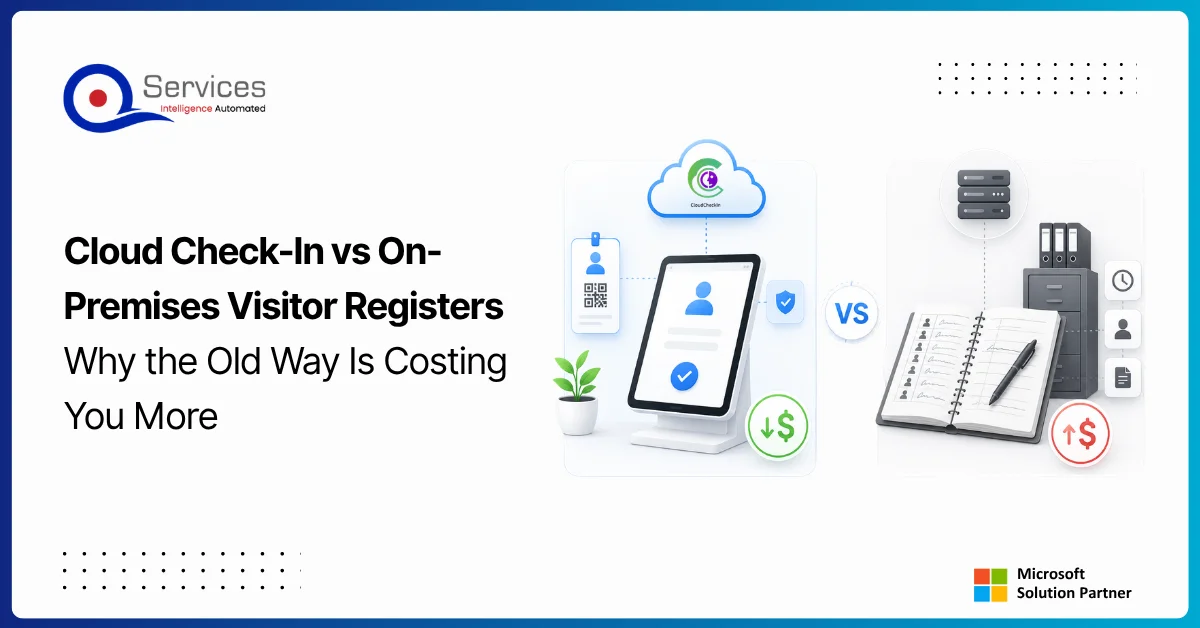
Cloud visitor management is redefining front-desk compliance, and if your organization still relies on a paper register or a locally-installed spreadsheet, the cost gap is wider than you might expect. On the surface, a paper sign-in book appears to cost nothing. No software license, no server, no subscription fee. But when you count compliance exposure, administrative overhead, zero audit trail, and a data security posture that would concern any IT manager facing a UAE data protection query, the math changes quickly.
This post runs a direct comparison between cloud-based visitor check-in systems and on-premises alternatives, covering total cost of ownership for a 50-person office, audit trail integrity, Azure AD integration, data retention, and regulatory compliance readiness. By the end, you will have a clear answer to whether the old way is actually saving you money.
In This Article, You'll Learn
What Cloud Visitor Management Actually Means
The Real Cost of Paper and On-Premises Visitor Registers
Cloud Check-In vs On-Premises: Side-by-Side Comparison
How Cloud Visitor Management Connects to Your Azure Infrastructure
Why IT Managers Misjudge the Cost of Cloud Visitor Management
Eager to discuss about your project?
Share your project idea with us. Together, we’ll transform your vision into an exceptional digital product!
Many IT managers picture cloud visitor management as a SaaS tool with a monthly fee and not much else. The reality delivers considerably more operational value than that framing suggests.
Beyond the Sign-In Book
A cloud visitor management system replaces paper with a structured digital flow. Visitors self-check-in via a tablet or web portal, their information is stored in a compliant cloud environment, and the host receives an instant notification. The system maintains a searchable, exportable audit log of every entry and exit. Compare that to a paper book, which cannot be searched, is visible to every subsequent visitor who walks in, and can be lost or destroyed with no recovery option.
CloudCheckIn is a cloud-native visitor and employee attendance management product available on the Azure Marketplace. Built for organizations that need verifiable check-in records, it stores all visitor data in Azure, integrates with Azure Active Directory for host lookup and authentication, and produces compliance-ready audit trails. The free trial requires no credit card, and paid plans start at USD 3 per user per month. Organizations already working with an azure managed services provider will find that CloudCheckIn fits naturally within their existing cloud governance model, with billing and compliance documentation flowing through the same Azure account they already manage.
The Real Cost of Paper and On-Premises Visitor Registers
The honest answer is that paper is not free, and on-premises software rarely beats cloud over a three-year window when you count everything.
Direct Costs You Can Calculate
For a 50-person office, consider what the paper approach actually costs annually:
Printed sign-in books and forms: A standard visitor register is a recurring purchase, and a busy office goes through several per year, plus supplementary printing costs.
Reception staff time: Manual entry, filing, and searching paper records takes real time. In our client engagements, even a few minutes a day on visitor admin adds up to meaningful hours per receptionist over a year.
Compliance remediation: If a UAE workplace compliance audit requests visitor records from six months ago and the paper book is missing a page, you face legal exposure that exceeds any software cost.
On-premises software maintenance: Local visitor management software requires server hardware, IT maintenance contracts, and periodic upgrades. In our client engagements, a basic on-premises setup for a 50-person office often costs more in year-one infrastructure than IT managers expect.
Hidden Costs That Don't Show Up on the IT Budget
The costs that hurt most are the ones that never appear on a line item. A paper register exposes every previous visitor's name and company to the next person who walks in. That is a concern under both the EU GDPR and the UAE Personal Data Protection Law (Federal Decree-Law No. 45 of 2021). Regulators in both jurisdictions have issued fines for exactly this kind of passive data exposure, and "we only use a paper book" is not a defense that holds up.
There is also the business continuity problem. A paper book cannot be backed up. If there is a fire, a flood, or a receptionist who leaves with the current register, that audit trail is gone permanently.
For organizations running a broader azure infrastructure assessment, visitor records often surface as a compliance gap that sits outside IT's usual purview. Cloud visitor management closes that gap in a way that is auditable, reportable, and aligned with standards your team already follows for other cloud tools.
A Real Cost Calculation for a 50-Person Office
Cost Item
Paper Register (Annual)
On-Premises Software (Annual)
Cloud via CloudCheckIn (Annual)
Software/System Cost
$0
$500-$1,500
$1,800 (50 users x $3/mo x 12)
Hardware/Server
$0
$1,500+
$0 (Azure-hosted)
IT Maintenance
$0
$500-$1,000
$0 (fully managed)
Reception Admin Time
~$1,200 (40 hrs)
~$600 (20 hrs)
~$150 (minimal)
Compliance Risk
High
Moderate
Low
3-Year Total (estimate)
$3,600
$9,600-$13,500
$5,400 (predictable)
These figures are illustrative estimates based on typical ranges we see in client engagements, not third-party benchmark data.
The paper column looks cheapest until you factor in one compliance finding. A single regulatory outcome for inadequate visitor records in the UAE can produce costs that exceed three years of cloud software spending before you account for reputational impact.
Cloud Check-In vs On-Premises: Side-by-Side Comparison
The table below covers the dimensions that matter for IT managers and compliance officers evaluating a switch from paper or on-premises systems to cloud visitor management.
Feature
Paper Register
On-Premises Software
Cloud (CloudCheckIn)
Audit Trail
None (manual, lossy)
Local only, backup required
Full cloud audit log, tamper-evident
Compliance Readiness
Poor
Moderate
High (UAE-focused)
Setup Time
Minutes
Days to weeks
Minutes (Azure Marketplace)
Per-Head Cost
~$3/user/yr
~$30-60/user/yr (typical range in our engagements)
$3/user/month
Azure AD Integration
No
Rarely
Yes (native)
Data Retention
Manual, at-risk
Local backup required
Azure-managed, policy-driven
IT Maintenance Required
None
Yes
None
Remote Access to Records
No
No (usually)
Yes (anywhere)
Disaster Recovery
None
Manual backup
Built-in (Azure)
Audit Trail and Compliance in Practice
Cloud visitor management systems maintain a timestamped, tamper-evident record of every visit. Paper records cannot match this. On-premises systems can produce a log, but only if the local server is properly maintained, backed up, and accessible to auditors on demand. Cloud systems make audit exports a one-click operation, which matters when a UAE labor or data protection authority requests records on short notice. Our guide on Power Platform Security covers related identity governance patterns that apply equally to visitor data within Microsoft environments, particularly for teams managing power platform governance across multiple tools.
Azure AD Integration and What It Actually Changes
CloudCheckIn integrates natively with Azure Active Directory. Host lookup, authentication, and access control all flow through your existing Microsoft identity layer. This means visitor data inherits your organization's Azure security controls, your conditional access policies apply, and there is no separate user directory to maintain. If your team already uses azure consulting services to manage cloud identity, adding a cloud visitor system that speaks the same identity language is a natural extension of that posture, not a new infrastructure project.
How Cloud Visitor Management Connects to Your Azure Infrastructure
Organizations that have started or completed azure cloud migration services projects will find that adding a cloud-native visitor system slots cleanly into their existing governance model.
Azure Marketplace Deployment and Governance
CloudCheckIn deploys from the Azure Marketplace, which means procurement, billing, and compliance documentation go through your existing Azure account. There is no separate vendor security review to run, and Azure Marketplace purchases are eligible for Azure consumption commitments. Organizations following the five phases of Azure migration (assess, plan, migrate, govern, manage) often add cloud visitor management during the governance phase as part of broader compliance consolidation. If your organization is working with an azure migration partner on a broader transformation, tools that deploy from Marketplace are far easier to onboard than standalone SaaS vendors with separate billing and security review requirements.
Data Retention and Compliance Posture in Azure
Azure provides configurable data retention policies, geo-redundant storage, and compliance certifications covering ISO 27001, SOC 2, and regional data residency requirements including the UAE. When visitor data lives in Azure, your existing compliance posture extends to cover it. You do not need a separate data governance process for a paper register or a local server.
For organizations running a hybrid cloud azure setup or evaluating a lift and shift to azure for other workloads, a cloud visitor management tool is a low-risk, high-visibility win that builds internal confidence before the harder migrations begin. It also supports an azure app modernization narrative internally: "we moved our front desk to cloud" is a concrete, visible proof point for stakeholders who want evidence before approving larger cloud investments. Our post on Legacy App Modernization covers the broader framework for moving away from on-premises systems, which applies directly to the visitor register problem.
Why IT Managers Misjudge the Cost of Cloud Visitor Management
The most common objection to cloud visitor management is that $3/user/month sounds expensive compared to $0 for paper. This reasoning fails on two separate counts.
Key Insight The most common objection to cloud visitor management is that $3/user/month sounds expensive compared to $0 for paper.
The Incomplete Cost Baseline Problem
The $0 cost of paper is a starting cost, not a total cost. When you add reception time, compliance risk, and the cost of one regulatory finding, the cloud option is often cheaper over a two-year window. In our client engagements, this is a common pattern: organizations that resist cloud adoption often have an incomplete picture of what on-premises actually costs when you include depreciation, maintenance, and staff overhead.
Key Insight The $0 cost of paper is a starting cost, not a total cost.
Gartner research consistently shows that organizations underestimate on-premises infrastructure costs by 30-50% when they exclude facilities, power, cooling, and staff time. The same accounting error applies to systems considered "free," including paper visitor registers.
Key Insight Gartner research consistently shows that organizations underestimate on-premises infrastructure costs by 30-50% when they exclude facilities, power, cooling, and staff time.
The Azure Security Assessment Argument for Cloud Visitor Tools
Organizations that run an azure security assessment as part of their cloud governance program frequently discover that paper visitor registers represent a compliance gap that sits outside IT's usual scope. Reception is not an IT domain, so the visitor register often falls between facilities and IT with neither team owning it. Cloud visitor management closes that gap cleanly. A proper azure architecture review would surface this kind of unmanaged data exposure as a medium-severity finding.
For organizations using power automate consulting to build approval workflows, the integration potential goes further: visitor pre-registration, host approval flows, and automated compliance reports can all be built on top of CloudCheckIn without custom development. Our post on Power Automate Approvals shows how multi-stage digital workflows eliminate manual handoffs, which is exactly the same pattern cloud visitor management applies to front-desk operations.
What Makes CloudCheckIn Worth Evaluating
CloudCheckIn is built specifically for organizations in the Microsoft ecosystem that need verifiable, compliance-ready visitor records without additional IT overhead.
Built for UAE Workplaces
Most visitor management SaaS tools target US or European markets and retrofit for regional compliance. CloudCheckIn is designed with UAE workplace regulations as a primary requirement, meaning the audit trail format, data retention defaults, and compliance reporting work correctly from day one. The Azure AD integration is native, not a third-party connector. Host lookup flows through your existing directory, notifications reach the correct person every time, and there is no separate user database to keep synchronized.
If your team works with a power platform development company for internal tooling, or has evaluated Power Apps development services for business applications, CloudCheckIn reflects the same design philosophy: built for the Microsoft stack rather than adapted to it after the fact. Teams that work with azure consulting services partners on cloud identity regularly note that native integrations like this reduce implementation time and long-term maintenance cost compared to connector-based approaches.
Starting with No Risk
The free trial on Azure Marketplace requires no credit card. You can run CloudCheckIn in your own Azure environment, test the Azure AD integration, generate a sample audit report, and evaluate compliance fit before committing to anything. If it meets your requirements, paid plans start at USD 3 per user per month. For a 50-person office, that is $150 per month for a complete, compliant visitor management solution with no IT overhead, no server to maintain, and no upgrade cycle to plan.
This no-risk entry point mirrors how power platform governance programs typically begin: a controlled pilot, measurable value demonstrated early, then broader rollout with stakeholder confidence established. Cloud visitor management follows the same adoption pattern. Organizations interested in broader microsoft azure consulting company capabilities, including power bi consulting services for operational reporting, will also find that CloudCheckIn audit data feeds directly into Power BI dashboards without any additional data transformation work.
Key Takeaways
Many IT managers picture cloud visitor management as a SaaS tool with a monthly fee and not much else.
The honest answer is that paper is not free, and on-premises software rarely beats cloud over a three-year window when you count everything.
The table below covers the dimensions that matter for IT managers and compliance officers evaluating a switch from paper or on-premises systems to cloud visitor management.
Organizations that have started or completed azure cloud migration services projects will find that adding a cloud-native visitor system slots cleanly into their existing governance model.
The most common objection to cloud visitor management is that $3/user/month sounds expensive compared to $0 for paper.
Conclusion
Cloud visitor management is not a feature request from an over-cautious compliance officer. For any office that handles external visitors and needs to demonstrate who was on premises and when, it is the only approach that satisfies modern compliance requirements, produces a defensible audit trail, and costs less than the on-premises alternative when you account for the full picture.
For a 50-person office, CloudCheckIn at USD 3 per user per month delivers a compliance-ready, Azure AD-integrated solution for $150 per month. That is less than most offices spend on paper supplies for manual systems, and it comes with a tamper-evident audit log, Azure-managed data retention, and built-in disaster recovery that no paper register can match.
QServices is a Microsoft Certified Solutions Partner that has completed 500+ Azure and Microsoft platform projects since 2014. Whether you need an azure architecture review, support with azure app modernization, azure devops consulting services for deployment governance, or guidance connecting cloud tools into your existing Microsoft environment, the QServices team builds it right the first time. If you are also evaluating a broader cloud move and need an azure migration partner with a proven track record in the Microsoft ecosystem, we are happy to walk through your options.
Get a CloudCheckIn free trial on Azure Marketplace today: USD 3/user/month after trial, no credit card required, and a compliance-ready audit trail from day one.
Co-Founder and CTO, QServices IT Solutions Pvt Ltd
Rohit Dabra is the Co-Founder and Chief Technology Officer at QServices, a software development company focused on building practical digital solutions for businesses. At QServices, Rohit works closely with startups and growing businesses to design and develop web platforms, mobile applications, and scalable cloud systems. He is particularly interested in automation and artificial intelligence, building systems that automate routine tasks for teams and organizations.
CloudCheckIn costs USD 3 per user per month, which works out to $150 per month or $1,800 per year for a 50-person office. This is typically less than the combined cost of paper supplies, reception admin time, and compliance risk associated with paper-based visitor registers, and significantly less than the infrastructure and maintenance costs of on-premises visitor management software over a three-year period.
A cloud visitor management system stores visitor records in a secure, searchable, compliance-ready cloud database with timestamps and tamper-evident logs. A paper register is manual, visible to every subsequent visitor, cannot be searched or exported, cannot be backed up, and produces no defensible audit trail for compliance purposes. In jurisdictions like the UAE, a paper register may fail to meet data protection requirements under the Personal Data Protection Law (Federal Decree-Law No. 45 of 2021).
Yes. CloudCheckIn integrates natively with Azure Active Directory. When a visitor checks in, the system looks up the host from your existing Azure AD directory, sends an instant notification to the correct person, and logs the visit. No separate user database is required, and your existing Azure conditional access policies apply to the check-in portal automatically.
CloudCheckIn is designed with UAE workplace compliance as a primary requirement. Visitor data is stored in Azure with configurable retention policies aligned to UAE regulations, the audit trail format meets regulatory reporting expectations, and the system is built to satisfy UAE Personal Data Protection Law (Federal Decree-Law No. 45 of 2021) requirements for secure data storage and access control. A paper register typically fails both the data security and audit trail requirements under this law.
Find CloudCheckIn on the Azure Marketplace and start the free trial with no credit card required. Connect it to your Azure AD tenant (setup takes minutes), configure your compliance and data retention settings, and you are live. Paid plans start at USD 3 per user per month. Billing goes through your existing Azure account, so there is no separate vendor relationship or billing cycle to manage.
A cloud visitor management system like CloudCheckIn produces a timestamped, tamper-evident log of every check-in and check-out, including visitor name, host, purpose of visit, time in, and time out. This log is searchable, exportable, and automatically backed up in Azure. A paper register is manually maintained, visible to all visitors, can be altered after the fact, and is permanently lost if the physical book is damaged or misplaced.
For most offices with more than 10-15 regular visitors per week, yes. The compliance risk of a paper register combined with reception admin time and the potential cost of a single regulatory finding typically exceeds cloud visitor management costs within 12-18 months. At USD 3 per user per month with a free trial on Azure Marketplace and no credit card required, the barrier to evaluating it is very low.
When PDF text extraction drops the spaces between words, AI agents can’t find facts that are right there. How we found it in Azure AI Foundry and fixed it.
Pint AE explained for UAE finance teams with one sample invoice: see which fields come from your ERP, which go missing, and how to test before go-live.
Days sales outstanding explained for CFOs: the formula, worked examples, named industry benchmarks, and why seasonal sales distort DSO. See what moves it.
Eager to discuss about your project?
Share your project idea with us. Together, we’ll transform your vision into an exceptional digital product!
When PDF text extraction drops the spaces between words, AI agents can’t find facts that are right there. How we found it in Azure AI Foundry and fixed it.
Pint AE explained for UAE finance teams with one sample invoice: see which fields come from your ERP, which go missing, and how to test before go-live.
Days sales outstanding explained for CFOs: the formula, worked examples, named industry benchmarks, and why seasonal sales distort DSO. See what moves it.
QServices Inc. undertakes every project with a high degree of professionalism. Their communication style is unmatched and they are always available to resolve issues or just discuss the project.
Turn the Microsoft Licenses
You Already Own Into an AI Workplace
Join our live webinar on Sept 24 and see five ways to automate meetings, approvals, and