Microsoft Azure cost optimization for SMBs is one of the most urgent conversations in cloud management right now. When free-tier credits expire or your team starts provisioning resources without a plan, bills compound faster than expected. Small and medium businesses face tight IT budgets, minimal dedicated DevOps staff, and real pressure to perform at the same level as larger competitors. Azure can support that reality, but only when you're deliberate about how you use it. This guide covers the practical strategies, pricing decisions, and monitoring habits that help growing businesses spend less while getting more from their cloud infrastructure.
Understanding How Azure Pricing Works for Small Businesses
Before you can optimize anything, you need a clear picture of how Azure charges you. The platform uses a consumption-based model where you pay for compute, storage, networking, and services as you use them. That flexibility is genuinely useful for unpredictable workloads. The problem is that same flexibility means costs can creep up without warning.
Azure pricing varies by several key factors:
Region: Running resources in East US is often cheaper than West Europe for the same workload
Service tier: A Standard tier VM costs significantly more than a Basic tier with similar specs
Licensing model: Pay-as-you-go, reserved capacity, and spot instances all carry different price points
Data egress: Transferring data out of Azure carries a per-GB charge that many SMBs overlook
The Microsoft Azure Pricing Calculator is worth bookmarking. Use it before provisioning anything new, especially databases and virtual machines.
What Happens When Your Azure Startup Credits Run Out
This scenario creates real pain in startup communities. Microsoft offers free credits through the Microsoft for Startups Founders Hub program, up to $150,000 in Azure credits depending on your stage. When those credits expire, your workload doesn't pause. It keeps running, and billing starts immediately on whatever payment method is on file.
Here's what typically unfolds:
Unoptimized resources stay live. Dev environments, test databases, and staging servers that were cheap to run on credits become real line items.
Storage costs accumulate silently. Blob storage, disk snapshots, and log retention all add up even when no compute is running.
Notification gaps catch teams off guard. Many founders set up Azure infrastructure during the credit period without ever configuring billing alerts.
The transition from startup credits to paid billing is exactly where post-startup-credit cloud strategy matters most. You need to audit what's running, right-size it, and implement cost controls before the first real invoice arrives, not after.
Microsoft Azure Cost Optimization Strategies That Actually Work
Microsoft Azure cost optimization for SMBs comes down to a handful of repeatable practices. None of these require a dedicated FinOps team. They do require discipline and a clear ownership model for cloud spending.
Right-Size Your Virtual Machines
VM sizing is the single biggest driver of wasted Azure spend for small businesses. Most organizations provision VMs at the size they think they'll need under peak load, then run them at 20-30% utilization the rest of the time. Azure Advisor identifies underutilized VMs and recommends downsizing automatically.
Check your VM utilization metrics over a 30-day window. If average CPU usage sits below 20% and memory below 40%, you're almost certainly over-provisioned.
Shut Down Non-Production Resources
Dev, test, and staging environments don't need to run 24 hours a day. Use Azure Automation or Azure DevOps pipelines to schedule shutdowns during nights and weekends. For a standard 8-hour workday, five days per week, that's approximately 128 hours weekly when non-production VMs can be off. That's roughly 72% of the week where you're not paying for dev infrastructure.
Use Spot Instances for Interruptible Workloads
Azure Spot VMs offer discounts up to 90% off pay-as-you-go rates for workloads that can tolerate interruptions. Batch processing, rendering jobs, data transformation pipelines, and non-critical analytics all fit well here. Spot instances aren't right for production web apps or databases, but for background jobs they're a practical cost lever.
Enable Auto-Scaling
Static infrastructure is expensive infrastructure. Configure Azure Scale Sets for web applications so compute capacity adjusts with actual traffic. An SMB with traffic peaking during business hours and dropping overnight can save considerably by letting Azure scale down automatically rather than holding constant capacity.
Azure Reserved Instances vs. Pay-As-You-Go: Which Saves More for SMBs?
Azure Reserved Instances let you pre-purchase compute capacity for one or three years in exchange for significant discounts. According to Microsoft's official reservations documentation, reserved instances can save up to 72% compared to pay-as-you-go pricing for the same VM.
The tradeoff is commitment. You're paying for capacity whether you use it or not.
Pricing Model
Discount vs. PAYG
Commitment
Best For
Pay-As-You-Go
0%
None
Variable or unpredictable workloads
1-Year Reserved
Up to 40%
12 months
Stable workloads you'll definitely need
3-Year Reserved
Up to 72%
36 months
Core production infrastructure
Spot Instances
Up to 90%
None (interruptible)
Batch jobs and background processing
For most SMBs, the right answer is a hybrid model: reserve capacity for stable production workloads (web servers, databases, app services running constantly) while keeping dev and test environments on pay-as-you-go or spot instances.
Using Azure Cost Management Tools to Monitor SMB Spend
Azure Cost Management + Billing is Microsoft's native tool for tracking, analyzing, and controlling cloud spend. It's included at no additional cost for Azure subscribers, and most SMBs significantly underuse it.
Key features to start using now:
Budgets and alerts: Set a monthly budget at the subscription, resource group, or service level. When actual or forecasted spend reaches 80% or 100% of budget, Azure sends an email notification.
Cost analysis: Slice your spending by resource, tag, region, or time period to find where money is actually going.
Advisor recommendations: Azure Advisor analyzes your usage and flags underutilized resources, unattached disks, and misconfigured services.
Anomaly detection: Cost Management can flag unusual spending spikes automatically, which helps catch runaway jobs or misconfigured scaling rules before they become expensive.
One underused practice: tag every resource with at minimum a project, environment, and owner tag. When you can filter cost analysis by environment: production vs. environment: dev, identifying unnecessary spend becomes far simpler.
According to Microsoft's Azure Cost Management best practices documentation, organizations that implement structured cloud cost governance consistently reduce waste. For an SMB spending $5,000 per month on Azure, improving governance can realistically save $1,000 to $1,500 monthly.
Cloud Security for SMBs on a Tight Azure Budget
One concern that surfaces every time cost optimization comes up: does cutting costs mean cutting security? The honest answer is no, but it requires intentional choices.
Azure includes several security services at no cost or very low cost:
Microsoft Defender for Cloud (free tier): Provides security posture scoring, misconfiguration alerts, and compliance tracking at no additional charge. The free tier alone addresses a significant number of SMB security gaps.
Microsoft Entra ID (formerly Azure Active Directory): Multi-factor authentication for up to 50,000 users is available on the free tier. MFA is the highest-impact security control most SMBs can implement.
Azure Policy: Enforce governance rules across your subscription automatically, such as requiring encryption at rest or blocking public IP creation without approval.
Role-Based Access Control (RBAC): Assign least-privilege permissions to team members and service accounts. This costs nothing and prevents a meaningful percentage of cloud security incidents.
The area where cutting corners genuinely hurts is logging and monitoring. Azure Monitor and Log Analytics have a free tier, but for production workloads you want enough log retention to investigate incidents properly. That cost is worth keeping.
Understanding what not to do is as useful as knowing best practices. These are the patterns that appear repeatedly across SMB Azure accounts.
Leaving Unattached Disks Running
When you delete a virtual machine, Azure does not automatically delete the attached managed disks. Those disks keep accruing storage charges. Azure Advisor flags unattached disks, but many teams never act on the recommendations. A monthly sweep to identify and delete orphaned disks takes about 15 minutes and often saves hundreds of dollars.
Ignoring Data Egress Charges
Ingress (moving data into Azure) is free. Egress (moving data out) is not. Teams that replicate data across regions or pull large datasets to on-premise systems for analysis can accumulate egress costs that rival compute costs. Review your architecture to minimize unnecessary data movement, and use Azure CDN where appropriate to reduce egress from origin servers.
Provisioning in Expensive Regions by Default
East US and West US tend to be among the least expensive Azure regions. Some teams deploy to West Europe or Southeast Asia out of convenience and pay 10-15% more for the same resources. If your users are primarily in one geography, align your primary region to the nearest low-cost option.
Not Using Azure Hybrid Benefit
If your organization holds existing Windows Server or SQL Server licenses with Software Assurance, Azure Hybrid Benefit lets you apply those licenses to Azure VMs, saving up to 40% on compute costs. Many SMBs with legacy on-premise infrastructure are eligible and never realize it.
How to Transition from Free Azure Tier to a Cost-Effective Paid Plan
Moving from free Azure credits to paid billing is a structured process, not just a billing switch. Here's a practical sequence:
Audit your current resources. Export a full list of everything running in your subscription. For each resource, document its purpose, current size, and whether it's production or non-production.
Categorize by criticality. Separate what must stay running from what can be shut down, resized, or archived.
Right-size before the billing switch. Downsize VMs, clean up unattached disks, and delete unused resources before the first real invoice arrives.
Set up budgets and alerts. Configure spending alerts at 80% and 100% of your expected monthly budget before the billing cycle starts.
Evaluate reservation candidates. Any workload that ran consistently throughout your credit period is a strong candidate for a 1-year reserved instance.
Pick the right support plan. The Developer plan ($29 per month) suits most SMBs starting out. You don't need Premier support until your Azure footprint grows significantly.
Microsoft Azure cost optimization for SMBs is an ongoing practice, not a one-time configuration. The businesses that manage their Azure spend well don't necessarily have bigger teams or bigger budgets. They have better habits: consistent resource tagging, regular Advisor reviews, right-sizing before provisioning, and treating cloud billing as an operational expense that deserves active management.
Start with the fundamentals. Audit what's running, set budget alerts, and identify your top five cost drivers. From there, work through reservations for stable workloads, auto-scaling for variable ones, and the security controls that cost little but protect a lot. In 2026, with Azure pricing and tooling more mature than ever, SMBs have no shortage of options to run lean without running at risk.
If you'd like help designing a cost-optimized Azure architecture or need support transitioning from startup credits to a production-ready paid plan, our team at QServices is here to help. Get in touch today.
Co-Founder and CTO, QServices IT Solutions Pvt Ltd
Rohit Dabra is the Co-Founder and Chief Technology Officer at QServices, a software development company focused on building practical digital solutions for businesses. At QServices, Rohit works closely with startups and growing businesses to design and develop web platforms, mobile applications, and scalable cloud systems. He is particularly interested in automation and artificial intelligence, building systems that automate routine tasks for teams and organizations.
When your Azure startup credits expire, your workloads continue running and Azure immediately begins billing your registered payment method at standard pay-as-you-go rates. Any resources active during the credit period, including dev environments, test databases, and storage, will incur real charges. The best practice is to conduct a full resource audit and configure budget alerts before your credits expire so you are not caught off guard by the first invoice.
SMBs can cut Azure cloud costs while maintaining strong security by using free-tier tools like Microsoft Defender for Cloud, Microsoft Entra ID for MFA, Azure Policy for governance enforcement, and Role-Based Access Control (RBAC). These controls cost little to nothing and address the most common SMB security gaps. The one area not to cut is logging and monitoring, as sufficient log retention is essential for investigating security incidents after they occur.
Yes, Microsoft Azure is affordable for small businesses after the free tier when cost management practices are in place from day one. By right-sizing VMs, using reserved instances for stable workloads, scheduling non-production resource shutdowns, and monitoring spend through Azure Cost Management, most SMBs can run a production-grade environment for a few hundred to a few thousand dollars per month depending on workload size.
For most growing startups, a hybrid pricing approach works best: pay-as-you-go for variable and development workloads, combined with 1-year reserved instances for stable production infrastructure. This balances flexibility with meaningful cost savings. Once your workloads are predictable and you are confident they will run for 12 or more months, committing to reserved instances for those resources can reduce compute costs by up to 40%.
Azure reserved instances save money by letting you pre-commit to one or three years of compute capacity in exchange for discounts of up to 72% compared to pay-as-you-go rates. For an SMB running a production web server or database that is consistently in use, a reserved instance locks in a lower hourly rate automatically. You don’t need to change how you deploy or manage the resource; the savings apply to any matching usage in your subscription.
Azure Cost Management + Billing is the primary tool, offering budget alerts, cost analysis by resource or tag, anomaly detection for unexpected spending spikes, and Advisor recommendations for right-sizing. Azure Advisor provides specific, actionable suggestions for reducing costs across compute, storage, and networking. Together these built-in tools give SMBs the visibility they need to catch waste early, without requiring a dedicated FinOps team.
The most common Azure cost mistakes SMBs make include leaving unattached managed disks running after deleting VMs, ignoring data egress charges from cross-region replication, provisioning in expensive regions by default, not applying Azure Hybrid Benefit for existing Microsoft licenses, and failing to configure billing alerts. Most of these issues can be identified and resolved in a single audit session using Azure Cost Management and Azure Advisor.
Azure migration cost breaks down by workload strategy, not a single number. See real per-workload ranges, what FastTrack and Azure Migrate and Modernize actually cover, and how a fixed-price Blueprint Sprint replaces a vague estimate with a firm quote.
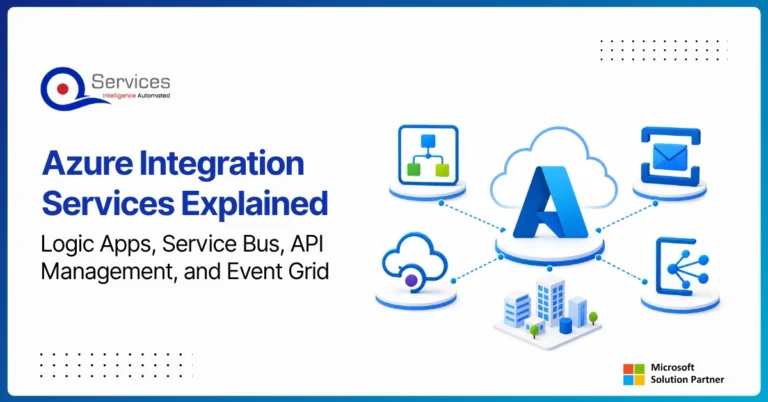
Azure Integration Services is Microsoft’s suite of cloud-native tools for connecting applications, data, and processes across your enterprise. When your organization runs a mix of on-premise systems, SaaS platforms, and custom APIs, getting them to communicate reliably is one of the hardest operational problems you will face. Azure integration services address that directly with four purpose-built components: Logic Apps for workflow automation, Service Bus for reliable messaging, API Management for governing APIs at scale, and Event Grid for event-driven architecture.
Key Insight Azure Integration Services is Microsoft’s suite of cloud-native tools for connecting applications, data, and processes across your enterprise.
This guide breaks down each component, explains how they work together, and covers when azure cloud migration services can bring your entire integration layer into the cloud. Teams evaluating azure consulting services for the first time will find the service breakdowns most useful. Teams already planning a lift and shift to azure should jump straight to the migration section.
Power BI Embedded is Microsoft’s developer-focused API for embedding interactive analytics directly inside third-party apps, customer portals, and SaaS products. If you are building software and want customers to see live dashboards without logging into the Power BI service, this is where that journey starts. The question is not whether you can embed Power BI reports, you almost certainly can. The real question is whether it makes financial and architectural sense for your specific situation. This guide covers the when, the how, and the cost math that most tutorials skip.
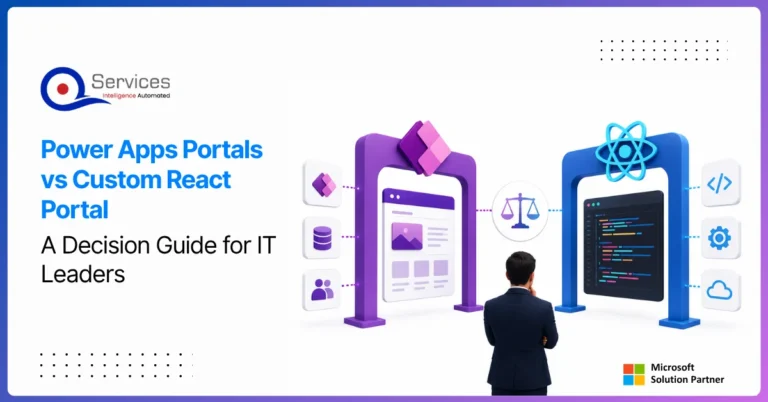
Power apps portals sit at an interesting crossroads for IT leaders: they’re fast, deeply integrated with the Microsoft stack, and manageable without a dedicated development team. But they’re also constrained in ways that matter when your business needs a portal that handles complex UI logic, third-party integrations outside the Microsoft ecosystem, or pixel-perfect UX design.
This guide gives you a straight comparison so you can make the right call without spending three months in discovery. We’ll cover what each option actually delivers, where each breaks down, and the governance questions that need answers before you commit either way.
If you’re evaluating your Microsoft stack more broadly, our breakdown of Power Platform vs Custom .NET Development provides useful parallel context.
Azure migration cost breaks down by workload strategy, not a single number. See real per-workload ranges, what FastTrack and Azure Migrate and Modernize actually cover, and how a fixed-price Blueprint Sprint replaces a vague estimate with a firm quote.
Azure Integration Services is Microsoft’s suite of cloud-native tools for connecting applications, data, and processes across your enterprise. When your organization runs a mix of on-premise systems, SaaS platforms, and custom APIs, getting them to communicate reliably is one of the hardest operational problems you will face. Azure integration services address that directly with four purpose-built components: Logic Apps for workflow automation, Service Bus for reliable messaging, API Management for governing APIs at scale, and Event Grid for event-driven architecture.
Key Insight Azure Integration Services is Microsoft’s suite of cloud-native tools for connecting applications, data, and processes across your enterprise.
This guide breaks down each component, explains how they work together, and covers when azure cloud migration services can bring your entire integration layer into the cloud. Teams evaluating azure consulting services for the first time will find the service breakdowns most useful. Teams already planning a lift and shift to azure should jump straight to the migration section.
Power BI Embedded is Microsoft’s developer-focused API for embedding interactive analytics directly inside third-party apps, customer portals, and SaaS products. If you are building software and want customers to see live dashboards without logging into the Power BI service, this is where that journey starts. The question is not whether you can embed Power BI reports, you almost certainly can. The real question is whether it makes financial and architectural sense for your specific situation. This guide covers the when, the how, and the cost math that most tutorials skip.
Power apps portals sit at an interesting crossroads for IT leaders: they’re fast, deeply integrated with the Microsoft stack, and manageable without a dedicated development team. But they’re also constrained in ways that matter when your business needs a portal that handles complex UI logic, third-party integrations outside the Microsoft ecosystem, or pixel-perfect UX design.
This guide gives you a straight comparison so you can make the right call without spending three months in discovery. We’ll cover what each option actually delivers, where each breaks down, and the governance questions that need answers before you commit either way.
If you’re evaluating your Microsoft stack more broadly, our breakdown of Power Platform vs Custom .NET Development provides useful parallel context.