Dynamics 365 consulting services are in high demand right now, and the main reason is licensing complexity. Microsoft offers more than 10 distinct apps under the Dynamics 365 umbrella, each with multiple tiers, add-ons, and bundled discounts. Pick the wrong plan and you overpay for features your team will never use. Pick too light a plan and you hit a ceiling the moment your business grows.
This guide breaks down how Dynamics 365 licensing is structured, what each tier includes, and how to match the right plan to your business size, industry, and growth stage. If you're scoping crm implementation cost, comparing Business Central to Finance & Operations, or evaluating the scope of dynamics 365 customization your implementation will need, the breakdown below gives you the numbers and logic to make a confident decision.
In This Article, You'll Learn
What Is Dynamics 365, and How Does Licensing Actually Work?
Dynamics 365 Business Central: Licensing for Growing Businesses
D365 Finance and Operations: Enterprise Features and License Tiers
How to Choose the Right Dynamics 365 Consulting Services Provider for Your Modules
Dynamics 365 Consulting Services for CRM: Sales, Service, and Marketing
Eager to discuss about your project?
Share your project idea with us. Together, we’ll transform your vision into an exceptional digital product!
What Is Dynamics 365, and How Does Licensing Actually Work?
Dynamics 365 is Microsoft's integrated suite of business applications covering ERP, CRM, and industry-specific tools. Unlike traditional on-premise software, it's delivered as a cloud service through Microsoft Azure, with each application licensed separately or in bundles.
The most important thing to understand is that "Dynamics 365" isn't a single product. It's a family of apps that work independently or connect through the Microsoft Dataverse platform and Power Platform. Your licensing decisions compound: the modules you choose today affect which integrations, add-ons, and customizations are available later.
The Dynamics 365 Module Family: ERP vs CRM vs Platform
At a high level, Dynamics 365 apps fall into two main categories:
ERP applications (back-office operations): Business Central, Finance, Supply Chain Management, Project Operations, and Commerce.
CRM applications (customer-facing): Sales, Customer Service, Marketing (Dynamics 365 Customer Insights), Field Service, and Customer Insights – Data.
Each app has its own licensing tier structure. The first decision is identifying which category your immediate business need falls into. Most organizations start with one app and expand into adjacent modules using Microsoft's attach pricing, which discounts additional apps by 40-50% when you already hold a qualifying license.
Key Insight Most organizations start with one app and expand into adjacent modules using Microsoft's attach pricing, which discounts additional apps by 40-50% when you already hold a qualifying license.
How Dynamics 365 Licensing Is Structured
Microsoft uses a per-user, per-month model for most Dynamics 365 apps, with current prices listed on their official pricing page. Three mechanics shape every licensing conversation:
Full users vs Team Members: Team Member licenses are significantly cheaper but restrict users to read-only access plus basic tasks like approving expenses or logging time. Most organizations underestimate how many people need full licenses until after go-live.
Attach licenses: If you license one qualifying app, additional apps come at a discounted attach rate. This makes expanding within the Dynamics 365 family considerably cheaper than your initial license cost suggests.
Annual vs monthly: Annual subscriptions reduce per-seat cost by roughly 15-20% compared to monthly billing.
Dynamics 365 Business Central: Licensing for Growing Businesses
Dynamics 365 Business Central is Microsoft's cloud ERP for companies with roughly 10 to 300 employees. It handles finance, inventory, purchasing, sales, and project management in a single application, and connects natively to Microsoft 365 tools including Outlook and Teams.
For businesses graduating from QuickBooks, Sage, or a mix of spreadsheets, Business Central is usually the right first ERP step. It implements faster than the enterprise-tier apps, the per-seat cost is lower, and the learning curve for teams already using Microsoft products is manageable.
Business Central Licensing Tiers: Essentials vs Premium
The gap is $30 per user. For a 50-person company, that's $18,000 per year for manufacturing and service management. If you don't need those two modules, Essentials is the right call. Team Member licenses for Business Central run $8/user/month (as of 2026), covering read-only access and basic task entry.
Key Insight The gap is $30 per user.
Is Dynamics 365 for Small Business the Right Starting Point?
Dynamics 365 for small business use makes sense once a company has outgrown entry-level accounting software and needs multi-location inventory, multi-currency billing, or project cost tracking. At 5-10 employees with simple revenue flows, the setup overhead likely doesn't pay off yet.
Before signing a license, work through a requirements list with your Dynamics 365 Business Central partner to confirm which modules you'll actually activate in year one. Paying for Premium when you only need Essentials is one of the most common overspending patterns in mid-market deployments.
D365 Finance and Operations: Enterprise Features and License Tiers
D365 Finance and Operations is the enterprise tier of Dynamics 365 ERP. Microsoft split it into two separate products in 2021: Dynamics 365 Finance and Dynamics 365 Supply Chain Management, which can be licensed together or independently. D365 Business Central is designed for SMBs with 10-300 users; Finance & Operations targets enterprises with 300+ users, complex multi-entity structures, and global operations.
The core Finance app starts at $180/user/month (as of 2026). Supply Chain Management adds another $180/user/month. For a 200-person enterprise team, annual licensing alone reaches $864,000 before any implementation work. That number surprises procurement teams who budget only for services.
Key Insight The core Finance app starts at $180/user/month (as of 2026).
D365 Finance vs D365 Supply Chain Management
These two apps share the same underlying platform but serve different functions:
Dynamics 365 Finance: General ledger, accounts payable/receivable, budgeting, expense management, fixed assets, financial reporting, and global compliance.
Most large enterprises need both. Companies focused purely on financial consolidation (holding companies, financial services firms) sometimes license Finance alone and skip Supply Chain entirely.
When Finance and Operations Wins Over Business Central
The decision between Business Central and Finance & Operations comes down to complexity, not just headcount. The clearest triggers for Finance & Operations:
Multiple legal entities with separate financial reporting requirements
How to Choose the Right Dynamics 365 Consulting Services Provider for Your Modules
Dynamics 365 consulting services are not interchangeable across the module family. A firm that's strong on Business Central finance configuration is not automatically strong on Field Service dispatch scheduling or Customer Insights segmentation. Before you sign, confirm the consultancy has delivered the specific modules you're licensing, not just the Dynamics 365 platform in general.
Ask for a module-by-module breakdown of past projects: which apps, how many users, what industry. A consultancy that quotes 500 total Dynamics 365 projects but only 12 in Field Service is not the right partner for a Field Service rollout, even if their overall track record looks strong.
Pricing models vary too. Some dynamics 365 consulting services firms bill fixed-fee by phase, others bill time and materials with a not-to-exceed cap. Fixed-fee protects your budget but incentivizes the vendor to minimize discovery work. Time and materials gives more flexibility but needs tighter oversight. We generally recommend fixed-fee for discovery and design, then time and materials for build and testing, where scope naturally shifts as requirements get concrete.
Finally, check how the partner handles module boundaries. If your project spans both ERP and CRM apps (Business Central plus Sales, for example), ask whether one team owns both or whether you're coordinating two separate engagements. Split ownership is a common source of integration delays.
Dynamics 365 Consulting Services for CRM: Sales, Service, and Marketing
The CRM side of Dynamics 365 is where dynamics 365 consulting services get genuinely complex. There are four main customer-facing apps (Sales, Customer Service, Field Service, and Customer Insights), each with multiple tiers, and they don't always connect the way buyers expect without proper configuration work.
Microsoft's Dynamics 365 Sales app starts at $65/user/month for Professional and $105/user/month for Enterprise (as of 2026), and if you're weighing it against your current CRM, our Dynamics 365 Sales vs HubSpot comparison breaks down the tradeoffs. The difference matters: Professional skips pipeline intelligence, AI-driven forecasting, and several workflow automation capabilities that most enterprise sales teams actually need.
Dynamics 365 CRM Implementation: What the Setup Looks Like
A typical dynamics 365 crm implementation for a mid-market sales team follows a predictable path: requirements gathering, environment provisioning, data migration, workflow configuration, user acceptance testing, training, and go-live support. The timeline depends heavily on how clean your existing data is and how many custom workflows you need built.
Microsoft's benchmarks put a clean CRM rollout for 100 users at 12-20 weeks. Add data migration from Salesforce or an older CRM and that commonly extends to 20-28 weeks. For a phase-by-phase breakdown of this process, see our Dynamics 365 CRM implementation guide.
Dynamics 365 vs Salesforce: Picking the Right CRM
If your business already uses Microsoft 365, Azure, and Teams, the dynamics 365 vs salesforce decision often resolves quickly: D365 Sales integrates natively with tools your team uses daily, which reduces the total cost of both licensing and integration work. Salesforce has a deeper third-party marketplace and stronger CRM customization depth for non-Microsoft environments.
The switching cost from Salesforce to Dynamics 365 is real but manageable with proper planning. We've covered this comparison in detail in our Dynamics 365 vs Salesforce analysis for businesses still deciding between the two.
What Dynamics 365 Consulting Services Actually Include
Dynamics 365 consulting services cover far more than switching on licenses. A qualified consultancy handles requirements analysis, architecture design, dynamics 365 customization, data migration, integration with your existing tech stack, testing, training, and post-go-live support. Each phase has its own cost and risk profile.
The most common mistake buyers make is treating consulting as a commodity and selecting the lowest bid. Implementation partners with deep Microsoft certifications and vertical experience cost more upfront, but they deliver faster time-to-value and fewer mid-project surprises. QServices is a Microsoft Certified Solutions Partner for Dynamics 365 with 500+ projects delivered since 2014, and the pattern we see consistently is that under-resourced implementations get re-implemented within 18 months.
Dynamics 365 Customization: Configuration vs Custom Development
Dynamics 365 customization splits into two categories with very different cost profiles:
Configuration: Using Power Apps, Power Automate, and built-in Dataverse tools to adjust workflows, forms, views, and business rules. Low-risk, easily reversible, and stays within standard support agreements.
Custom development: Writing.NET plugins or JavaScript extensions to handle requirements that configuration can't address. This raises long-term maintenance overhead and requires a qualified developer for every subsequent change.
Most mid-market implementations lean 80/20 toward configuration, and a lot of that configuration work now happens through Power Automate approval workflows layered on top of Dataverse. Be skeptical of any partner who immediately proposes custom code for requirements that standard configuration typically handles.
Dynamics 365 Integration Services: Connecting Your Tech Stack
Dynamics 365 integration services cover connecting D365 to your HR system, ecommerce platform, data warehouse, or third-party SaaS tools. This work is frequently underscoped in initial project budgets.
Common integrations include Dynamics 365 to Azure Synapse for analytics, D365 to SAP or legacy ERP during transition periods, D365 Sales to ecommerce platforms via Logic Apps or custom APIs, and Finance to payroll systems. If that analytics work extends into building AI features on top of your data, our comparison of Azure AI Foundry vs Azure OpenAI Service covers which Azure platform to build on. If your integration budget also needs to cover premium Power Platform connectors, see our Power Platform premium connectors cost guide for what actually drives that spend. Each integration needs design, testing, error handling, and ongoing maintenance. Our detailed breakdown of Dynamics 365 integration services covers the architecture options and typical costs per integration type.
Can Dynamics 365 Integrate with Power Platform?
Yes, and for most dynamics 365 consulting services engagements this isn't optional, it's part of the core build. Dynamics 365 and Power Platform share the same Dataverse, so tables, security roles, and business logic carry over automatically between the two. A Power Apps canvas app can read and write the same customer records your Sales team sees in D365, without a separate integration layer.
In practice this shows up in three places. Power Automate handles approval workflows and notifications that used to require custom plugins. Power Apps extends D365 with lightweight forms for field teams who don't need a full CRM license. Power BI pulls Dataverse data straight into dashboards without a separate ETL job.
The catch is licensing, not technology. Premium Power Platform connectors and per-app plans carry their own cost, and a consulting partner who quotes D365 implementation without scoping the Power Platform pieces will hand you a surprise invoice six months in. Ask any dynamics 365 implementation partner to itemize which Power Platform components are included before you sign.
Dynamics 365 Migration Services: Moving From Legacy Systems
Dynamics 365 migration services address the hardest part of any implementation: getting historical data into the new system cleanly. A migration from Salesforce, SAP, or older Dynamics versions (NAV, AX, GP) involves data mapping, transformation, validation, and cutover planning.
Poor migration planning is the most common cause of post-go-live quality problems. The typical failure pattern: teams rush the data extraction phase, discover field-mapping mismatches three weeks before go-live, and scramble to patch in manual corrections. A proper migration engagement profiles data upfront so those mismatches surface during design, not during testing. See our complete guide on Dynamics 365 migration risks and roadmap for a pre-project checklist you can use today.
CRM Implementation Cost: Realistic Ranges by Business Size
CRM implementation cost is the question every buyer asks early and every consultant hedges on. For Dynamics 365 specifically, in our client engagements implementation fees typically run one to two and a half times the first-year licensing cost. A 100-user Dynamics 365 Sales Enterprise deployment at $105/user/month carries $126,000 in annual license fees, with services in our engagements commonly running well into six figures on top.
Dynamics 365 implementation typically takes 3-18 months depending on modules, users, and customization complexity. Business Central for 30 users with light customization can go live in 10-14 weeks. A Finance & Operations rollout across three legal entities with a SAP data migration typically runs 9-14 months.
What Drives CRM Implementation Cost Up
The factors that inflate implementation budgets most predictably:
Data quality problems: Messy historical data means more migration hours. In our experience, budget meaningfully more time if your current system has never had a data hygiene project.
Scope creep in customization: Every custom workflow or custom entity adds development time. Get requirements signed off before build starts.
Integration complexity: In our engagements, each third-party integration adds significant hours of design, build, and testing, and a handful of complex integrations can meaningfully add to a project budget.
Training gaps: Training that gets cut to save budget reliably produces support overhead post-go-live. Budget for structured training and at least four weeks of hypercare.
Typical Price Ranges by Module and Scale
Scenario
License Cost (Year 1)
Implementation Range
Business Central, 25 users, Essentials
~$21,000
$40,000-$80,000 (typical range in our engagements)
D365 Sales Enterprise, 75 users
~$94,500
$90,000-$200,000 (typical range in our engagements)
Finance + Supply Chain, 150 users
~$648,000
$250,000-$600,000 (typical range in our engagements)
Full CRM + ERP, 300 users
~$1.2M+
$500,000-$1.2M (typical range in our engagements)
These are starting points. Actual cost depends on your dynamics 365 implementation partner, internal project management capacity, and data complexity. For a more detailed cost analysis, see our breakdown of Dynamics 365 implementation realistic timelines and budgets.
How to Choose a Dynamics 365 Consulting Services Partner
Choosing the right consulting partner matters more than choosing the right license tier. A strong dynamics 365 consulting services firm saves you more through avoided rework and faster go-live than the fee difference between a premium and a budget vendor.
Certified Solutions Partners have demonstrated competency across technical skills, customer success, and support delivery under Microsoft's partner program requirements. That certification is a floor, not a ceiling. Look beyond the badge.
What to Look for in a Dynamics 365 Implementation Partner
When evaluating a dynamics 365 implementation partner, verify the following:
Microsoft Solutions Partner designation for Business Applications specifically, not just a general partner listing
Vertical experience: Has the firm deployed D365 in your industry? Healthcare, logistics, and financial services each have compliance requirements and workflow patterns that differ from generic deployments
Reference clients at your scale: A partner that has only handled 15-user deployments may struggle with a 200-seat rollout
Post-go-live support model: How are bugs and change requests handled after cutover? Hourly? Retainer? Get this in writing before you sign
Data migration experience: Ask specifically how many migrations they have completed from your current system and what their data profiling methodology looks like
The SOW goes straight to technology without a discovery or requirements phase
Licensing recommendations arrive before a requirements conversation has happened
The estimate doesn't break down hours by phase (discovery, design, build, test, training, migration)
No mention of change management or user adoption support
Pressure to sign before completing reference checks
Gartner's research on ERP implementation outcomes consistently identifies partner quality as one of the top three predictors of project success. Spending two extra weeks on reference checks is almost always worth it.
Key Takeaways
Dynamics 365 is Microsoft's integrated suite of business applications covering ERP, CRM, and industry-specific tools.
Dynamics 365 Business Central is Microsoft's cloud ERP for companies with roughly 10 to 300 employees.
D365 Finance and Operations is the enterprise tier of Dynamics 365 ERP.
Dynamics 365 consulting services are not interchangeable across the module family.
The CRM side of Dynamics 365 is where dynamics 365 consulting services get genuinely complex.
Conclusion
Dynamics 365 consulting services deliver the most value when they start with licensing strategy, not just implementation execution. Pick the wrong plan and you either overpay on day one or limit your options as you scale. Business Central fits growing businesses with 10-300 users; Finance & Operations is the right call for enterprises with multi-entity complexity; CRM apps should match your actual customer-facing workflows, not a vendor's upsell path.
The crm implementation cost is real but manageable when scoped properly. The key variables are user count, data quality, integration complexity, and dynamics 365 customization scope. Establish those four estimates before you enter any partner conversation.
If you're ready to scope a Dynamics 365 deployment, QServices can walk you through a licensing and architecture review. As a Microsoft Certified Solutions Partner with 500+ projects delivered across healthcare, logistics, banking, and SaaS businesses, we match the right plan to the right problem from day one.
Co-Founder and CTO, QServices IT Solutions Pvt Ltd
Rohit Dabra is the Co-Founder and Chief Technology Officer at QServices, a software development company focused on building practical digital solutions for businesses. At QServices, Rohit works closely with startups and growing businesses to design and develop web platforms, mobile applications, and scalable cloud systems. He is particularly interested in automation and artificial intelligence, building systems that automate routine tasks for teams and organizations.
Business Central is a cloud ERP designed for businesses with 10-300 users, covering finance, supply chain, and project management at $70-$100 per user per month. Finance & Operations is the enterprise tier, split into Dynamics 365 Finance and Supply Chain Management, built for organizations with 300+ users, complex multi-entity structures, and global operations. Business Central is faster to implement and cheaper to run; Finance & Operations delivers the depth that large enterprises require for compliance, advanced manufacturing, and multi-entity financial consolidation.
Implementation fees typically run 1x to 2.5x the first-year licensing cost. A Business Central deployment for 25 users runs $40,000-$80,000 in services on top of roughly $21,000 per year in licenses. A mid-market Dynamics 365 Sales Enterprise rollout for 75 users commonly costs $90,000-$200,000 in services. The main cost drivers are data migration complexity, the number of custom integrations required, and the scope of Dynamics 365 customization needed to match your business processes.
Dynamics 365 implementation typically takes 3-18 months depending on modules, users, and customization complexity. A Business Central rollout for 30 users with light customization can go live in 10-14 weeks. A Finance & Operations deployment across multiple legal entities with data migration from SAP typically runs 9-14 months. The biggest variable is data quality: messy historical data in your source system consistently extends timelines, regardless of how well the rest of the project is managed.
For businesses already running Microsoft 365, Teams, and Azure, Dynamics 365 Sales typically delivers lower total cost of ownership because native integrations eliminate custom connector work. Salesforce has a deeper third-party app marketplace and more mature customization options for non-Microsoft environments. For a Microsoft-first organization, switching costs from Salesforce to Dynamics 365 are real but are often recouped within 18-24 months through reduced licensing complexity and lower integration overhead across the stack.
Dynamics 365 includes ERP modules (Business Central, Finance, Supply Chain Management, Project Operations, Commerce) and CRM modules (Sales, Customer Service, Field Service, Marketing via Customer Insights, Customer Insights – Data). Most businesses license a subset, starting with the modules that address their most pressing operational gap. Microsoft’s attach pricing makes it cost-effective to expand into adjacent apps once your core module is live, typically at 40-50% off the standard per-user rate.
Look for a Microsoft Solutions Partner designation specifically for Business Applications, demonstrated experience in your industry vertical, and reference clients at your company size. Verify the partner has a defined data migration methodology and ask how many migrations they have completed from your current system. Red flags include SOWs that skip a discovery phase, licensing recommendations made before requirements are gathered, and no mention of user training or change management. Post-go-live support terms should be documented in writing before you sign anything.
Yes. Dynamics 365 and Power Platform share the Microsoft Dataverse as a common data layer, which means Power Apps, Power Automate, and Power BI connect to Dynamics 365 data natively without custom API middleware. This is one of the strongest arguments for staying in the Microsoft ecosystem: you can build custom workflows, low-code applications, and live dashboards on top of your Dynamics 365 data without additional integration infrastructure or third-party connectors.
Azure migration cost breaks down by workload strategy, not a single number. See real per-workload ranges, what FastTrack and Azure Migrate and Modernize actually cover, and how a fixed-price Blueprint Sprint replaces a vague estimate with a firm quote.
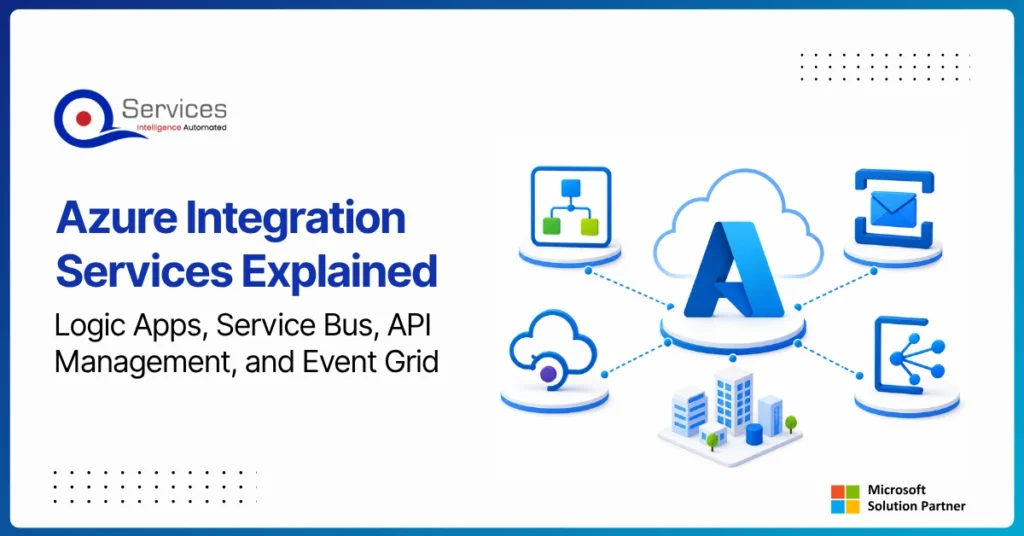
Azure Integration Services is Microsoft’s suite of cloud-native tools for connecting applications, data, and processes across your enterprise. When your organization runs a mix of on-premise systems, SaaS platforms, and custom APIs, getting them to communicate reliably is one of the hardest operational problems you will face. Azure integration services address that directly with four purpose-built components: Logic Apps for workflow automation, Service Bus for reliable messaging, API Management for governing APIs at scale, and Event Grid for event-driven architecture.
Key Insight Azure Integration Services is Microsoft’s suite of cloud-native tools for connecting applications, data, and processes across your enterprise.
This guide breaks down each component, explains how they work together, and covers when azure cloud migration services can bring your entire integration layer into the cloud. Teams evaluating azure consulting services for the first time will find the service breakdowns most useful. Teams already planning a lift and shift to azure should jump straight to the migration section.
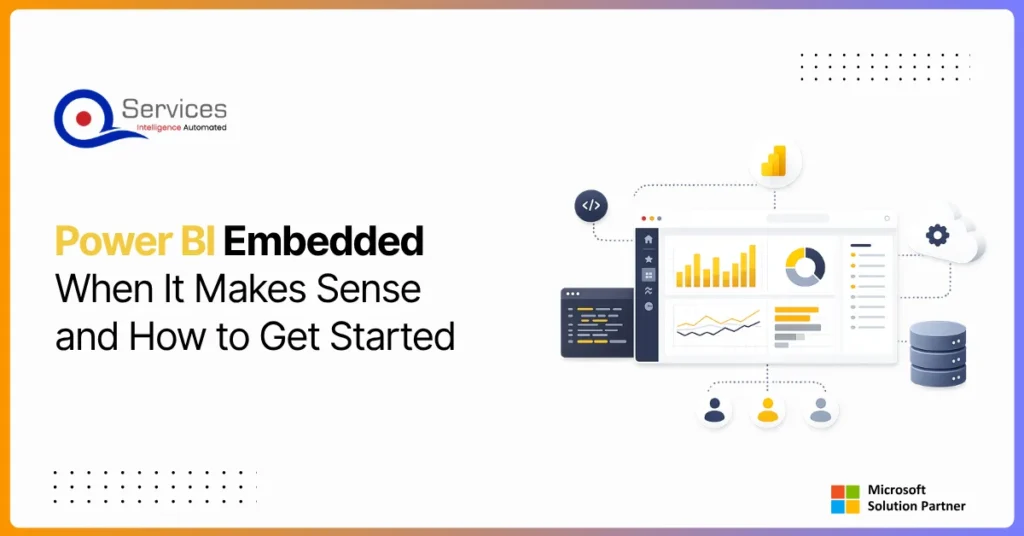
Power BI Embedded is Microsoft’s developer-focused API for embedding interactive analytics directly inside third-party apps, customer portals, and SaaS products. If you are building software and want customers to see live dashboards without logging into the Power BI service, this is where that journey starts. The question is not whether you can embed Power BI reports, you almost certainly can. The real question is whether it makes financial and architectural sense for your specific situation. This guide covers the when, the how, and the cost math that most tutorials skip.
Eager to discuss about your project?
Share your project idea with us. Together, we’ll transform your vision into an exceptional digital product!
Azure migration cost breaks down by workload strategy, not a single number. See real per-workload ranges, what FastTrack and Azure Migrate and Modernize actually cover, and how a fixed-price Blueprint Sprint replaces a vague estimate with a firm quote.
Azure Integration Services is Microsoft’s suite of cloud-native tools for connecting applications, data, and processes across your enterprise. When your organization runs a mix of on-premise systems, SaaS platforms, and custom APIs, getting them to communicate reliably is one of the hardest operational problems you will face. Azure integration services address that directly with four purpose-built components: Logic Apps for workflow automation, Service Bus for reliable messaging, API Management for governing APIs at scale, and Event Grid for event-driven architecture.
Key Insight Azure Integration Services is Microsoft’s suite of cloud-native tools for connecting applications, data, and processes across your enterprise.
This guide breaks down each component, explains how they work together, and covers when azure cloud migration services can bring your entire integration layer into the cloud. Teams evaluating azure consulting services for the first time will find the service breakdowns most useful. Teams already planning a lift and shift to azure should jump straight to the migration section.
Power BI Embedded is Microsoft’s developer-focused API for embedding interactive analytics directly inside third-party apps, customer portals, and SaaS products. If you are building software and want customers to see live dashboards without logging into the Power BI service, this is where that journey starts. The question is not whether you can embed Power BI reports, you almost certainly can. The real question is whether it makes financial and architectural sense for your specific situation. This guide covers the when, the how, and the cost math that most tutorials skip.
Power apps portals sit at an interesting crossroads for IT leaders: they’re fast, deeply integrated with the Microsoft stack, and manageable without a dedicated development team. But they’re also constrained in ways that matter when your business needs a portal that handles complex UI logic, third-party integrations outside the Microsoft ecosystem, or pixel-perfect UX design.
This guide gives you a straight comparison so you can make the right call without spending three months in discovery. We’ll cover what each option actually delivers, where each breaks down, and the governance questions that need answers before you commit either way.
If you’re evaluating your Microsoft stack more broadly, our breakdown of Power Platform vs Custom .NET Development provides useful parallel context.
Globally Esteemed on Leading Rating Platforms
Earning Global Recognition: A Testament to Quality Work and Client Satisfaction. Our Business Thrives on Customer Partnership
5.0
5.0
5.0
5.0
Turn the Microsoft Licenses
You Already Own Into an AI Workplace
Join our live webinar on Sept 24 and see five ways to automate meetings, approvals, and