Azure AI Foundry is Microsoft's unified platform for building, evaluating, and deploying enterprise-grade AI applications at scale, and since its general availability in November 2024, it has changed how development teams approach AI product decisions on Azure. Before Foundry existed, teams used Azure OpenAI Service as their primary entry point to GPT-4o, embeddings, and fine-tuning. Now there are two clearly distinct services with overlapping capabilities, and choosing the wrong one means either rebuilding later or paying for tooling you don't need.
Key Insight Azure AI Foundry is Microsoft's unified platform for building, evaluating, and deploying enterprise-grade AI applications at scale, and since its general availability in November 2024, it has changed how development teams approach AI product decisions on Azure.
This guide explains exactly what separates Azure AI Foundry from Azure OpenAI Service, which scenarios call for each, and how working with an experienced azure consulting services partner can help your team get the decision right from day one.
In This Article, You'll Learn
What Is Azure AI Foundry Used For?
What Is Azure OpenAI Service?
Azure AI Foundry vs Azure OpenAI Service: Feature Comparison
When Azure AI Foundry Is the Right Choice
When Azure OpenAI Service Fits Better
Eager to discuss about your project?
Share your project idea with us. Together, we’ll transform your vision into an exceptional digital product!
Azure AI Foundry is Microsoft's end-to-end AI development platform. The simplest way to think about it: Azure OpenAI Service gives you access to foundation models via API; Azure AI Foundry gives you a complete factory floor for building AI products on top of those models.
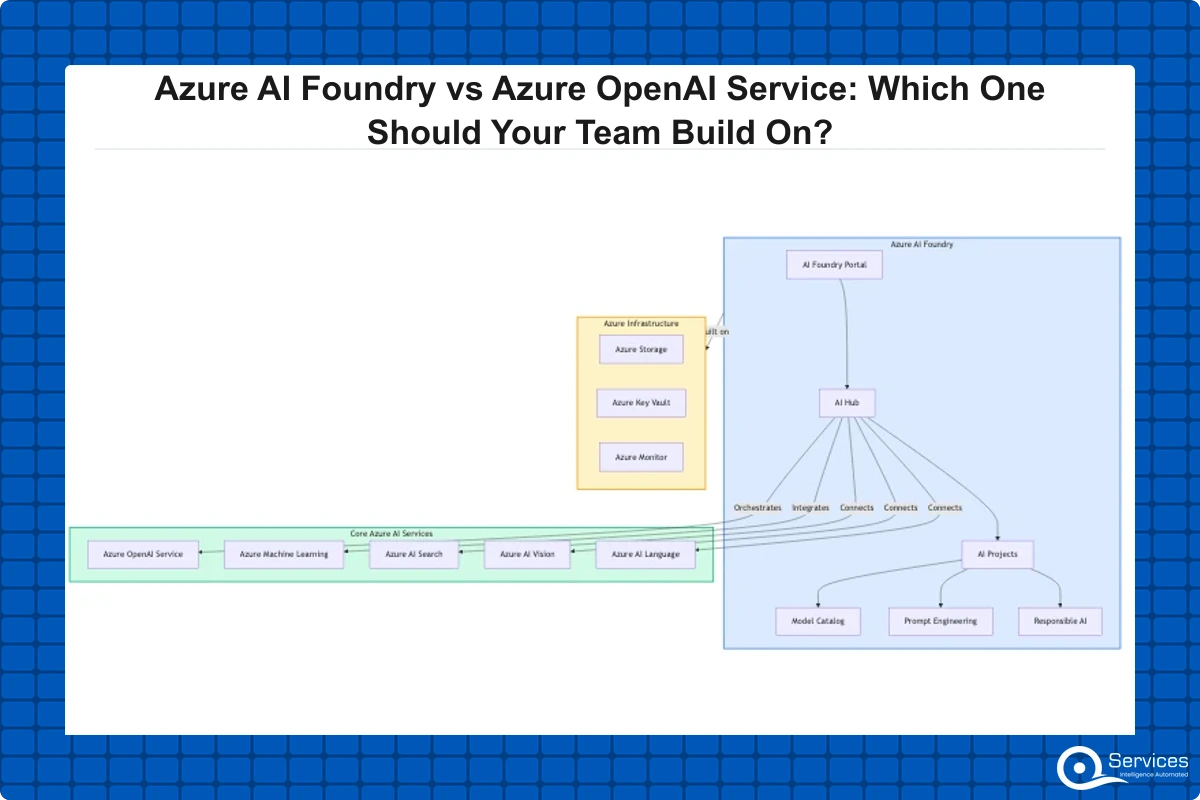
Launched in public preview in mid-2024 and reaching general availability in November 2024, Foundry consolidates what were previously scattered services, including Azure Machine Learning and Azure AI Studio, into a single project-based workspace. A team working inside Azure AI Foundry can manage model catalogs, run prompt flow orchestration, evaluate outputs, connect data sources, and deploy agents, all without switching between services.
Core Capabilities of Azure AI Foundry
Model catalog: 1,800+ models including GPT-4o, Llama 3, Phi-3, Mistral, and open-source variants
Prompt Flow: Multi-step AI pipeline orchestration in visual and code modes
Built-in evaluation: Benchmark accuracy, groundedness, and safety before deployment
Azure AI Search integration: Native support for retrieval-augmented generation (RAG) patterns
Agent framework: Build autonomous multi-step AI agents with tool calling
Content safety: Responsible AI filters applied at the platform level
Who Benefits Most from Azure AI Foundry
Teams building customer-facing AI products, internal copilots, document intelligence systems, or multi-step AI agents benefit most from Azure AI Foundry. It's the right layer when you need to manage AI applications, not just call AI APIs. Healthcare companies building clinical decision support, logistics teams building shipment tracking assistants, and SaaS companies embedding intelligent search all tend to build in Foundry rather than against raw API calls.
Azure OpenAI Service is Microsoft's managed API gateway to OpenAI's model family. When your application needs to call GPT-4o, GPT-4 Turbo, DALL-E 3, Whisper, or text embedding models, Azure OpenAI Service is the endpoint you call.
The service handles model deployment and capacity management in your subscription, enterprise security through private endpoints and Microsoft Entra ID, compliance including data residency, SOC 2, HIPAA eligibility, and ISO 27001, fine-tuning for GPT-3.5 Turbo and select GPT-4 variants, and quota and throughput provisioning.
How Azure OpenAI Service and Azure AI Foundry Relate
Azure AI Foundry actually wraps Azure OpenAI Service. When you deploy a GPT-4o model inside a Foundry project, you're consuming Azure OpenAI capacity under the hood. Think of Azure OpenAI Service as the engine and Azure AI Foundry as the vehicle. You can drive the engine directly, but most production teams want the vehicle around it.
Key Insight When you deploy a GPT-4o model inside a Foundry project, you're consuming Azure OpenAI capacity under the hood.
Teams that need only raw API access with no workflow orchestration, no evaluation tooling, and no agent framework can stay at the Azure OpenAI Service layer and keep things simple.
Azure AI Foundry vs Azure OpenAI Service: Feature Comparison
Choosing between the two comes down to what your team is actually building. Here's a direct comparison across the dimensions that matter most in practice:
Feature
Azure AI Foundry
Azure OpenAI Service
Model Access
1,800+ models across providers
OpenAI models only
Orchestration
Built-in Prompt Flow + Agent framework
No built-in orchestration
Evaluation
Built-in accuracy, safety, groundedness tools
None (must build your own)
RAG Support
Native Azure AI Search integration
Must wire up manually
Pricing Model
Model cost + project resources
Pay per token
Best For
Building AI applications and agents
API calls in existing apps
Entry Barrier
Higher (project + resource group setup)
Low (single API key)
Data Connectivity
Azure Blob, SharePoint, SQL connectors
Manual integration
Fine-Tuning
Maturing (delegates to Azure OpenAI layer)
GPT-3.5, GPT-4 fine-tune
Governance and RBAC
Project-level roles + content safety
Subscription-level RBAC
For a greenfield AI application in 2026, Azure AI Foundry is the right starting point unless your team has a specific reason to stay at the API layer. The built-in evaluation tooling alone saves weeks of custom build work.
When Azure AI Foundry Is the Right Choice
Building Multi-Step AI Applications
If your workflow involves retrieval, reasoning, tool calls, and response generation in sequence, Azure AI Foundry's Prompt Flow and agent framework handle that orchestration without you having to wire it up yourself. This is especially true for hybrid cloud azure setup scenarios where data lives partly on-premises and partly in Azure Blob Storage, and where a raw API call can't reach both sources cleanly.
Evaluation Before Production Deployment
Azure AI Foundry has built-in evaluators that measure groundedness, coherence, relevance, and safety against your own test datasets. For regulated industries like healthcare or banking, having documented evaluation runs before production deployment is increasingly a compliance expectation, not just a best practice. Human-in-the-Loop governance ensures human approval at every deployment stage, which is exactly what enterprise risk teams require before signing off on AI in production.
Managing Multiple AI Features in One Place
Managing five separate AI features as individual Azure OpenAI deployments gets messy fast. Azure AI Foundry's project model lets you version, monitor, and govern all of them in one place. Teams working with an azure managed services provider often find that Foundry's consolidated view makes ongoing management far easier to hand off and audit.
For teams already running CI/CD pipelines on Azure, Azure Pipelines YAML Explained: A Practical Guide for.NET Teams shows how to integrate AI deployments into existing DevOps workflows so model updates go through the same review gates as application code.
When Azure OpenAI Service Fits Better
Adding AI to an Existing Application
If your team is adding a single AI capability to an existing.NET or Python application, Azure OpenAI Service's REST API is the fastest path. There's no project setup, no resource orchestration layer. You authenticate, you call the endpoint, and you're done.
Prototyping and Proof of Concept Work
For proof-of-concept work where the goal is demonstrating feasibility rather than shipping to production, Azure OpenAI Service keeps things lean. You can validate the idea and move to Azure AI Foundry for the production build if it succeeds. Lift and shift to azure migrations that include existing AI workloads often land on Azure OpenAI Service first, because the API compatibility with OpenAI's SDK means existing code requires minimal changes.
Key Insight Lift and shift to azure migrations that include existing AI workloads often land on Azure OpenAI Service first, because the API compatibility with OpenAI's SDK means existing code requires minimal changes.
Fine-Tuning as the Primary Requirement
If your key requirement is fine-tuning GPT-3.5 Turbo or GPT-4 on your own data, Azure OpenAI Service's fine-tuning interface is more mature today. Azure AI Foundry is catching up quickly, but if fine-tuning is your day-one requirement, start at the service layer.
How an Azure Migration Partner Bridges the Gap
Choosing between azure ai foundry and Azure OpenAI Service looks straightforward in a comparison table but gets complicated the moment you factor in your existing infrastructure, your team's current skill set, and your compliance requirements. This is where a qualified azure migration partner makes a measurable difference.
Azure Architecture Review Before You Build
An azure architecture review conducted before you start building identifies which layer your team should use, where your data needs to live for compliance, and what your Azure infrastructure assessment reveals about current gaps. Most teams that skip this step end up rebuilding their integration layer three months in.
An azure cloud migration services engagement typically starts with this exact assessment. The output is a clear recommendation: start at the API layer, go to Foundry, or do both in sequence as your use case grows. This is where a microsoft azure consulting company with deep Azure-specific experience pays for itself, because the configuration decisions made at the start are hard to undo later.
Azure Landing Zone Implementation for AI Workloads
An azure landing zone implementation sets up the networking, identity, and governance foundations your AI workloads need. Without a landing zone, teams often put sensitive AI outputs and prompt logs in storage accounts with overly permissive access policies. A proper azure landing zone implementation enforces private endpoints for Azure OpenAI Service, Microsoft Entra ID access controls at the Foundry project level, and audit logging from day one.
As a Microsoft Certified Solutions Partner specializing in Azure, QServices has completed 500+ Azure and Microsoft platform projects since 2014. In that experience, the teams that get Azure AI Foundry into production fastest are those that pair platform adoption with a formal azure security assessment of their data handling practices before going live.
What Azure DevOps and Power Platform Teams Should Know
Azure AI Foundry doesn't exist in isolation from the rest of the Microsoft stack. If your team runs on Power Platform, the Azure AI Foundry model catalog is accessible from Copilot Studio, which means teams offering power apps development services can embed Foundry-managed models in low-code flows without writing backend API code. This changes the calculus for any power platform development company looking to add AI features to existing solutions.
For azure devops consulting services teams, Azure AI Foundry's GitHub integration and Azure Pipelines compatibility means model deployment can be treated as infrastructure-as-code. Evaluation runs and deployments can be gated in the same YAML pipelines your team already uses. Azure app modernization projects increasingly include AI capability layers, and Azure AI Foundry is the natural home for those when the base application is running on Azure.
Teams using power automate consulting to build automation workflows can trigger AI Foundry models directly from Power Automate cloud flows, which is useful for document classification, email triage, and invoice processing scenarios. Power platform governance policies apply to those connections the same way they apply to any other cloud connector, including the premium connectors used for enterprise integrations, so teams with established frameworks can onboard AI capabilities without creating a separate governance track.
For a clean comparison of automation tool options, Power Automate vs Logic Apps: 7 key differences for 2026 explains when each tool fits, which matters if you're deciding whether AI orchestration should live in Power Automate or in Foundry's own agent framework.
From an azure cost optimization consulting perspective, centralizing AI workloads in Azure AI Foundry with shared capacity reservations is typically cheaper than managing isolated Azure OpenAI deployments per team. Teams running power bi consulting services that include AI-generated insights also benefit from this shared cost model. The azure cost optimization: 7 tactics beyond reserved instances post covers the broader picture of Azure cost management.
Three Questions to Answer Before You Commit to Either Platform
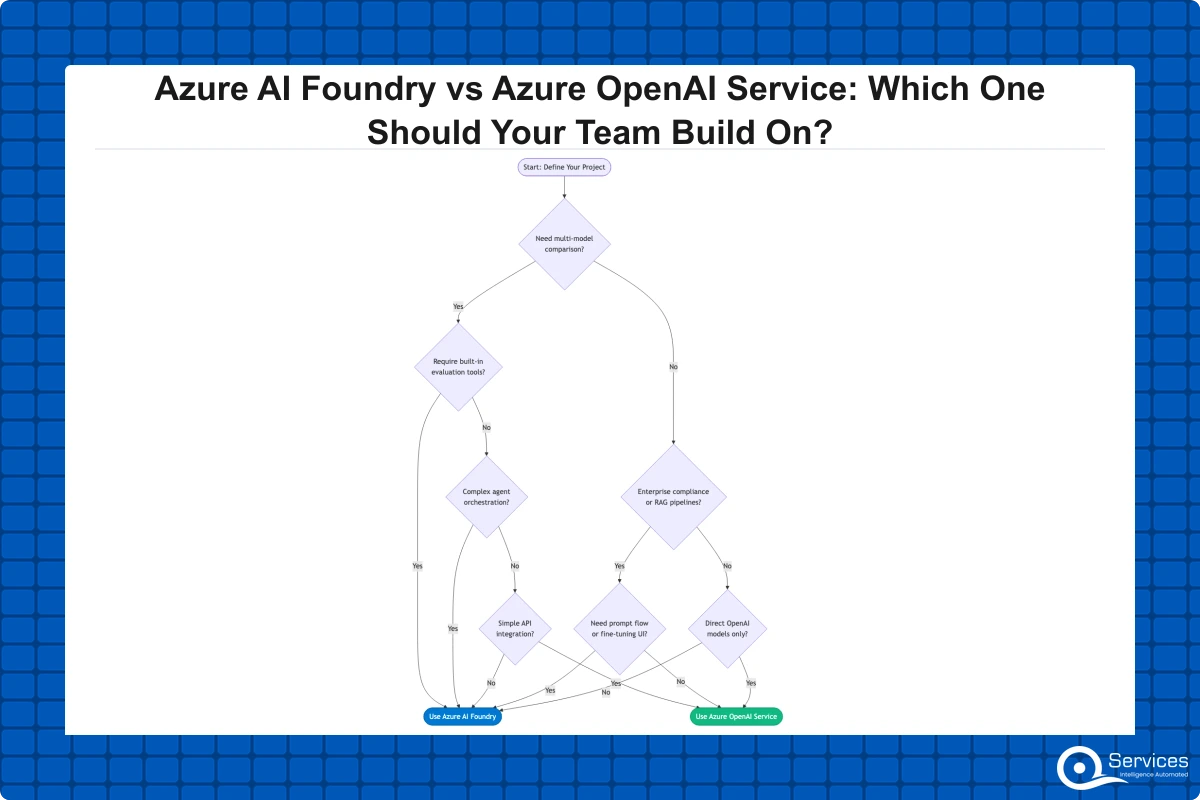
Before your team writes a line of AI code, three questions determine the right starting point:
Are you building an AI application or adding an AI feature? Applications go to Foundry. Single features can use Azure OpenAI Service directly.
Do you need to evaluate AI outputs before production? If yes, Foundry's built-in evaluators justify the setup overhead.
Do you have compliance requirements around data location and logging? Both services support this, but the controls live at different layers.
For companies considering migrate on premise to azure workloads that include AI components, the answer is almost always Azure AI Foundry, because the data connectivity and governance tooling in Foundry handles hybrid scenarios that raw API calls can't. The five phases of Azure migration are assess, plan, migrate, optimize, and secure. AI workloads belong to the migrate and optimize phases, and Azure AI Foundry's evaluation and monitoring tools map directly to the secure phase.
Key Takeaways
Azure AI Foundry is Microsoft's end-to-end AI development platform.
Azure OpenAI Service is Microsoft's managed API gateway to OpenAI's model family.
Choosing between the two comes down to what your team is actually building.
If your workflow involves retrieval, reasoning, tool calls, and response generation in sequence, Azure AI Foundry's Prompt Flow and agent framework handle that orchestration without you having to wire it up yourself.
If your team is adding a single AI capability to an existing.NET or Python application, Azure OpenAI Service's REST API is the fastest path.
Conclusion
Azure AI Foundry and Azure OpenAI Service serve different needs, and the right answer depends on what your team is actually building. Azure AI Foundry is the correct choice for teams building AI applications, managing multiple models, or operating in regulated industries that need documented evaluation. Azure OpenAI Service is the right entry point for teams adding a single AI feature to an existing application or running early proof-of-concept work.
As your usage grows, the two work together. You start with a direct API call and graduate to Azure AI Foundry as your production requirements become real. Getting the architecture right from day one, with a proper azure infrastructure assessment and azure security assessment in place before you build, avoids expensive rebuilds later. QServices provides expert azure consulting services to help your team make exactly this kind of call. Book a Free Azure AI Discovery Call with our team to map the right platform path based on your actual workload, compliance requirements, and existing Azure investment.
Co-Founder and CTO, QServices IT Solutions Pvt Ltd
Rohit Dabra is the Co-Founder and Chief Technology Officer at QServices, a software development company focused on building practical digital solutions for businesses. At QServices, Rohit works closely with startups and growing businesses to design and develop web platforms, mobile applications, and scalable cloud systems. He is particularly interested in automation and artificial intelligence, building systems that automate routine tasks for teams and organizations.
Azure AI Foundry is an end-to-end AI development platform that includes model selection, orchestration, prompt flow, evaluation, and deployment tools. Azure OpenAI Service is a managed API gateway specifically for OpenAI’s model family, including GPT-4o, DALL-E, and Whisper. Azure AI Foundry uses Azure OpenAI Service under the hood when you deploy OpenAI models, so they work together rather than competing. The key difference is scope: Azure OpenAI Service gives you API access; Azure AI Foundry gives you a full application development environment on top of that access.
Choose Azure AI Foundry when you are building a multi-step AI application, need built-in evaluation tools before production deployment, want to manage multiple AI models or features from a single project workspace, require retrieval-augmented generation (RAG) with Azure AI Search, or need an agent framework for autonomous AI workflows. Stay with Azure OpenAI Service when you are adding a single AI feature to an existing app, running a quick proof of concept, or need fine-tuning as your primary day-one requirement.
Yes. Azure AI Foundry’s model catalog includes 1,800+ models from multiple providers, including Meta’s Llama 3, Microsoft’s Phi-3, Mistral, Cohere, and many open-source variants. Azure OpenAI Service, by contrast, provides access only to OpenAI’s model family. This broader model access is one of the primary reasons teams choose Azure AI Foundry for production AI applications where model flexibility or cost optimization across providers matters.
An Azure landing zone is a pre-configured environment that establishes the networking, identity, security, and governance foundations your workloads need before deployment. For AI workloads, a landing zone ensures private endpoints for Azure OpenAI Service, Microsoft Entra ID access controls at the Azure AI Foundry project level, and audit logging from day one. Teams that skip landing zone setup often discover compliance gaps when they attempt to move AI applications into production in regulated industries like healthcare or financial services.
Azure AI Foundry incorporates much of what Azure Machine Learning offered, particularly for teams building generative AI and large language model applications. For traditional machine learning workloads involving custom model training from scratch, classical ML pipelines, and complex feature engineering, Azure Machine Learning still has capabilities that Foundry does not fully replace. Microsoft is actively consolidating these surfaces, so the distinction is shrinking over time.
Azure AI Foundry does not charge a separate platform fee. You pay for the underlying resources: the foundation models you deploy (billed per token or via provisioned throughput), Azure AI Search if you use RAG, Azure Blob Storage, and compute for evaluation runs. For teams with predictable AI workloads, provisioned throughput pricing inside Azure AI Foundry can reduce per-call costs significantly compared to the pay-per-token model on Azure OpenAI Service. An azure cost optimization consulting engagement can identify the right capacity model for your specific usage pattern.
Yes. Azure AI Foundry models are accessible from Copilot Studio, which means Power Platform teams can embed Foundry-managed models in Power Apps and Power Automate flows without writing backend API code. Power platform governance policies apply to these AI connections the same way they apply to any other cloud connector, so teams with existing governance frameworks can onboard AI capabilities within their current control structure rather than managing a separate AI governance track.
Azure migration cost breaks down by workload strategy, not a single number. See real per-workload ranges, what FastTrack and Azure Migrate and Modernize actually cover, and how a fixed-price Blueprint Sprint replaces a vague estimate with a firm quote.
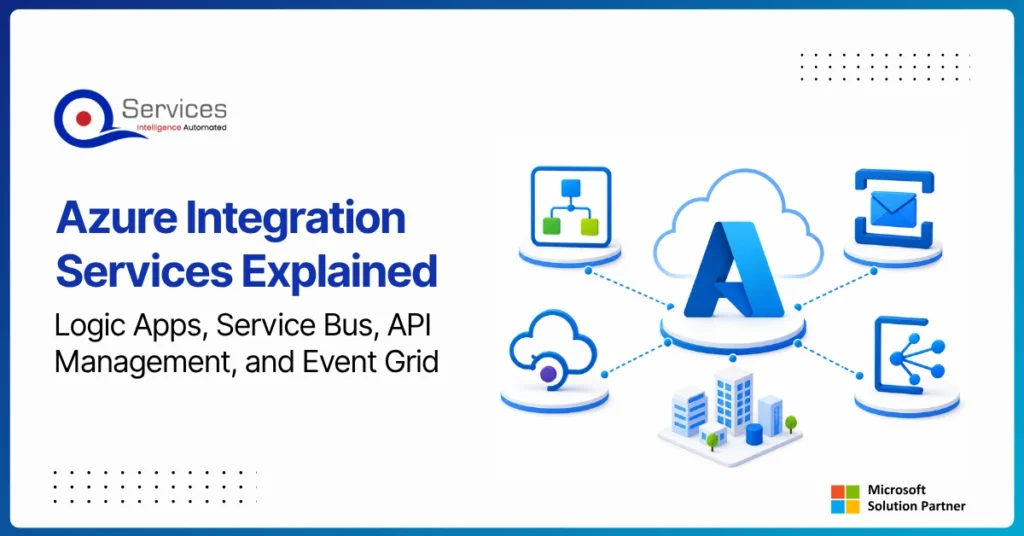
Azure Integration Services is Microsoft’s suite of cloud-native tools for connecting applications, data, and processes across your enterprise. When your organization runs a mix of on-premise systems, SaaS platforms, and custom APIs, getting them to communicate reliably is one of the hardest operational problems you will face. Azure integration services address that directly with four purpose-built components: Logic Apps for workflow automation, Service Bus for reliable messaging, API Management for governing APIs at scale, and Event Grid for event-driven architecture.
Key Insight Azure Integration Services is Microsoft’s suite of cloud-native tools for connecting applications, data, and processes across your enterprise.
This guide breaks down each component, explains how they work together, and covers when azure cloud migration services can bring your entire integration layer into the cloud. Teams evaluating azure consulting services for the first time will find the service breakdowns most useful. Teams already planning a lift and shift to azure should jump straight to the migration section.
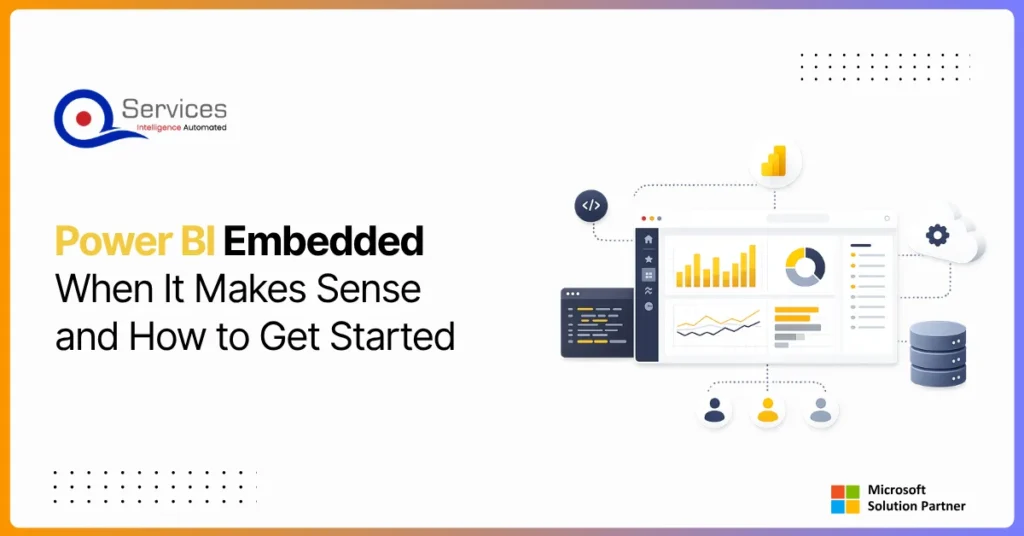
Power BI Embedded is Microsoft’s developer-focused API for embedding interactive analytics directly inside third-party apps, customer portals, and SaaS products. If you are building software and want customers to see live dashboards without logging into the Power BI service, this is where that journey starts. The question is not whether you can embed Power BI reports, you almost certainly can. The real question is whether it makes financial and architectural sense for your specific situation. This guide covers the when, the how, and the cost math that most tutorials skip.
Eager to discuss about your project?
Share your project idea with us. Together, we’ll transform your vision into an exceptional digital product!
Azure migration cost breaks down by workload strategy, not a single number. See real per-workload ranges, what FastTrack and Azure Migrate and Modernize actually cover, and how a fixed-price Blueprint Sprint replaces a vague estimate with a firm quote.
Azure Integration Services is Microsoft’s suite of cloud-native tools for connecting applications, data, and processes across your enterprise. When your organization runs a mix of on-premise systems, SaaS platforms, and custom APIs, getting them to communicate reliably is one of the hardest operational problems you will face. Azure integration services address that directly with four purpose-built components: Logic Apps for workflow automation, Service Bus for reliable messaging, API Management for governing APIs at scale, and Event Grid for event-driven architecture.
Key Insight Azure Integration Services is Microsoft’s suite of cloud-native tools for connecting applications, data, and processes across your enterprise.
This guide breaks down each component, explains how they work together, and covers when azure cloud migration services can bring your entire integration layer into the cloud. Teams evaluating azure consulting services for the first time will find the service breakdowns most useful. Teams already planning a lift and shift to azure should jump straight to the migration section.
Power BI Embedded is Microsoft’s developer-focused API for embedding interactive analytics directly inside third-party apps, customer portals, and SaaS products. If you are building software and want customers to see live dashboards without logging into the Power BI service, this is where that journey starts. The question is not whether you can embed Power BI reports, you almost certainly can. The real question is whether it makes financial and architectural sense for your specific situation. This guide covers the when, the how, and the cost math that most tutorials skip.
Power apps portals sit at an interesting crossroads for IT leaders: they’re fast, deeply integrated with the Microsoft stack, and manageable without a dedicated development team. But they’re also constrained in ways that matter when your business needs a portal that handles complex UI logic, third-party integrations outside the Microsoft ecosystem, or pixel-perfect UX design.
This guide gives you a straight comparison so you can make the right call without spending three months in discovery. We’ll cover what each option actually delivers, where each breaks down, and the governance questions that need answers before you commit either way.
If you’re evaluating your Microsoft stack more broadly, our breakdown of Power Platform vs Custom .NET Development provides useful parallel context.
Globally Esteemed on Leading Rating Platforms
Earning Global Recognition: A Testament to Quality Work and Client Satisfaction. Our Business Thrives on Customer Partnership
5.0
5.0
5.0
5.0
Turn the Microsoft Licenses
You Already Own Into an AI Workplace
Join our live webinar on Sept 24 and see five ways to automate meetings, approvals, and