API development services sit at the center of every modern software architecture decision, and the choice between REST, GraphQL, and gRPC shapes everything downstream. Pick the wrong protocol and you're dealing with over-fetching, performance ceilings, or integration debt six months later. This post breaks down all three in practical terms: what each does well, where each falls short, and how to match your project requirements to the right approach. We'll also look at how Azure cloud infrastructure, azure consulting services, and Power Platform integrations intersect with each API pattern, since most teams deploying APIs today are running on Azure or moving there.
Key Insight Pick the wrong protocol and you're dealing with over-fetching, performance ceilings, or integration debt six months later.
In This Article, You'll Learn
What Are REST, GraphQL, and gRPC?
REST API Development: Strengths, Weaknesses, and Best Use Cases
GraphQL: Solving the Over-Fetching Problem
gRPC: When Milliseconds Matter
How Azure Infrastructure Shapes Your API Choice
Eager to discuss about your project?
Share your project idea with us. Together, we’ll transform your vision into an exceptional digital product!
Before comparing them, a plain-language summary of each is worth having.
REST: The Standard That Runs the Web
REST (Representational State Transfer) is the most widely used API architecture. It communicates over HTTP using standard methods (GET, POST, PUT, DELETE) and returns data in JSON or XML. Every major SaaS platform exposes a REST API. REST is stateless, cacheable, and easy to understand, which is why it has been the default choice for public APIs and web applications for over 15 years.
GraphQL: Query What You Need
GraphQL is a query language and runtime developed by Facebook and open-sourced in 2015. Instead of fixed endpoints, GraphQL exposes a single endpoint where clients specify exactly what data they need. The server returns only what was requested. This solves a specific and common problem: over-fetching (receiving too much data) and under-fetching (making multiple round trips to assemble a complete response).
gRPC: High-Speed Service Communication
gRPC is a remote procedure call framework built by Google. It uses Protocol Buffers (protobuf) for serialization and HTTP/2 for transport, producing a binary protocol that is significantly faster than JSON over HTTP/1.1. gRPC is the protocol of choice for microservice communication, real-time streaming, and any scenario where latency matters at the millisecond level.
REST API Development: Strengths, Weaknesses, and Best Use Cases
REST has dominated API development for good reasons, but it has real limits.
Where REST Works Best
REST excels at public-facing APIs, CRUD-heavy applications, and any scenario where third-party developers need to integrate with your system. The tooling ecosystem is enormous: every language has HTTP client libraries, every API gateway supports REST, and documentation standards like OpenAPI/Swagger make it straightforward to publish and maintain. Azure API Management is built primarily around REST, so teams running azure consulting services engagements on the Microsoft stack get the deepest APIM feature support here.
REST also fits browser-based applications naturally. HTTP caching works out of the box, CDNs can cache GET responses, and developers understand the mental model without additional training.
Good REST use cases:
Public APIs consumed by external developers
Web and mobile applications with standard data requirements
CRUD services with predictable data shapes
Integrations with legacy systems expecting HTTP/JSON
REST gets painful when data requirements are complex or highly variable. Mobile apps with slow connections hit over-fetching hard: a single endpoint returns 40 fields when the mobile screen needs 8. REST also struggles with real-time data. Polling works but is inefficient. WebSockets exist but are not native to REST and add complexity to the architecture.
GraphQL: Solving the Over-Fetching Problem
GraphQL is genuinely better than REST in specific scenarios, and those scenarios are more common now than they were five years ago.
How GraphQL Changes the Data Contract
With REST, the server defines what each endpoint returns. With GraphQL, the client defines what it needs. A single GraphQL query can fetch data from multiple entities in one round trip with exactly the fields required. This matters most in two situations: complex UIs with varied data requirements across components (like dashboards with 15 different widgets) and mobile applications where bandwidth is limited and round trips are expensive.
Key Insight This matters most in two situations: complex UIs with varied data requirements across components (like dashboards with 15 different widgets) and mobile applications where bandwidth is limited and round trips are expensive.
GraphQL and Azure App Modernization
When teams are undertaking azure app modernization, GraphQL often surfaces as the right fit for modernized frontends. A legacy monolith exposing REST endpoints can be wrapped in a GraphQL layer that aggregates and reshapes data without requiring a full backend rewrite. This is a practical bridge strategy during legacy app modernization work, and it preserves existing REST endpoints for backward compatibility while new clients get the GraphQL interface.
GraphQL Limitations You Should Know
GraphQL is not free of cost. The query flexibility that makes it powerful creates challenges:
Caching is harder because most queries are POST requests, which are not cached by default
N+1 query problems can hammer your database if data loaders are not implemented
Schema management adds overhead compared to REST endpoints
Unrestricted queries can let clients request enormous datasets, creating performance and security risks
For a public API with many external developers, REST is still usually the better choice. GraphQL shines in controlled environments where you own both the client and server.
gRPC: When Milliseconds Matter
gRPC is not for every team, but for the teams that need it, nothing else comes close on raw performance.
What Makes gRPC Fast
Three things separate gRPC from REST: Protocol Buffers instead of JSON (binary payloads are smaller and faster to parse), HTTP/2 (multiplexing, header compression, persistent connections), and code generation (clients are generated from .proto files, eliminating runtime deserialization overhead). In benchmarks, gRPC typically outperforms REST by 5 to 10 times for equivalent payloads, and the gap widens under high concurrency.
gRPC Use Cases in Microservices
For microservice architectures, gRPC is often the right internal communication protocol. Running 20 services calling each other hundreds of times per second means JSON serialization and HTTP/1.1 connection overhead accumulates fast. gRPC also has native bidirectional streaming support, making it strong for:
Real-time data pipelines and telemetry
Financial trading systems requiring sub-millisecond latency
IoT sensor data ingestion
Inter-service communication inside Azure Kubernetes Service (AKS) clusters
gRPC is not browser-friendly without gRPC-Web, which adds a proxy layer. For APIs consumed by web applications, this is meaningful friction. The tooling is also less mature than REST. Debugging requires specialized tools like Grpcurl or Postman's gRPC support. Teams new to gRPC typically need two to three weeks to get comfortable with .proto workflows and generated clients.
How Azure Infrastructure Shapes Your API Choice
The cloud environment your APIs run on influences which protocol is practical, especially around tooling, monitoring, and governance.
Azure API Management and Protocol Support
Azure API Management is built primarily around REST and provides rate limiting, authentication policies, caching, transformation, and a developer portal with deep REST support. Azure APIM added GraphQL API support in 2022 and gRPC support is in preview, but the tooling depth for REST remains significantly greater.
Key Insight Azure APIM added GraphQL API support in 2022 and gRPC support is in preview, but the tooling depth for REST remains significantly greater.
An azure architecture review for teams heavily invested in APIM should weigh this: if API gateway features are central to your security and governance model, REST is currently the path of least resistance.
Azure DevOps and API CI/CD Pipelines
azure devops consulting services typically cover the full deployment pipeline for APIs: source control, build pipelines, test automation, and release gates. REST and GraphQL fit cleanly into standard Azure DevOps pipelines. gRPC adds a .proto compilation step and code generation phase, which is manageable but requires explicit setup in build YAML.
For teams setting up new azure landing zone implementation projects, establishing API deployment pipelines and governance policies early prevents technical debt. An azure security assessment at this stage should include API authentication patterns, secret management in Azure Key Vault, and policy enforcement at the API gateway layer.
Migrating On-Premise APIs to Azure
Migrate on premise to azure projects frequently involve existing REST APIs moving to Azure App Service, Azure Container Apps, or AKS. The protocol rarely needs to change for a lift and shift to azure. But this transition is a natural point to evaluate whether GraphQL or gRPC would serve the modernized architecture better than the legacy REST implementation.
A structured azure infrastructure assessment should include an API protocol review alongside compute, network, and data tiers. Azure managed services provider arrangements also typically include API monitoring setup as part of the managed service scope.
Side-by-Side Comparison: REST vs GraphQL vs gRPC
Criteria
REST
GraphQL
gRPC
Protocol
HTTP/1.1 or HTTP/2
HTTP/1.1 or HTTP/2
HTTP/2 only
Data Format
JSON/XML
JSON
Protocol Buffers (binary)
Payload Efficiency
Medium
High (no over-fetching)
Very High
Browser Support
Native
Native
Requires gRPC-Web proxy
Caching
Native HTTP cache
Manual
Manual
Streaming
Limited
Subscriptions
Native bidirectional
Learning Curve
Low
Medium
High
Tooling Maturity
Very High
High
Medium
Azure APIM Support
Full
Partial
Preview
Best For
Public APIs, CRUD apps
Complex UIs, mobile
Microservices, real-time
Choosing the Right API Protocol for Your Project
There is no universal winner. The right choice depends on four factors.
Factor 1: Who Consumes the API?
If external developers consume the API, REST is almost always right. Familiarity, tooling, and documentation toolchains favor REST for public interfaces.
If internal services consume the API at high call volumes, gRPC is worth serious consideration.
If a complex UI or mobile app consumes the API with varying data requirements per screen, GraphQL reduces round trips and bandwidth.
Factor 2: What Are Your Performance Requirements?
For most web applications, REST performance is sufficient. Page load times are dominated by network latency and rendering, not JSON parsing overhead. For high-throughput systems processing thousands of requests per second, gRPC's binary protocol makes a measurable difference.
Factor 3: What Does Your Team Already Know?
Switching protocols has a real cost. If your team has REST expertise and you are building a standard CRUD application, GraphQL's benefits will not outweigh the learning curve. If your team is already operating microservices on AKS, gRPC is a natural fit and the investment pays off quickly.
Factor 4: What Power Platform Integrations Do You Need?
This factor often gets overlooked. Teams using power automate consulting services or building on the Power Platform need REST APIs exclusively. Power Automate custom connectors only support REST, and power platform governance policies are built around REST-based connector management. If your API must feed Power Apps, Power BI, or Power Automate, REST is non-negotiable for that layer. Our post on Power Platform vs custom .NET development covers this tradeoff in detail.
What Good API Development Services Should Include
The protocol choice is only one layer of a quality api development services engagement. Here is what separates reliable vendors from average ones.
Design-First Approach
Good API development starts with a design contract: an OpenAPI spec for REST, a .graphql schema for GraphQL, or a .proto file for gRPC. This is not documentation produced after the fact; it is the specification that drives development and enables teams to build consumers in parallel.
Teams that code first and document later produce APIs that are harder to consume, harder to test, and harder to version safely. Our API security best practices for .NET applications covers the security-first design principles that should accompany every API project.
Versioning and Backward Compatibility
API changes break consumers. A versioning strategy prevents that. For REST, URL versioning (/v1/, /v2/) is the most common approach. For GraphQL, deprecation directives and schema evolution reduce breaking changes. For gRPC, protobuf field numbering and reserved fields maintain backward compatibility across client versions.
Any microsoft azure consulting company running API projects at scale needs a documented versioning policy in place before the first endpoint ships. The cost of breaking a third-party consumer is almost always higher than the cost of maintaining a parallel version.
Testing: Contract Testing Specifically
API testing is not optional. Contract testing catches breaking changes before they reach consumers. Tools like Pact for consumer-driven contract testing, or Azure API Management's built-in test capabilities, should be part of every engagement. For teams using ASP.NET development services, integration testing across service boundaries is where most production bugs originate.
Monitoring and azure cost optimization
An API without monitoring is a liability. At minimum: request rates, error rates, latency percentiles (p50, p95, p99), and upstream dependency health. Azure Monitor and Application Insights cover this well for APIs hosted on Azure.
azure cost optimization consulting engagements frequently surface API-related waste: over-provisioned App Service plans, excessive API gateway call volumes, and redundant caching layers. Getting observability in place from day one makes these optimizations possible later without archaeological guesswork.
How QServices Approaches API Development Projects
QServices has delivered api development services across healthcare, logistics, banking, and SaaS platforms since 2014, completing 500+ Azure and Microsoft platform projects. Here is how we actually work.
For new greenfield APIs, we start with a protocol recommendation based on the four factors above. We do not push GraphQL because it is fashionable or gRPC because it is technically impressive. We use what fits the actual project constraints.
For legacy APIs being modernized, we assess the existing contracts first. Breaking changes affecting third-party consumers require migration windows, deprecation notices, and parallel endpoint support. Our legacy app modernization engagements regularly include API migration as part of the broader roadmap, and the approach mirrors what we describe in our .NET application modernization guide.
Our Human-in-the-Loop governance model means API design decisions, breaking changes, and security controls require human approval at every deployment stage. For clients in regulated industries, this is not a procedural nicety; it is required to meet compliance obligations.
For teams doing azure migration partner work that involves API dependencies, we run an azure architecture review covering protocol selection, APIM configuration, authentication patterns, and monitoring setup as part of the migration plan. The goal is that APIs arrive in Azure more reliable than they left on-premise, not just relocated.
Key Takeaways
Before comparing them, a plain-language summary of each is worth having.
REST has dominated API development for good reasons, but it has real limits.
GraphQL is genuinely better than REST in specific scenarios, and those scenarios are more common now than they were five years ago.
gRPC is not for every team, but for the teams that need it, nothing else comes close on raw performance.
The cloud environment your APIs run on influences which protocol is practical, especially around tooling, monitoring, and governance.
Conclusion
API development services covers decisions with long-term consequences. REST is the right default for most public APIs and web applications, and the required choice for any system integrating with Power Platform. GraphQL earns its added complexity for data-intensive UIs and mobile applications. gRPC is the right call for high-throughput microservice communication where latency and payload efficiency matter.
The mistake most teams make is not choosing the wrong protocol. It is not thinking through the choice systematically before writing the first endpoint, then paying for that decision when the architecture scales. Whether you are building new APIs, migrating existing ones to Azure, or evaluating api development services for a modernization initiative, QServices has the Microsoft platform expertise to help you choose and execute correctly. Reach out to discuss your specific requirements.
Co-Founder and CTO, QServices IT Solutions Pvt Ltd
Rohit Dabra is the Co-Founder and Chief Technology Officer at QServices, a software development company focused on building practical digital solutions for businesses. At QServices, Rohit works closely with startups and growing businesses to design and develop web platforms, mobile applications, and scalable cloud systems. He is particularly interested in automation and artificial intelligence, building systems that automate routine tasks for teams and organizations.
Choose GraphQL over REST when your clients (especially mobile apps or complex dashboards) need to fetch data from multiple entities in a single request, or when different screens need different subsets of the same data. GraphQL eliminates over-fetching and reduces round trips, but adds schema management overhead. It is best suited to controlled environments where you own both the client and server, not public APIs consumed by external developers.
Yes. gRPC typically outperforms REST by 5 to 10 times for equivalent payloads in benchmarks, due to Protocol Buffers binary serialization (smaller than JSON), HTTP/2 multiplexing (no per-request connection overhead), and generated client code. The performance gap widens under high concurrency. For most standard web applications, this difference is not significant. For microservices handling thousands of inter-service calls per second, it is.
Azure API Management has full REST support, added GraphQL API support in 2022, and gRPC support is currently in preview. For teams relying heavily on APIM features like rate limiting, policy enforcement, and developer portals, REST currently has the deepest tooling support. GraphQL and gRPC APIM capabilities are maturing but not yet at parity with REST.
Yes, and this is a commonly overlooked factor. Power Automate custom connectors only support REST APIs. If your API must feed Power Apps, Power Automate flows, or Power BI datasets, REST is the required protocol for that integration layer. Power platform governance policies are also built around REST-based connector management. gRPC and GraphQL cannot be used directly with Power Platform custom connectors.
The protocol choice affects Azure costs through API gateway call volumes, compute requirements, and data transfer. gRPC’s smaller payloads reduce bandwidth costs in high-throughput scenarios. GraphQL can reduce over-fetching, which lowers compute load on backend services. REST with aggressive HTTP caching through Azure CDN or APIM caching policies can significantly reduce origin server load. An azure cost optimization consulting review of API infrastructure typically surfaces gateway configuration and caching as the highest-impact areas.
The most common mistake is choosing an API protocol based on trend or team preference rather than actual project requirements, then discovering the mismatch at scale. A close second is skipping contract testing: teams catch breaking changes in production rather than in CI/CD pipelines. A design-first approach (OpenAPI spec, GraphQL schema, or .proto file before writing code) and consumer-driven contract testing with tools like Pact prevent both problems.
Look for a provider with demonstrated Microsoft Azure consulting experience, a design-first API methodology, and a clear versioning and backward compatibility policy. They should include API monitoring setup (Azure Monitor, Application Insights) as part of the engagement scope, not as an afterthought. Ask specifically about their approach to contract testing and how they handle breaking changes for existing API consumers during migration. QServices has completed 500+ Azure and Microsoft platform projects since 2014.
Azure migration cost breaks down by workload strategy, not a single number. See real per-workload ranges, what FastTrack and Azure Migrate and Modernize actually cover, and how a fixed-price Blueprint Sprint replaces a vague estimate with a firm quote.
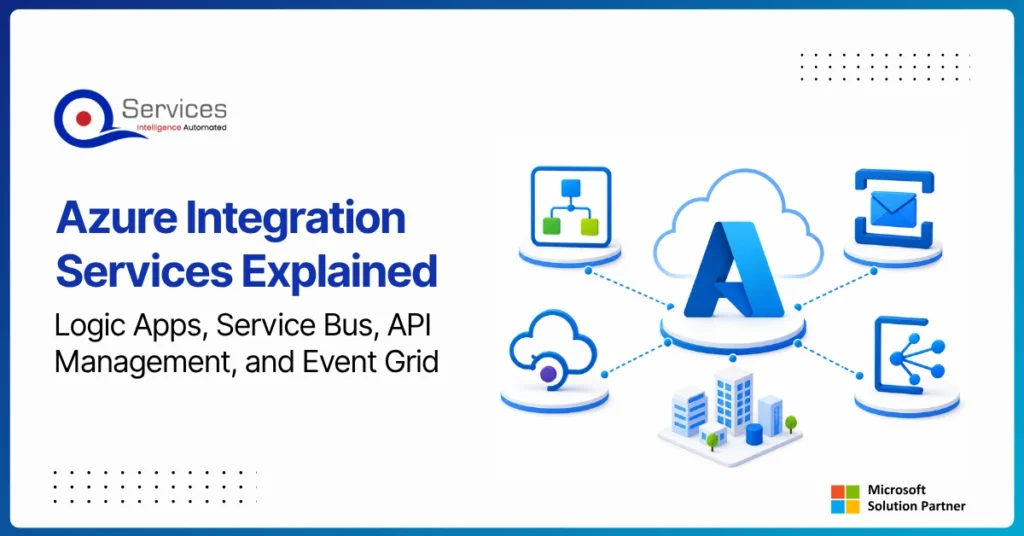
Azure Integration Services is Microsoft’s suite of cloud-native tools for connecting applications, data, and processes across your enterprise. When your organization runs a mix of on-premise systems, SaaS platforms, and custom APIs, getting them to communicate reliably is one of the hardest operational problems you will face. Azure integration services address that directly with four purpose-built components: Logic Apps for workflow automation, Service Bus for reliable messaging, API Management for governing APIs at scale, and Event Grid for event-driven architecture.
Key Insight Azure Integration Services is Microsoft’s suite of cloud-native tools for connecting applications, data, and processes across your enterprise.
This guide breaks down each component, explains how they work together, and covers when azure cloud migration services can bring your entire integration layer into the cloud. Teams evaluating azure consulting services for the first time will find the service breakdowns most useful. Teams already planning a lift and shift to azure should jump straight to the migration section.
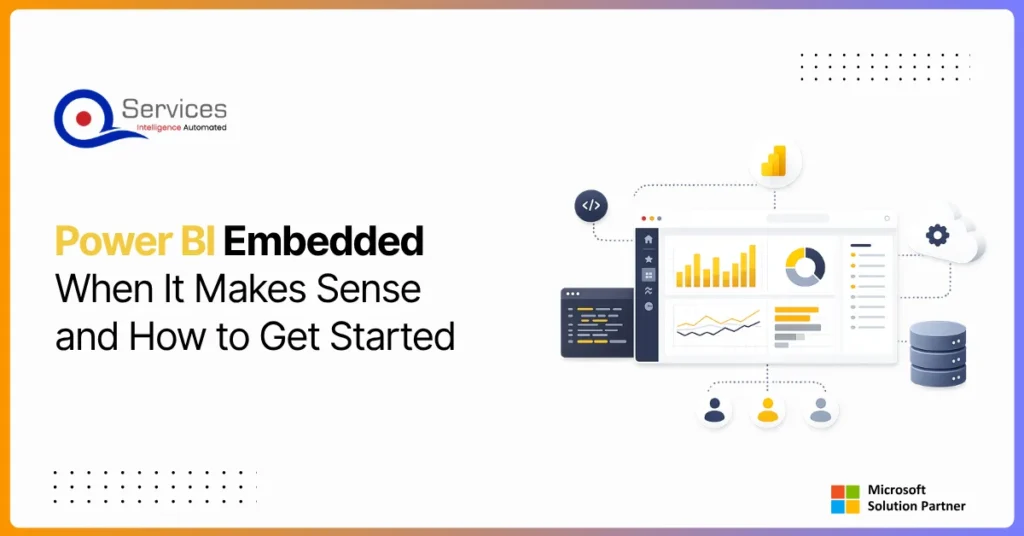
Power BI Embedded is Microsoft’s developer-focused API for embedding interactive analytics directly inside third-party apps, customer portals, and SaaS products. If you are building software and want customers to see live dashboards without logging into the Power BI service, this is where that journey starts. The question is not whether you can embed Power BI reports, you almost certainly can. The real question is whether it makes financial and architectural sense for your specific situation. This guide covers the when, the how, and the cost math that most tutorials skip.
Eager to discuss about your project?
Share your project idea with us. Together, we’ll transform your vision into an exceptional digital product!
Azure migration cost breaks down by workload strategy, not a single number. See real per-workload ranges, what FastTrack and Azure Migrate and Modernize actually cover, and how a fixed-price Blueprint Sprint replaces a vague estimate with a firm quote.
Azure Integration Services is Microsoft’s suite of cloud-native tools for connecting applications, data, and processes across your enterprise. When your organization runs a mix of on-premise systems, SaaS platforms, and custom APIs, getting them to communicate reliably is one of the hardest operational problems you will face. Azure integration services address that directly with four purpose-built components: Logic Apps for workflow automation, Service Bus for reliable messaging, API Management for governing APIs at scale, and Event Grid for event-driven architecture.
Key Insight Azure Integration Services is Microsoft’s suite of cloud-native tools for connecting applications, data, and processes across your enterprise.
This guide breaks down each component, explains how they work together, and covers when azure cloud migration services can bring your entire integration layer into the cloud. Teams evaluating azure consulting services for the first time will find the service breakdowns most useful. Teams already planning a lift and shift to azure should jump straight to the migration section.
Power BI Embedded is Microsoft’s developer-focused API for embedding interactive analytics directly inside third-party apps, customer portals, and SaaS products. If you are building software and want customers to see live dashboards without logging into the Power BI service, this is where that journey starts. The question is not whether you can embed Power BI reports, you almost certainly can. The real question is whether it makes financial and architectural sense for your specific situation. This guide covers the when, the how, and the cost math that most tutorials skip.
Power apps portals sit at an interesting crossroads for IT leaders: they’re fast, deeply integrated with the Microsoft stack, and manageable without a dedicated development team. But they’re also constrained in ways that matter when your business needs a portal that handles complex UI logic, third-party integrations outside the Microsoft ecosystem, or pixel-perfect UX design.
This guide gives you a straight comparison so you can make the right call without spending three months in discovery. We’ll cover what each option actually delivers, where each breaks down, and the governance questions that need answers before you commit either way.
If you’re evaluating your Microsoft stack more broadly, our breakdown of Power Platform vs Custom .NET Development provides useful parallel context.
Globally Esteemed on Leading Rating Platforms
Earning Global Recognition: A Testament to Quality Work and Client Satisfaction. Our Business Thrives on Customer Partnership
5.0
5.0
5.0
5.0
Turn the Microsoft Licenses
You Already Own Into an AI Workplace
Join our live webinar on Sept 24 and see five ways to automate meetings, approvals, and