HIPAA compliant software development fails healthcare IT projects more often than bad code ever does. Over the past decade, working with mid-size health systems, specialty clinics, and health-tech startups, we see the same pattern repeat: a team ships technically solid software, and then six months later a compliance audit surfaces findings that require costly rework, or trigger an OCR investigation. The code worked. The compliance architecture didn't.
This isn't a criticism of developers. HIPAA's technical safeguard requirements are genuinely complex, and they interact in non-obvious ways with modern software architecture decisions. Choosing between a monolith and microservices, between .NET Framework and .NET 9, or between a server-side Blazor app and a React SPA, all carry compliance implications that rarely surface in sprint planning.
This post walks through the seven compliance gaps we find most consistently, what causes each one, and how to close them before they become reportable incidents.
In This Article, You'll Learn
The Compliance Problem Most .NET Teams Don't See Coming
What HIPAA Compliant Software Development Actually Requires
How Legacy .NET Systems Create Hidden Compliance Gaps
The 7 Compliance Failures That Kill Healthcare IT Projects
Why Your .NET Architecture Choices Are Compliance Decisions
Eager to discuss about your project?
Share your project idea with us. Together, we’ll transform your vision into an exceptional digital product!
The Compliance Problem Most .NET Teams Don't See Coming
Most healthcare IT projects start with a compliance checkbox: "We'll use Azure, Azure is HIPAA-eligible, we're covered." That framing is technically true and operationally dangerous.
Azure, AWS, and Google Cloud all offer HIPAA-eligible services, but the Business Associate Agreement a cloud provider signs only covers the infrastructure layer. Everything above the infrastructure, your application logic, your logging configuration, your API surface, your database schema, falls entirely on your team. A cloud provider's BAA doesn't make your app compliant. Your architecture does.
The teams that get into trouble are usually running .NET Framework applications built five to ten years ago, well before cloud-native architecture became the default. Those apps often have PHI (protected health information) stored in application logs, encryption that covers storage but not transit between services, and access control models designed for on-premises Active Directory, not zero-trust cloud environments.
Why the Risk Compounds During Legacy Modernization
The risk gets worse, not better, when teams begin modernization efforts. A .NET application modernization project that migrates a monolith to microservices can inadvertently spread PHI across more services, more databases, more log sinks, and more network paths, without any corresponding increase in encryption or access controls. Each new microservice is a new attack surface. Each new service-to-service call is a new transit path that needs mutual TLS.
We've seen .net microservices consulting engagements in healthcare where the first audit finding after modernization was a 40% increase in unencrypted PHI transmission paths, despite the team believing they had improved security during the migration.
Key Insight We've seen .net microservices consulting engagements in healthcare where the first audit finding after modernization was a 40% increase in unencrypted PHI transmission paths, despite the team believing they had improved security during the migration.
What "Compliant Architecture" Actually Means
Compliant architecture means building HIPAA controls into the design, not retrofitting them afterward. That includes structured logging that explicitly excludes PHI fields, role-based access at the API gateway layer, encryption for every service-to-service call, and audit trails that can answer "who accessed what, when, and why" for any piece of PHI in the system. This is what separates enterprise application development for healthcare from general-purpose software work.
What HIPAA Compliant Software Development Actually Requires
HIPAA compliant software development requires satisfying three categories of safeguards defined in the HHS HIPAA Security Rule: technical, administrative, and physical. Most software teams focus almost entirely on technical safeguards and treat the other two as HR or facilities problems. That's where the gap opens.
The Three Pillars: Technical, Administrative, and Physical Safeguards
Technical safeguards are what developers typically own: encryption at rest and in transit, access controls, automatic logoff, audit controls, and integrity mechanisms to detect unauthorized PHI alteration.
Administrative safeguards require the software team to participate in security risk assessments, document how their application handles PHI, maintain Business Associate Agreements with every vendor who touches PHI data, and establish incident response procedures. When a developer uses a third-party logging service, a crash reporting tool, or a managed database service, each one needs a BAA if PHI could reach it.
Physical safeguards are largely a cloud provider's responsibility when you're running on Azure, AWS, or GCP, but they apply to any on-premises components, developer workstations, and CI/CD build agents that handle PHI.
For most asp.net development services projects in healthcare, the hardest safeguard to get right is audit controls. HIPAA requires that you can produce a log showing exactly which users accessed or modified a specific patient record, with timestamps, across your entire system. In a distributed application, that means centralized, tamper-evident logging that captures PHI access at the application layer.
Why Audit Trails Are Non-Negotiable
An audit trail isn't just a compliance requirement: it's your primary defense against insider threats and your evidence in breach investigations. We've written about building immutable audit trails for every software project, and the principle holds especially true for healthcare. Every access event, every query that touches PHI, needs to be logged with enough context to be defensible in an investigation.
The practical implementation usually involves a dedicated audit log service that receives structured events from every application component, stores them in an append-only log with cryptographic verification, and exposes a query interface only to compliance officers, not to the application itself.
How to Migrate from .NET Framework to .NET 8/9 Without Breaking Compliance
Migrating from .NET Framework to .NET 8 or .NET 9 is an opportunity to retrofit compliance controls that were missing from the original implementation. The migration forces you to touch every layer of the application, which means you can add structured logging, replace home-grown encryption with the .NET cryptography APIs, and refactor data access to route all PHI through audited repository classes.
The tricky part is the transition period. During a phased migration, .NET Framework components and .NET 9 components run simultaneously. According to NIST SP 800-111, encryption should be applied at the data layer, not just at the network boundary, which means every cross-component call in the hybrid state needs to be encrypted and audited, even if the components are in the same data center.
How Legacy .NET Systems Create Hidden Compliance Gaps
Most compliance failures in healthcare IT aren't design failures. They're accumulation failures: ten years of adding features, changing vendors, and evolving architecture without revisiting the compliance model. A .NET Framework 4.6 application built in 2014 was designed against a different threat model and a different set of OCR enforcement priorities.
The .NET Framework End-of-Life Problem
.NET Framework is not end-of-life in the traditional sense; Microsoft still supports it as a Windows component. But it receives no new feature development, and many of the cryptographic APIs available in modern .NET are simply absent. SHA-1 certificates, weaker TLS versions, and older cipher suites are much easier to accidentally use in .NET Framework than in .NET 8+, where the defaults have been hardened.
For teams running enterprise application development on .NET Framework, the risk isn't just technical debt. It's that the default configuration of older framework components may not meet current HIPAA guidance on encryption strength, which has moved in line with NIST's recommendations for AES-256 and TLS 1.2 minimum.
Monolith vs. Microservices: A Compliance Tradeoff
The .NET monolith-to-microservices migration is genuinely complicated from a compliance standpoint. Monoliths are easier to audit (one database, one log stream, one access control model) but harder to scale and maintain. Microservices scale cleanly but create compliance complexity: every service boundary is a new audit point, a new encryption requirement, and a new access control scope.
This isn't an argument against microservices. It's an argument for treating the compliance architecture as a first-class citizen in .net microservices consulting engagements, not something to revisit after the services are deployed.
What the Strangler Fig Pattern Means for Compliance Risk
Legacy .NET Framework modernization uses the strangler fig pattern to incrementally replace components without full rewrites. From a compliance standpoint, the strangler fig is both safe and risky. It's safe because you modernize one component at a time, adding compliance controls to each component as you go. It's risky because during the transition, the old component and new component coexist, and PHI may flow through both paths.
The solution is to define your compliance perimeter around the strangler proxy, not around individual components. All PHI flows through the proxy, the proxy enforces encryption and audit logging, and the underlying components are treated as untrusted internal services regardless of age. This is the .net application modernization approach we apply to every regulated-industry engagement.
The 7 Compliance Failures That Kill Healthcare IT Projects
This is the list we run against every project in the first two weeks of engagement. Any one of these in production is a material risk.
1. No BAA with all third-party vendors. Every SaaS tool, logging service, error tracker, and email provider that could receive PHI needs a signed BAA. Teams often have BAAs with their cloud provider and EHR vendor, but miss their crash reporting tool, their CI/CD service, and their customer support platform.
2. PHI leaking into application logs. Patient IDs, MRNs, dates of birth, and diagnosis codes end up in exception logs, request logs, and debug outputs. Structured logging with explicit PHI field exclusion rules is the fix.
3. Encryption missing for service-to-service calls. Perimeter encryption is not enough. Internal service calls within the same VNet are often unencrypted because teams assume the network is trusted. Under zero-trust architecture, that assumption is wrong.
4. Access controls that don't follow the minimum necessary standard. HIPAA's minimum necessary standard requires that PHI access is limited to what's needed for the task. In software terms, that means role-based access at the API level, not just at the UI level.
5. Missing or incomplete risk assessments. The Security Rule requires a documented risk assessment before going live. Many teams do this once at launch and never update it, even as the architecture changes significantly.
6. Audit logs that don't cover all PHI access points. If your audit log captures API calls but not direct database queries, or covers your main app but not your admin tools, you have a gap that will surface in an OCR audit.
7. Unencrypted backup files. Backup files frequently contain PHI, and backup encryption is often an afterthought. The HIPAA Breach Notification Rule applies to backup files exactly as it applies to production data.
Why Your .NET Architecture Choices Are Compliance Decisions
Every significant architecture decision in a healthcare .NET application has a compliance dimension. This isn't an abstraction: it plays out in code review, in infrastructure design, and in the questions your HIPAA auditor will ask.
Microservices and the Distributed Audit Trail Problem
The biggest compliance challenge in a microservices architecture is building a coherent audit trail across independently deployed services. When a user queries a patient record and that query triggers calls to five downstream services, the audit trail needs to capture all five calls as a single linked transaction.
The solution is distributed tracing with a correlation ID that propagates through every service call, combined with a centralized audit log that aggregates events by correlation ID. Tools like Azure Application Insights or OpenTelemetry handle the correlation; the audit log aggregation requires a custom service in most architectures. Our post on HIPAA-compliant cloud architecture on Azure covers the specific Azure services that support this pattern end-to-end.
Blazor vs React: Which Is Better for Enterprise Healthcare Apps?
Blazer Server renders UI on the server with SignalR; Blazor WASM runs C# directly in the browser via WebAssembly. From a compliance standpoint, Blazor Server has a meaningful advantage: PHI never leaves the server as raw data. The client receives rendered HTML and UI deltas, not the underlying patient records, which significantly reduces the attack surface for client-side PHI exposure.
React sends JSON responses containing PHI to the browser, where it lives in JavaScript memory and potentially in developer tools, local storage, or cache. Securing PHI in the browser requires active effort: avoiding localStorage for PHI, implementing content security policies, and auditing every API call for over-fetching.
Neither choice makes compliance impossible, but Blazor development services in healthcare applications remove a class of client-side risk that React teams have to actively manage. For enterprise healthcare portals where most users are internal clinical staff on managed devices, Blazor Server is generally the lower-risk choice.
How to Choose a HIPAA Compliant Software Development Partner
Not every dotnet development company has experience with HIPAA-compliant work, and the gap between a general-purpose development shop and one with healthcare experience is significant. Here's what to look for before you sign anything.
What to Look for in a Healthcare .NET Partner
A genuine custom software development company with healthcare experience will walk you through their BAA process before you sign a contract, show you examples of their security risk assessment documentation, and explain their approach to PHI handling in development and staging environments. PHI in dev environments is a common compliance finding that experienced teams have a documented process for avoiding.
Beyond credentials, look for a team that treats architecture reviews as a standard part of delivery, not a bolt-on at the end. Our 5-day blueprint sprint process includes a compliance architecture review before any code is written, because the decisions made in that first week determine 80% of the compliance risk in the final product.
Key Insight Our 5-day blueprint sprint process includes a compliance architecture review before any code is written, because the decisions made in that first week determine 80% of the compliance risk in the final product.
For asp.net development services specifically, ask whether the team has experience with the strangler fig pattern for legacy healthcare apps. A team that defaults to full rewrites for every modernization engagement will create more compliance risk during the transition than one that knows how to migrate incrementally.
The Role of Governance in HIPAA Projects
Healthcare IT projects need governance structures that align with compliance requirements, not just delivery velocity. That means human review checkpoints at critical compliance milestones: before PHI is introduced to any environment, before a new service is connected to production, and before any data migration that touches patient records.
We've written in depth about HITL governance for banking compliance, and the same model applies directly to healthcare. Human-in-the-Loop governance embeds compliance review into the delivery workflow rather than treating it as a post-development audit activity. The data from digital transformation projects shows consistently that projects where compliance is treated as a final gate cost significantly more to deliver than projects where it's built into every sprint.
What Good HIPAA Compliant Software Development Looks Like in Practice
Good hipaa compliant software development isn't a checklist you complete once. It's a set of architectural and process habits that make compliance a by-product of normal delivery, not an emergency remediation after an audit.
Building HIPAA Controls into Your CI/CD Pipeline
The best time to catch a compliance gap is before code ships. That means adding compliance checks to your CI/CD pipeline: static analysis for common PHI exposure patterns, automated tests that verify encryption is applied to all PHI field writes, and infrastructure-as-code checks that prevent unencrypted storage accounts from being provisioned.
OWASP Dependency Check helps catch vulnerable dependencies that could expose PHI. Combined with branch protection rules that require passing these checks before merge, you get a compliance safety net that doesn't slow down delivery once it's configured. Teams running asp.net development services on Azure benefit from Azure Policy, which blocks non-compliant infrastructure provisioning automatically, without a human review cycle on every pull request.
How .NET 9 Migration Improves the Compliance Baseline
A .net 9 migration isn't just a performance improvement. The modern .NET runtime enforces TLS 1.2 minimum by default, removes legacy cipher suites, and provides cryptographic APIs that are harder to misuse than their .NET Framework equivalents. Teams that complete a .net 9 migration often find their compliance posture improves as a direct side effect, because the platform defaults are better aligned with current HIPAA guidance.
The legacy app modernization work we do for clients in regulated industries always includes a security configuration audit as part of the migration. The migration itself creates the opportunity to fix configuration issues that would otherwise require a separate remediation project. If timeline and budget are concerns, consider that the cost of cloud migration is typically a fraction of what OCR-mandated remediation costs after a breach finding. The honest answer on .net application modernization timelines is that it depends on scope: a targeted strangler fig migration of the highest-risk components can take two to three months, while a full platform migration runs six to twelve.
Key Takeaways
Most healthcare IT projects start with a compliance checkbox: "We'll use Azure, Azure is HIPAA-eligible, we're covered." That framing is technically true and operationally dangerous.
HIPAA compliant software development requires satisfying three categories of safeguards defined in the HHS HIPAA Security Rule: technical, administrative, and physical.
Most compliance failures in healthcare IT aren't design failures.
This is the list we run against every project in the first two weeks of engagement.
Every significant architecture decision in a healthcare .NET application has a compliance dimension.
Conclusion
HIPAA compliant software development is harder than most development teams expect, not because the rules are unclear, but because they interact with every architectural decision your team makes. The healthcare IT projects that fail at compliance rarely fail because the developers didn't try. They fail because compliance was treated as a documentation exercise rather than an architecture discipline.
Getting this right is achievable with the right process: compliance controls embedded from the start, governance checkpoints at critical PHI touchpoints, and a development partner who has done this before and can show you the process. If you're running a .NET Framework application in healthcare and preparing for modernization, or building a new healthcare platform from scratch, the time to address compliance architecture is before the first sprint, not after the first audit finding. QServices specializes in .NET modernization with Human-in-the-Loop governance for enterprise applications, and we're ready to walk through your current architecture and show you exactly where the gaps are.
Co-Founder and CTO, QServices IT Solutions Pvt Ltd
Rohit Dabra is the Co-Founder and Chief Technology Officer at QServices, a software development company focused on building practical digital solutions for businesses. At QServices, Rohit works closely with startups and growing businesses to design and develop web platforms, mobile applications, and scalable cloud systems. He is particularly interested in automation and artificial intelligence, building systems that automate routine tasks for teams and organizations.
In most cases, modernize incrementally rather than rewriting. A full rewrite carries higher compliance risk during the transition period, longer timelines, and greater budget exposure. The strangler fig pattern lets you replace components one at a time, adding compliance controls to each piece as you go, while keeping the existing system running. A rewrite only makes sense when the existing codebase is so tightly coupled that incremental migration is impractical, or when the compliance debt is so severe that carrying it forward would cost more than starting fresh.
The strangler fig pattern is an incremental modernization approach where a new system is built alongside the old one. A proxy or facade routes traffic, gradually shifting requests to the new components as they are completed. Legacy .NET Framework modernization uses the strangler fig pattern to replace components without full rewrites, reducing the risk of a big-bang cutover. In healthcare applications, the compliance perimeter should be defined around the proxy layer, so encryption and audit logging apply uniformly regardless of whether a request hits old or new components.
Blazor Server is generally the lower-risk choice for enterprise healthcare applications. Blazor Server renders UI on the server with SignalR, which means PHI never leaves the server as raw data. The client receives rendered HTML and UI deltas, significantly reducing client-side PHI exposure. React (and other SPA frameworks) send PHI as JSON to the browser, requiring active measures to prevent PHI from persisting in browser memory, local storage, or developer tools. For internal clinical portals on managed devices, Blazor development services provide better compliance defaults out of the box.
Healthcare custom software development costs more than general-purpose software because compliance architecture adds meaningful effort. A simple patient-facing portal with HIPAA controls typically runs $150,000 to $400,000. A full enterprise platform with EHR integrations, audit infrastructure, and multi-environment PHI isolation can run $500,000 to $2 million or more. The honest answer is it depends heavily on integration complexity, the number of PHI data flows, and whether you’re building greenfield or modernizing legacy systems. The cost of getting compliance wrong, including OCR fines that start at $100 per violation, almost always exceeds the cost of building it right the first time.
The recommended approach for most healthcare applications is a phased migration using the strangler fig pattern. Start by inventorying all PHI data flows in the existing application, then prioritize migrating the highest-risk components first. Use the .NET Upgrade Assistant to identify compatibility blockers, then migrate component by component, running the old and new versions behind a proxy. At each step, add structured logging, update encryption to use .NET’s modern cryptography APIs, and verify that audit trail coverage is maintained across both components. Plan for the hybrid state to be audited as thoroughly as either endpoint individually.
Blazor is a Microsoft framework for building web UIs using C# instead of JavaScript. It comes in two modes: Blazor Server, which runs application logic on the server and sends UI updates to the client via SignalR, and Blazor WASM, which runs C# directly in the browser via WebAssembly. For healthcare applications, Blazor Server is the preferred choice because PHI stays on the server and never reaches the browser as raw data. Teams already invested in asp.net development services and C# skill sets will find Blazor reduces context switching and allows sharing of domain model code between the server and UI layers.
Neither architecture is inherently superior; the choice depends on your team size, compliance maturity, and operational capacity. Monoliths are significantly easier to audit because there is one database, one log stream, and one access control model. Microservices offer better scalability and independent deployability but require distributed tracing, service mesh encryption, and correlation IDs to maintain a coherent audit trail across services. For teams without a mature .net microservices consulting practice or dedicated platform engineering capacity, a modular monolith with clear internal boundaries is often a safer starting point for HIPAA compliance than a full microservices architecture.
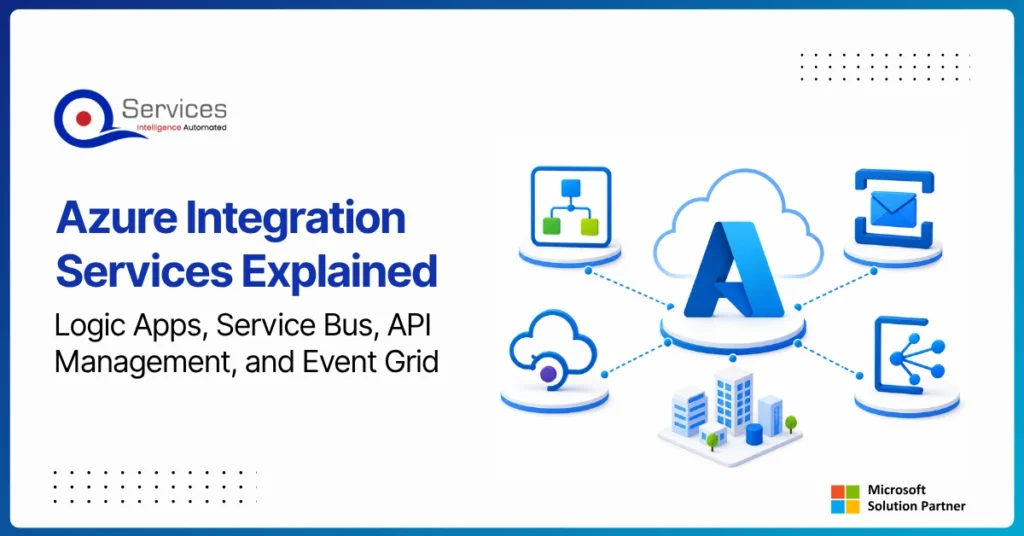
Azure Integration Services is Microsoft’s suite of cloud-native tools for connecting applications, data, and processes across your enterprise. When your organization runs a mix of on-premise systems, SaaS platforms, and custom APIs, getting them to communicate reliably is one of the hardest operational problems you will face. Azure integration services address that directly with four purpose-built components: Logic Apps for workflow automation, Service Bus for reliable messaging, API Management for governing APIs at scale, and Event Grid for event-driven architecture.
Key Insight Azure Integration Services is Microsoft’s suite of cloud-native tools for connecting applications, data, and processes across your enterprise.
This guide breaks down each component, explains how they work together, and covers when azure cloud migration services can bring your entire integration layer into the cloud. Teams evaluating azure consulting services for the first time will find the service breakdowns most useful. Teams already planning a lift and shift to azure should jump straight to the migration section.
Power BI Embedded is Microsoft’s developer-focused API for embedding interactive analytics directly inside third-party apps, customer portals, and SaaS products. If you are building software and want customers to see live dashboards without logging into the Power BI service, this is where that journey starts. The question is not whether you can embed Power BI reports, you almost certainly can. The real question is whether it makes financial and architectural sense for your specific situation. This guide covers the when, the how, and the cost math that most tutorials skip.
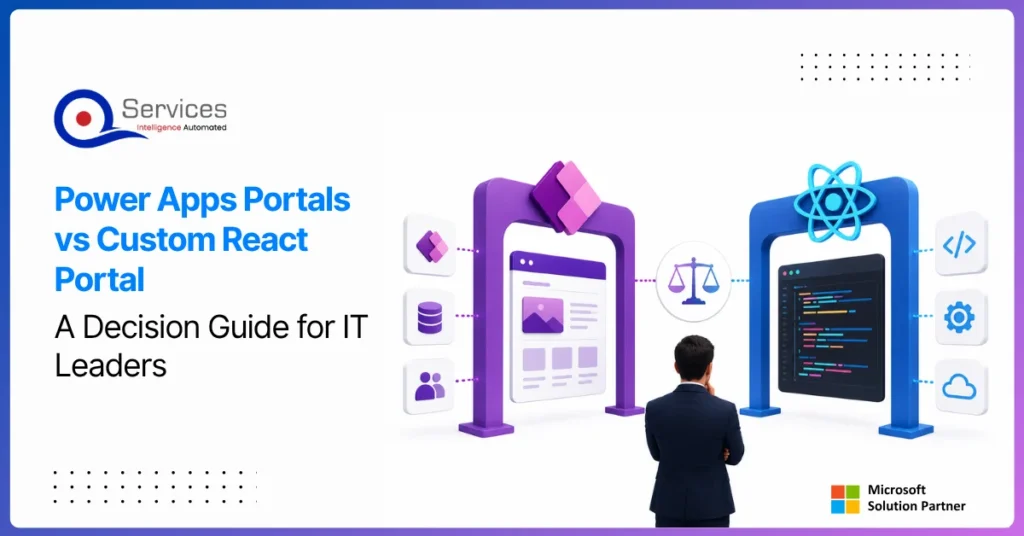
Power apps portals sit at an interesting crossroads for IT leaders: they’re fast, deeply integrated with the Microsoft stack, and manageable without a dedicated development team. But they’re also constrained in ways that matter when your business needs a portal that handles complex UI logic, third-party integrations outside the Microsoft ecosystem, or pixel-perfect UX design.
This guide gives you a straight comparison so you can make the right call without spending three months in discovery. We’ll cover what each option actually delivers, where each breaks down, and the governance questions that need answers before you commit either way.
If you’re evaluating your Microsoft stack more broadly, our breakdown of Power Platform vs Custom .NET Development provides useful parallel context.
Azure Integration Services is Microsoft’s suite of cloud-native tools for connecting applications, data, and processes across your enterprise. When your organization runs a mix of on-premise systems, SaaS platforms, and custom APIs, getting them to communicate reliably is one of the hardest operational problems you will face. Azure integration services address that directly with four purpose-built components: Logic Apps for workflow automation, Service Bus for reliable messaging, API Management for governing APIs at scale, and Event Grid for event-driven architecture.
Key Insight Azure Integration Services is Microsoft’s suite of cloud-native tools for connecting applications, data, and processes across your enterprise.
This guide breaks down each component, explains how they work together, and covers when azure cloud migration services can bring your entire integration layer into the cloud. Teams evaluating azure consulting services for the first time will find the service breakdowns most useful. Teams already planning a lift and shift to azure should jump straight to the migration section.
Power BI Embedded is Microsoft’s developer-focused API for embedding interactive analytics directly inside third-party apps, customer portals, and SaaS products. If you are building software and want customers to see live dashboards without logging into the Power BI service, this is where that journey starts. The question is not whether you can embed Power BI reports, you almost certainly can. The real question is whether it makes financial and architectural sense for your specific situation. This guide covers the when, the how, and the cost math that most tutorials skip.
Power apps portals sit at an interesting crossroads for IT leaders: they’re fast, deeply integrated with the Microsoft stack, and manageable without a dedicated development team. But they’re also constrained in ways that matter when your business needs a portal that handles complex UI logic, third-party integrations outside the Microsoft ecosystem, or pixel-perfect UX design.
This guide gives you a straight comparison so you can make the right call without spending three months in discovery. We’ll cover what each option actually delivers, where each breaks down, and the governance questions that need answers before you commit either way.
If you’re evaluating your Microsoft stack more broadly, our breakdown of Power Platform vs Custom .NET Development provides useful parallel context.