


Architecture map, prioritized backlog, 15/20/45 plan, and risk register — ready for your board.
One workflow shipped end-to-end with audit trail, monitoring, and full handover to your team.
Stabilize a stalled project, identify root causes, reset delivery, and build a credible launch path.
Monitoring baseline, incident cadence targets, and ongoing reliability improvements for your integrations.
Answer 3 quick questions and we'll recommend the right starting point for your project.
Choose your path →Turn scattered data into dashboards your team actually uses. Weekly reporting, KPI tracking, data governance.
Cloud-native apps, APIs, and infrastructure on Azure. Built for scale, maintained for reliability.
Automate manual processes and build internal tools without the overhead of custom code. Power Apps, Power Automate, Power BI.
Sales pipelines, customer data, and service workflows in one place. Configured for how your team actually works.
Custom .NET/Azure applications built for workflows that off-the-shelf tools can't handle. Your logic, your rules.
Every engagement starts with a clear plan. In 10 days you get:
Patient data systems, compliance reporting, and workflow automation for regulated environments.
Real-time tracking, route optimization, and inventory visibility across your distribution network.
Scale your product infrastructure, integrate third-party tools, and ship features faster with reliable ops.
Secure transaction processing, regulatory reporting, and customer-facing portals for financial services.
Get a clear plan in 10 days. No guesswork, no long proposals.
See case studies →Download our free checklist covering the 10 steps to a successful delivery blueprint.
Download free →15-minute call with a solutions architect. No sales pitch — just clarity on your project.
Book a call →Home » Using Hooks in React.js for Cleaner and More Efficient Code
React hooks have revolutionized how developers manage state and lifecycle methods in React.js applications. Introduced in React 16.8, hooks allow developers to use functional components while leveraging powerful features like state management, side effects, and context. In this blog, we’ll explore the best practices, benefits, and practical examples of using React hooks to simplify your codebase.
React hooks are functions that let you “hook into” React state and lifecycle features in functional components. They enable developers to build applications more cleanly and concisely by reducing the need for class components.
Commonly Used Hooks:
The useEffect hook is powerful for managing side effects like API calls, subscriptions, and DOM updates. Follow these tips for optimal use:
Exmaple:
useEffect(() => {
const interval = setInterval(() => {
console.log(‘Running side effect’);
}, 1000);
// Cleanup function
return () => clearInterval(interval);
}, []); // Dependency array
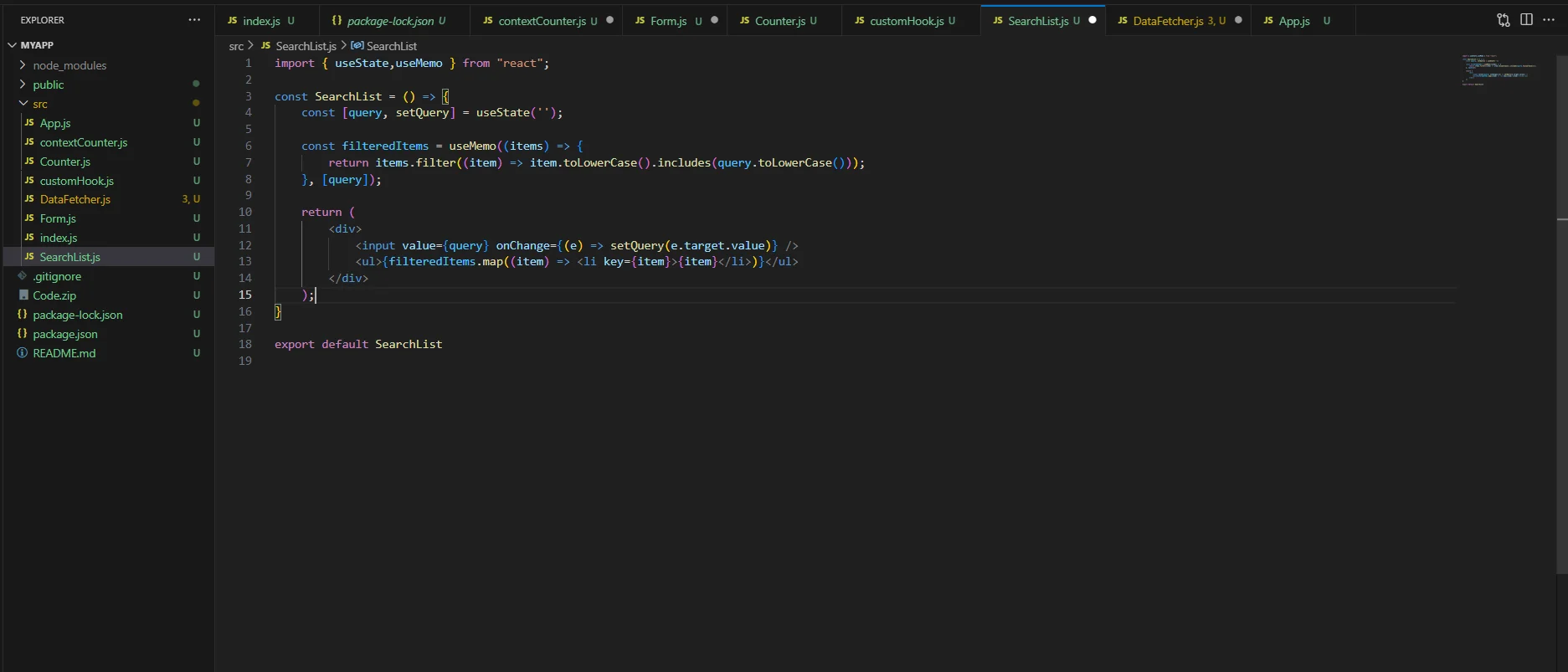
These hooks prevent unnecessary re-computations and re-renders.
const expensiveCalculation = useMemo(() => {
return computeHeavyTask(input);
}, [input]);
console.log(‘Button clicked’);
}, []);
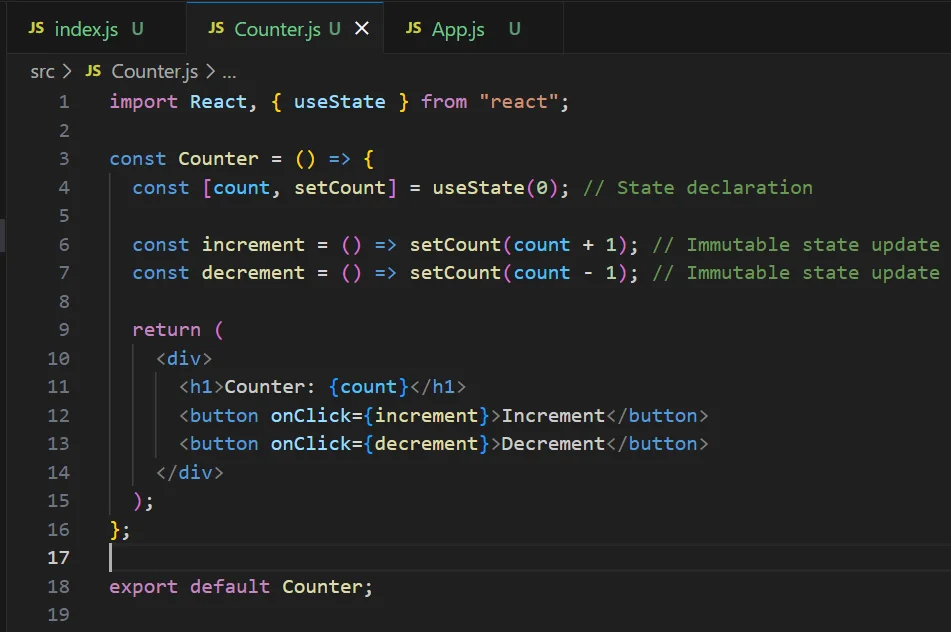
While useState is powerful, overusing it can lead to cluttered components. Use useReducer for managing complex state.
Get free Consultation and let us know your project idea to turn into an amazing digital product.
1.Infinite Loops in useEffect: Ensure dependencies are correctly specified in the dependency array.
2.State Updates Not Reflecting Immediately: Remember that useState updates are asynchronous.
3.Memory Leaks: Always clean up subscriptions and event listeners in useEffect.
Share your project idea with us. Together, we’ll transform your vision into an exceptional digital product!
React hooks have transformed the way developers build React applications by simplifying state management and enhancing performance. By following best practices, creating reusable custom hooks, and understanding how to manage side effects effectively, you can streamline your codebase and improve the scalability of your projects.
Whether you’re new to hooks or looking to refine your approach, the examples and tips shared in this blog should serve as a solid foundation for leveraging hooks effectively in your React.js development.
React Hooks are functions that let you use state and lifecycle features in functional components, making code cleaner and more reusable without using class components.
No, Hooks are designed specifically for functional components. You’ll need to convert your class component to a functional component to use Hooks.
This usually happens in React’s Strict Mode or when dependencies change. Adding proper dependency arrays helps control when the effect runs.
useMemo memoizes computed values, while useCallback memoizes functions. Both prevent unnecessary re-renders but serve different optimization purposes.
Yes, include all variables and functions your effect uses. Skipping dependencies can cause stale closures and bugs in your application.
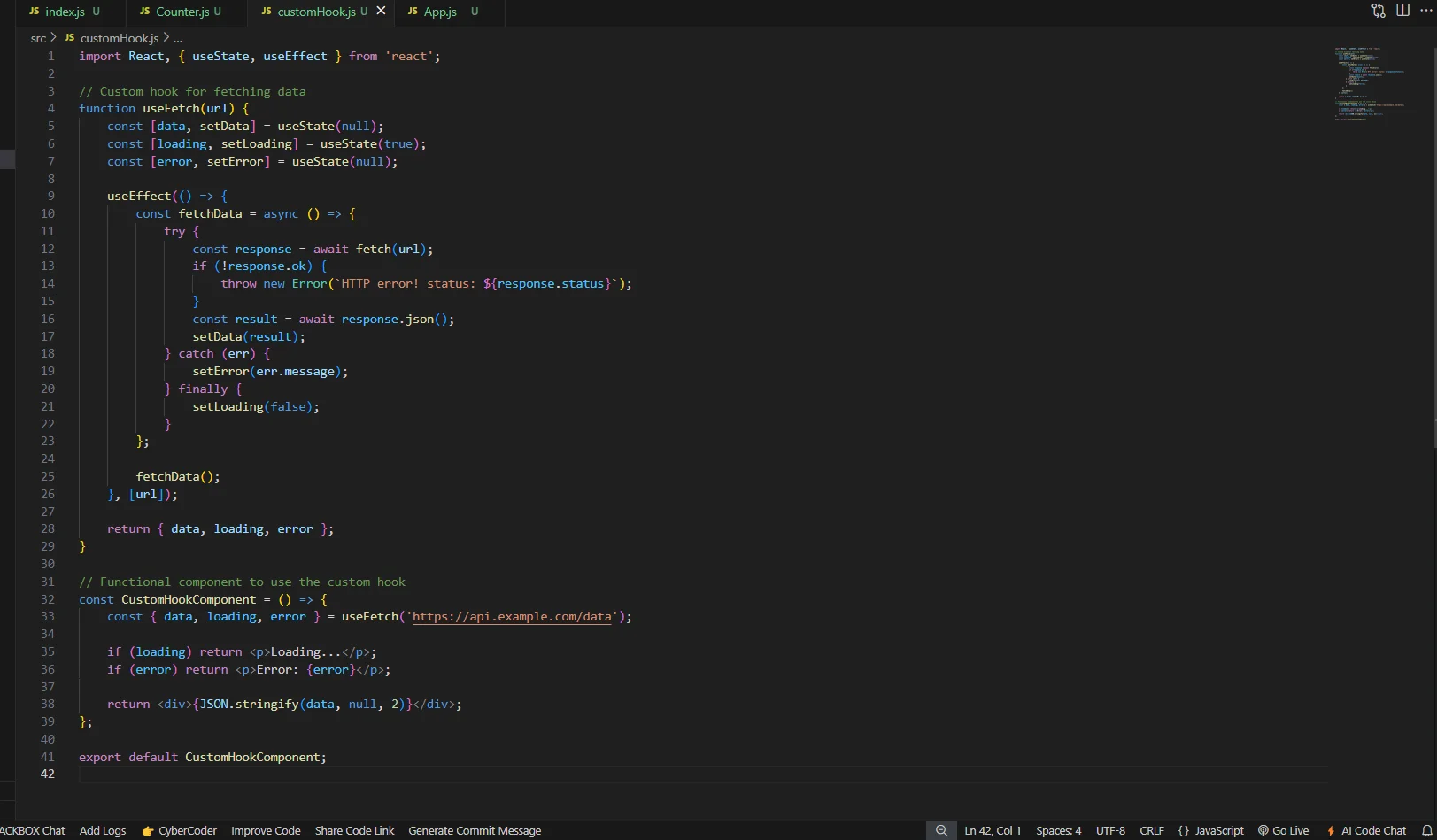
Use useEffect to make API calls, and useState to store the response data. Remember to handle loading states and errors.
Use useEffect with an empty dependency array ([]) to replicate componentDidMount behavior in functional components.
No, Hooks must be called at the top level of your component and can’t be placed inside conditions, loops, or nested functions.
Create custom Hooks that encapsulate reusable logic. Custom Hooks are functions that start with “use” and can call other Hooks.
ESLint detects variables used in useEffect that aren’t listed in the dependency array. Add them or restructure your effect.

Blazor vs React for Enterprise Apps: When Each One Wins Rohit Dabra | April 28, 2026 Table of Contents Facebook-f Twitter Linkedin Blazor vs React is one of the most actively debated front-end decisions on .NET projects right now, and if you’re planning an enterprise

When discussions turn to hybrid and native app performance, Ionic is often the framework that gets questioned. Among cross-platform options such as React Native, Flutter, and Xamarin, the Ionic UI framework is known for helping teams get a mobile app to market faster. However, this speed is often viewed as a compromise on performance.

While companies invest in flutter app development for interactive user interfaces, an app’s performance often becomes the deciding factor in whether users stay or leave. Users may not consciously notice a well‑designed interface, but they immediately feel when an app becomes laggy, slow, or unresponsive.

Founder and CEO

Chief Sales Officer